
Magento Connector
Magento–Acumatica Connector is a native extension that connects Magento stores to Acumatica through a governed store configuration. It validates API connectivity, imports Magento orders into Acumatica, drives fulfillment back to Magento on shipment and invoice release, brings refunded orders into the correct AR and SO flows, and synchronizes customers, items, prices, images, categories, and inventory quantities. Defaults, cross-references, and date windows are centralized so data posts cleanly and operations remain auditable across channels.
Magento Connector
Magento–Acumatica Connector is a native extension that connects Magento stores to Acumatica through a governed store configuration. It validates API connectivity, imports Magento orders into Acumatica, drives fulfillment back to Magento on shipment and invoice release, brings refunded orders into the correct AR and SO flows, and synchronizes customers, items, prices, images, categories, and inventory quantities.
Defaults, cross-references, and date windows are centralized so data posts cleanly and operations remain auditable across channels.
1
Governed store setup and secure connectivity
Store configuration centralizes connection and behavior: store code selection, API key and password, base URL, and a test-connection action to verify reachability before processing. Administrators define what to retrieve (orders, catalogs, prices), where to import orders (SO, SO Invoice, AR Invoice), the default order type, and date windows for both regular and refunded orders. Error notifications can be emailed automatically. This one-time setup reduces mid-process failures and keeps imports, exports, and postings consistent.


2
End-to-end order lifecycle with clear operator flows
Operators use a dedicated Get/Import screen: fetch orders by date range, review, open an order in a pop-up, and import selected or all. The grid shows elapsed time, per-row errors with hover details, and a trace for diagnostics. Fulfillment follows Acumatica’s standard steps—Create Shipment, Confirm Shipment (with Box ID and tracking), Prepare Invoice, Release—after which both systems mark the order completed. This keeps the entire lifecycle inside familiar Acumatica screens while updating Magento in lockstep.
3
Refund automation mapped to real document states
Refunded orders are imported and resolved into the correct Acumatica actions, case by case: close untouched sales orders with a Customer Refund payment; delete unconfirmed shipments; create Credit Memos when shipments or invoices exist; or reverse a released invoice when required. Each flow updates related references and marks the refund as processed, so internal financials, inventory, and external Magento status remain aligned without manual reconciliation.

4
Master-data control and governed creation of customers and items
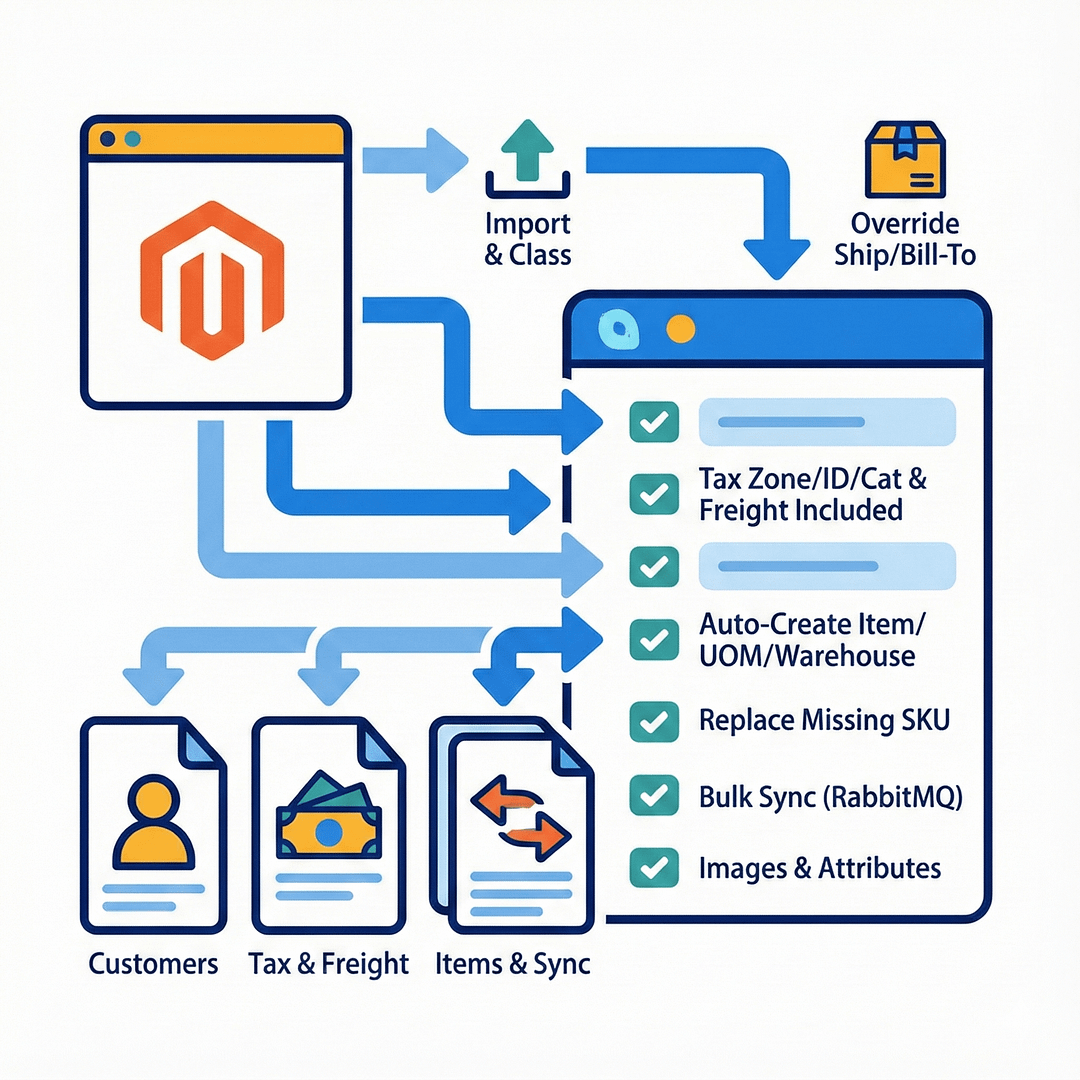
Customer handling is flexible: import customers from Magento with a default class, or route all orders to a specified customer; ship-to and bill-to can be overridden from the Magento order. Tax zone, tax ID, taxable categories, and “Is Freight Included in Magento” ensure compliant, predictable postings. Items can be created automatically on import with defaults for item class, UOM, and warehouse; when item import is off, “Replace Missing Products” lets you map unknown SKUs to a fallback item to avoid blocking. Optional bulk item sync leverages Magento’s RabbitMQ module for high volume, and item images and attributes can be included during synchronization.
5
Catalog, price, attribute, image, and category synchronization
From one workspace you can load Acumatica and Magento items, fetch by SKU or name, and sync in either direction. Exporting items makes the Inventory ID the Magento SKU when needed; images export in batch from a dedicated screen once items are staged. Multi-price lists can be exported from—or imported to—Acumatica with simple checkbox selection. Attribute mappings connect Acumatica attributes and UDFs to Magento properties; active option loading validates control-type compatibility. Categories and customer groups sync as well, aligning merchandising structure and price classes across systems.

6
Inventory quantity exports with location control
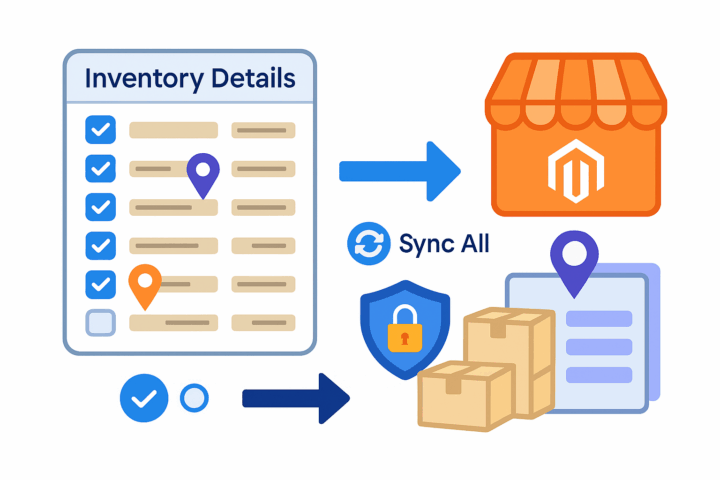
Inventory exports are governed from a specific screen and operate on items staged in the store’s Inventory Details. You can update Magento quantities for selected items or use “Sync All” for the whole grid. Because the items are explicitly staged and saved first, exports target the right SKUs and locations, preventing accidental pushes and keeping marketplace availability aligned with releasable stock rather than raw counts.
Tagline
SCHEDULE A DEMO
«Consider the Magento-Acumatica Connector as the digital bridge connecting your online storefront to your entire business operation. Imagine your Magento e-commerce site as a bustling shop on one side of a river, and your Acumatica ERP system as your organized warehouse and office on the other side. This connector builds a robust bridge that allows customer orders, inventory updates, and sales data to flow seamlessly and automatically between the two, ensuring everything from sales fulfillment to financial reporting is perfectly synchronized without any manual effort.»
Tagline
SCHEDULE A DEMO
«Consider the Magento-Acumatica Connector as the digital bridge connecting your online storefront to your entire business operation. Imagine your Magento e-commerce site as a bustling shop on one side of a river, and your Acumatica ERP system as your organized warehouse and office on the other side. This connector builds a robust bridge that allows customer orders, inventory updates, and sales data to flow seamlessly and automatically between the two, ensuring everything from sales fulfillment to financial reporting is perfectly synchronized without any manual effort.»

Shopify Connector is an integration link for two platforms‒Shopify’s e-commerce system and Acumatica
Cloud ERP. The connector supplies all the tools a business needs to improve its order processing strategy,
to simplify inventory management, pricing, payment, and streamline its logistics processes. Bilateral
synchronization makes it possible to manage orders in Acumatica and mark them fulfilled in the Shopify system automatically. Using this connector allows better time management and facilitates the connection between the platforms. Above all, the connector also streamlines the process of handling the payment information.
Gift Card Processing is a native extension for Acumatica that manages the full gift card lifecycle—from issuance and sale through redemption, balance tracking, history, and returns—directly within Sales Orders, Invoices, and AR payments. It supports both non-stock (code-based) and serialized stock cards, optional expiration control, and centralized setup and governance. The result is consistent processing, accurate balances, and an auditable record of every transaction without side spreadsheets or ad-hoc tools.

ShipHero–Acumatica Integration is a native extension that synchronizes fulfillment and ERP data through a governed store configuration. It supports two directional modes (ShipHero to Acumatica and Acumatica to ShipHero), validates connectivity, imports orders and shipments, exports orders and purchase orders, brings receipts back, and synchronizes items, vendors, warehouses, and inventory quantities. Centralized options for taxes, packaging, customers, items, and cross-references keep postings consistent and auditable across the order, shipment, and receiving lifecycle.
WHAT OUR CLIENTS SAY
“Exceptional experience from start to finish — their professionalism truly stands out.”
Laura Bennett
Marketing Director
“Fast, reliable, and always one step ahead. Couldn’t ask for better support.”
David Romero
Head of Operations
“They deliver quality every single time. A trusted partner for our business growth.”
Sophie Klein
Managing Partner