CommerceHub
CommerceHub–Acumatica integration uses governed SFTP file exchange (via a managed FileZilla path) instead of direct API calls. Store Codes define per-process behavior and defaults so you can import purchase orders, export acknowledgements, shipments, invoices, and synchronize inventory quantities in a predictable, auditable way. Cross-reference, warehouse, and inventory-template tabs centralize mappings and staging, while operational screens expose queues and errors so operators always know the next action.
CommerceHub
CommerceHub–Acumatica integration uses governed SFTP file exchange (via a managed FileZilla path) instead of direct API calls. Store Codes define per-process behavior and defaults so you can import purchase orders, export acknowledgements, shipments, invoices, and synchronize inventory quantities in a predictable, auditable way.
Cross-reference, warehouse, and inventory-template tabs centralize mappings and staging, while operational screens expose queues and errors so operators always know the next action.
1
Governed SFTP–based exchange with Store Codes
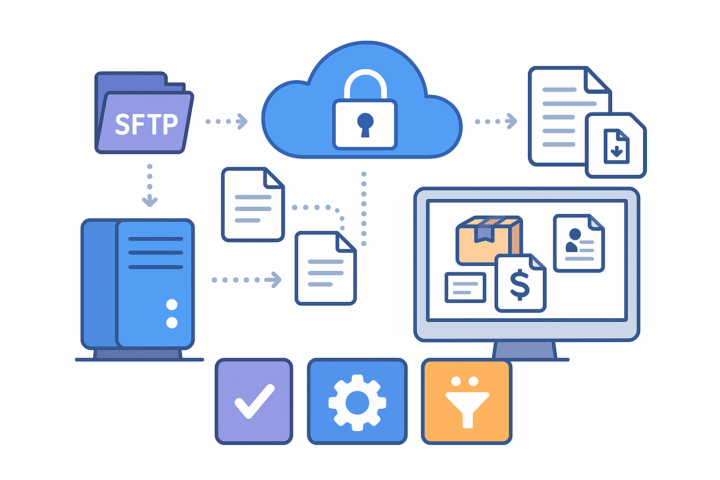
The connector is designed for file-driven exchange over SFTP rather than APIs. Data moves in structured text files through a managed FileZilla channel, ensuring predictable transfer windows and clear separation between staging and ERP posting.
Store Codes let you maintain distinct configurations for different flows (for example, Inventory, Item, Shipment). For each store you can set transaction type, description, default customer, and document type—so imports and exports follow the right rules without per-run tweaking.

2
Structured order acknowledgements and lifecycle alignment
Sales Orders include two acknowledgement fields that start in Open status. While Open, orders appear on export screens dedicated to PO Acknowledgment and Acknowledgment.
Once acknowledgements are processed, the orders are removed from those queues and the statuses are set to closed. This closes the loop between file transmission and ERP state, keeping operators focused on what still requires action and ensuring downstream partners see the confirmed status.
3
Shipment and invoice exports tied to ERP releases
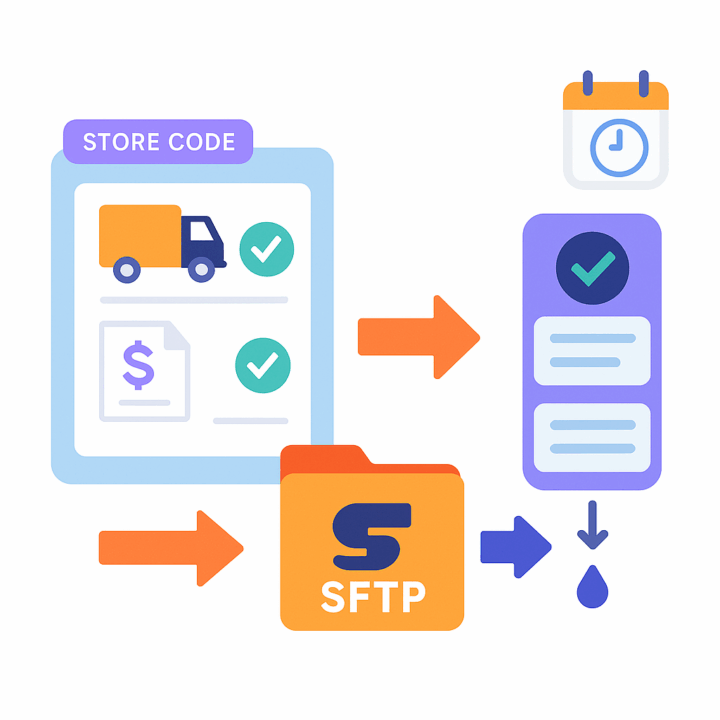
A dedicated shipment-export screen lists orders that have a confirmed shipment for the selected Store Code, making it straightforward to produce CommerceHub-ready shipment files with tracking.
A companion invoice-export screen lists invoiced or released orders for the store. Exports de-queue themselves after processing, aligning CommerceHub status with Acumatica’s released documents and avoiding re-exports or double posting.

4
Warehouse governance and inventory synchronization
Warehouse Details defines which Acumatica warehouses participate in CommerceHub exports, giving precise control over which stock pools drive availability.
Inventory Template is used to stage Inventory IDs for quantity sync; once saved there, those items appear on the Export CommerceHub Inventory screen for transmission. This two-step staging prevents accidental pushes and ensures only vetted items are synchronized.
5
Item and warehouse cross-references for clean posting
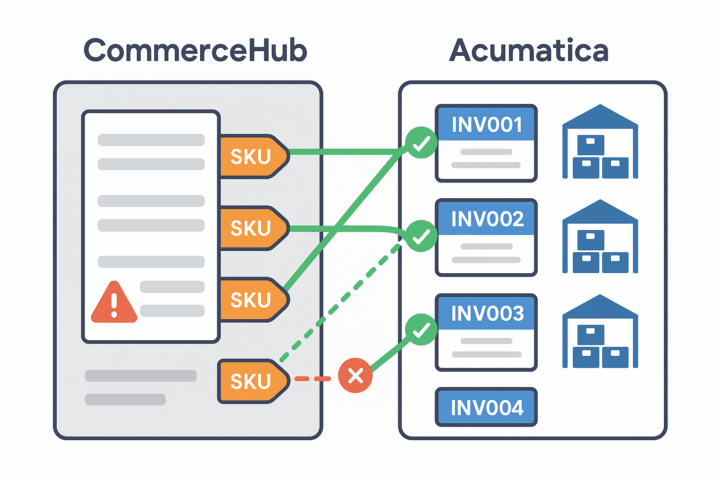
A Cross-Reference tab maps Acumatica Inventory IDs to the item identifiers contained in CommerceHub files. This prevents “item not found” conditions and ensures lines resolve to valid SKUs at import time.
Warehouse mappings ensure that imported or exported documents point to valid Acumatica warehouses, so downstream posting and reporting remain consistent without manual corrections.
6
Operational transparency, error handling, and recovery
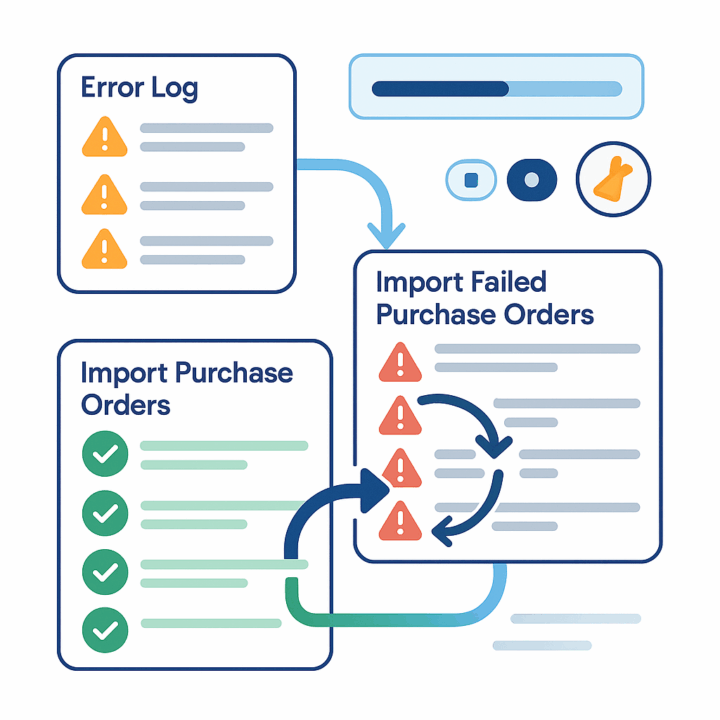
An Error Log tab captures issues encountered during imports and exports, with a Purge Logs action to clear resolved messages in bulk. Operators can review details in one place and re-run only the failed segments.
Two import screens separate happy-path PO intake from remediation: Import Purchase Orders brings in new POs for a selected store, while Import Failed Purchase Orders lets you specifically reprocess items that previously failed—speeding recovery without rerunning clean data.
Tagline
SCHEDULE A DEMO
«Imagine the CommerceHub-Acumatica Connector as your tireless backstage coordinator. While CommerceHub connects your retail partners, the connector quietly ensures every detail—orders, stock levels, shipments, invoices—is instantly recorded in Acumatica ERP, just like a trusted assistant who never forgets and never rests. This hidden helper keeps your operations synchronized and efficient, allowing your business to run smoothly without manual effort.»
Tagline
SCHEDULE A DEMO
«Imagine the CommerceHub-Acumatica Connector as your tireless backstage coordinator. While CommerceHub connects your retail partners, the connector quietly ensures every detail—orders, stock levels, shipments, invoices—is instantly recorded in Acumatica ERP, just like a trusted assistant who never forgets and never rests. This hidden helper keeps your operations synchronized and efficient, allowing your business to run smoothly without manual effort.»

Shopify Connector is an integration link for two platforms‒Shopify’s e-commerce system and Acumatica
Cloud ERP. The connector supplies all the tools a business needs to improve its order processing strategy,
to simplify inventory management, pricing, payment, and streamline its logistics processes. Bilateral
synchronization makes it possible to manage orders in Acumatica and mark them fulfilled in the Shopify system automatically. Using this connector allows better time management and facilitates the connection between the platforms. Above all, the connector also streamlines the process of handling the payment information.

ShipHero–Acumatica Integration is a native extension that synchronizes fulfillment and ERP data through a governed store configuration. It supports two directional modes (ShipHero to Acumatica and Acumatica to ShipHero), validates connectivity, imports orders and shipments, exports orders and purchase orders, brings receipts back, and synchronizes items, vendors, warehouses, and inventory quantities. Centralized options for taxes, packaging, customers, items, and cross-references keep postings consistent and auditable across the order, shipment, and receiving lifecycle.

Salesforce–Acumatica Integration provides a governed store configuration that connects Salesforce and Acumatica with credential validation, cross-reference mapping, and policy-driven import and export flows. Orders are imported from Salesforce into Acumatica with configurable defaults; customers, items, price books, and discounts can be synchronized; and approved changes in Acumatica can be pushed back to Salesforce. Options for taxes, payments, and address overrides keep postings compliant, while inquiry and history pages give operators traceability from initial import through updates and releases.
WHAT OUR CLIENTS SAY
“Exceptional experience from start to finish — their professionalism truly stands out.”
Laura Bennett
Marketing Director
“Fast, reliable, and always one step ahead. Couldn’t ask for better support.”
David Romero
Head of Operations
“They deliver quality every single time. A trusted partner for our business growth.”
Sophie Klein
Managing Partner