Custom ERP Enhancements That Accelerate Business Growth
Biz-Tech Services offer custom ERP enhancements that will accelerate the growth of your business. Enhancements are ERP integrations that are modules or changes to pre-existing Acumatica or Sage 100cloud modules that automate daily processes. The implementation of these custom enhancements often result in maximized efficiency and reduce operational costs. There are plenty of on-premise ERP enhancements that Biz-Tech can assist you in selecting. Biz-Tech Services specializes in help you shape your software to fit your exact business needs.
Offline Order Entry
Offline Order Entry is an ERP enhancement that allows companies to enter sales orders whilst offline, or when internet connectivity is spotty. It's a native application purpose-built for the iPad and iPhone, so the app is fast and responsive. At trade shows, data connections tend to be unreliable and expensive. With our Offline Order Entry app, you can write orders and access all your order, customer and product info offline. This solution enables effective order management for sales teams. As soon as you’re back online, any orders you entered, created or modified while offline, will automatically be synced. In short, this means no downtime making sales.
- Internet connectivity and speed never interfere with productivity
- Take orders and access customer and product records at all times
- No order loss from technical failures
- Synchronization occurs automatically once a connection is established
- Scanning of product barcodes speeds up order entry
- Product Images will display in order lines
Kit Processing
Kit Processing is one of our most popular custom ERP enhancements. Kit Processing allows users to explode kit components right on the sales order processing screen. Most importantly, there is no need to open another maintenance screen or print a pick list to view kit components. Using the native sales order processing preferences screen, users can control the cost calculation basis for kit items entered on a sales order. In turn, this allows grater flexibility without having to make maintenance adjustments to inventory items. Giving users the option to explode kit components directly and make adjustments to any quantity improves efficiency and control during order entry.
- Simplifies visibility of kit items
- Change kit and component quantities with ease
- Efficiently add kits to orders without having to leave the sales order processing screen
- Powerfully manage kit pricing rules
- Works for stock and non-stock kits
Consignment Processing
Consignment Processing allows for better inventory management. Manage inventory that is stored with a customer but owned by the company. This enhancement makes it possible to track and manage quantities and valuation of inventory in multiple sales locations. The Consignment Processing enhancement simplifies the order process and gives better visibility of unsold inventory.
- Track the inventory sent to the consignee
- Track what inventory needs to be replenished at the consignee’s site
- Return unsold consigned Inventory
- Invoice consignee for sold or used inventory
- Efficient inventory management
Gift Card Processing
Gift Card Processing allows companies to manage gift card payments within the software. Utilizing gift cards lets companies offer perks for customers and drive sales and revenue. Gift Card Processing offers a flexible gift card payment solution for all size businesses and makes accepting gift card payments simple yet affordable.
- Receive batches of gift cards as serialized Items
- Cards are ready to issue as soon as they are received
- Track History of spends and balances
- Load a balance by selling the gift card as you would any other stock item
- Use gift cards as a payment method
- Allows one or multiple customers to use the same gift card
Alternate & Upsell Item Processing
Upsell and alternate item processing is the ideal extension to encourage customers to purchase higher-end products, an upgrade or an additional item. This cross selling system also provides alternate items in situations where items are out of stock. During order entry, if the desired item is out of stock, the alternate item cross selling screen will pop-up and provide a list of items that can be substituted. In addition to cross selling alternate items, a list of warehouses where the desired item is available will also be shown. users will be able to easily select the alternate item and it will switch the line with a cross sell item or warehouse item.
- Easy warehouse management
- Quantity adjustments
- Visual cues
- Full integration
Matrix Processing
Our Matrix Processing software provides additional functionality and streamlined entry of transactions needed to process items with up to 3-dimensional attributes. Complete matrix processing software for tracking quantities for user-definable size and color attributes for each style. Biz-Tech's Matrix Processing software also provides a fully integrated solution across all applications.
- Advanced inventory management
- Collaboration throughout multiple departments
- Combines project and functional management structures
- Efficient communication

Allowance & Deduction Processing
Allowance & Deduction Processing extends Sage 100cloud's functionality to allow the Sage 100 ERP solution to calculate multilevel allowance and deductions on the sales order invoice data entry screen.
Field Service Management
Field Service Management is system for managing end-to-end activities in a field service organization. That includes scheduling, dispatching, invoicing and billing. This provides users with a fully integrated ERP solution for automated repair center and field service management.
Loaner & Rental Processing
Loaner and Rental Processing extends Sage 100cloud ERP functionality for customers who need to track loaner or rental products. This enhancement allows for loan or rent items to be billed for a specific date range, return products back to the warehouse and sell damaged or missing goods from one screen.
Allocation Processing
Allocation Processing helps optimize the fulfillment process by finding and selecting orders that can be shipped based on availability. This allows businesses to shift overhead costs to cost objects using a rational basis of allotment.
Saw something that piqued your interest? Feel free to give us a call at (818) 484-5004, e-mail us at sales@biz-techservices.com, contact us here or fill out the form below to get started today!
The 5 Most Important ERP Modules for 2021
The value of ERP software can best be summed up by its centralization of a wide range of front office and back office processes. There are many different ERP modules available that can be added to a system to further customize the solution for your business. As your business scales, it can be difficult to ensure you’re keeping track of everything. From financial management to inventory management, implementing the right ERP modules can help you manage your business more efficiently.
What are ERP Modules?
Within an ERP system are modules and each module focuses on one area of a business process, including finances and marketing, just to name a few. Each module has its own set of tools and serves their own unique purposes and functions. When implementing ERP software for your business, it is important to consider the types of modules that your business will need and ensure that the vendor of your choice provides them.
Here are the five most important ERP modules that you'll find within an ERP solution implementation for 2021, the specifics on what each module does and how it will benefit your business.
1. Supply Chain Management
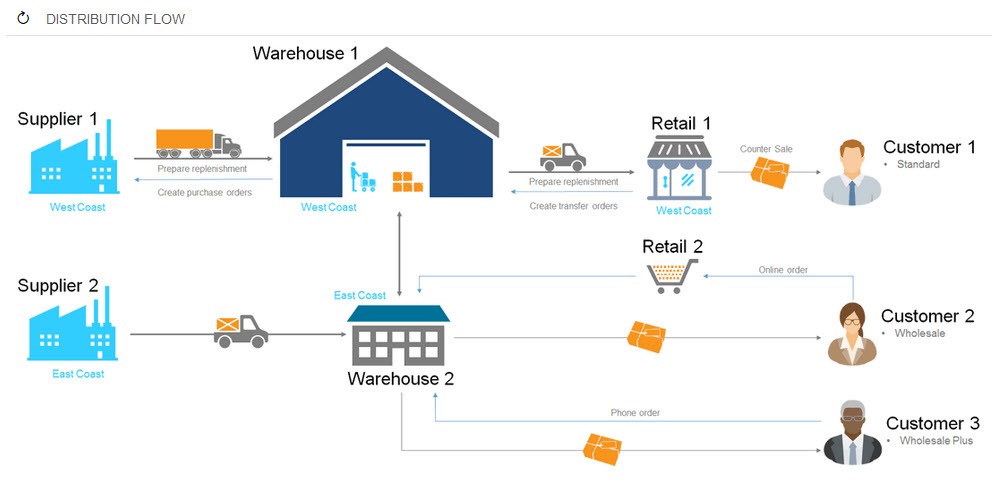
Maximizing supply chain management efficiency is an essential business process that needs to be done. Supply chain management is typically complicated due to the considerable number of moving parts. This is where ERP modules and ERP solutions come into play.
Similar to standalone software, real-time data is a vital feature of SCM ERP software modules. The ability to make decisions based on up-to-date data is a huge advantage to those who have it. With real-time information on your supply chain, you could easily catch issues in the production or distribution process before they become a problem. You can also measure the amount of time it takes on average to produce a product and compare that to the rate at which a product is being developed today.
In addition to demand planning, demand forecasting is another key feature of SCM ERP modules. Using predictive analytics, your ERP solution’s SCM module should be able to predict future demand for your products or services. You can then use this data to create a production plan that meets demand but doesn’t exceed it. An effective forecasting tool can alleviate costs by reducing spoilage and excess inventory.
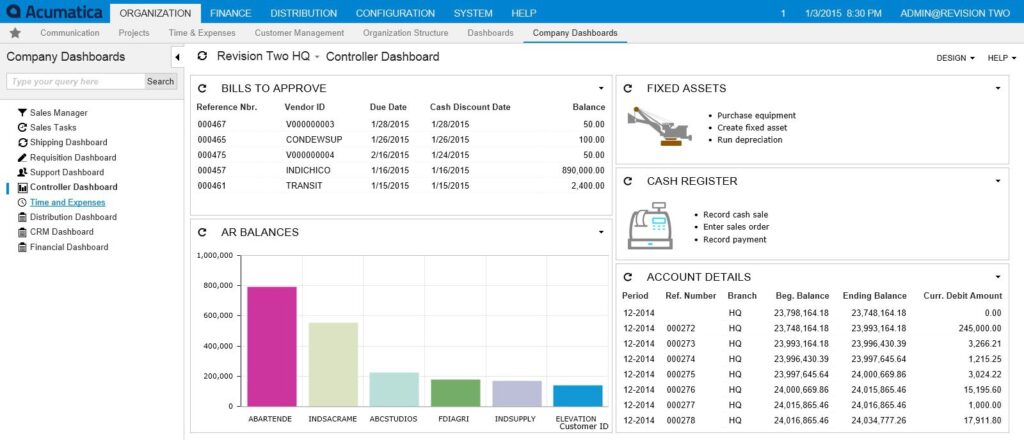
2. Financial Management
Financial management modules are one of, if not the most, helpful tools you can implement in your ERP program. With finances being the backbone of your business, an effective financial management ERP tool will work with every branch in your company. For example, the ability to use real-time sales data to calculate revenue.
ERP at its core is about centralization of workflow and information. Utilizing financial tools will help aggregate and manage how money moves through your company. You have the ability to view the whole of your business's finance in the module. From HR departments to marketing departments. This includes features such as a general ledger, account receivable and accounts payable at the most basic level.
Reporting should also be included in the financial management module. Reports are crucial to managing your finances, and can significantly improve the development of actionable insights through advanced data analysis. Additionally, financial statements can help you develop budgets while also keeping your executives aware of your company’s financial status.
3. Inventory Management
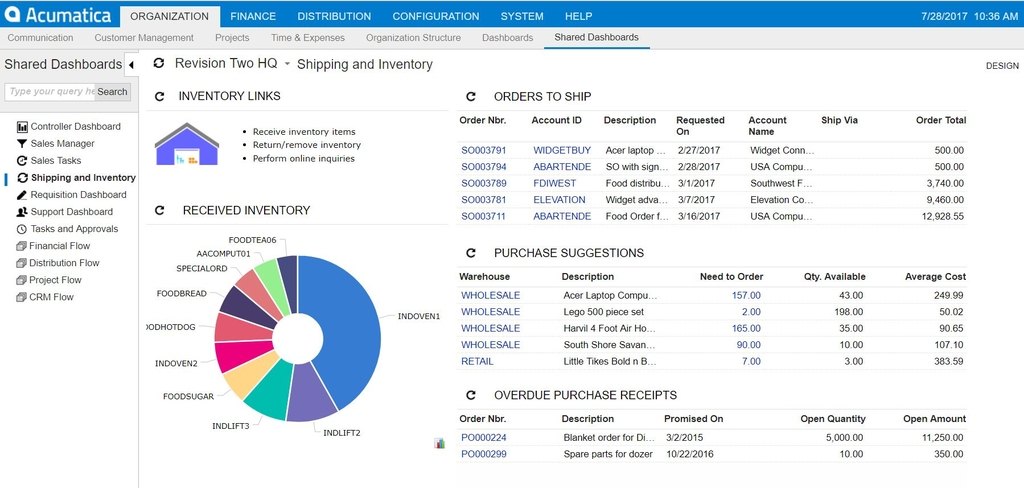
Inventory management ERP software works closely with supply chain management, acting as a somewhat lite version. The basic principle of inventory management is that a business needs to know how much stock they have. This goes beyond simple data analysis and order fulfillment. The information could be used to accurately allocate space for incoming inventory as well.
These modules of ERP are incredibly important because they interact with multiple entities across your business. They are involved from acquisition to final shipping notification and work to achieve maximum productivity through tools such as invoicing, shipping and sales order management. Increases in profit margins, boost in efficiency and more satisfied customers are some of the common benefits of this tool.
It can be up to ten times more expensive to bring in new customers than it is to hold onto existing ones. Efficiency breeds repeat customers, and that’s one of the many reasons why an inventory management module is such a valuable resource.
4. CRM
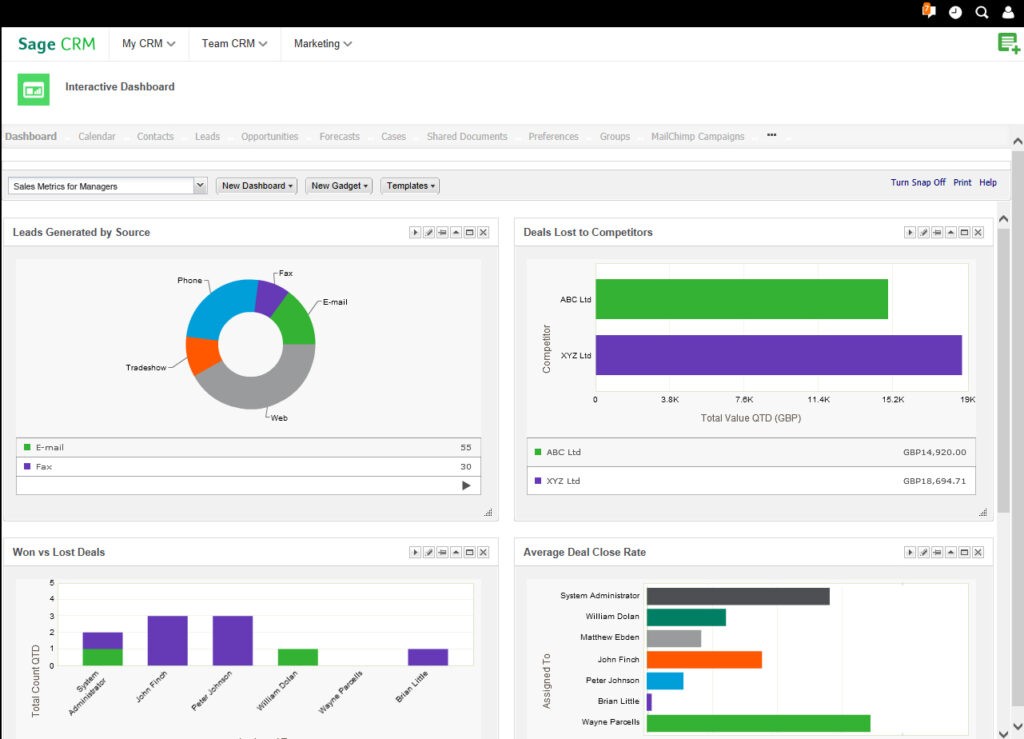
A strong customer relationship is vital to every business, which is why implementing an ERP CRM solution is extremely beneficial. Using a CRM helps you better manage the sales funnel. Keeping track of your customers, sales and leads becomes a simple matter when you’re using the right CRM tool.
This module can help you manage customers, leads and sales processes. Some basic CRM features that are typically included in these modules include contact lists, interaction histories and basic analytics. These features are core components of CRM that can ensure that you are providing the most relevant product promotions for your customers based on elements such as their purchase history.
CRM modules can also help you find out who your top customers are and target them for potential cross-selling opportunities. You can discover additional sales opportunities where you previously may have thought there weren’t any.
5. Human Resources
Human resources is a module that deals with every department in your company. Because it contains valuable information and processes, it's a highly recommended module implementation.
Because HR software gathers data on every employee, it's constantly generating information from all your departments. An HR module collects information on every employee simultaneously, even if you’re working in different locations or remotely. Information can be shared between departments as needed. Some common HR tasks that can be automated through an ERP software module include tracking vacation days or timesheets or documenting coaching efforts or disciplinary actions. Your HR system can even track bonuses by pulling sales and commission data from a CRM module.
One of the most significant advantages of ERP system modules is the easy collaboration it creates across internal workflows. When systems are kept separate, data has to be shared manually. Therefore, if you don’t have an integrated human resources module, you might need to conduct reformatting in order to share information, which can be prone to human error.
Conclusion
There are countless of ERP modules available in today's market. This article is meant to guide you towards modules that can, and will, greatly benefit your business and maximize efficiency. Make a list of functionalities your organization needs to have as you search for ERP vendors and available modules. Don't overspend on implementing solutions you don't need. New modules are being added to the ERP market, and quickly. Your business may not need every ERP tool on the market, but it's almost certain that you'll find one that will impact your business in a positive way.
If you're interested in setting up your own ERP module solution, Biz-Tech Services can integrate that for you. Check out our Acumatica and Sage 100 pages. If you can’t see your favorite service, our skilled programmers will find a solution that suits your needs. To speak with one of our experts please call us at +1 818-484-5004, email us at sales@biz-techservices.com or submit a form on our contact page.