
Shopify Connector
Shopify Connector is a native extension that connects Shopify stores to Acumatica through a governed store configuration. It covers order ingestion and processing, webhook-driven automation for orders, fulfillments, and refunds, item and price synchronization, warehouse/location mapping, inventory quantity exports, product image and attribute sync, and bidirectional B2B customer/company data flows. Operators work from dedicated import/export screens with scheduling and error surfacing, while administrators define defaults, tax, cross-references, and security in one place—resulting in consistent postings, accurate inventory and pricing, and auditable, repeatable operations across channels.
Shopify Connector
Shopify Connector is a native extension that connects Shopify stores to Acumatica through a governed store configuration. It covers order ingestion and processing, webhook-driven automation for orders, fulfillments, and refunds, item and price synchronization, warehouse/location mapping, inventory quantity exports, product image and attribute sync, and bidirectional B2B customer/company data flows.
Operators work from dedicated import/export screens with scheduling and error surfacing, while administrators define defaults, tax, cross-references, and security in one place—resulting in consistent postings, accurate inventory and pricing, and auditable, repeatable operations across channels.
1
End-to-end order lifecycle with webhook automation
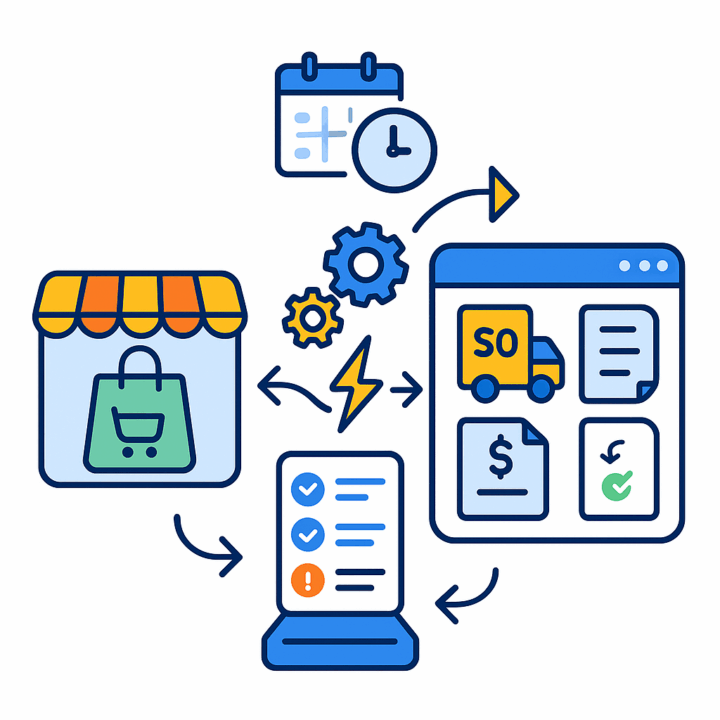
The connector retrieves Shopify orders and imports them as Sales Orders, Sales Order Invoices (SO Invoice), or AR Invoices, using a defined order type and branch and filtering by fulfillment/financial status and date windows. A “Refresh Order” action updates the state if Shopify changes after import.
For hands-off processing, you can enable webhooks for order creation, fulfillment, and refunds so Acumatica receives events and aligns state in near-real time. Batch screens support “Get Orders,” “Import,” and “Import All,” with scheduling to eliminate manual runs and in-grid error messages for exceptions. Refunded orders follow governed cases: close and refund unprocessed SOs, delete unconfirmed shipments, create credit memos for shipped or invoiced orders, or reverse released invoices—ensuring every Shopify refund is mirrored by the appropriate Acumatica documents.

2
Store-level configuration, security, and governance
Each Shopify store is configured once: credentials, a Test Credentials action, default import targets and order types, branch, status filters, and date cutoffs (“Begin Order Date,” “Last Imported/Refunded Order Date”). Optional controls include email notifications for import errors, saving order properties into document notes, skipping fulfillment export at “Prepare Invoice,” and refreshing orders on import.
Tax options (Customer Tax Zone, Tax ID, taxable and exempt categories) and payment options (import captured transactions as payments, payment method/type, release on import) keep accounting compliant and predictable. These settings localize behavior per store while keeping all policy in a single, auditable surface.
3
Master-data mapping and controlled item/customer creation
Cross-reference options govern which entities can be mapped between Shopify and Acumatica (for example Ship Via). Customer handling supports either creating customers from Shopify data or using a default customer; you may override bill-to and ship-to addresses from the order. You can also route customer selection by Shopify tags mapped to Acumatica customer IDs, with a fallback class rule when tags are absent.
Items can be created automatically on import when enabled, with defaults for type, item class, UOM, and warehouse. If SKU is missing, you can generate one with a numbering sequence. Line and header notes may capture order properties. This approach eliminates ad-hoc data cleanup, prevents unmapped values from slipping through, and standardizes catalog and customer hygiene.

4
Inventory, warehouse, and location alignment
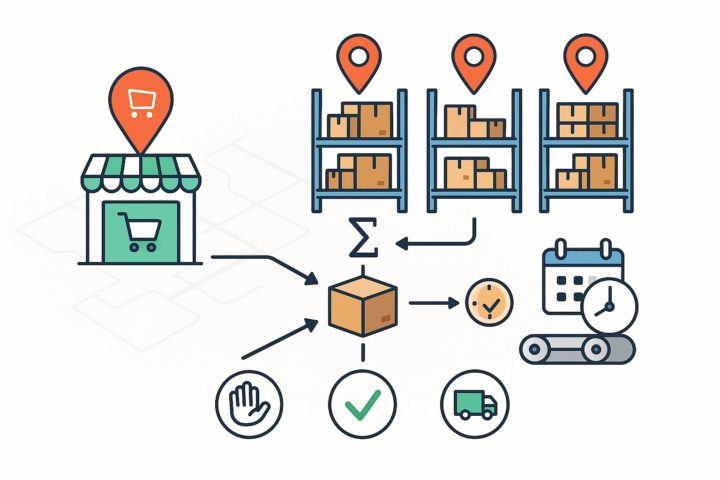
Shopify locations are loaded and mapped to Acumatica warehouses, ensuring quantities update at the right destination. Inventory exports can sum across selected warehouses and use your chosen quantity basis (On hand, Available, or Available for Shipment) so marketplace availability reflects releasable stock rather than raw counts.
Quantity exports and item syncs can be scheduled from dedicated screens, preventing manual drift. This governance avoids overselling, supports multi-warehouse networks, and keeps Shopify’s location-level quantity in lockstep with Acumatica.
5
Product catalog, pricing, attributes, images, and variants
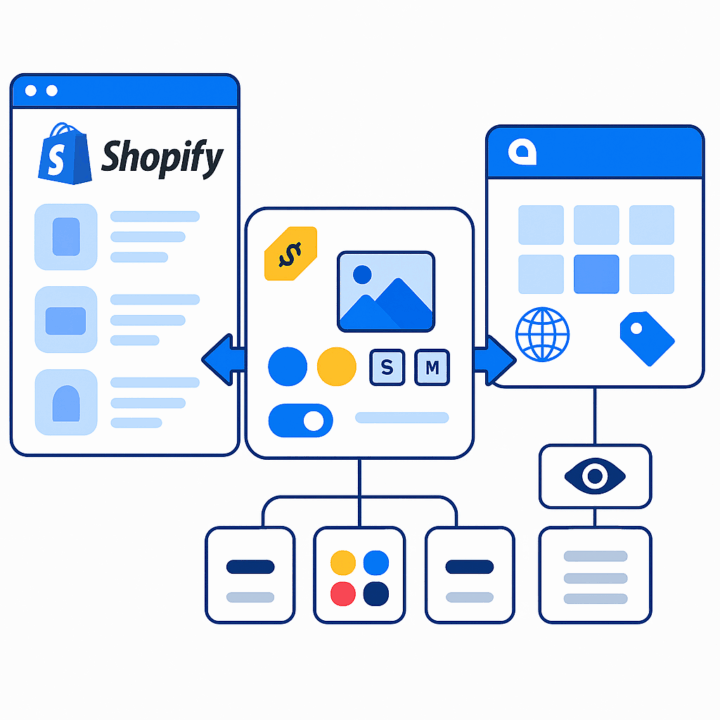
Operators can load Acumatica and Shopify items, sync in either direction, publish or unpublish, fetch by ID, and purge grids for clean runs. When exporting items from Acumatica, the Inventory ID becomes the Shopify SKU; when importing from Shopify, items can be created and mapped into Acumatica. Item sales prices can be exported for selected items and price codes, aligning list or customer-specific pricing.
Attributes and user-defined fields can be mapped to Shopify properties, enabling richer PDP data; product images can be exported in batches or “sync all.” Template (parent) and Matrix (variant) items are supported: sync templates only, variants only, or both together; set default attribute values; and optionally push SEO fields like custom URL, meta description, and page title. This unifies merchandising data and variant structures across systems.
6
Bidirectional B2B customer and company synchronization
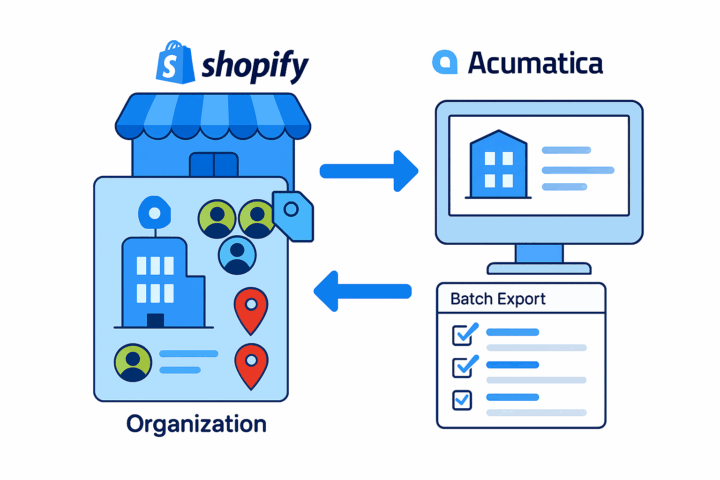
When B2B mode is enabled, the connector supports companies with multiple contacts and locations. From Acumatica, you can sync customers and contacts to Shopify; from Shopify, you can import companies and create customers in Acumatica. IDs (Shopify Company ID, Customer ID, Company Contact ID) are stored on customer/contact tabs for traceability.
Location information is preserved so orders route correctly. Export screens are designed for batch updates and only surface modified records, keeping master-data movement efficient while ensuring the “source of truth” remains clear and auditable.
Tagline
SCHEDULE A DEMO
“Think of this integration as the central nervous system of your business: just as the nervous system coordinates all bodily functions to ensure smooth operation, this solution harmonizes your online sales and internal business processes, allowing data to flow freely and actions to be executed automatically, ensuring your entire operation runs like a well-oiled machine.”
Tagline
SCHEDULE A DEMO
“Think of this integration as the central nervous system of your business: just as the nervous system coordinates all bodily functions to ensure smooth operation, this solution harmonizes your online sales and internal business processes, allowing data to flow freely and actions to be executed automatically, ensuring your entire operation runs like a well-oiled machine.”
Amazon–Acumatica Integration connects Amazon (FBM and FBA) with Acumatica through a governed store configuration and an intermediate server. It imports orders, creates and sends PO acknowledgements and shipment fulfillments, synchronizes inventory quantities, and processes refunds, all from Acumatica screens. Cross-references and store-level defaults align items, payments, carriers, taxes, warehouses, and customers so data lands correctly on day one and remains consistent through the order-to-cash cycle.
WooCommerce Connector is an integration link for two platforms‒WordPress’ e-commerce system and Acumatica Cloud ERP. The connector supplies all the tools a business needs to improve its order processing strategy, to simplify inventory management, pricing, payment, and streamline its logistics processes. Using this connector allows better time management and facilitates the connection between the platforms. Above all, the connector also streamlines the process of handling the payment information.
DSCO Connector is a native Acumatica extension that governs the full DSCO (CommerceHub) order-to-cash loop from a single store configuration. It connects via access token and base URL, validates connectivity, imports DSCO orders into Acumatica as Sales Orders or SO Invoices, sends acknowledgements, exports shipment confirmations and invoices, synchronizes inventory quantities by warehouse and quantity basis, and manages cancellations at both order and line levels. Cross-references align items and warehouses so documents post cleanly and downstream DSCO statuses and tracking numbers update reliably.
WHAT OUR CLIENTS SAY
“Exceptional experience from start to finish — their professionalism truly stands out.”
Laura Bennett
Marketing Director
“Fast, reliable, and always one step ahead. Couldn’t ask for better support.”
David Romero
Head of Operations
“They deliver quality every single time. A trusted partner for our business growth.”
Sophie Klein
Managing Partner