
EZCom Connector
EZCom Connector is a native Acumatica extension that connects Acumatica to the EZCom EDI platform through a governed store configuration and a Biz-Tech–managed intermediate server. Connectivity and defaults are defined once on General Settings; from there the connector imports purchase orders (including changes and routing responses), supports shipment-level imports with tracking, and exports acknowledgements, routing requests, warehouse orders, outbound shipments, and outbound invoices. Trading-partner profiles centralize cross-references for items, carriers, warehouses, customers, and inventory availability so documents post cleanly and external statuses update reliably.
EZCom Connector
EZCom Connector is a native Acumatica extension that connects Acumatica to the EZCom EDI platform through a governed store configuration and a Biz-Tech–managed intermediate server. Connectivity and defaults are defined once on General Settings; from there the connector imports purchase orders (including changes and routing responses), supports shipment-level imports with tracking, and exports acknowledgements, routing requests, warehouse orders, outbound shipments, and outbound invoices.
Trading-partner profiles centralize cross-references for items, carriers, warehouses, customers, and inventory availability so documents post cleanly and external statuses update reliably.
1
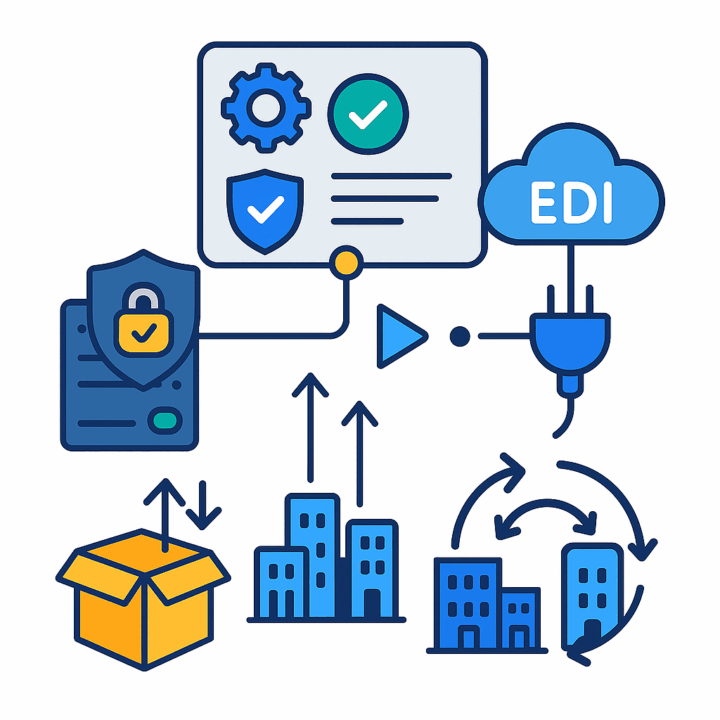
Centralized connectivity and governed deployment
Connectivity is configured on General Settings with API credentials (account, API key, admin login and password). A Test Credentials action validates reachability to the Acumatica–Biz-Tech server and through to EZCom before operators begin processing, reducing mid-flow failures.
Deployment follows standard Acumatica customization projects: add, validate, publish to one or many tenants, export/import, and remove. This provides versioned rollout, repeatability across environments, and a clear recovery path if you need to revert.
2
Partner-specific policies and master data control
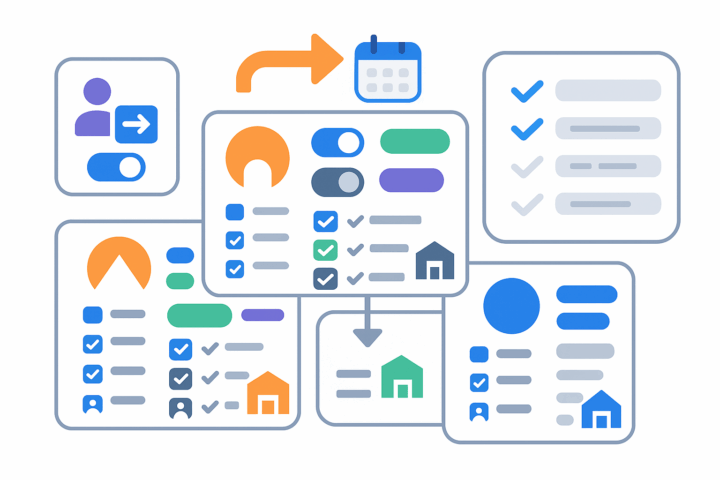
Each trading partner has a dedicated profile where you set default import and export options, including order type, eligible EZCom status, and the “Set Order as Acknowledged” behavior. Date windows (Begin Order Date, Last Changed Order Date, Routing Response Order Date) constrain fetches and are applied in bulk via the “Apply Order Date Update for Partners” action.
Customer handling is flexible: you can import into a specified Customer ID and optionally override ship-to addresses from EZCom. Cross-reference options determine which entities are governed (for example, country, Ship Via, warehouse), and only checked entities appear in mapping dropdowns—so admins control exactly which fields can be matched. A default warehouse can be set per partner when you want deterministic routing without relying on cross-ref.
3
Structured order import lifecycle, including changes and routing
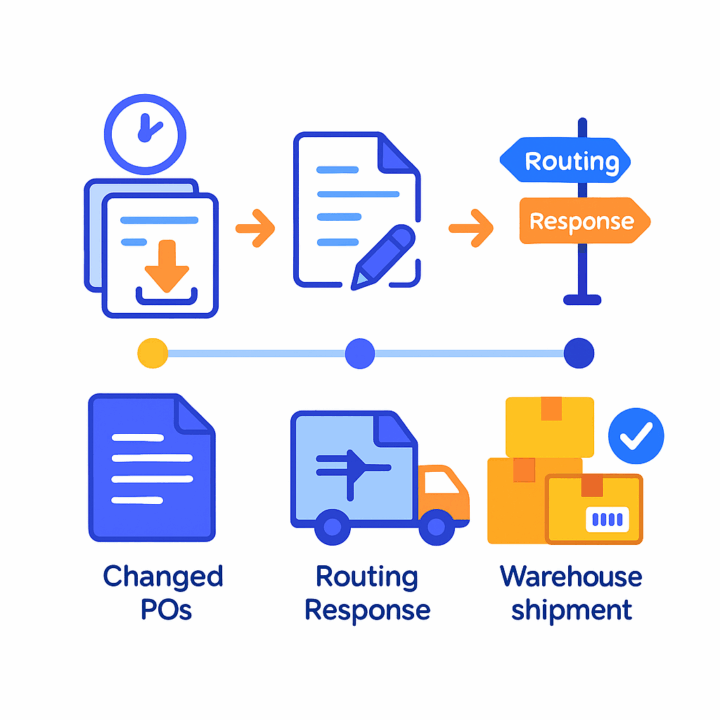
Operators work from purpose-built import screens. Import Purchase Orders retrieves orders for a partner and shows elapsed time; users can import selected rows or import all. A companion screen handles Import Changed Purchase Orders to bring in updates without re-keying.
Routing-aware flows are covered by Import Routing Response and Import Warehouse Shipment. As orders reach shipment level, routing responses drive Ship Via mapping from cross-references, and shipment-level imports bring in quantities and carrier tracking to update Acumatica shipments accurately.
4
Outbound acknowledgements, routing requests, warehouse orders, shipments, and invoices
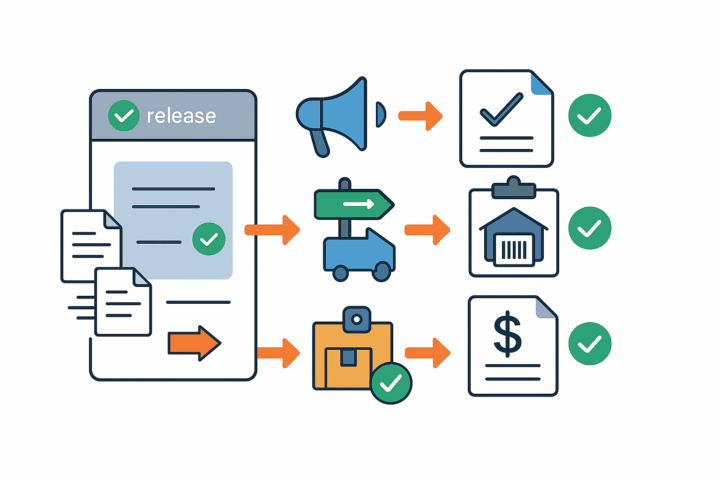
Outbound messages mirror the order lifecycle. Send Outbound PO Acks batches acknowledgements for open orders and closes sales orders in Acumatica after success. Send Routing Request marks goods as ready to ship at the partner once orders reach shipment stage. Send Warehouse Order transmits warehouse code, UPC, and quantities for each item.
For financial completion, exports are tied to standard releases: if “Export Shipment During Prepare Invoice” or “Export Invoice During Release Invoice” are disabled in partner settings, eligible documents appear on Send Outbound Shipments or Send Outbound Invoice queues. After sending, the Acumatica document status closes and the partner site is updated, keeping external and internal states aligned.
5
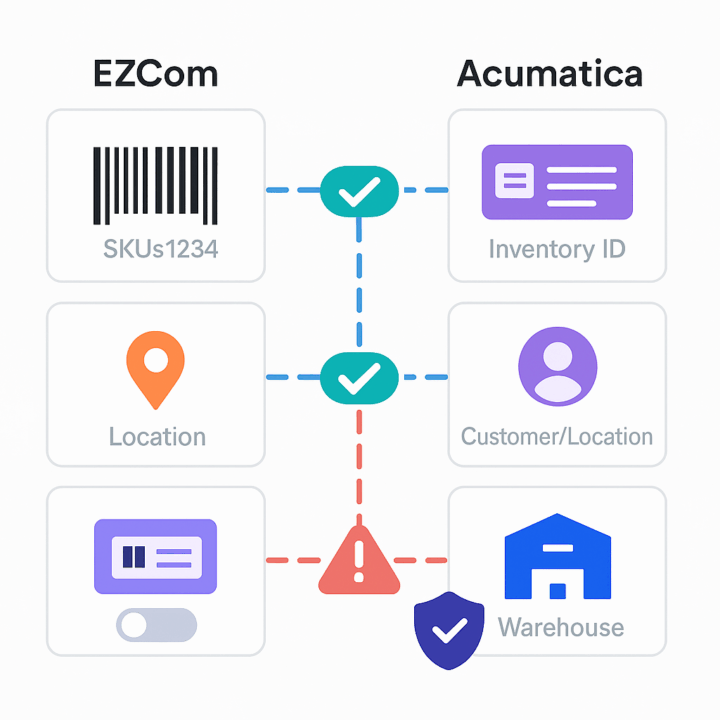
Item, customer, and warehouse mapping with error prevention
Inventory Items mapping ensures each EZCom line resolves to an Acumatica Inventory ID using the lookup key you choose (for example, UPC Code). If items are not mapped, the import explicitly warns and blocks the document—preventing downstream posting errors.
Customer Ship To logic can map EZCom Location Numbers to Acumatica customer/locations via Parent/Child relationships and location CDs, so the right account and site are used automatically. Warehouse cross-references align EZCom warehouse codes with Acumatica warehouses; when a default warehouse is not set, cross-ref values drive routing.
6
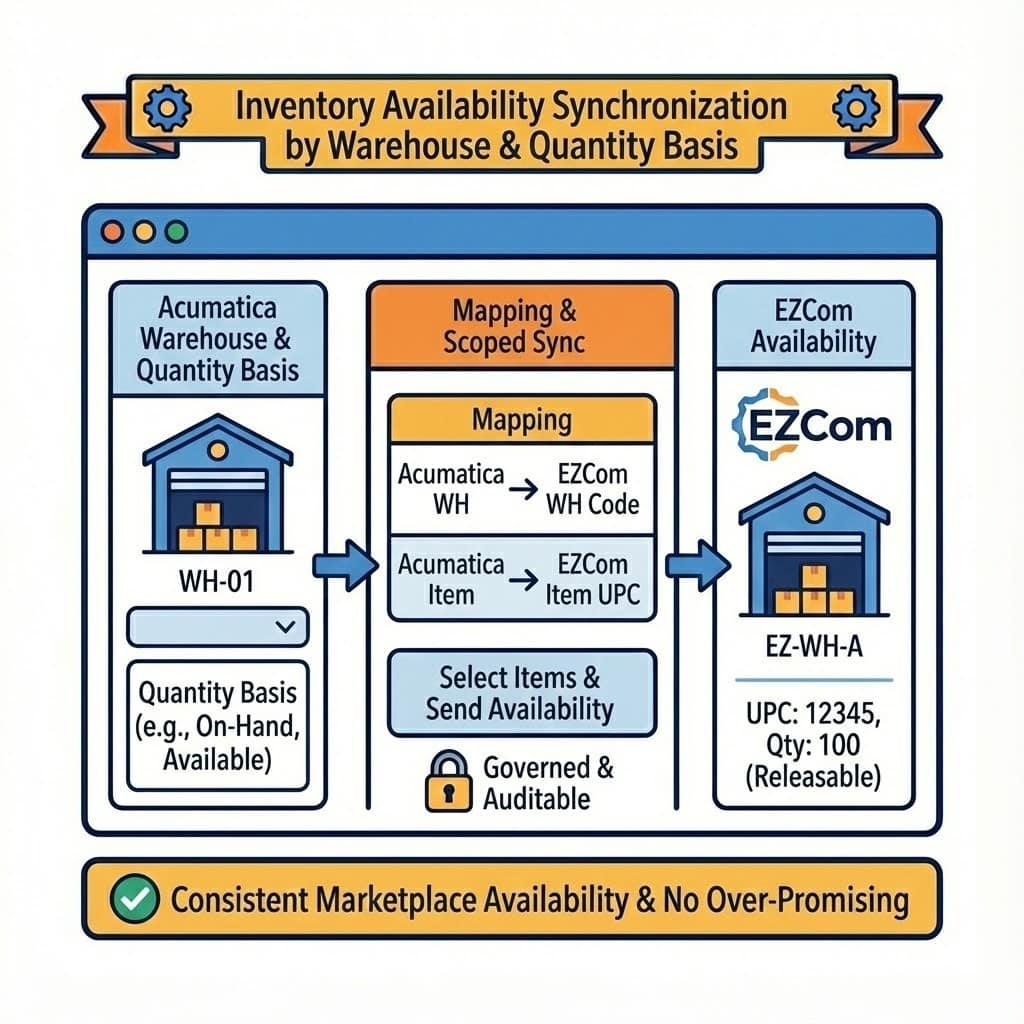
Inventory availability synchronization by warehouse and quantity basis
Inventory Availability mapping defines which Acumatica warehouse and which quantity basis (for example, on-hand or available) drive the EZCom warehouse code and item UPC for sync. Operators select items and send availability from a dedicated screen, pushing accurate, governed quantities to EZCom.
This scoped sync avoids over-promising and keeps marketplace availability consistent with releasable stock. Because availability relies on explicit mappings, commercial overrides are controlled and auditable rather than ad-hoc.
Tagline
SCHEDULE A DEMO
«Designed for reliability, the EZCom Connector incorporates features for proactive error handling and system validation. The ‘General Settings’ screen includes a ‘Test Credentials’ button to verify API connectivity to the Biz-Tech server, ensuring the communication channel is robust. Furthermore, the system provides explicit warnings if critical data, such as inventory items, are not properly mapped, which would otherwise lead to import errors. This built-in validation helps businesses quickly identify and resolve potential issues, ensuring uninterrupted data flow and operational continuity.»
Tagline
SCHEDULE A DEMO
«Designed for reliability, the EZCom Connector incorporates features for proactive error handling and system validation. The ‘General Settings’ screen includes a ‘Test Credentials’ button to verify API connectivity to the Biz-Tech server, ensuring the communication channel is robust. Furthermore, the system provides explicit warnings if critical data, such as inventory items, are not properly mapped, which would otherwise lead to import errors. This built-in validation helps businesses quickly identify and resolve potential issues, ensuring uninterrupted data flow and operational continuity.»
DSCO Connector is a native Acumatica extension that governs the full DSCO (CommerceHub) order-to-cash loop from a single store configuration. It connects via access token and base URL, validates connectivity, imports DSCO orders into Acumatica as Sales Orders or SO Invoices, sends acknowledgements, exports shipment confirmations and invoices, synchronizes inventory quantities by warehouse and quantity basis, and manages cancellations at both order and line levels. Cross-references align items and warehouses so documents post cleanly and downstream DSCO statuses and tracking numbers update reliably.

Salesforce–Acumatica Integration provides a governed store configuration that connects Salesforce and Acumatica with credential validation, cross-reference mapping, and policy-driven import and export flows. Orders are imported from Salesforce into Acumatica with configurable defaults; customers, items, price books, and discounts can be synchronized; and approved changes in Acumatica can be pushed back to Salesforce. Options for taxes, payments, and address overrides keep postings compliant, while inquiry and history pages give operators traceability from initial import through updates and releases.
ShipHero–Acumatica Integration is a native extension that synchronizes fulfillment and ERP data through a governed store configuration. It supports two directional modes (ShipHero to Acumatica and Acumatica to ShipHero), validates connectivity, imports orders and shipments, exports orders and purchase orders, brings receipts back, and synchronizes items, vendors, warehouses, and inventory quantities. Centralized options for taxes, packaging, customers, items, and cross-references keep postings consistent and auditable across the order, shipment, and receiving lifecycle.
WHAT OUR CLIENTS SAY
“Exceptional experience from start to finish — their professionalism truly stands out.”
Laura Bennett
Marketing Director
“Fast, reliable, and always one step ahead. Couldn’t ask for better support.”
David Romero
Head of Operations
“They deliver quality every single time. A trusted partner for our business growth.”
Sophie Klein
Managing Partner