
ConsignmentProcessing
Consignment Processing in Acumatica provides companies with advanced tools to manage the location and sales of inventory at customer sites. The solution enables control of both quantities and valuation of inventory across multiple consignee locations. It simplifies the order process for consignment items, improves visibility by showing quantities of sold and unsold items, and automates key processes from shipping to invoicing and returns.By offering a dedicated system for consignment operations, businesses can increase operational efficiency and maintain accurate control of their consignment inventory. The functionality can be deployed by creating a new customization project, which can then be published for multiple tenants.
Consignment Processing
Consignment Processing in Acumatica provides companies with advanced tools to manage the location and sales of inventory at customer sites. The solution enables control of both quantities and valuation of inventory across multiple consignee locations. It simplifies the order process for consignment items, improves visibility by showing quantities of sold and unsold items, and automates key processes from shipping to invoicing and returns.
By offering a dedicated system for consignment operations, businesses can increase operational efficiency and maintain accurate control of their consignment inventory. The functionality can be deployed by creating a new customization project, which can then be published for multiple tenants.
1
End-to-End Consignment Inventory and Sales Management
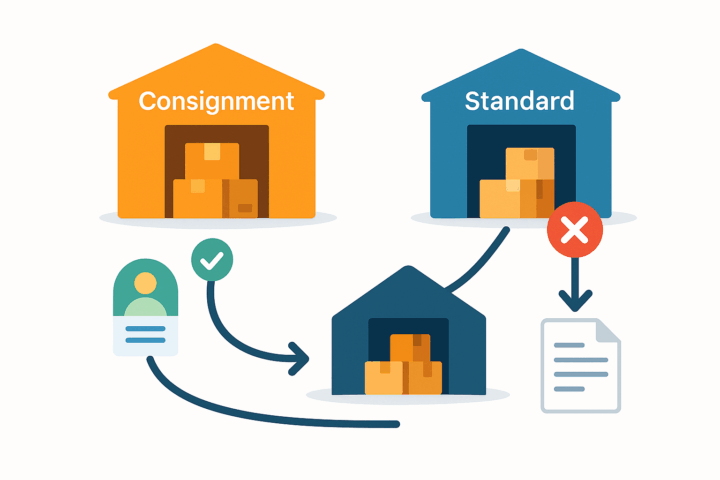
Consignment Processing allows companies to manage the location and sales of inventory through their customers, including control over both quantities and valuation of items stored at multiple consignee locations. The process simplifies ordering and provides clear visibility into sold versus unsold items.Inventory segregation is strictly enforced: a consignment warehouse can be selected only as a destination warehouse, and the system generates an error if a user attempts to use it as a standard warehouse in order lines.Once the shipment is confirmed and the Update IN action is performed, the system automatically issues items from the main warehouse and receives them into the selected consignment warehouse. This step generates and releases a Transfer-type Purchase Receipt.

2
Segregated Warehousing & Error Prevention
Consignment warehouses are explicitly identified and can only be used as destination warehouses, while standard (non-consignment) warehouses are used on sales order lines. If a user attempts to mix roles, the system raises an error, preventing misposts and ensuring clean segregation of consignment stock versus normal inventory.
At the customer level, a specific consignment warehouse can be associated so that, when you create the order, the correct warehouse is applied automatically, overriding general defaults. This reduces manual corrections and ensures items are always routed to the right location.
3
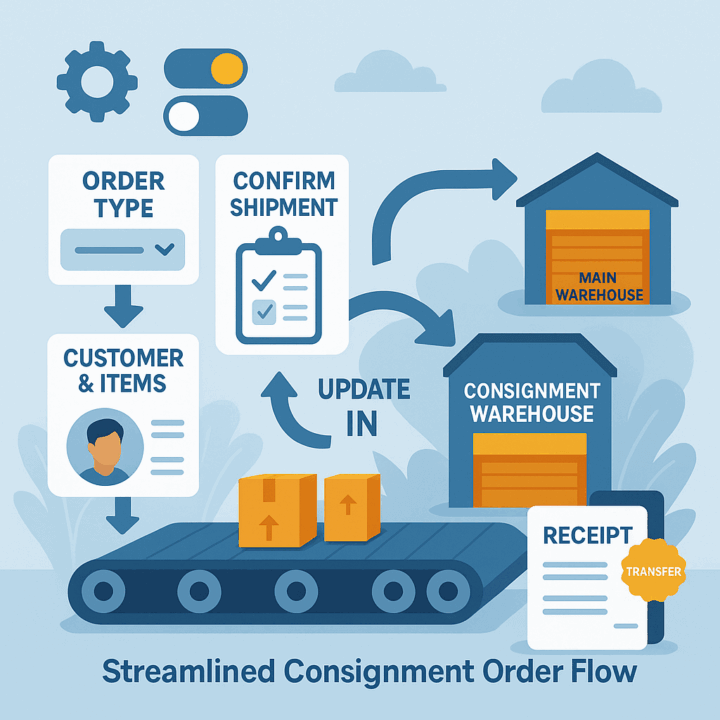
Streamlined Consignment Order Flow
The workflow is linear and clear: select the consignment order type, choose the customer and items, confirm shipment, then update inventory. The Update IN action posts the movement from the main warehouse to the designated consignment warehouse, automatically generating and releasing a transfer-type receipt, so stock is where it should be without manual journal work.
Global preferences allow you to define the consignment order types and default consignment warehouse up front, so everyday processing on the Sales Orders screen remains fast and standardized across users and tenants.
4
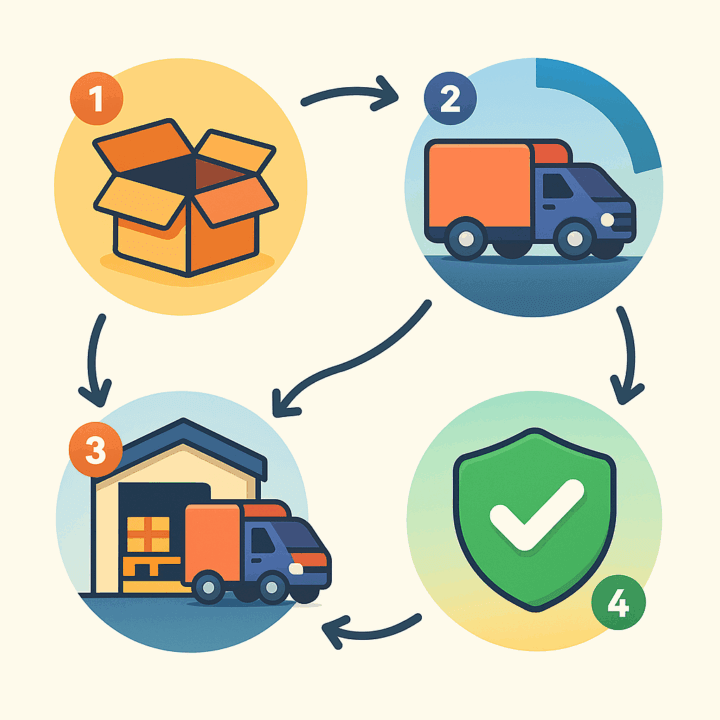
Dedicated Consignment Lifecycle Statuses
A separate status model gives you precise visibility into consignment progress: Open (created), Partial Consignment (partially shipped), Consignment (fully shipped to consignment), and Completed (all actions finished). These statuses are intentionally distinct from standard sales order statuses so reporting stays unambiguous and operational handoffs are clear.
This separation helps teams and auditors distinguish consignment flows from normal order processing, aligning dashboards and KPIs to the correct lifecycle.
5
Integrated Selling, Invoicing, and Returns
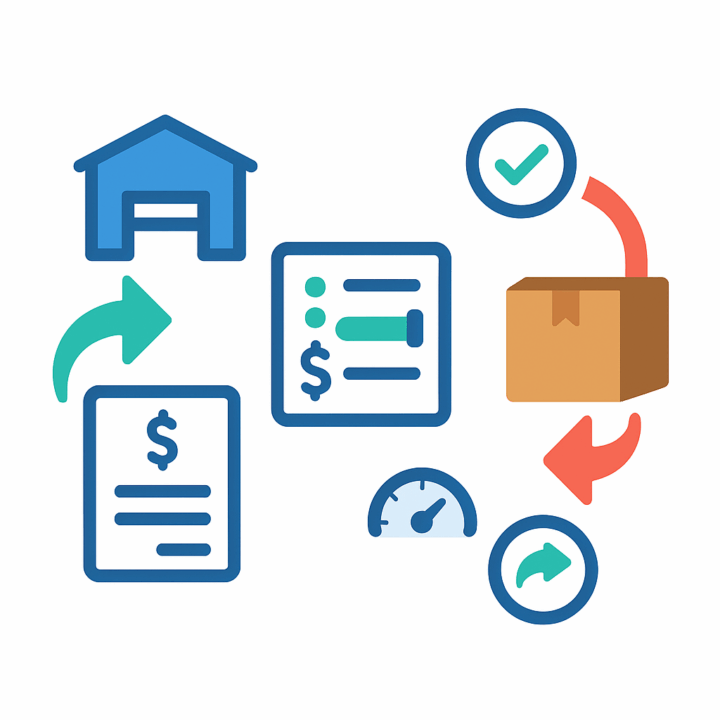
When items sell at the consignee, the Consignment Sell Items action opens a selection window where you pick lines and quantities; the system generates a consignment invoice order with the right warehouse and item quantities, and—after release—updates the Cons. Sold Qty on the source consignment order.
Returns follow the same pattern: Consignment Return Items lets you select what is coming back (with visibility of remaining open quantities), then creates the consignment return order. After Update IN, the transfer-type receipt records the physical return. As orders close, item-level inquiries hide closed details while order-level inquiries remain available for traceability. Buttons for sell/return are enabled only in the appropriate statuses, preventing out-of-sequence actions.

6
Configurable Deployment and Governance
Deployment is handled via a standard customization project: you can add, validate, publish (to one or many tenants), export, and import packages, which makes rollout, migration, and version control straightforward.
Setup in Sales Order Preferences includes defining the consignment order type (transfer template), consignment invoice order type (invoice template), consignment return order type (transfer template), and a default consignment warehouse. This centralizes control while letting you tailor behavior to each environment without disrupting standard sales processes.
Tagline
SCHEDULE A DEMO
«Think of Consignment Processing in Acumatica as your personal logistics and accounting team for every remote inventory location. Instead of manually tracking every item, invoice, and return across multiple customer sites (like trying to manage hundreds of mini-warehouses with sticky notes), this system provides a centralized, automated dashboard. It’s like having a GPS for every consigned item, an auto-invoicer for sales, and an instant refund processor for returns, all while keeping your financial records perfectly aligned and giving you real-time insight into your valuable assets at a glance.»
Tagline
SCHEDULE A DEMO
«Think of Consignment Processing in Acumatica as your personal logistics and accounting team for every remote inventory location. Instead of manually tracking every item, invoice, and return across multiple customer sites (like trying to manage hundreds of mini-warehouses with sticky notes), this system provides a centralized, automated dashboard. It’s like having a GPS for every consigned item, an auto-invoicer for sales, and an instant refund processor for returns, all while keeping your financial records perfectly aligned and giving you real-time insight into your valuable assets at a glance.»
Gift Card Processing is a native extension for Acumatica that manages the full gift card lifecycle—from issuance and sale through redemption, balance tracking, history, and returns—directly within Sales Orders, Invoices, and AR payments. It supports both non-stock (code-based) and serialized stock cards, optional expiration control, and centralized setup and governance. The result is consistent processing, accurate balances, and an auditable record of every transaction without side spreadsheets or ad-hoc tools.
ServiceTitan–Acumatica Integration is a governed connector that brings ServiceTitan invoices, payments, inventory movements, vendors, pricebook items, and journal entries into Acumatica with centralized setup, credential testing, and policy-driven import options. It supports controlled creation or mapping of customers, items, warehouses, and business units; aligns documents to Acumatica types with release options; and provides inquiry pages for end-to-end traceability across AR, inventory, and GL.

Salesforce–Acumatica Integration provides a governed store configuration that connects Salesforce and Acumatica with credential validation, cross-reference mapping, and policy-driven import and export flows. Orders are imported from Salesforce into Acumatica with configurable defaults; customers, items, price books, and discounts can be synchronized; and approved changes in Acumatica can be pushed back to Salesforce. Options for taxes, payments, and address overrides keep postings compliant, while inquiry and history pages give operators traceability from initial import through updates and releases.
WHAT OUR CLIENTS SAY
“Exceptional experience from start to finish — their professionalism truly stands out.”
Laura Bennett
Marketing Director
“Fast, reliable, and always one step ahead. Couldn’t ask for better support.”
David Romero
Head of Operations
“They deliver quality every single time. A trusted partner for our business growth.”
Sophie Klein
Managing Partner