
PayPal Integration
PayPal Integration connects Acumatica with PayPal to streamline invoicing, payment collection, status synchronization, and refunds within a single workflow. It allows users to send PayPal invoices directly from Acumatica, track payment statuses on demand, process multiple payments from a dedicated screen, and manage cancellations and refunds without leaving the ERP. Customer and payment method setup helps route transactions correctly from the start, while synchronized statuses and payment records keep both systems aligned throughout the payment lifecycle. Secure payment links sent by email and support for guest checkout make it easier for customers to pay faster and give finance teams clearer visibility into every transaction.

PayPal Integration
PayPal Integration connects Acumatica with PayPal to streamline invoicing, payment collection, status synchronization, and refunds within a single workflow. It allows users to send PayPal invoices directly from Acumatica, track payment statuses on demand, process multiple payments from a dedicated screen, and manage cancellations and refunds without leaving the ERP. Customer and payment method setup helps route transactions correctly from the start, while synchronized statuses and payment records keep both systems aligned throughout the payment lifecycle. Secure payment links sent by email and support for guest checkout make it easier for customers to pay faster and give finance teams clearer visibility into every transaction.
Helps businesses collect payments faster by connecting invoicing, payment tracking, and refunds between Acumatica and PayPal in one workflow.
1
PayPal for Business
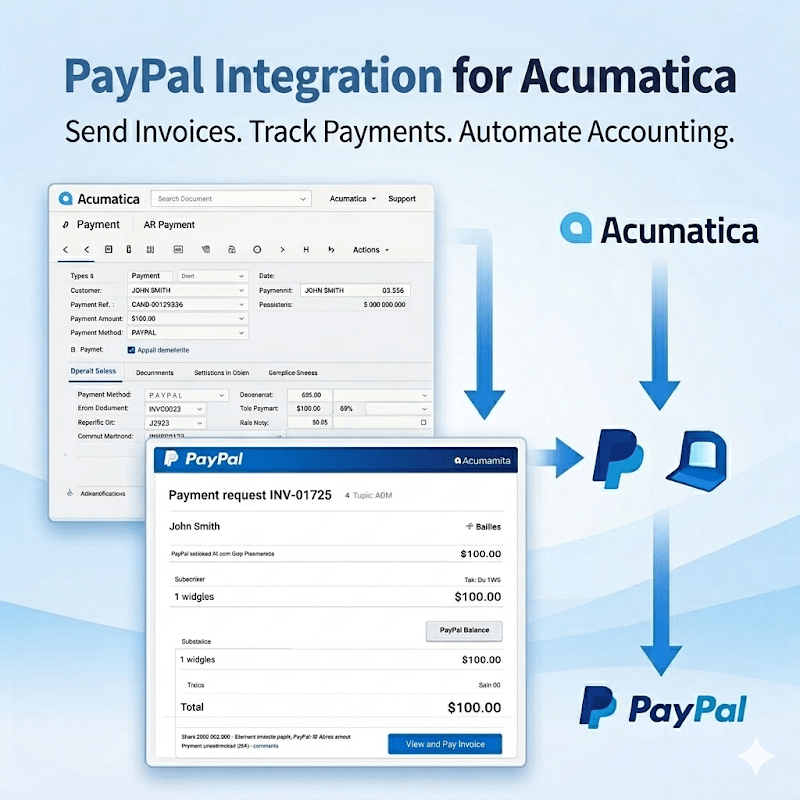
The PayPal Integration by Biz-Tech Services, Inc. seamlessly integrates Acumatica ERP with the PayPal ecosystem, enabling businesses to streamline their payment workflows. Users can send PayPal invoices directly from Acumatica, monitor payment statuses, and automatically synchronize payment data once funds are received. This integration eliminates manual steps and ensures accurate, real-time visibility into customer payments. Get a clear, consolidated view of all PayPal transactions.
2
Quick Setup for Immediate End-to-End Processing
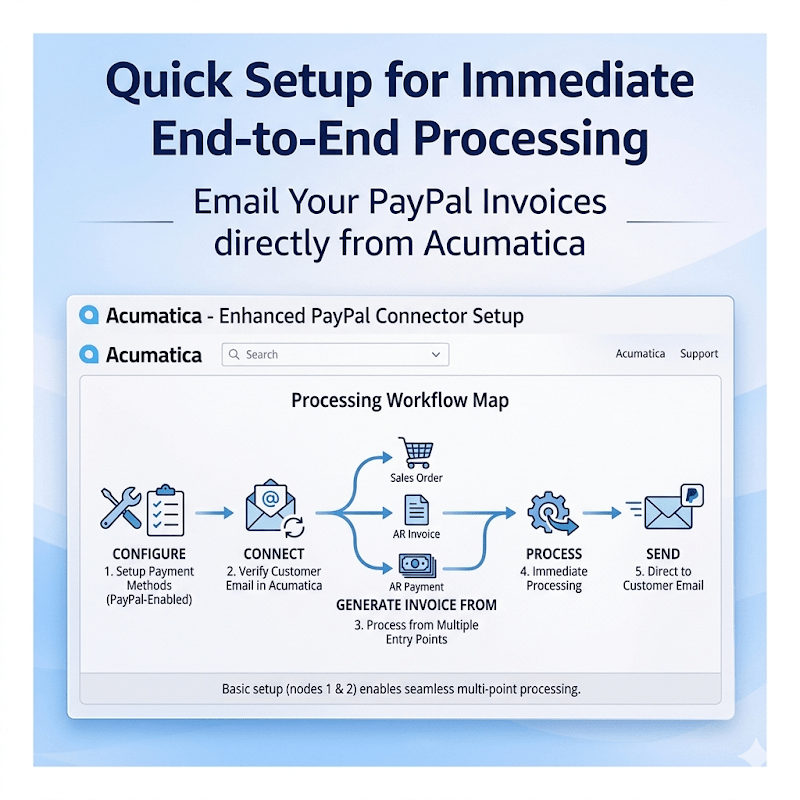
The integration is designed for quick and straightforward configuration, requiring only basic setup of Payment Methods and Customer records. Once configured, users can send PayPal invoices directly to customer email addresses stored in Acumatica. Each customer must have a PayPal-enabled Payment Method with a valid email address. Invoices can be generated from multiple entry points, including Sales Orders, AR Invoices, and AR Payments—providing flexibility across different business workflows.
3
Secure Payment Data Synchronization
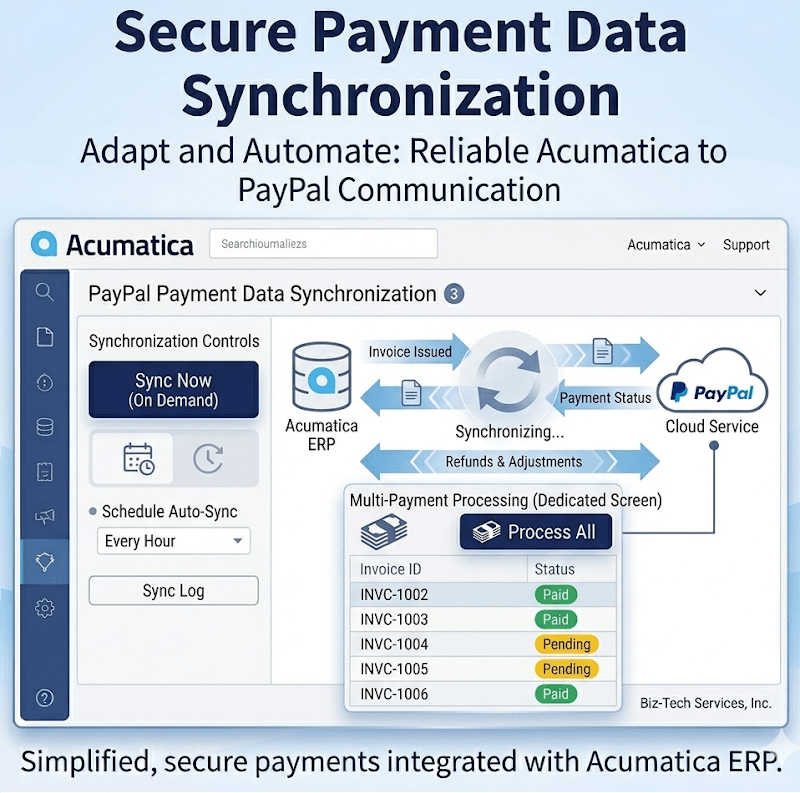
Adapt PayPal payments to fit the way your business operates. The integration ensures reliable and secure communication between Acumatica and PayPal. Payment statuses are synchronized on demand, allowing users to retrieve the latest updates directly from PayPal. Once an invoice is issued, its status is reflected in Acumatica and can be updated at any time. For operational efficiency, users can process multiple payments simultaneously using the dedicated PayPal Payment Processing screen, ensuring accurate and up-to-date financial records.
4
Full Control Over Payments
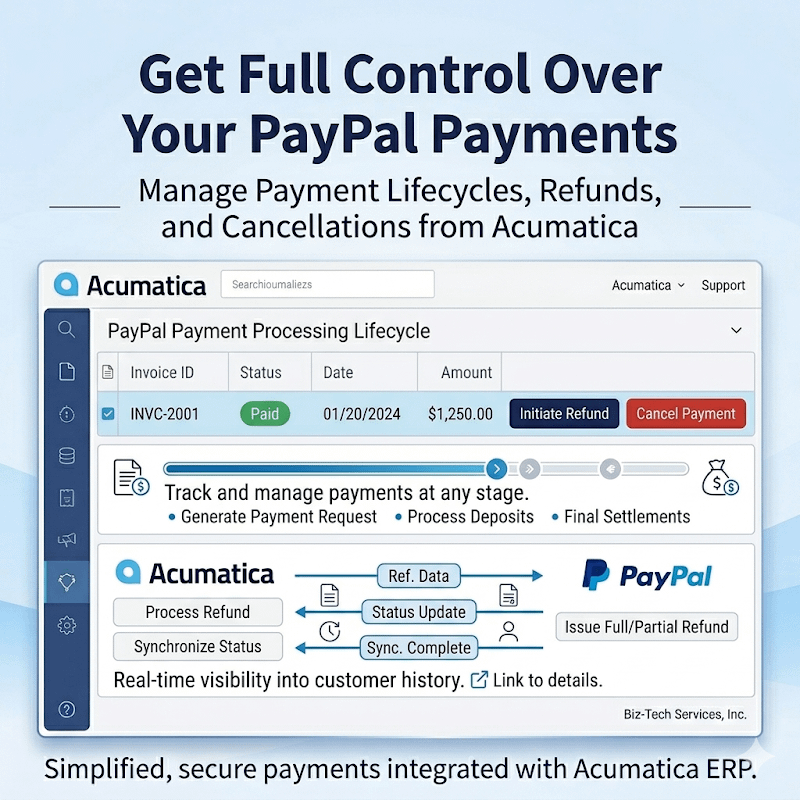
The integration provides full control over the payment lifecycle. Unpaid invoices can be cancelled directly from Acumatica, triggering a PayPal notification to the customer and automatically removing the payment record from the system. For completed transactions, refunds can be initiated within Acumatica. Full refunds are processed automatically through PayPal, while partial refunds initiated in PayPal are synchronized back to Acumatica, ensuring consistency across both systems. Access payment details, invoice statuses, and transaction history in one place. Generate payment requests at any stage of the sales cycle and keep everything connected within Acumatica. This flexibility makes it easy to handle deposits, partial collections, and final settlements—all in one system.
5
Improved Customer Experience
Make it easier for your customers to pay. Invoices are delivered directly to the customer’s email with a secure PayPal payment link. Customers can complete payments quickly, including via guest checkout—no PayPal account required. Faster, simpler payments lead to quicker collections and a better overall customer experience.
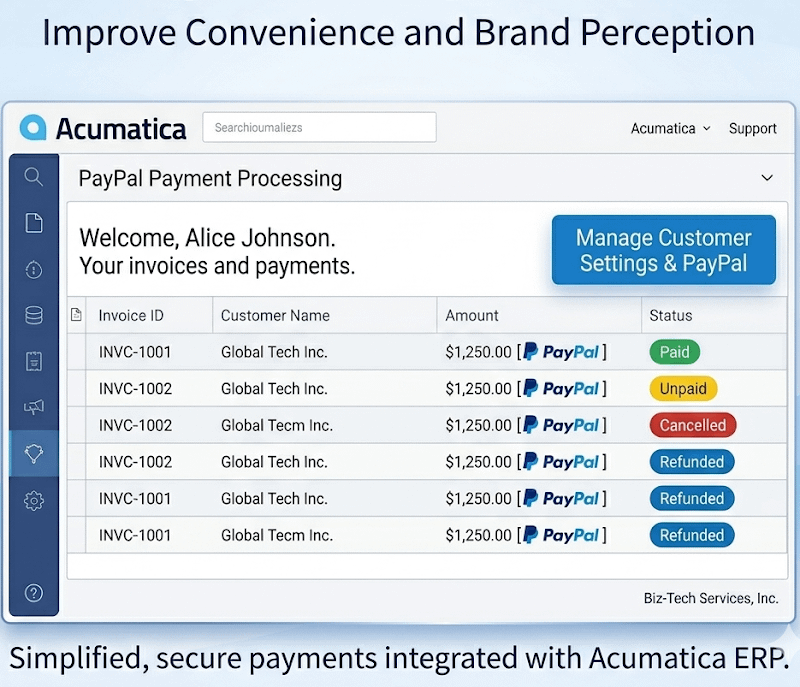
Tagline
SCHEDULE A DEMO
“Like a central payment hub for your business, this PayPal-Acumatica integration keeps invoices, payment statuses, refunds, and customer transactions working together in one smooth process, helping your team stay accurate, responsive, and in control from request to payment completion.”
Tagline
SCHEDULE A DEMO
“Just as a cashier, accountant, and customer service rep need to stay in sync to keep payments moving smoothly, this PayPal-Acumatica integration keeps invoicing, payment updates, refunds, and transaction records connected in one simple flow, so your team always knows exactly what was sent, paid, cancelled, or refunded without switching between systems.”

Shopify Connector is an integration link for two platforms‒Shopify’s e-commerce system and Acumatica
Cloud ERP. The connector supplies all the tools a business needs to improve its order processing strategy,
to simplify inventory management, pricing, payment, and streamline its logistics processes. Bilateral
synchronization makes it possible to manage orders in Acumatica and mark them fulfilled in the Shopify system automatically. Using this connector allows better time management and facilitates the connection between the platforms. Above all, the connector also streamlines the process of handling the payment information.
Gift Card Processing is a native extension for Acumatica that manages the full gift card lifecycle—from issuance and sale through redemption, balance tracking, history, and returns—directly within Sales Orders, Invoices, and AR payments. It supports both non-stock (code-based) and serialized stock cards, optional expiration control, and centralized setup and governance. The result is consistent processing, accurate balances, and an auditable record of every transaction without side spreadsheets or ad-hoc tools.
ShipHero–Acumatica Integration is a native extension that synchronizes fulfillment and ERP data through a governed store configuration. It supports two directional modes (ShipHero to Acumatica and Acumatica to ShipHero), validates connectivity, imports orders and shipments, exports orders and purchase orders, brings receipts back, and synchronizes items, vendors, warehouses, and inventory quantities. Centralized options for taxes, packaging, customers, items, and cross-references keep postings consistent and auditable across the order, shipment, and receiving lifecycle.
WHAT OUR CLIENTS SAY
“Exceptional experience from start to finish — their professionalism truly stands out.”
Laura Bennett
Marketing Director
“Fast, reliable, and always one step ahead. Couldn’t ask for better support.”
David Romero
Head of Operations
“They deliver quality every single time. A trusted partner for our business growth.”
Sophie Klein
Managing Partner