
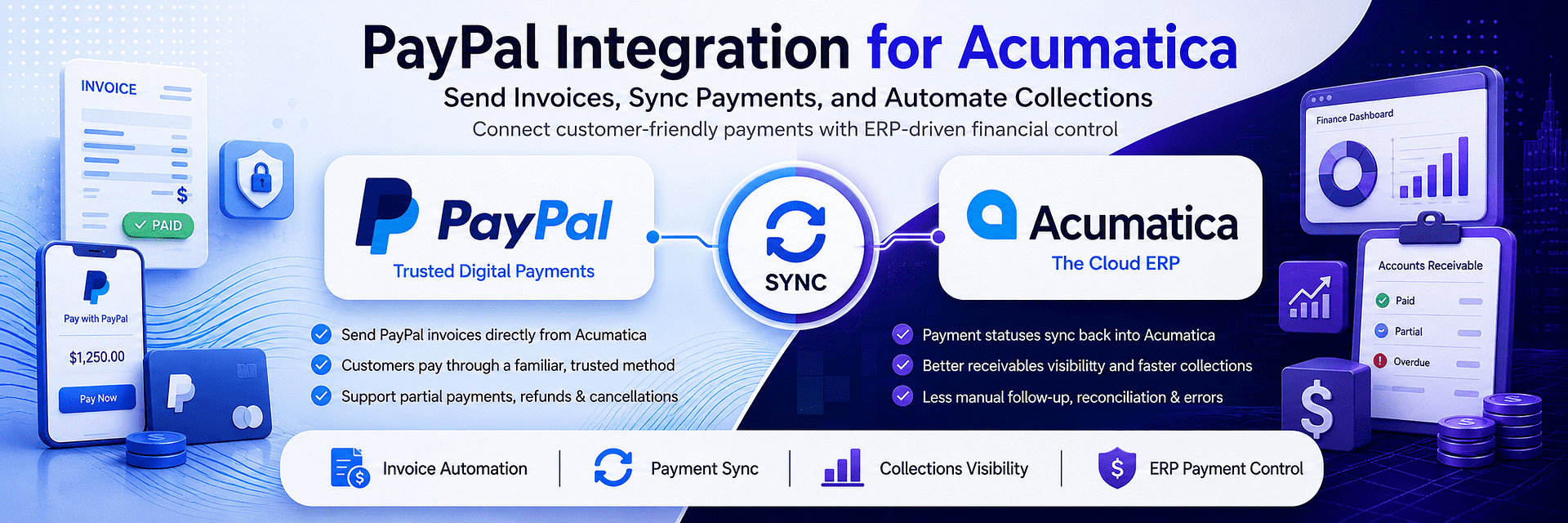
PayPal Integration for Acumatica

PayPal Integration for Acumatica: A Smarter Way to Send Invoices, Track Payments, and Automate Collections
For many growing businesses, the payment problem is not customer demand. It is the distance between getting paid and seeing that payment reflected accurately inside the ERP. Sales teams move fast. Finance needs control. Customers want a payment method they already trust. Management wants real-time visibility into invoice status, incoming funds, refunds, cancellations, partial collections, and transaction history. But when PayPal lives in one environment and Acumatica lives in another, the business ends up spending too much time on manual follow-up, reconciliation, status checks, and exception handling.
That is exactly why PayPal Integration for Acumatica has become such a high-value search topic for modern businesses. Companies are no longer looking for a basic payment add-on. They are looking for a true Acumatica PayPal Integration that turns payment collection into a controlled, visible, and scalable business process. They want to send PayPal invoices directly from Acumatica. They want to monitor statuses without jumping between systems. They want PayPal Payment Synchronization to happen reliably. They want accounting accuracy. They want faster collections. And they want a better customer payment experience without increasing internal workload.
This is where Biz-Tech PayPal Integration stands out.
Our PayPal Integration is built specifically to connect Acumatica ERP with the PayPal ecosystem in a way that is practical for real businesses. It helps teams send invoices directly from Acumatica, track invoice and payment status, synchronize payment data once funds are received, and manage the payment lifecycle with far less manual effort. Instead of treating PayPal as an external payment island, the Biz-Tech Acumatica PayPal Connector turns PayPal into a connected part of your ERP-driven finance workflow.
That difference matters.
A business can use PayPal without integration. But without a real PayPal ERP Integration, the company still has to bridge the gap manually. Someone sends an invoice from one place. Someone checks status in another. Someone updates Acumatica later. Someone handles refunds separately. Someone tries to explain why a payment appears completed in PayPal but still looks open inside ERP. Over time, the organization ends up with more transactions, more customers, and more operational noise.
A strong PayPal Acumatica Integration removes that noise.
It creates a cleaner order-to-cash process. It gives finance a better view of receivables. It helps accounting stay aligned with real payment activity. It reduces manual follow-up. It improves customer convenience. And it gives leadership something every growing company eventually needs: confidence that payment data is current, accurate, and usable.
This is why businesses searching for PayPal Integration, PayPal Integration for Acumatica, Acumatica PayPal Payments, PayPal Invoice Sync, Acumatica PayPal Connector, PayPal Business Integration, and ERP payment automation are not just looking for connectivity. They are looking for control.
Why PayPal Still Matters for Business Payments
There is a reason PayPal continues to be one of the most recognized and widely used digital payment platforms in business. Customers already know it. They trust it. They are comfortable paying through it. It reduces payment hesitation. It supports fast invoice settlement. And in many B2B and service-oriented scenarios, it can accelerate collections far more effectively than slower, more cumbersome payment methods.
But PayPal becomes far more valuable when it is part of a connected ERP workflow.
Without PayPal Integration for Acumatica, businesses often get only the surface-level convenience of PayPal while keeping all the back-office friction. Customers may find payment easy, but internal teams still deal with manual status checks, disjointed payment records, delayed updates, and scattered refund handling. The customer experience may look modern from the outside while the finance process remains inefficient on the inside.
That is not enough for a serious business.
A modern company needs a payment method that customers prefer and an internal workflow that finance can trust. That is why Acumatica PayPal Integration is no longer just a convenience feature. It is a process improvement strategy.
With the Biz-Tech PayPal Integration, businesses can use PayPal as more than a payment option. They can use it as part of a synchronized financial workflow inside Acumatica. This gives teams a better way to manage invoices, payment statuses, customer payment behavior, and financial follow-through without constant switching between platforms.
That is what makes PayPal Business Integration valuable. It is not just about helping customers pay. It is about helping the business operate better after the invoice is sent.
Send PayPal Invoices Directly from Acumatica
One of the strongest advantages of the Biz-Tech PayPal Integration for Acumatica is the ability to send PayPal invoices directly from the ERP.
This is a major operational improvement because invoicing should begin where customer and receivables data already lives. If a business is already using Acumatica to manage AR activity, sales orders, invoicing logic, and financial processing, then payment requests should not be forced into a separate disconnected workflow.
With a proper Acumatica PayPal Connector, invoicing becomes faster, cleaner, and more consistent.
Instead of exporting data or manually rebuilding payment requests somewhere else, users can generate PayPal invoices directly from Acumatica. This reduces duplication. It lowers error risk. It keeps billing activity closer to the ERP record. It helps teams move faster. And it gives businesses a stronger audit trail from invoice creation through payment completion.
This is especially important for businesses with multiple billing patterns. Some organizations generate payment requests from Sales Orders. Others work from AR Invoices. Others need flexibility around AR Payments, deposits, partial collections, or milestone-based billing. A weak payment tool often struggles once a business uses more than one billing path. A strong PayPal Integration for Acumatica must support the way real businesses actually invoice.
That is one reason the Biz-Tech solution is easy to recommend. It is designed for business workflow flexibility, not just one narrow use case.
For companies searching terms like PayPal Invoice Sync, PayPal invoice automation, Acumatica payment request, and PayPal invoice from ERP, this is exactly the kind of functionality that matters. The question is not whether PayPal can collect money. It can. The question is whether your ERP can remain the center of control while PayPal handles customer-facing payment collection. With Biz-Tech PayPal Integration, the answer is yes.
Quick Setup for Immediate End-to-End Processing
A lot of integrations sound useful until setup begins. Then the business discovers that “integration” really means lengthy technical work, fragile dependencies, and more operational overhead than expected.
That is not what businesses want from a payment workflow solution.
They want quick value. They want a clean configuration process. They want to go live without turning payments into an IT project. And they want end-to-end processing that works as soon as the foundation is in place.
This is another area where the Biz-Tech PayPal Integration for Acumatica is positioned strongly. The setup is straightforward and built around the things businesses already manage in Acumatica: Payment Methods and Customer records. Once customers have a PayPal-enabled Payment Method and a valid email address, invoices can be sent directly from Acumatica through the connected workflow.
That matters because businesses searching for PayPal Integration are rarely looking for a science experiment. They are looking for a solution they can use.
Quick setup creates immediate business benefits:
- faster invoice delivery,
- faster customer response,
- shorter time to collection improvement,
- less manual preparation work,
- cleaner handoff between finance and customer payment action.
And because the workflow is not locked into a single invoice origin, the integration supports real operational flexibility. Businesses can generate payment requests from multiple entry points instead of forcing all invoice logic into one artificial process.
That is why Acumatica PayPal Integration should never be measured only by whether it technically connects. It should also be measured by how quickly it becomes useful.
The Biz-Tech solution becomes useful fast.
Secure Payment Data Synchronization and Real-Time Visibility
One of the biggest hidden costs in payment operations is uncertainty.
Did the customer pay?
Did the payment clear?
Is the ERP updated?
Are we looking at current status or outdated status?
Has finance already processed it?
Is the invoice still open?
Can the customer account be released?
Do we need follow-up or not?
These questions sound small until they happen across dozens or hundreds of invoices. Then they become a real operational drag.
This is exactly why PayPal Payment Synchronization is such a critical part of a serious PayPal ERP Integration.
With the Biz-Tech PayPal Integration, payment statuses can be synchronized so that Acumatica reflects the latest state of the PayPal invoice and payment. Users can retrieve updated payment status directly, and for operational efficiency, teams can process multiple payments simultaneously using a dedicated PayPal Payment Processing screen.
This is not just a feature. It is a business upgrade.
Real-time or on-demand status visibility improves:
- finance accuracy,
- cash visibility,
- receivables management,
- internal communication,
- management reporting,
- confidence in collection status.
Without PayPal Acumatica Integration, businesses are forced into a weaker model. Someone must log into PayPal, verify payment, then go back and update the ERP or explain the difference. That may be manageable at low volume. It becomes a problem at scale.
With a strong Acumatica PayPal Connector, that ambiguity is reduced. The ERP becomes more trustworthy because payment status is no longer disconnected from payment reality.
This is one of the strongest SEO and commercial angles for the solution because companies searching for PayPal Payment Synchronization, real-time PayPal status in Acumatica, PayPal payment tracking, and Acumatica PayPal Payments are almost always feeling this pain already.
Full Control Over Payments, Refunds, and Cancellations
A payment workflow is only as strong as its exception handling.
Sending an invoice is the easy part. Real business complexity begins when a payment must be cancelled, a refund must be issued, a partial collection must be handled, or a staged payment needs to be tracked properly over time.
This is why the Biz-Tech PayPal Integration for Acumatica is much stronger than a basic send-and-forget connector.
The integration supports full control over the payment lifecycle. Unpaid invoices can be cancelled directly from Acumatica, triggering the appropriate PayPal-side notification while removing the payment record from the system. Refunds can be initiated within Acumatica. Full refunds can be processed automatically. Partial refunds initiated in PayPal can be synchronized back into Acumatica. Users can access payment details, invoice statuses, and transaction history in one place. Businesses can also generate payment requests at multiple stages of the sales cycle, making it easier to manage deposits, partial collections, and final settlements.
This is a significant advantage.
A lot of businesses do not realize how important full lifecycle control is until something goes wrong. Then they discover whether their integration actually supports the business or just handles the simplest case.
A serious PayPal Integration for Acumatica should support:
- unpaid invoice cancellation,
- full refunds,
- partial refund visibility,
- transaction history access,
- deposit workflows,
- partial collections,
- final settlement requests.
The Biz-Tech solution supports exactly the kind of control that growing businesses need once payment operations become more nuanced.
This makes the product easier to position not just as a payment connector, but as a real Acumatica payment workflow solution.
Improved Customer Experience and Faster Collections
Many payment articles focus only on what the business sees. That is incomplete.
The customer side matters too.
A customer is more likely to pay quickly if the payment experience is familiar, clear, and low-friction. PayPal already has an advantage here because of brand trust and ease of use. But the Biz-Tech PayPal Integration adds another layer of value by helping businesses send secure payment links directly to customer email from the ERP workflow.
That means the customer experience becomes simpler:
- the invoice arrives directly by email,
- the payment link is secure,
- payment is fast and familiar,
- guest checkout is supported,
- the customer does not even need a PayPal account to complete payment.
This is extremely important.
Many businesses lose time and money not because customers refuse to pay, but because the payment process is unnecessarily inconvenient. Every extra barrier slows collection. Every confusing payment step increases delay. Every unclear payment flow increases the need for follow-up.
A good PayPal Business Integration reduces those barriers.
That leads directly to:
– faster payments,
– improved collection speed,
– better customer satisfaction,
– less payment-related support overhead,
– less chasing by the finance team.
For businesses comparing payment workflows, this is one of the strongest commercial arguments. The right PayPal Integration for Acumatica improves not only internal finance control, but also external payment ease.
That is why this solution is easy to sell natively. It helps both the company and the customer at the same time.
Why Biz-Tech PayPal Integration Is the Right Solution
There are many ways to describe a software product. Some are technical. Some are generic. Some say almost nothing beyond “we connect two systems.”
That is not persuasive enough for a serious buyer.
The better positioning is simple:
Biz-Tech PayPal Integration for Acumatica helps businesses send PayPal invoices directly from ERP, synchronize payment status, manage refunds and cancellations, support deposits and partial collections, improve accounting visibility, and deliver a better customer payment experience.
That is not a vague integration message. That is a business operations message.
For companies searching terms like:
- PayPal Integration
- PayPal Integration for Acumatica
- Acumatica PayPal Integration
- Acumatica PayPal Connector
- PayPal ERP Integration
- PayPal Business Integration
- PayPal Invoice Sync
- PayPal Payment Synchronization
- Acumatica PayPal Payments
- ERP payment automation
the message should be clear:
This solution is designed to reduce friction across the payment lifecycle, not just create a technical connection.
That is why Biz-Tech’s positioning is stronger. It is not merely “PayPal works with Acumatica.” It is that Acumatica becomes a better financial control center because PayPal is integrated properly.
Final Word: Better Payments, Better Visibility, Better Control
Businesses do not need more payment complexity. They need fewer manual steps, better visibility, faster collections, and a payment process that feels natural for both the finance team and the customer.
That is exactly what PayPal Integration for Acumatica should deliver.
If your company is searching for a reliable Acumatica PayPal Integration, a practical Acumatica PayPal Connector, or a stronger PayPal ERP Integration that goes beyond basic invoice sending, the right answer is a solution that keeps invoicing, payment tracking, synchronization, refunds, cancellations, and customer communication connected inside one controlled workflow.
That is what Biz-Tech PayPal Integration is built to do.
It helps businesses:
- send PayPal invoices directly from Acumatica,
- improve payment workflow speed,
- track payment status accurately,
- synchronize payment information,
- manage refunds and cancellations with more control,
- support deposits, partial collections, and final settlements,
- improve customer experience with secure PayPal payment links and guest checkout,
- gain stronger visibility into customer payments and receivables.
In other words, this is not just a PayPal Integration.
It is a smarter way to run payments inside Acumatica.


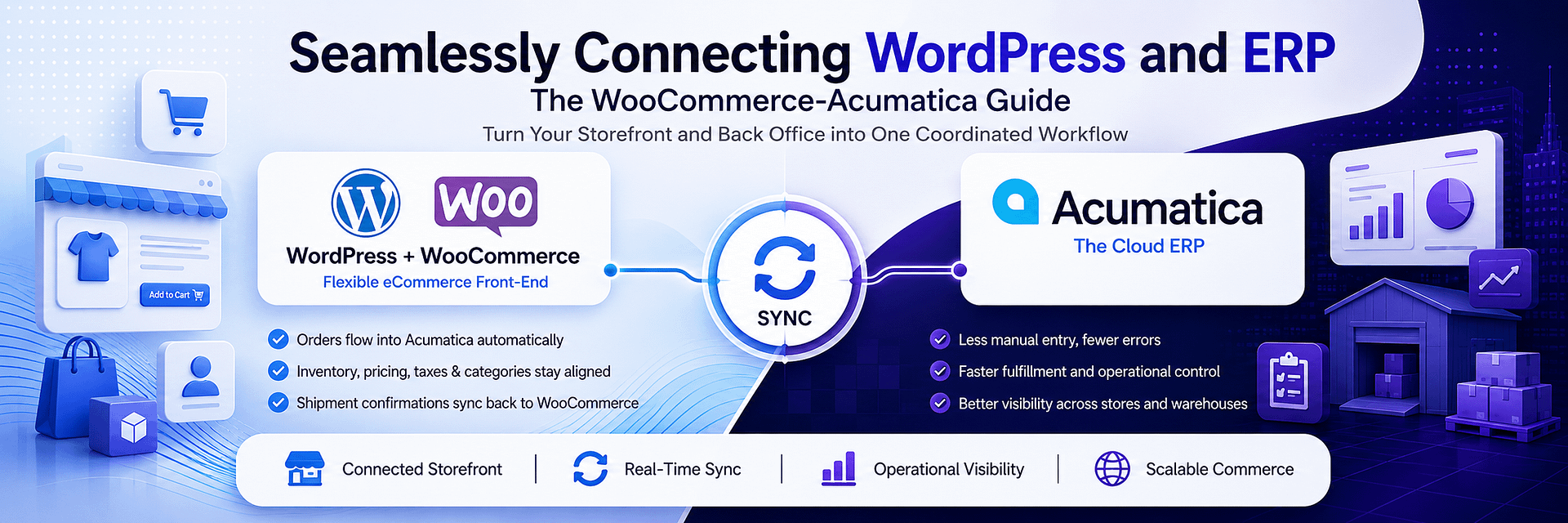
Seamlessly Connecting WordPress and ERP: The WooCommerce-Acumatica Guide
Seamlessly Connecting WordPress and ERP: The WooCommerce-Acumatica Guide
Running an eCommerce business on WordPress with WooCommerce often starts as a straightforward success story. The storefront is flexible, the catalog is easy to manage, marketing teams move quickly, and the business can launch products without waiting for heavy enterprise development cycles. At first, this feels like the ideal formula: WooCommerce drives online sales, WordPress supports content and merchandising, and the back office handles the rest.
But once order volume grows, product count expands, fulfillment becomes more demanding, and accounting needs tighter accuracy, that simple setup starts to show its limits.
This is the moment when a business realizes that a storefront is not the same thing as an operating system. WooCommerce is excellent at selling. Acumatica is designed to run the business. The real challenge is what happens between the click and the company’s internal truth. Orders need to become usable documents. Tracking needs to move back to the storefront. Taxes need to match policy. Categories need to stay aligned. Item data needs to stay current. Inventory must reflect reality. And when order volume increases, none of that can depend on manual copying, CSV files, or employees moving data between platforms all day.
That is why WooCommerce Acumatica Integration has become such an important topic for modern commerce businesses.
A proper WordPress ERP Link does more than connect two systems. It turns a disconnected eCommerce stack into one operational workflow. Instead of WooCommerce sitting on one side and ERP sitting on the other, the two begin to function as one coordinated environment. Orders can be retrieved from WooCommerce and imported into Acumatica as standard sales documents. Once shipments are confirmed in Acumatica, fulfillment events can be generated back in WooCommerce automatically. Catalog data, pricing, taxes, categories, quantities, and cross-references can be synchronized from dedicated screens instead of being patched together manually.
The result is not just connectivity. It is disciplined, repeatable E-commerce Data Sync.
That distinction matters because businesses do not struggle with eCommerce due to lack of orders. They struggle because growth amplifies every weak process behind the storefront. When a WordPress store gets busier, the operational questions become sharper. Can we trust inventory? Are orders entering ERP cleanly? Are tracking updates reaching customers fast enough? Are tax settings consistent? Are categories aligned between systems? Can we manage multiple stores and warehouses without breaking visibility? Can we process high-volume sales without turning the team into full-time data clerks?
Those are the real reasons companies start searching for WooCommerce Acumatica Integration. They are no longer shopping for convenience. They are shopping for control.
Our solution is designed for exactly that stage of growth. It creates a governed and secure integration between WooCommerce and Acumatica, using centralized store setup, authenticated API access, and dedicated operator screens for imports, exports, synchronization, and control. That means your business does not have to improvise the relationship between storefront activity and ERP logic. The connector creates a structured bridge where the online store and the business system can operate as one.
This is why WooCommerce Acumatica Integration is not just a technical feature. It is a business decision. It determines whether the storefront remains loosely connected to internal operations or becomes part of a fully synchronized commercial engine. It determines whether order growth creates clarity or chaos. It determines whether the team spends time selling and fulfilling, or spends time reconciling and correcting. And it determines whether WordPress stays just a front-end sales tool or becomes part of a true WordPress ERP Link that supports scale.
Why WordPress and ERP Need to Work as One System
WordPress and WooCommerce give businesses enormous flexibility on the customer-facing side. Merchandising teams can launch categories quickly. Marketing teams can publish landing pages, campaigns, and product content with speed. Promotions can move fast. Customer experience can be improved without long development cycles.
This is one of the main reasons WooCommerce remains so attractive. But the same flexibility that makes WooCommerce powerful on the front end can become a problem in the back office if ERP is disconnected.
Without a strong WordPress ERP Link, the store becomes operationally expensive. New orders need to be pulled in manually or through unreliable partial workflows. Shipping updates may not return cleanly. Inventory may drift out of sync. Tax logic may be maintained in more than one place. Product categories may diverge. Teams may start relying on spreadsheets or exports because there is no trusted shared flow between WooCommerce and ERP.
What looked flexible at the storefront level becomes fragile at the operational level.
This is where E-commerce Data Sync becomes essential. The point is not merely to pass data between two systems. The point is to make sure data moves in a governed, auditable, and repeatable way. A serious WooCommerce Acumatica Integration should not behave like a casual plugin that occasionally updates stock. It should behave like an operational connection that understands orders, items, pricing, taxes, categories, warehouses, quantities, shipping events, and traceability.
The connector establishes a governed store configuration where administrators centralize credentials, defaults, and connection details in one place, including consumer key, consumer secret, base URL, and WordPress credentials. A test credentials action helps verify connectivity before processing begins. This reduces mid-process failures, gives teams confidence in the connection, and makes multi-store administration more consistent.
Once that foundation is in place, the value of the WordPress ERP Link becomes obvious. Orders can move from WooCommerce into Acumatica as standard sales documents. Fulfillment events can return to WooCommerce automatically when shipments are confirmed in Acumatica. Catalog operations can be handled from dedicated workspaces. Warehouses and quantity-basis rules can be defined explicitly. Product IDs can be written back for traceability. Categories can be imported, created, and synchronized.
This is not just data transfer. It is business process alignment.
That is the real promise of WooCommerce Acumatica Integration: not merely connecting platforms, but eliminating the operational gap between the storefront and the ERP.
Automated Status Updates and Tracking Events
One of the clearest signs that a business has outgrown manual eCommerce operations is how it handles order status and fulfillment communication. At lower volume, teams can get away with checking WooCommerce, updating orders by hand, and manually confirming what was shipped. But once volume increases, that model breaks down quickly. Delays begin to appear. Tracking gets posted late. Statuses stop matching reality. Customer service loses confidence. The warehouse works from one view while the customer sees another.
That is why Automated Status Updates and Tracking Events are so important in a modern WooCommerce Acumatica Integration.
Our solution retrieves orders from WooCommerce and imports selected ones into Acumatica as standard documents on the Sales Orders screen. After users create and confirm shipments for those orders in Acumatica, fulfillment events are automatically generated back in WooCommerce. This means the storefront status is aligned with released ERP actions rather than dependent on manual re-entry.
From the outside, that may sound like a convenience feature. In reality, it is a major operational upgrade.
It means the order lifecycle becomes cleaner. Once the ERP process moves forward, the storefront can reflect that movement without requiring the team to duplicate work. It means customers get more reliable status visibility. It means support teams spend less time checking whether an order was actually shipped. It means warehouse activity and customer-facing updates are no longer drifting apart. And it means the business can trust that WooCommerce and Acumatica are telling the same story.
This is where the value of a real WordPress ERP Link becomes visible to leadership, not just IT. Executives care about customer experience, throughput, and team efficiency. They care about whether orders move predictably. They care about whether their teams are wasting time. Automated status updates help solve all of that because they connect the operational truth of Acumatica with the customer-facing truth of WooCommerce.
Tracking events matter just as much. In a disconnected environment, tracking often becomes a manual afterthought. Someone confirms a shipment in ERP, but the tracking event has to be entered or synced separately. Any delay creates confusion. Any mismatch creates customer-facing problems. Any failure creates more support work.
In a connected environment, tracking-related fulfillment events can be generated as part of the shipment confirmation process, which removes one of the most common friction points in eCommerce operations.
This is why E-commerce Data Sync must include order and shipping states, not just product and inventory data. A store that sells well but communicates poorly after checkout still creates avoidable strain on the business. A store that automatically reflects ERP-confirmed fulfillment behaves like a more mature commerce operation. That maturity is exactly what our WooCommerce Acumatica Integration is meant to deliver.
Synchronizing Tax Rules and Categories
Tax and category management are two of the most underestimated sources of inconsistency in eCommerce. They seem simple until scale exposes every mismatch.
Tax rules are especially dangerous when they drift between systems. A store may display one tax behavior while ERP expects another. Product-level tax status may not match the underlying category logic. Teams may update one side and forget the other. Over time, this creates errors that are difficult to see immediately but expensive to clean up later.
This is one of the reasons businesses start taking E-commerce Data Sync seriously only after pain has already appeared.
Our solution addresses that by supporting item-level tax synchronization during item sync. WooCommerce tax status can mirror the Acumatica stock item’s tax category, helping keep storefront taxation consistent with ERP policy. At the same time, export pricing can be controlled with selectable price basis, including default price or MSRP, with dedicated support for MSRP export behavior when that is the chosen basis.
This matters because a serious WooCommerce Acumatica Integration should not just move products. It should preserve commercial logic. Tax, price basis, and category behavior are part of that logic. When the storefront and ERP disagree about these things, the business starts introducing quiet financial and operational risk.
Categories are just as important, especially for larger catalogs. In growing WooCommerce stores, categories are not only for customer navigation. They affect merchandising, search behavior, reporting structure, product maintenance, and operational organization. If WooCommerce categories and ERP structure are not aligned, teams start working in parallel realities. Merchandising sees one taxonomy. Operations sees another. The result is confusion, extra maintenance, and poor catalog governance.
The connector includes category administration capabilities that allow teams to pull WooCommerce categories, create categories in Acumatica, and sync them back to WooCommerce, helping keep the merchandising tree aligned across systems.
That is a major benefit for businesses with expanding catalogs. It means the WordPress ERP Link is not limited to transactional sync. It also supports structural consistency across the product landscape.
This is critical for companies that want to grow product count, manage different collections, or maintain discipline in how products are organized between storefront and ERP.
This is one of the biggest differences between a light plugin connection and a true WooCommerce Acumatica Integration. A weak connector might push a few fields. A serious solution helps synchronize the business logic behind the catalog.
Managing High-Volume Orders with REST API Connectivity
The moment a WooCommerce store becomes successful, order handling changes from a basic workflow into a throughput challenge. A handful of daily orders can be processed almost any way. Hundreds or thousands require structure. At that point, the question is no longer whether orders can be imported. The question is whether they can be imported reliably, selectively, and fast enough to support operational scale.
This is why Managing High-Volume Orders with REST API Connectivity is such a central part of the story.
Our solution uses authenticated API access as part of the governed store configuration. That means the connection between WooCommerce and Acumatica is not a loose batch hack or a risky workaround. It is an intentional REST-based integration model designed to retrieve orders from WooCommerce and import selected ones into Acumatica. The secure configuration includes store code, description, credentials, and connection validation, giving the business a structured way to manage one or more stores.
For high-volume operations, that is critical. Order flow must be dependable. It must be administratively manageable. And it must allow operators to work from dedicated screens rather than forcing everything through generic low-visibility scripts.
When order volume rises, REST API connectivity becomes more than a technical architecture choice. It becomes the difference between scalable synchronization and fragile synchronization. Businesses need a connector that can keep up with demand without turning every promotion, campaign, or peak season into a stress test.
This is one of the strongest advantages of our WooCommerce Acumatica Integration. It is designed not just to connect, but to process. It gives administrators one governed surface for connectivity and operators dedicated workspaces for synchronization and control. That structure makes it far more suitable for high-volume commerce than ad hoc or lightweight sync approaches.
There is also a human side to this. Teams handling high-volume order environments do not need “more integration” in the abstract. They need less noise. They need fewer ambiguous failures. They need fewer manual checkpoints. They need confidence that when orders come in at scale, ERP will receive them in a clean and usable way.
REST API connectivity, when built into a governed integration model, helps create that confidence.
That is why E-commerce Data Sync for high-volume stores must be designed as operational infrastructure, not just technical plumbing. The point is not only that data moves. The point is that the business can trust the movement.
Item Modeling, Product Creation, and Catalog Control
Catalog growth is one of the biggest reasons a WooCommerce store becomes operationally difficult. A small set of products can be maintained manually. A larger catalog with variants, images, attributes, categories, and changing price logic quickly demands much tighter discipline. This is where many businesses begin to understand that the storefront and ERP cannot be treated as separate content systems.
Our connector supports policy-driven item behavior. Businesses can allow importing items from WooCommerce into Acumatica, define item type and UOM, or require that items already exist in Acumatica before order import. If a WooCommerce SKU cannot be matched and importing is disallowed, the system blocks the document with a clear error instead of silently creating bad data. There are also options for syncing images and attributes, populating inventory details during import, and showing only changed items during export to reduce noise. If SKUs are missing, numbering sequences can generate unique values at scale.
This level of item control matters because WooCommerce Acumatica Integration is not only about moving orders. It is about protecting data quality as commerce expands. A store that grows quickly without catalog governance starts accumulating hidden problems: duplicate products, mismatched attributes, broken ERP references, inconsistent SKU behavior, and reporting distortion.
With a strong WordPress ERP Link, those risks are reduced. Product sync becomes intentional. Product creation rules become clear. IDs are written back for traceability. Teams can work from a single workspace to load Acumatica and WooCommerce items, sync them in either direction, fetch a product by ID, and manage publish or unpublish lifecycle. When items are synced from Acumatica to WooCommerce, new products can be created and their WooCommerce IDs recorded back in Acumatica.
That is what mature E-commerce Data Sync should look like. Not just transaction movement, but lifecycle control for the product catalog itself.
Warehouses, Cross-References, and Quantity Accuracy
One of the fastest ways to lose trust in an eCommerce operation is to let availability drift away from reality. Customers place orders based on what the store says is available. If the store is wrong, every downstream process becomes harder. That is why inventory and quantity sync are core to any serious WooCommerce Acumatica Integration.
The connector allows businesses to define which Acumatica warehouses participate in WooCommerce quantity sync. Exported quantities can reflect the sum across selected warehouses, using the chosen basis such as On Hand, Available, or Available for Shipment. Cross-reference options also govern which entities can be mapped, such as mapping WooCommerce ship-via values to Acumatica Ship Via so that imported documents carry valid delivery settings.
This is more important than it may appear at first glance. Inventory is not just a stock number. It is a promise. The storefront promises what the warehouse and ERP must support. If that promise is based on poor quantity logic, the business starts creating avoidable exceptions.
By supporting warehouse selection and quantity-basis control, our WordPress ERP Link gives businesses a much more deliberate way to manage availability. Instead of using a simplistic one-size-fits-all sync rule, the company can decide how WooCommerce should see inventory based on its operational model. That is a significant advantage for businesses with multiple warehouses, varying fulfillment logic, or different definitions of what should count as saleable stock.
This is where E-commerce Data Sync stops being abstract and becomes commercial. Good quantity sync means fewer customer disappointments, fewer fulfillment problems, fewer manual corrections, and better trust in the storefront.
Why Our Solution Stands Out
A lot of integration tools claim to connect WooCommerce and ERP. Very few are built to support the full operational life of the store.
Our solution is different because it is not limited to one narrow use case. It supports governed secure connectivity, order import, automated fulfillment events, item synchronization, image and attribute options, category sync, selectable pricing basis, tax alignment, cross-references, warehouse-based quantity logic, product creation workflows, publish lifecycle control, and traceable ID synchronization between WooCommerce and Acumatica.
That is why this is more than a connector in the casual sense. It is a business synchronization layer.
For companies evaluating WooCommerce Acumatica Integration, that difference matters. The business does not need a patch. It needs a reliable WordPress ERP Link that can support growth. It needs E-commerce Data Sync that covers real operational complexity, not just a handful of basic fields. It needs a system that reduces manual effort while increasing trust in the data. And it needs a solution that can handle both day-to-day order processing and the longer-term governance of the catalog and store structure.
That is exactly what our WooCommerce Connector is built to deliver.
Final Thought
A successful WooCommerce store is not just a website. It is a revenue engine. But revenue engines need structure behind them. If WooCommerce is where customers buy and Acumatica is where the business runs, then the connection between them must be strong enough to support scale, speed, accuracy, and control.
That is the real meaning of Seamlessly Connecting WordPress and ERP: The WooCommerce-Acumatica Guide.
The goal is not simply to connect two platforms. The goal is to create one operational truth across storefront and ERP. With the right WooCommerce Acumatica Integration, orders move cleanly, statuses update automatically, tracking events align with real shipments, tax rules stay consistent, categories remain synchronized, quantities reflect warehouse reality, and high-volume order flow becomes manageable through secure REST API connectivity.
In other words, a real WordPress ERP Link turns eCommerce from a disconnected front-end success into a controlled, scalable business operation.
And that is exactly what our solution is designed to do.