
Amazon Acumatica Connector Configuration Checklist for FBA and FBM
Selling on Amazon presents a unique set of challenges, especially when you’re balancing two fulfillment models: Fulfillment by Merchant, or FBM, where you handle the shipping, and Fulfillment by Amazon, or FBA, where Amazon takes the lead. At Biz-Tech Services, we’ve found the move to an integrated Enterprise Resource Planning system, or ERP, works best when you have a clear roadmap. This pre-launch checklist makes sure your Acumatica environment is perfectly synchronized with Amazon before you process your first live order, so you avoid data discrepancies and give your customers the seamless experience they expect.
Establishing required configuration
The journey begins with a solid technical foundation. First, confirm that your Acumatica system is running one of the required licenses, such as PCSR, PERP, or SAAS. Once your licensing is in place, install the Biz-Tech Amazon Connector customization package. On the Customization Projects form, you upload the deployment package, validate it to catch any environment conflicts, and publish it to your tenant.
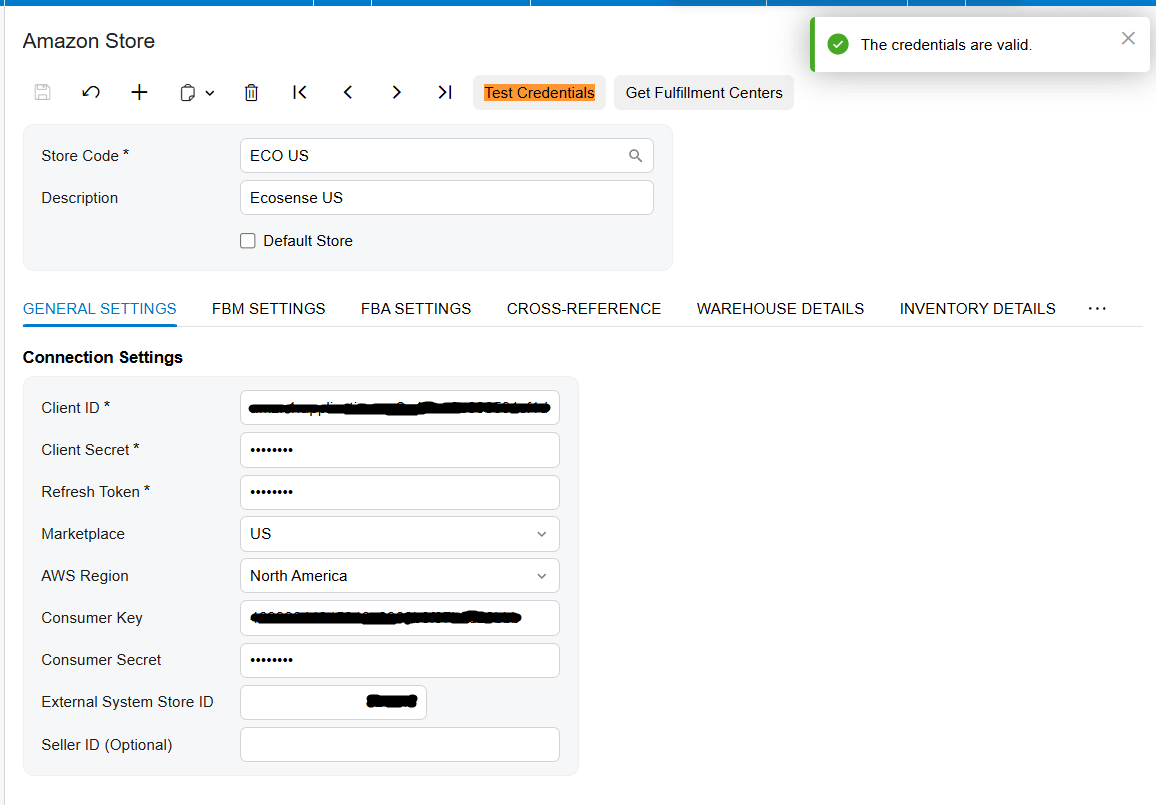
With the package published, your focus shifts to the Amazon Stores screen. This Biz-Tech Services Inc. Amazon Acumatica integration relies on an intermediate server that we manage at Biz-Tech Services to bridge Acumatica and Amazon. To establish that bridge, you enter your connection settings, including your Client ID, your Client Secret, and your Refresh Token, and you specify your marketplace and your AWS region so the system looks at the correct data center. The most critical step here is the Test Credentials action; once you see a success message, you know the API connection is secure and ready.
Data preparation and strategic mapping
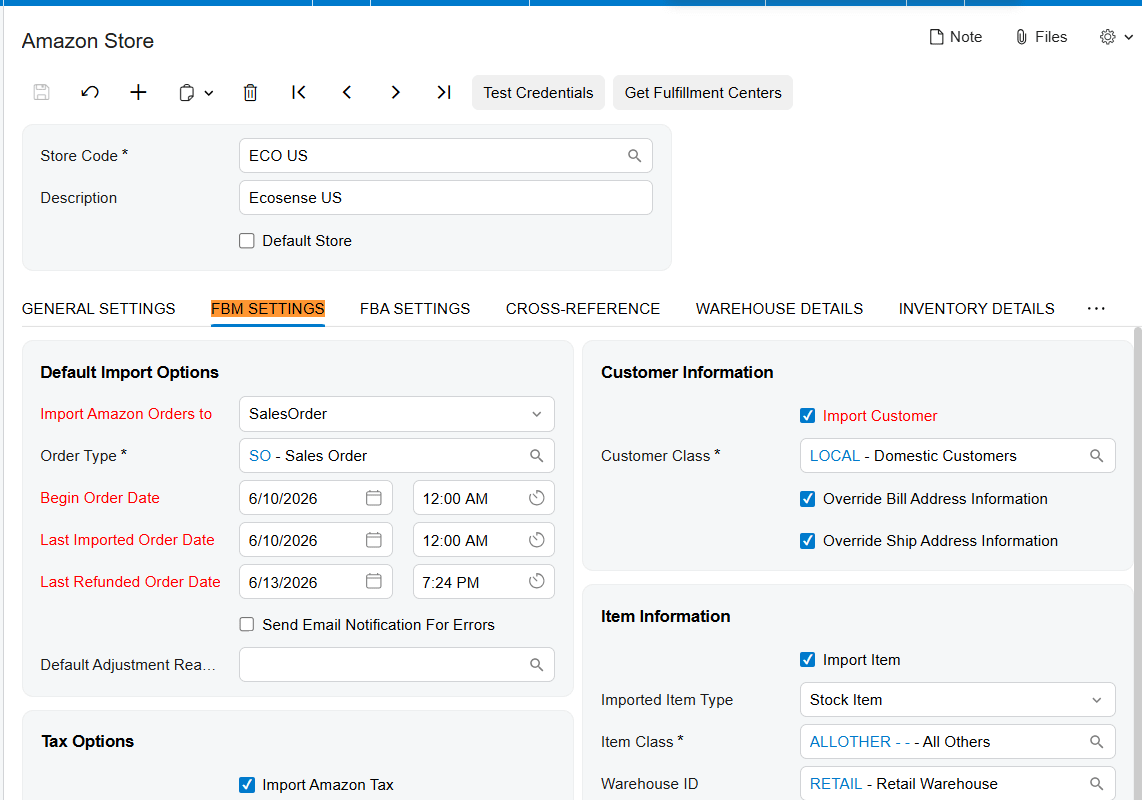
Now that the connection is active at Biz-Tech Services Inc. Amazon Acumatica integration, data preparation varies by fulfillment model. For your FBM operations, define your high-level rules in the FBM Settings tab. Confirm the default order type, typically a Sales Order or an Invoice, and set a Begin Order Date to specify when the integration should start retrieving data. The field gets its initial default value when a new Store Code is created. You can edit the value and after Get Orders process, the Last Imported Order Date field’value would be updated, like Last efunded Order Date. You also decide whether the system should automatically create a new Customer record when one doesn’t exist, or use a default customer for all Amazon transactions. For this, use configure the Import Customer.
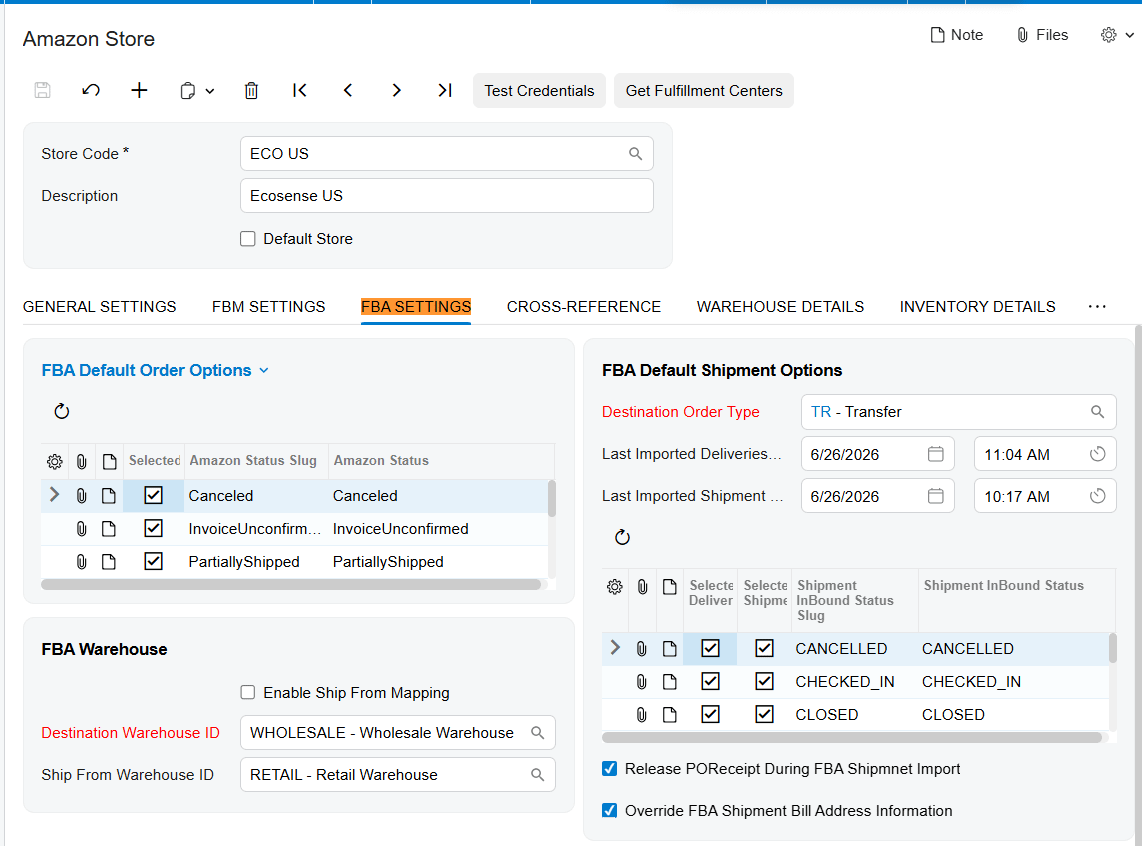
For your FBA operations, data preparation means setting up a Destination Warehouse ID in Acumatica to represent Amazon’s fulfillment centers. Then establish your Destination Order Type, usually a transfer order, since FBA shipments are treated as internal inventory moves until the final sale. A key part of FBA readiness is mapping the Amazon fulfillment centers to your local ship-from warehouse IDs, so when you send stock to Amazon, the system knows exactly which of your warehouses is providing the inventory.
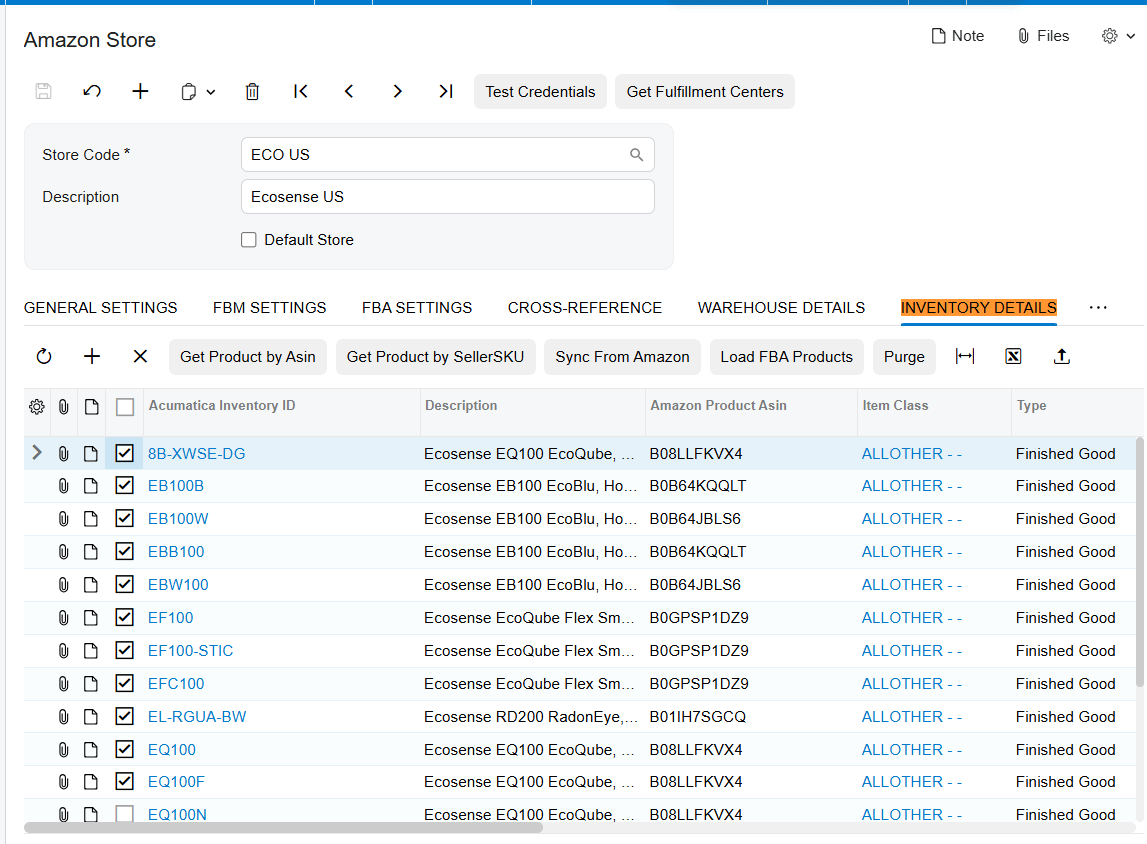
Finally, for both models, prepare your product catalog. In Biz-Tech Services Inc. Amazon Acumatica integrator the Inventory Details tab is available for you to map your Stock Keeping Unit values, or SKUs, from Amazon to your internal inventory IDs. You can even use actions like Get Product by ASIN to pull existing Amazon item details straight into your ERP.
Validation points and cross-referencing
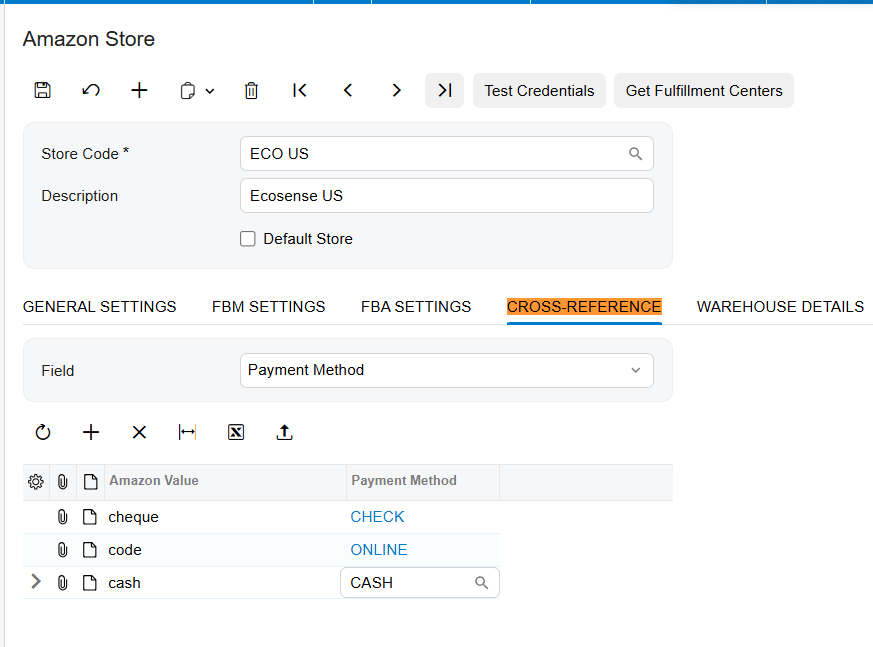
Validation is the process of translating Amazon’s data into terms Acumatica understands. In the Cross-Reference tab of Biz-Tech Services Inc. Amazon Acumatica Connector, your first priority is mapping ship-via codes, so when a customer selects a shipping method on Amazon, it translates to the correct carrier and service in your warehouse. Next, validate your financial mappings by connecting Amazon’s payment methods to your internal payment types.
You also validate how the system handles exceptions. Pre-define a list of cancel reasons and adjustment reasons in their tabs; these are required whenever you cancel or refund an order, to keep your records accurate. And for FBA users, validate your status mapping, which aligns Acumatica’s internal order statuses with Amazon’s specific statuses, like Pending or Shipped.
User access and security
Before moving to testing, make sure your user access is properly configured. The connection requires a Seller ID and an MWS authorization token, generated through the developer authorization process. It’s also worth noting that the intermediate server acts as the primary controller for fulfillment events, so your internal users should be trained to monitor the Error Messages field of Order, to catch any issues during the automated sync.
Testing the workflow
Testing is the most vital part of the checklist, and for Biz-Tech Services Inc. Amazon Acumatica connector, we recommend starting with the Get Orders process. Retrieve your recent FBM and FBA orders and review them in the grid to confirm that buyer names, tax amounts, and line items appear correctly.
Next, walk through a full fulfillment cycle for an FBM order. That involves sending a purchase order acknowledgement to Amazon, creating the shipment in Acumatica, and confirming it with a valid tracking number. At biz-Tech Services Amazon Acumatica Integrator, the test is a little different for FBA: retrieve FBA shipments and confirm they correctly create transfer orders that update your warehouse quantities. Finally, test the refund process, whether you’re reversing an invoice manually or using the Import Amazon Refunded Orders screen, and verify that the system creates the right credit memo and moves the order status to Closed.
Go-live readiness and automation
The final step is preparing for automated, hands-off operation. Before going live, use the Export Amazon Inventory Quantities screen for a final sync, so the quantity available for sale on Amazon matches your actual stock in Acumatica. For FBA, we suggest enabling the setting to release the purchase-order receipt during FBA shipment import, to further automate receiving.
The single most important takeaway for go-live readiness is to verify your Begin Order Date and Last Imported Order Date one final time, to prevent redundant API calls and costs. Once those dates are confirmed and your test fulfillments succeed, your system is ready for the volume of the Amazon marketplace.
If you’d like to see how this checklist applies to your specific business needs, visit biz-techservices.com to schedule a personalized demo today.

