
ShipHero Acumatica Connector Configuration Checklist
Scaling an eCommerce business often brings a specific kind of growing pain where your warehouse operations and your financial records start living in two different worlds. You might find that your warehouse team has shipped an order, but your office team is still waiting for a status update to bill the customer. This disconnect leads to manual data entry, shipping errors, and frustrated customers. We at Biz-Tech Services understand that as your volume grows, the data gap between your fulfillment floor and your accounting office must disappear.
The Biz-Tech Services Acumatica ShipHero integration solution is a dedicated bridge between your Warehouse Management System ERP, software. Specifically, the Biz-Tech Services ShipHero Acumatica Connector facilitates a seamless exchange of data so that your logistics and supply chain processes are always in sync with your financial and inventory records. To ensure your business is ready for this level of automation, we have prepared a comprehensive configuration checklist to guide your pre-launch preparation.
Foundation and Technical Readiness
The first step in your journey involves the technical installation of the Biz-Tech Services Acumatica ShipHero integrator package within your Acumatica environment. We begin by using the customization projects form to upload and publish the specialized package that contains all the necessary logic for the Biz-Tech Services, Inc Acumatica ShipHero Integrator. Once the package is active, the very first task for your business is to establish a secure connection between the two systems.
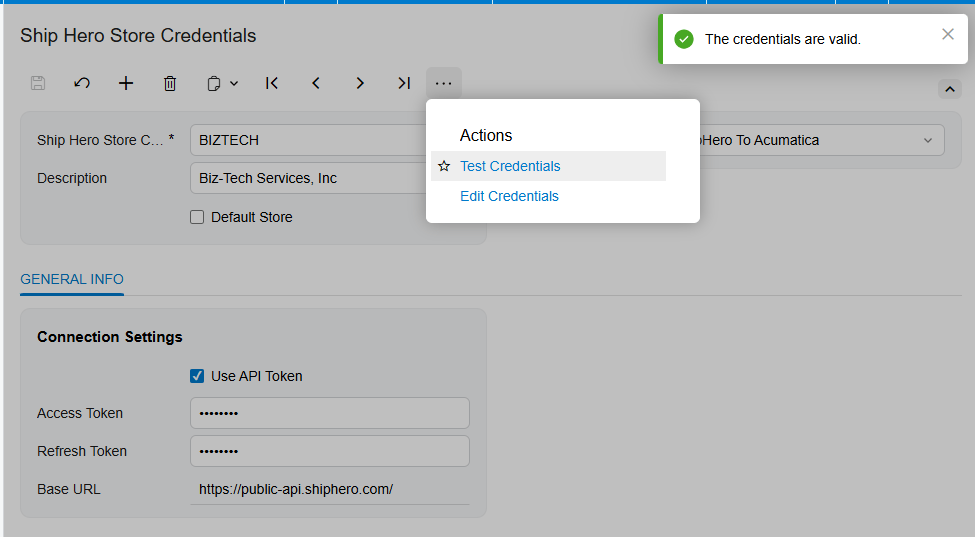
You will need to gather your ShipHero system credentials, including your username, password, and the specific application programming interface, or API, base URL. Before moving forward, we use the test credentials feature to validate that Acumatica can successfully communicate with ShipHero. This step ensures that the digital doorway is open and secure before any actual data begins to move.
Defining Your Operational Workflow
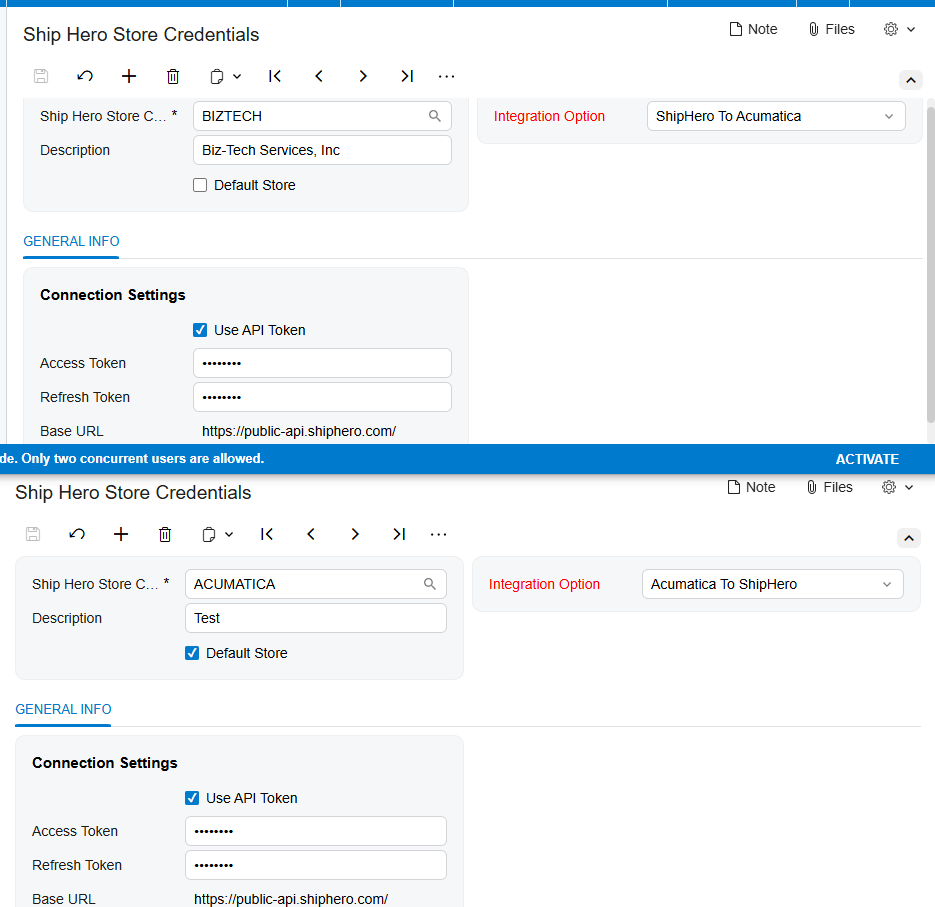
One of the most important decisions your business will make during configuration is determining the primary direction of your data flow. You must choose an integration option that fits your specific business model. For example, if you choose the workflow that moves data from ShipHero to Acumatica, the system will focus on retrieving shipped orders, tracking numbers, and labels that were already generated in the warehouse.
Alternatively, you might prefer a workflow that starts in Acumatica and moves toward ShipHero. In this scenario, your team generates the shipments within your Enterprise Resource Planning system first and then exports those details to the warehouse for fulfillment. We help you determine which of these paths aligns with your existing operations to ensure the software supports your people, rather than forcing your people to change for the software.
The Core Configuration Checklist
Once the high-level workflow is set in Biz-Tech Services Acumatica ShipHero integrator, you must prepare your data for the actual synchronization. This requires a detailed mapping of how information in one system corresponds to information in the other.
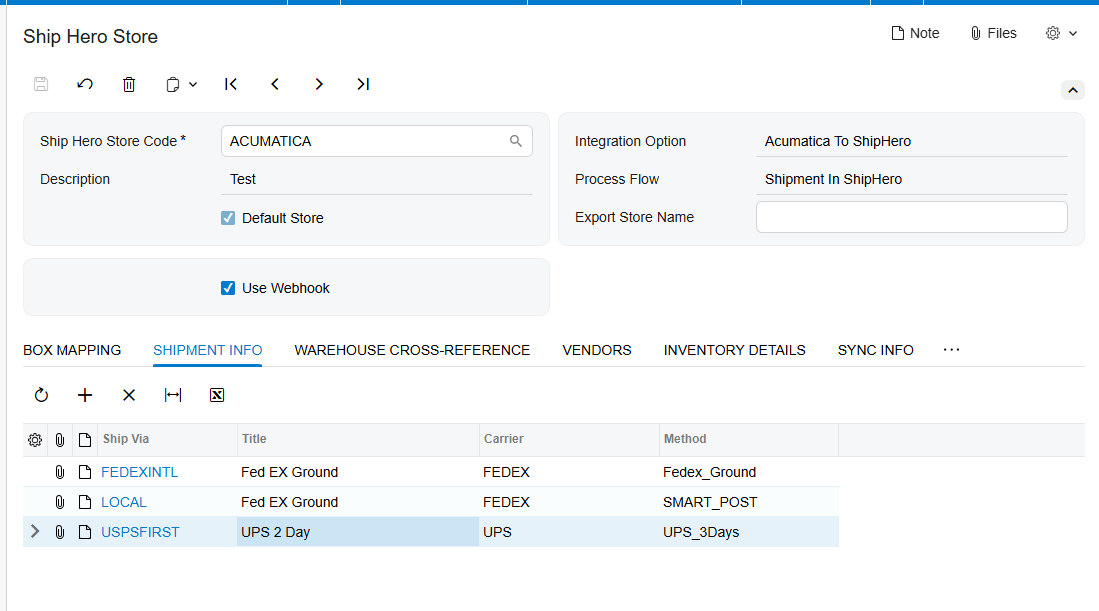
First, you must address your shipping methods through a ship via cross-reference. This ensures that when a customer selects a specific shipping speed on your website, the warehouse knows exactly which carrier and service level to use. Second, you need to establish a warehouse cross-reference. This mapping is vital because it tells the system which physical or virtual locations in ShipHero correspond to your warehouse IDs in Acumatica.
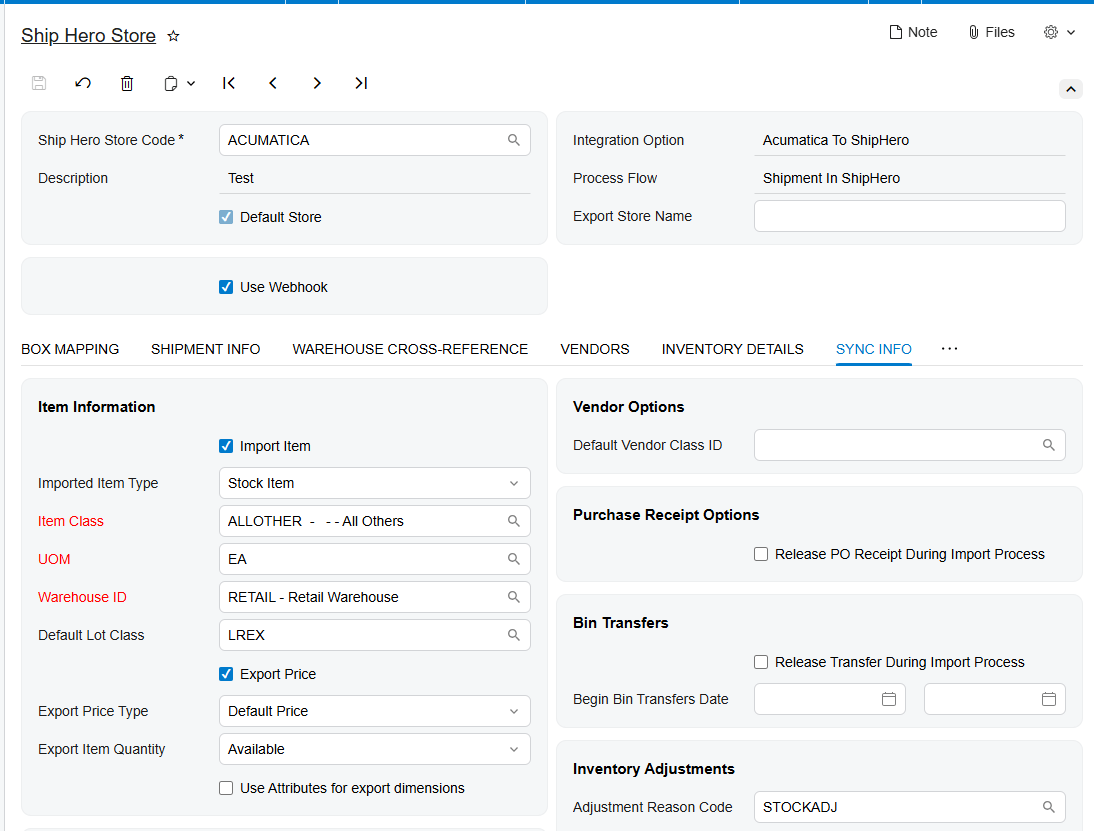
Third, your business must prepare for how new inventory is handled. You will need to define default values for new items, such as the item class, the unit of measure, or UOM, and the default warehouse ID. This ensures that if a new product is synced from the warehouse, it is automatically categorized correctly in your financial records without manual intervention. Fourth, we look at tax and customer information. You must decide if the Biz-Tech Services Acumatica ShipHero integration should create new customer records automatically and how tax IDs or tax zones should be applied to imported orders.
Automation and Real-Time Validation
To achieve true efficiency, your business should take advantage of automated processing options. We recommend configuring the system to automatically release purchase order receipts and inventory transfers upon import. This means that as soon as the warehouse confirms they have received new stock, your inventory levels in Acumatica update instantly, allowing your sales team to see exactly what is available for sale.
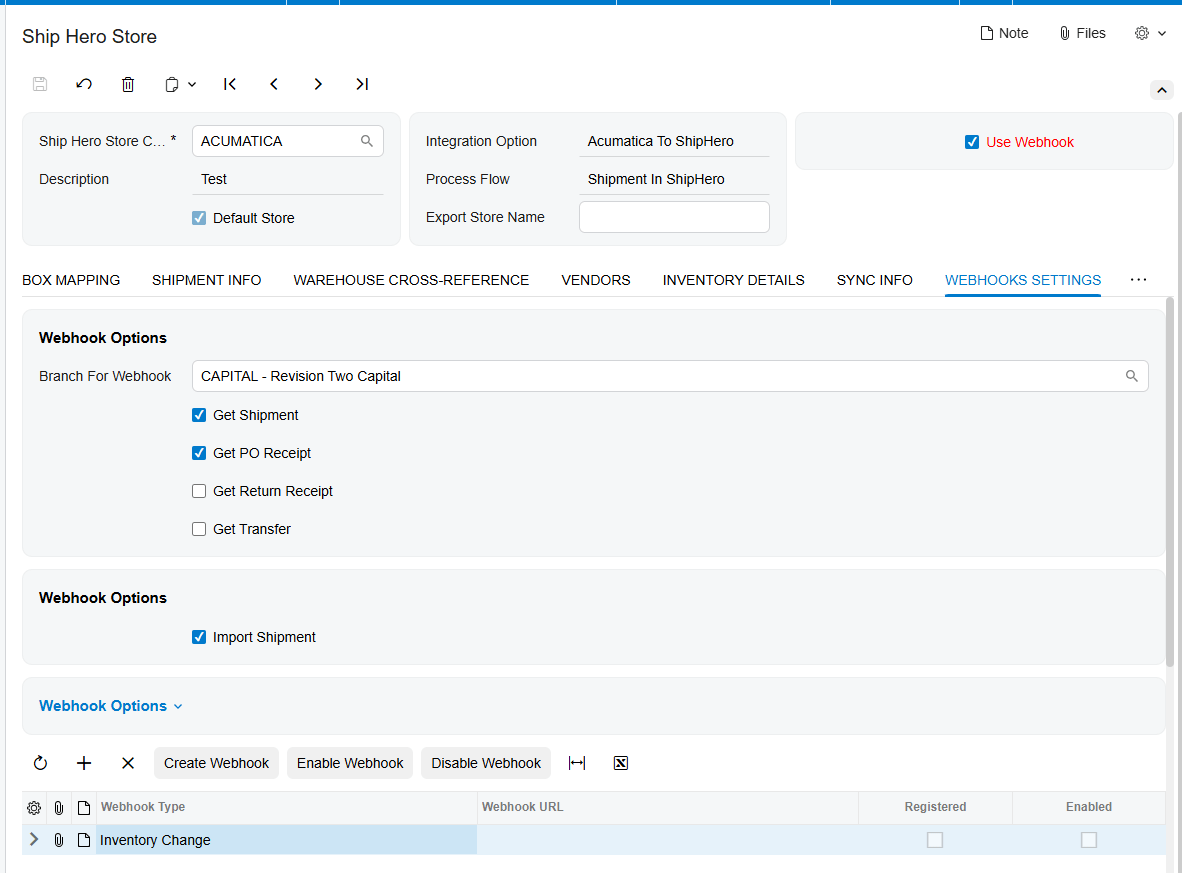
For businesses that require up-to-the-minute accuracy, the use of webhooks is a critical prerequisite. Webhooks act as real-time listeners that alert Acumatica the moment an event happens in ShipHero, such as an inventory change or a completed shipment. During the checklist phase, we ensure that a specific branch for webhooks is selected and that the unique URLs are properly registered and enabled. Without this step, your data would only sync on a schedule rather than in real time.
Testing and Go-Live Readiness
The final phase of your checklist involves rigorous testing of edge cases, such as return orders. You must ensure that reason codes are mapped correctly so that when a customer returns a product, the reason for the return is captured accurately for your reporting. We also verify that your packaging settings, such as default box IDs and automatic packaging rules, are functioning as expected to prevent errors during the label generation process.
This Biz-Tech Services, Inc Acumatica ShipHero connector is designed for high-growth eCommerce businesses and operations managers who are tired of manual workarounds. By following this structured checklist, we ensure that your transition to an integrated WMS and ERP environment is stable and reliable.
If you are ready to eliminate the data gap in your business and see these features in action, we invite you to visit biz-techservices.com to schedule a personalized demo of the ShipHero Acumatica Connector.

