
Manually entering sales orders from customer PDFs is one of the most time-consuming and error-prone tasks in any sales department. At Biz-Tech Services, we knew there had to be a better way. That is why we developed DocVision, a powerful enhancement built natively for Acumatica ERP that automates the creation of Sales Orders directly from PDF documents.
What is DocVision?
DocVision is designed to streamline your sales operations. It allows users to upload PDF files—such as purchase orders or shipping requests—and instantly generate corresponding Sales Orders within Acumatica. Because it is a native integration, it ensures smooth performance without any external dependencies, respecting your existing security permissions and audit trails.
Key Features for Maximum Efficiency
1. Smart Customer Recognition: The system automatically identifies customer and ship-to information from each PDF using pre-configured templates.
2. Per-Customer PDF Mapping: No two customers use the same format. DocVision allows you to customize PDF parsing rules for each customer to support multiple document structures.
3. Error Reduction: By extracting information directly from source documents, you minimize manual data entry mistakes and improve data consistency.
4. Scalable & Configurable: As your business grows, you can easily onboard new customers and adapt to new PDF formats.
Setting Up Your Environment
The foundation of DocVision lies in a secure Azure Setup. By configuring your API keys and connection settings within Acumatica, you leverage Microsoft’s cloud platform for high scalability and secure document handling.
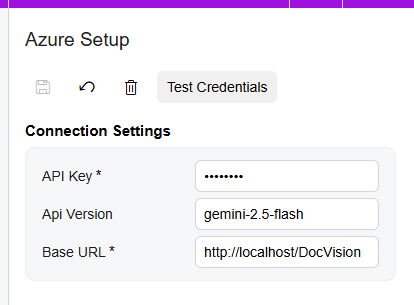
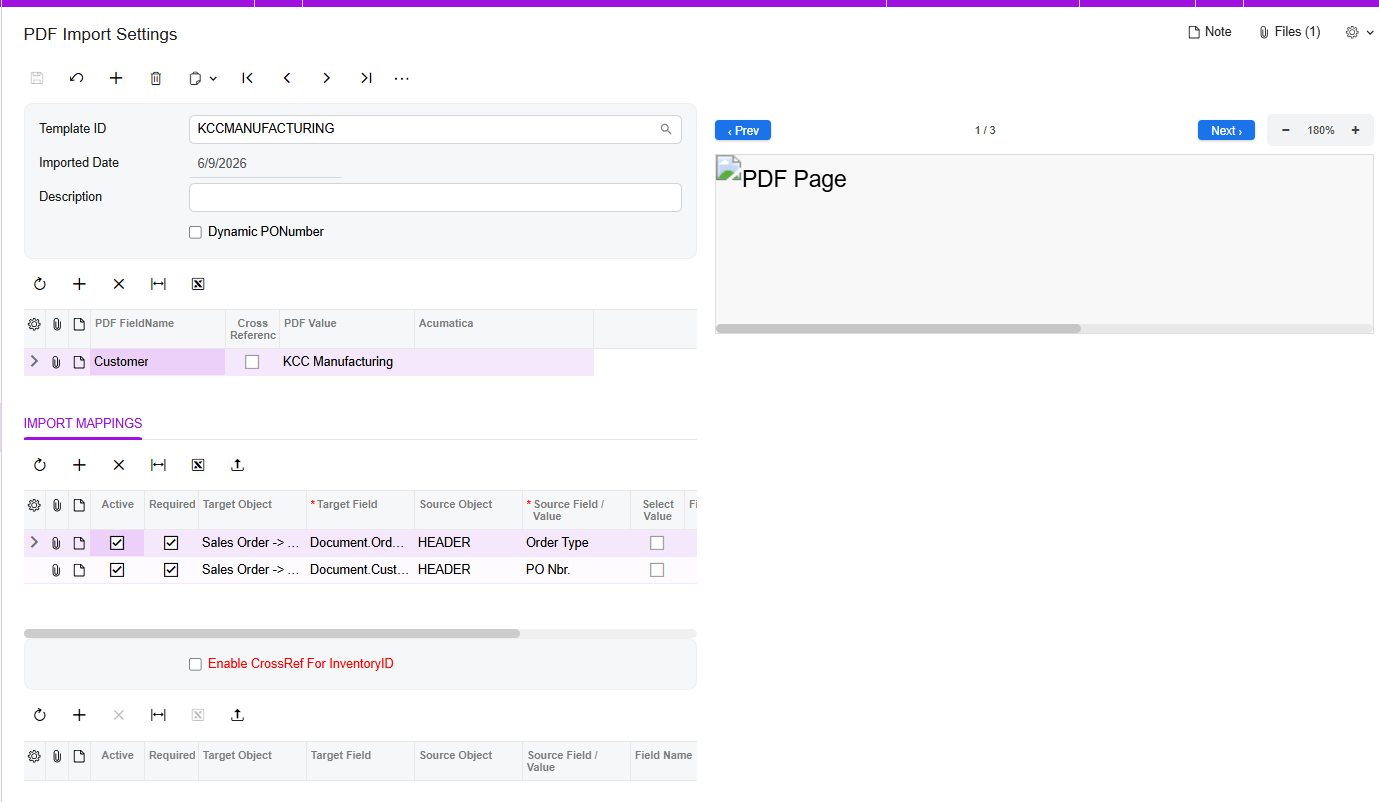
Once your credentials are tested and verified, you can begin creating templates in the PDF Import Settings workspace. Here, you simply upload a sample PDF and define the mapping between PDF values and your Acumatica fields. You can even map complex details, such as header fields or specific line items, by selecting advanced target objects.
Smart Handling of Missing Data
What if a purchase order is missing a PO number? DocVision includes a Dynamic PO Number feature. If the field is missing during import, the system automatically alerts you with a warning message, allowing you to select an alternative number so your workflow never hits a dead end. For even greater precision, you can enable Cross-Referencing to map customer-specific inventory IDs and locations directly to your Acumatica records.
A Seamless User Experience
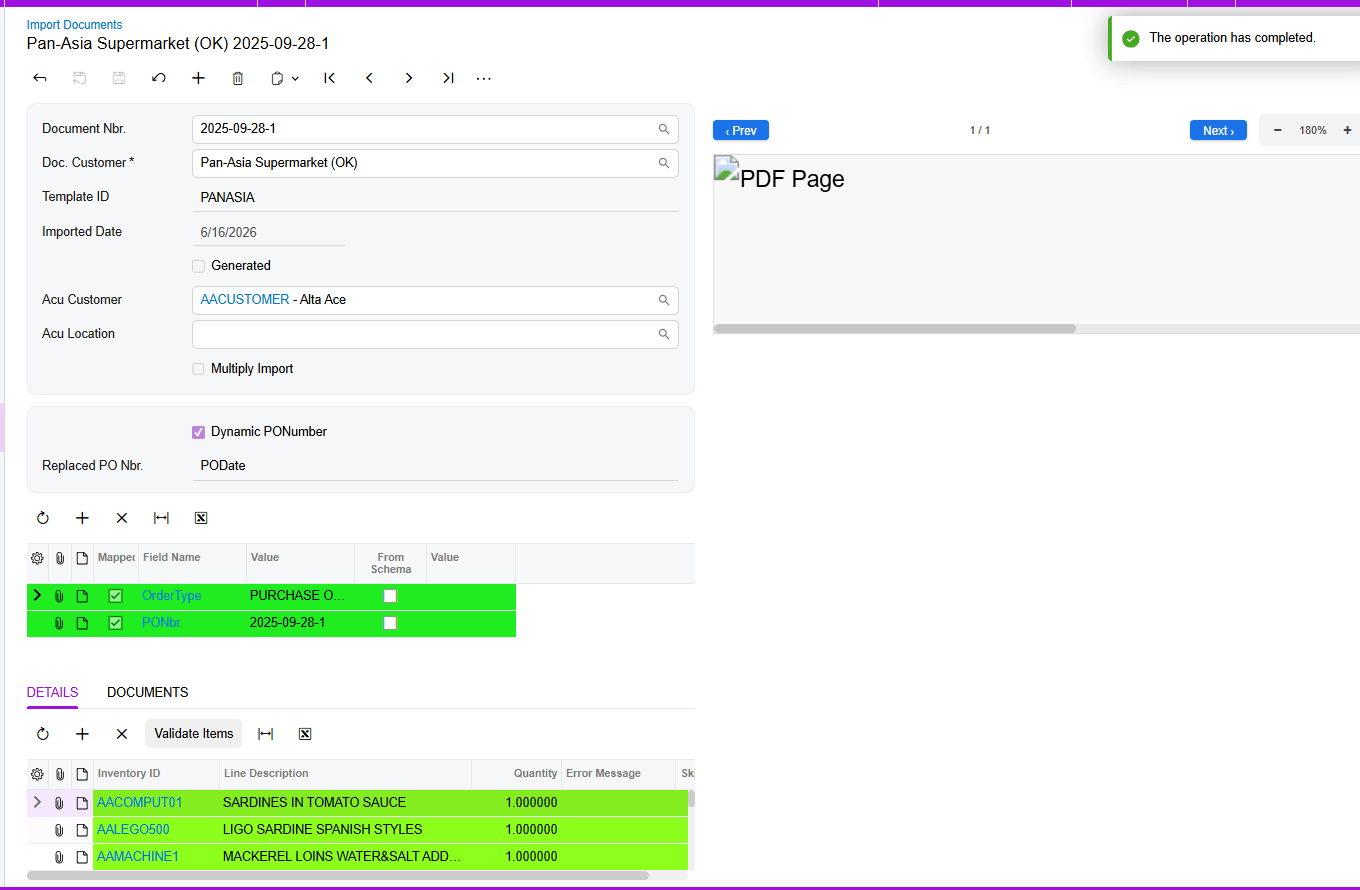
Managing your imports is visual and intuitive. On the Import Document screen, the system uses a color-coded UI to guide you:
1. Green indicates everything is mapped correctly and you are ready to generate your Sales Order.
2. Red highlights errors in specific item lines that need your attention.
3. Yellow points out mapping issues, which can often be resolved instantly with the “Validate Items” button.
High-Volume Processing
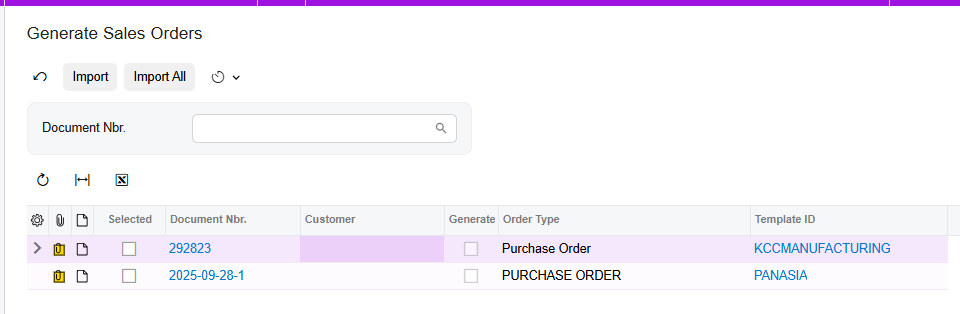
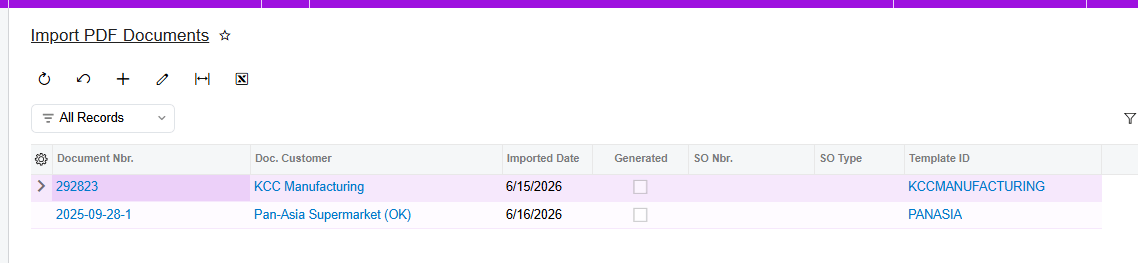
For businesses handling a large volume of orders, DocVision supports Batch Processing. You can filter documents by number and generate multiple Sales Orders at once, significantly speeding up your order processing workflows. You can always track your progress through a specialized Generic Inquiry that keeps all your document numbers, template IDs, and generation dates in one place.
Import PDF Documents
A new Import PDF Documents GI represents all documents.
Conclusion Stop wasting valuable time on manual entry. With DocVision, you can transform your PDF purchase orders into Acumatica Sales Orders with just a few clicks.