
How to Connect ShipHero to Acumatica
Link your warehouse management system to your ERP so orders, shipments, receipts, and inventory stay in sync automatically.
When your warehouse and your books don’t agree
If you fulfill orders out of a warehouse, you’re probably running ShipHero for the picking, packing, and shipping, and Acumatica for your inventory and your books. The trouble is keeping the two in step. Shipments happen in ShipHero, but the stock counts and the accounting live in Acumatica, and reconciling them by hand is slow and easy to get wrong.
The Biz-Tech ShipHero integrator ties your warehouse and your ERP together, so orders, shipments, purchase orders, receipts, and inventory movements flow between them automatically. Let’s walk through how you connect them.
What ShipHero brings to the table
ShipHero integration is a warehouse management and fulfillment system, often shortened to W-M-S. It runs the physical side of your operation. The integration links it to Acumatica so the two share data in real time instead of working in isolation.
Step one: enter your ShipHero credentials
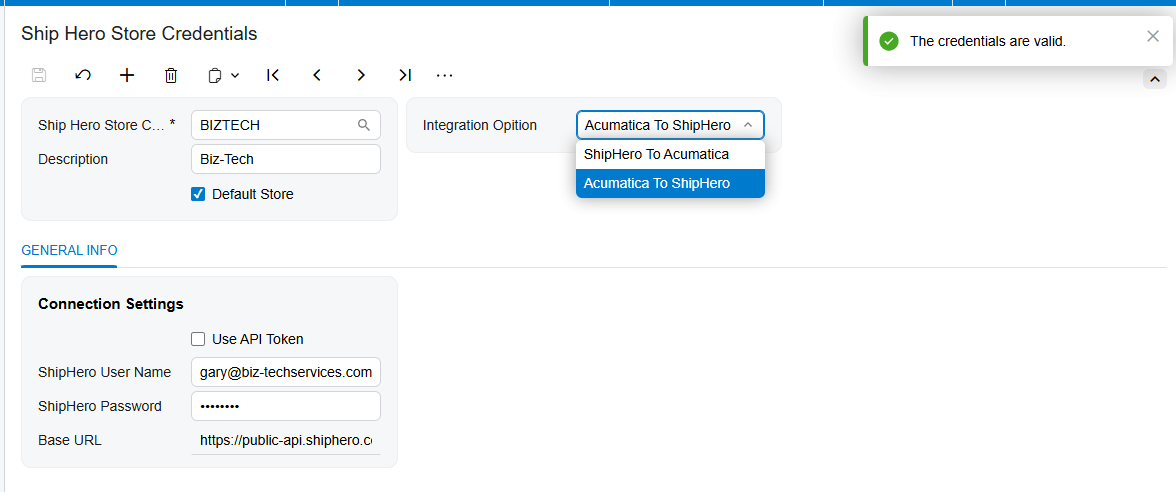
Setup starts with credentials. Once the connector is installed, a ShipHero workspace appears inside Acumatica. On the ShipHero Store screen you enter your ShipHero username, password, and web address, then press Test Credentials. When the connection succeeds, your warehouse is linked and you can decide how the two systems should work together.
Choosing your direction
The connector runs in two directions, and you pick the one that matches your business. In the first mode, ShipHero to Acumatica, the warehouse is where orders are fulfilled, and the connector brings the shipped orders, labels, and tracking numbers back into Acumatica. In the second mode, Acumatica to ShipHero, you create the orders in Acumatica and send them out to ShipHero to be shipped, then pull the shipments back. You choose the workflow that fits how you actually operate. The configuration field is added on the header.
Lining up the building blocks
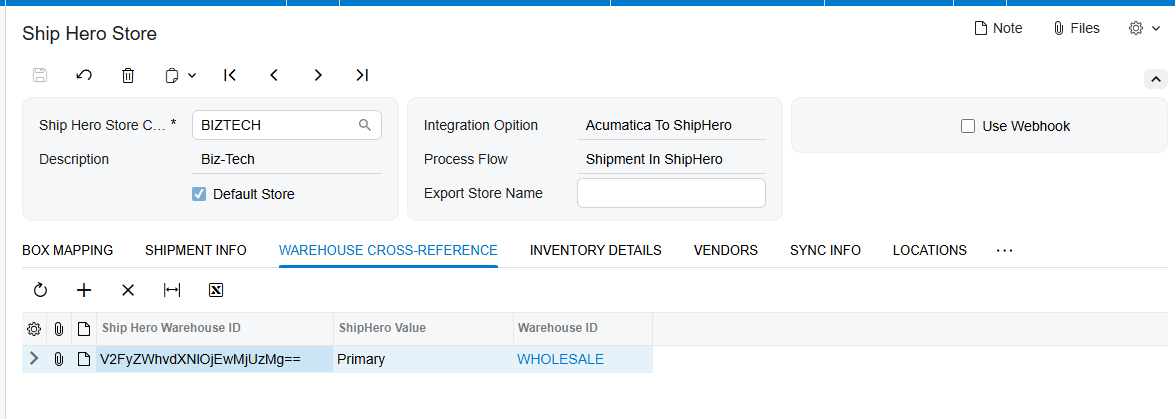
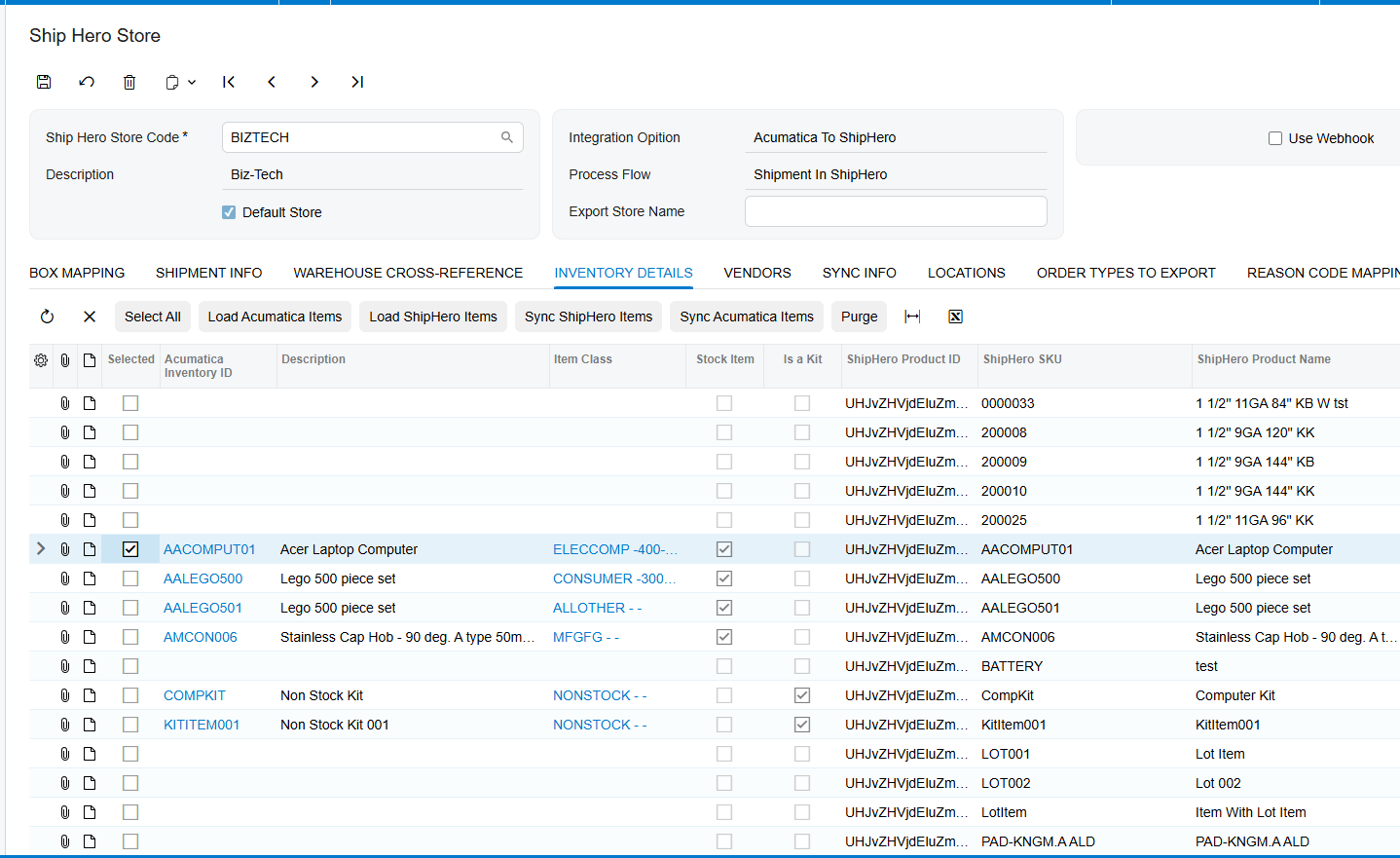
Next you connect the things the two systems share. You map your ShipHero warehouses to your Acumatica warehouses, and your shipping methods to your Acumatica ship-vias, so everything lands in the right place. You sync your items between the systems, matched up by their SKU, and when an item is tied to a vendor, that vendor information comes across with it. And if you manage stock by bin, you can map your sellable and non-sellable locations so quantities are tracked exactly where they sit. You also decide which quantity the connector reports to the warehouse, whether that’s on hand, available, or available for shipment, and whether it sends your standard price or your M-S-R-P.
Orders and shipments
With that foundation in place, the day-to-day flow takes care of itself. Orders move between the systems based on the direction you chose, and shipments come back automatically. When a shipment is imported from ShipHero, the connector brings it into Acumatica and confirms it, matched to the right sales order, with the tracking number already attached.
Purchase orders and receipts
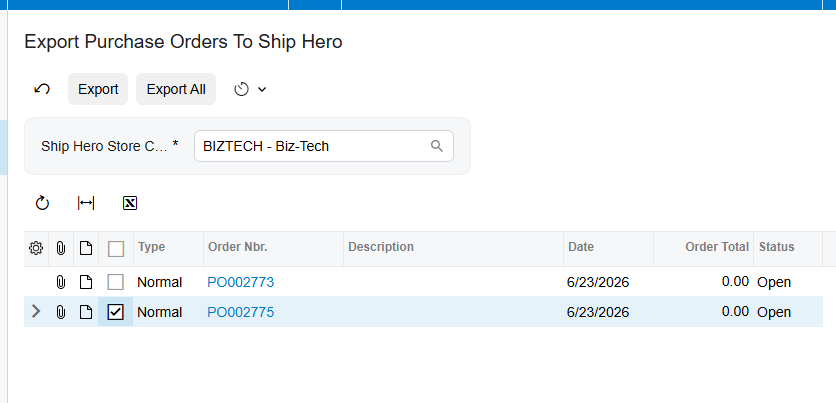
Your inbound side is covered too. You can export your Acumatica purchase orders to ShipHero, and as the warehouse receives the goods, the connector imports those receipts back, updating the received quantities on your purchase orders and releasing them if you choose. So your incoming stock is recorded the moment it lands on the dock. Have a Purchase Order document with Export to ShipHero checkbox added and PO Receipt Entered, to have that record on the processing screen..
Inventory movements in real time
Inventory movements stay in sync as well. When stock is transferred between locations inside the warehouse, the connector imports those bin transfers and updates the quantities in Acumatica. And if you turn on webhooks, all of this happens the instant it happens in ShipHero. New shipments, purchase order receipts, transfers, and returns flow into Acumatica in real time, with no waiting and no manual pull.
A system that reconciles itself
The result is a connection that keeps itself honest. Shipments are matched to their orders, receipts update your purchase orders, and every inventory movement is reflected in Acumatica, so your stock counts and your books always agree with what physically happened in the warehouse.
The bottom line
Once it’s connected, ShipHero and Acumatica work as one. Orders, shipments, purchase orders, receipts, and inventory all stay aligned, and your team stops reconciling spreadsheets and gets back to moving product.
If you’d like help connecting your own warehouse, the team at Biz-Tech Services does exactly this. Visit biz-techservices.com to book a walkthrough and see your ShipHero fulfillment flow straight into Acumatica.