
How to Connect ShipStation to Acumatica
Link your shipping platform to your ERP so orders flow out for fulfillment and tracking flows back automatically.
Great at shipping, blind to your ERP
If you ship a lot of orders, you probably love ShipStation. It pulls orders from all your sales channels, finds the right carrier, prints labels and packing slips in batches, and emails tracking to your customers. What it doesn’t do on its own is keep your ERP in the loop. So someone ends up re-keying orders and tracking numbers between ShipStation and Acumatica by hand.
The Biz-Tech ShipStation Connector removes that step. It links the two systems so orders flow to ShipStation for fulfillment, and shipments and tracking flow back into Acumatica automatically. Let’s walk through how you connect them.
Step one: install the package and connect
Setup begins by installing the ShipStation customization package in Acumatica, which adds a ShipStation workspace and the screens you’ll use. From there you open the ShipStation Store screen and enter your connection settings, which are your ShipStation consumer key, your consumer secret, and your web address. Then you press Test Credentials, and when the connection checks out, the two systems are linked.
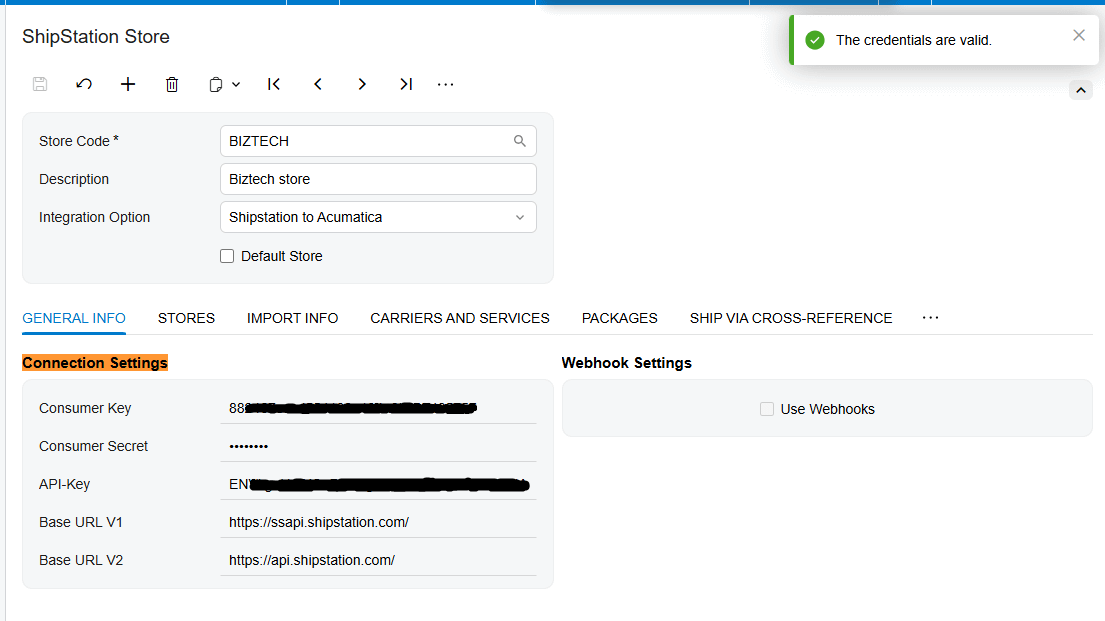
Choosing your direction
Next you choose the direction the integration runs. In one mode, ShipStation to Acumatica, ShipStation is where orders live, and the connector imports those orders, and their shipments, into Acumatica. In the other, Acumatica to ShipStation, your Acumatica orders are sent out to ShipStation to be shipped. If you pick that second direction, you also choose where the shipment itself is created, in ShipStation or in Acumatica, so the workflow matches how your team works.
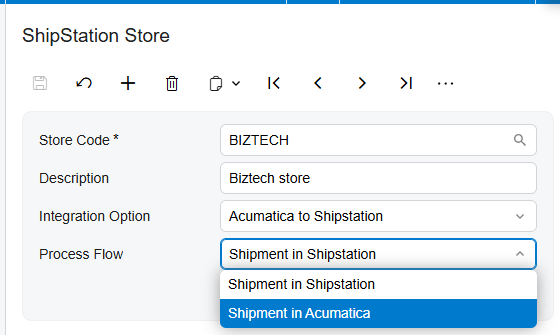
Bringing orders in from ShipStation
If you’re pulling data in from ShipStation, you start by retrieving your connected stores and choosing which one to import from. Then you map ShipStation’s order statuses to Acumatica’s, so only the orders you want, like the ones already shipped, come across. You decide how those orders are classified in Acumatica, whether their shipments come in along with them, and how customers and items should be handled. The Integration Option on Shipstation Store screen should be selected as Shipstation to Acumatica to be able to see any records on Import ShipStation Orders screen.
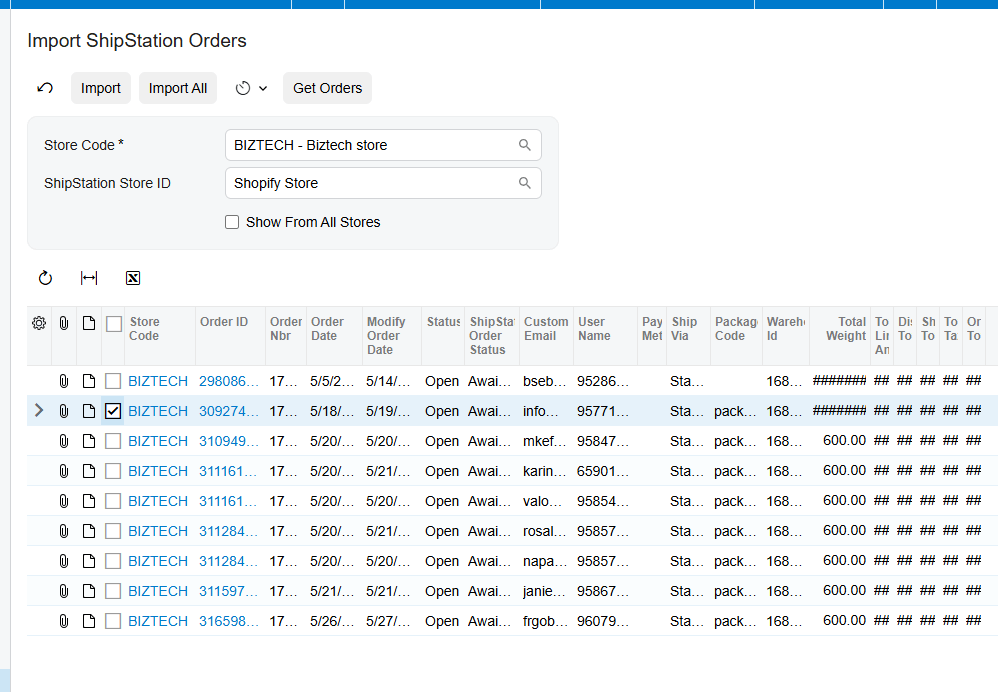
Setting up the shipping side
If you’re sending orders out to ShipStation instead, you set up the shipping side. You pull in your carriers and their services directly from ShipStation, choose the package types you use, and line up your ShipStation warehouses. And in both directions, you map your shipping methods, your ship-vias, between the two systems, so every order goes out by the right method.
Shipments and tracking, handled automatically
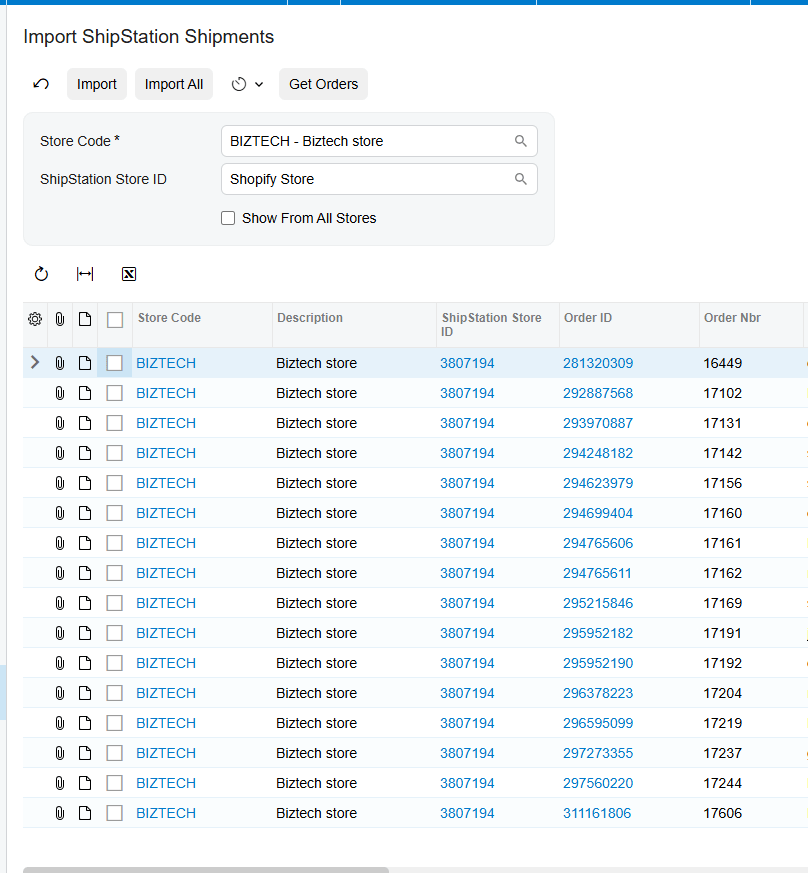
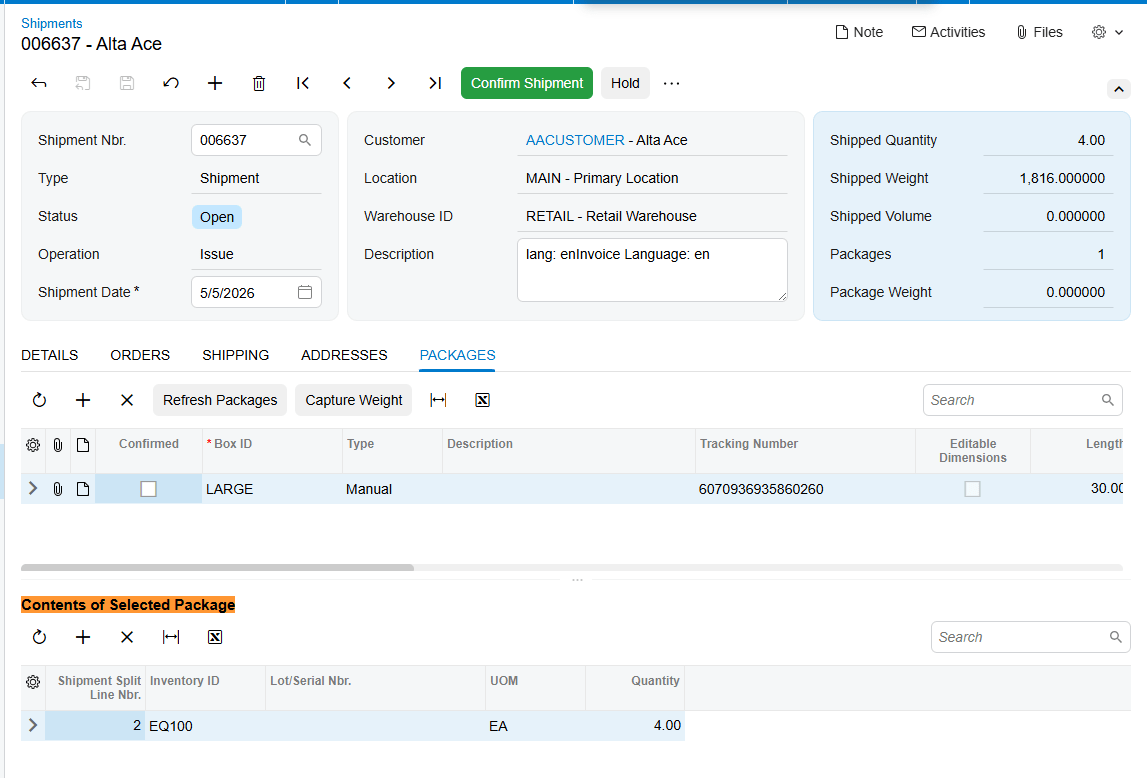
Then comes the part that saves the most time. When an order is shipped, the connector brings the shipment back into Acumatica and attaches the details, including the shipment number and the tracking number, to the right order, then moves it forward to the invoicing stage. If you’d rather drive it from Acumatica, you can create the sales order and shipment there, confirm it, and the connector creates the matching order and shipment in ShipStation, tracking number and all.
Processing the record in Import ShipStation Shipment screen, will add the package data on Shipmnent document.
Keeping ShipStation’s automation
And because ShipStation integrator is still doing the shipping, you keep everything it’s good at. Batch label printing, carrier rate shopping, and its automation rules all keep working, while Acumatica stays perfectly in step. You get the best of both worlds: powerful, automated shipping, and an ERP that always reflects what actually went out the door.
The bottom line
Once it’s connected, ShipStation and Acumatica work as one integration. Orders flow out for fulfillment, tracking flows back to your books, and your team stops copying numbers between two screens. The shipping stays fast, and the records stay accurate.
If you’d like help connecting your own shipping operation, the team at Biz-Tech Services does exactly this. Visit biz-techservices.com to book a walkthrough and see your ShipStation shipments flow straight into Acumatica.