
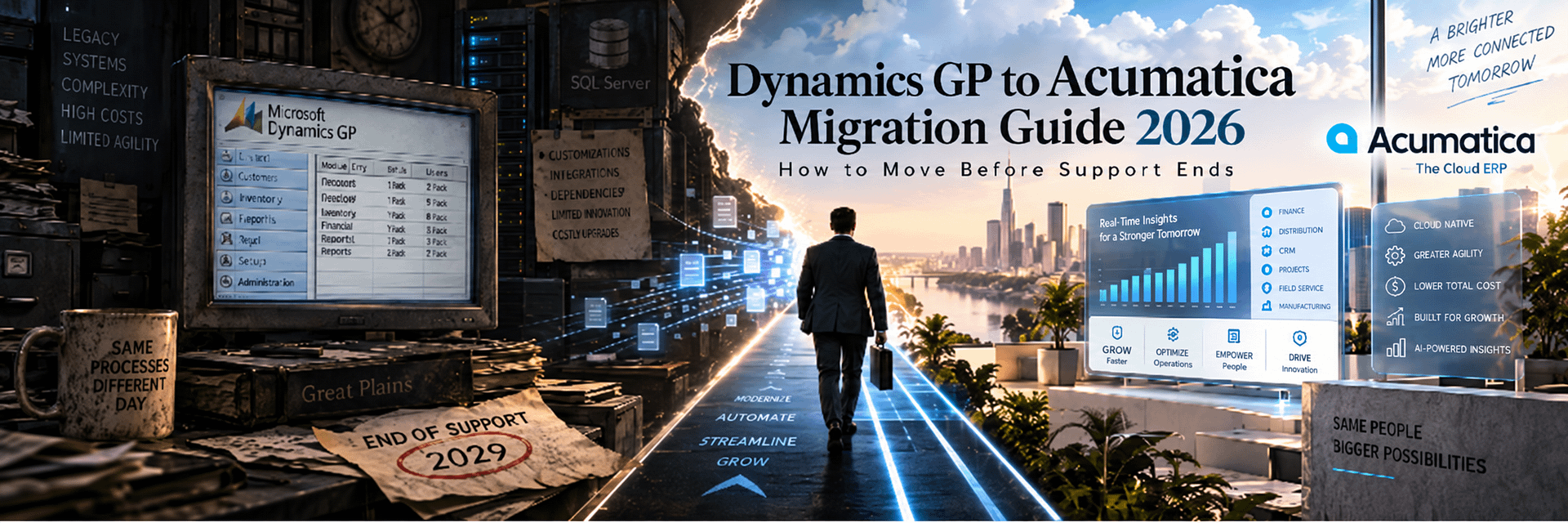
Microsoft Dynamics GP to Acumatica Migration Guide 2026: How to Move Before Support Ends
Microsoft Dynamics GP has powered accounting and business operations for decades. But Microsoft has now established a clear end-of-support roadmap, creating a strategic deadline for organizations still running Dynamics GP or Microsoft Great Plains.
Microsoft has announced that support for Microsoft Dynamics GP will end on December 31, 2029 for product enhancements, regulatory and tax updates, and technical support.
Security updates and patches, if needed, are expected to remain available until April 30, 2031.
For companies still operating Dynamics GP, those dates change the ERP conversation.
The question is no longer simply:
“Should we eventually modernize Great Plains?”
The better question is:
“What should replace Dynamics GP, how long will migration really take, and when should we begin so that the company is not forced into a rushed ERP decision in 2029?”
Microsoft is naturally encouraging Dynamics GP customers toward its Dynamics 365 cloud portfolio, including Business Central.
That is a valid migration path.
But it is not the only path.
A Dynamics GP end-of-support event creates an opportunity to evaluate the ERP market again rather than automatically adopting the next Microsoft product.
For many growing businesses, Acumatica Cloud ERP deserves serious consideration.
Acumatica provides a modern ERP platform designed around cloud access, open integration, industry-specific functionality, broad user participation, configurable workflows, real-time reporting, APIs, automation, and a partner-led implementation ecosystem.
Acumatica itself now actively positions the platform as a replacement for legacy Microsoft Dynamics products, including Dynamics GP, Dynamics SL, and Dynamics NAV.
Several organizations have already made the transition from Microsoft Great Plains to Acumatica.
Recent examples include Arkansas Federal Credit Union, Star One Credit Union, and Eastmen Tire Supplies.
Those migrations are especially useful because they demonstrate that a Great Plains replacement is not simply about moving the general ledger.
Companies are using the transition to modernize:
- accounts payable;
- financial reporting;
- inventory management;
- warehouse operations;
- remote access;
- integrations;
- internal controls;
- eCommerce;
- workflow automation;
- management visibility.
As an Acumatica Gold Partner, BizTech helps businesses design and implement this transition.
BizTech also develops proprietary Acumatica integrations for Amazon, Shopify, WooCommerce, Magento, PayPal, ShipHero, ShipStation, Salesforce, ServiceTitan, DSCO, CommerceHub, EDI, and specialized operational workflows.
This matters because most long-term Dynamics GP customers are not migrating from one application.
They are migrating from an ecosystem.
That ecosystem may contain:
- Microsoft SQL Server databases;
- the Dynamics system database;
- multiple GP company databases;
- SmartLists;
- Management Reporter;
- Report Writer;
- SSRS reports;
- Excel reports;
- Word Templates;
- Dexterity customizations;
- Visual Studio add-ins;
- Integration Manager;
- eConnect;
- Web Services;
- Service Based Architecture;
- ISV products;
- eCommerce integrations;
- warehouse integrations;
- banking and payment systems;
- custom SQL processes.
A successful Dynamics GP to Acumatica migration must identify all of those dependencies before Great Plains is retired.
Microsoft Dynamics GP End-of-Support Dates: What Actually Happens in 2029 and 2031?
There is considerable confusion around the phrase Dynamics GP end of life.
The dates should be understood precisely.
Microsoft ends Dynamics GP product enhancements, regulatory and tax updates, and technical support.
Security updates and patches, if needed, are scheduled to remain available until this date.
Microsoft states that the current Dynamics GP 18.x generation is governed by the Modern Lifecycle Policy.
Until the main support deadline, customers are expected to remain current with Dynamics GP updates in order to stay within supported lifecycle requirements.
After December 31, 2029, organizations should no longer expect normal:
- product enhancements;
- regulatory updates;
- tax updates;
- standard technical support.
The period between January 2030 and April 2031 should therefore not be interpreted as normal full product support.
It is a limited security-update window.
That distinction is important for companies that depend heavily on:
- tax updates;
- payroll;
- regulatory requirements;
- third-party applications;
- supported infrastructure;
- partner expertise.
The 2029 deadline is not the date to start ERP selection. It is the date by which a well-planned replacement should ideally already be complete.
Dynamics GP, Great Plains, Microsoft Great Plains: Why All Three Names Matter
Microsoft Dynamics GP has a long history.
Many long-term customers still refer to it simply as:
- Great Plains;
- Microsoft Great Plains;
- Dynamics Great Plains;
- GP;
- Dynamics GP.
For migration planning, these terms often describe the same product lineage.
This is also important for search.
A CFO may search for:
Dynamics GP replacement
while an accounting manager who has used the software for twenty years may search:
Great Plains replacement
and an IT director may search:
Microsoft Great Plains SQL migration.
This guide uses all of these terms naturally because companies still use all of them in the real world.
Why Companies Should Not Wait Until 2029 to Replace Dynamics GP
Three years may sound like a long time.
For an ERP migration, it is not.
A well-managed Dynamics GP replacement may require:
- ERP evaluation;
- executive approval;
- budgeting;
- implementation partner selection;
- business process discovery;
- data cleansing;
- target architecture;
- integration redesign;
- customization redevelopment;
- report redesign;
- multiple test migrations;
- user acceptance testing;
- training;
- cutover planning;
- post-go-live stabilization.
Waiting creates additional risk.
Partner Capacity Becomes Scarcer
As the support deadline approaches, more Dynamics GP customers will compete for experienced migration consultants, developers, implementation partners, and internal resources.
Your Best Employees May Know GP Better Than Anyone Else
Long-serving accounting, IT, operations, and warehouse employees often possess undocumented knowledge about:
- customizations;
- reports;
- integrations;
- manual workarounds;
- historical data;
- month-end procedures.
If those employees retire or leave before migration, the company can lose critical migration knowledge.
Data Quality Does Not Improve Automatically
Duplicate customers, inactive vendors, obsolete inventory, old GL accounts, custom SQL tables, and inconsistent master data require time to clean.
Integrations Can Be More Complex Than the ERP
A twenty-year Dynamics GP implementation may have accumulated dozens of external dependencies.
These can take longer to redesign than the core financial system.
Microsoft’s Default Path Is Business Central — But It Is Not Your Only Option
Microsoft encourages Dynamics GP customers to migrate toward Dynamics 365 cloud offerings.
Microsoft also provides built-in migration tooling for eligible Dynamics GP environments moving to Business Central online.
Current Microsoft guidance states that these tools support Dynamics GP 2015 and later, subject to specific SQL Server and database compatibility requirements.
That makes Business Central a legitimate option for GP customers.
However, the end of GP support creates an opportunity to conduct a fresh ERP evaluation.
A company should not assume that remaining within the same software vendor automatically creates the best long-term result.
The ERP selection should evaluate:
- industry functionality;
- licensing model;
- user access;
- implementation ecosystem;
- integration requirements;
- customization;
- manufacturing;
- distribution;
- construction;
- project accounting;
- reporting;
- future acquisitions;
- five-to-ten-year TCO.
For many organizations, Acumatica should be on that shortlist.
Why Consider Acumatica as a Dynamics GP Replacement?
Acumatica is not simply a cloud-hosted accounting application.
It is a modern ERP platform designed for companies that need financial and operational management in one connected environment.
Modern Cloud Architecture
Dynamics GP was designed as a traditional client-server ERP and can be hosted in environments such as Azure virtual machines or accessed through web-client architecture.
Acumatica was designed around browser and cloud access from the beginning.
Broad User Access
Acumatica’s consumption-oriented licensing philosophy is designed to reduce the direct seat-count friction associated with more traditional ERP licensing models.
This can make it easier to give ERP access to:
- warehouse teams;
- project managers;
- field users;
- sales;
- purchasing;
- customer service;
- executives.
Open APIs
Acumatica provides modern REST APIs, webhooks, business events, import/export scenarios, and customization tools.
Industry-Specific Functionality
Acumatica provides editions and applications for:
- distribution;
- manufacturing;
- construction;
- retail;
- professional services;
- general business;
- field service.
Modern Reporting
Acumatica combines:
- financial reporting;
- Generic Inquiries;
- role-based dashboards;
- reports;
- business events;
- BI integration.
Acumatica vs Dynamics GP in 2026
| Area | Microsoft Dynamics GP | Acumatica Cloud ERP |
|---|---|---|
| Support roadmap | Core product support ends December 31, 2029 | Active cloud ERP roadmap and ongoing development |
| Architecture | Traditional Windows/client-server ERP with SQL Server; web and hosted deployment options exist | Browser-oriented modern cloud ERP platform |
| Database | Microsoft SQL Server | Managed modern ERP platform architecture |
| User model | Traditional GP licensing arrangements depend on agreement and deployment | Consumption/resource-oriented plans designed around broad user access |
| Remote access | Can require hosting, web client, RDS, VPN, Azure VM, or related infrastructure depending on deployment | Native browser and cloud access |
| Reporting | SmartList, Report Writer, Management Reporter, SSRS, Excel reports | Generic Inquiries, dashboards, financial reports, standard reports, BI integration |
| Customization | Dexterity, Visual Studio Tools, SQL, ISV products and other GP-specific technologies | C#/.NET customization framework, workflows, business events, APIs and low-code tools |
| Integration | eConnect, Web Services, SBA, Integration Manager, SQL and ISV tools | REST APIs, webhooks, business events, import scenarios and connectors |
| Manufacturing | GP manufacturing functionality plus ISV ecosystem | Integrated Manufacturing Edition and related applications |
| Distribution | Established SOP, POP and Inventory modules | Integrated distribution, WMS, inventory, order management, commerce and reporting |
| CRM | Often separate or integrated | Embedded CRM functionality plus external integration options |
| Future support pressure | Increasing as 2029 approaches | No announced equivalent retirement deadline |
Real Companies That Replaced Dynamics GP with Acumatica
Arkansas Federal Credit Union
reduction in accounting and finance processing time reported by the customer
invoice payment frequency increased from once to twice per week
accounts payable unified in one system
Arkansas Federal Credit Union replaced Microsoft Dynamics GP with Acumatica General Business Edition.
The organization had relied on GP for years but faced manual reporting, disconnected AP processes, and limitations in the aging platform.
Acumatica became a centralized environment for:
- financial management;
- fixed assets;
- expense management;
- deferred revenue;
- corporate credit card reporting;
- integration with the credit union’s core processor.
Star One Credit Union
reduction in accounting and financial process times
accounts payable consolidated into one environment
core processor integration
Star One had operated Microsoft Great Plains for almost twenty years.
The company sought better reporting, remote accessibility, stronger controls, and a modern cloud platform.
Eastmen Tire Supplies
increase in shipping volume
reduction in payroll processing time
reduction in inventory processing time
Eastmen Tire Supplies replaced Great Plains with Acumatica Distribution Edition.
The company unified inventory, order management, payroll, intercompany accounting, and omnichannel operations.
These are specific customer results, not universal migration guarantees.
They demonstrate that a GP replacement can improve much more than accounting.
What Data Can Be Migrated from Dynamics GP to Acumatica?
Most core business information can be migrated.
The exact scope depends on:
- GP version;
- installed modules;
- company databases;
- customizations;
- third-party applications;
- historical requirements;
- Acumatica target design.
Financial Data
- chart of accounts;
- account segments;
- general ledger balances;
- journal history;
- bank information;
- budgets;
- fiscal periods;
- multicurrency information;
- intercompany balances.
Customers and Receivables
- customer records;
- addresses;
- contacts;
- payment terms;
- salespeople;
- credit limits;
- tax information;
- open invoices;
- credit memos;
- cash receipts;
- aging information.
Vendors and Payables
- vendor records;
- addresses;
- contacts;
- payment terms;
- tax identifiers;
- open invoices;
- vendor credits;
- payments;
- aging information.
Inventory
- item master;
- sites;
- quantities;
- costs;
- prices;
- units of measure;
- lot numbers;
- serial numbers;
- vendor relationships;
- reorder information.
Sales and Purchasing
- open sales orders;
- open purchase orders;
- backorders;
- partially fulfilled orders;
- partially received purchase orders;
- customer deposits;
- returns.
Other Data
- fixed assets;
- project accounting;
- manufacturing data;
- payroll data where appropriate;
- attachments;
- historical transactions;
- custom tables;
- integration cross-references.
Dynamics GP Environment Audit: What Must Be Documented Before Migration
Long-running GP environments often contain far more than the visible ERP screens.
Before migration, inventory the complete system.
Core Environment
- Dynamics GP version;
- Dynamics GP 18.x build;
- SQL Server version;
- DYNAMICS system database;
- company databases;
- ODBC configuration;
- Windows servers;
- web-client components;
- Azure or hosted infrastructure;
- backup processes.
Modules
- General Ledger;
- Receivables Management;
- Payables Management;
- Sales Order Processing;
- Purchase Order Processing;
- Inventory;
- Bank Reconciliation;
- Fixed Assets;
- Multicurrency;
- Project Accounting;
- Manufacturing;
- Payroll;
- other installed modules.
Reporting
- SmartLists;
- SmartList Designer objects;
- Report Writer reports;
- Management Reporter definitions;
- SSRS reports;
- Excel reports;
- Word Templates;
- Power BI integrations;
- custom SQL reporting.
Development and Integrations
- Dexterity dictionaries;
- chunk files;
- Visual Studio Tools add-ins;
- Integration Manager integrations;
- eConnect;
- Web Services;
- Service Based Architecture;
- custom stored procedures;
- scheduled SQL jobs;
- ISV applications;
- custom APIs;
- third-party middleware.
Dynamics GP SQL Server Migration to Acumatica
Microsoft Dynamics GP relies on Microsoft SQL Server to manage its business databases.
A typical environment contains:
- a Dynamics system database;
- one or more company databases;
- SQL logins and database roles;
- ODBC data sources;
- stored procedures;
- views;
- integration-related database objects;
- third-party tables.
SQL access makes Dynamics GP data technically accessible.
But direct table access does not automatically make migration easy.
A Dynamics GP SQL database is a storage model, not a migration specification.
The migration team must understand the business meaning of:
- work tables;
- open tables;
- historical tables;
- document statuses;
- posting behavior;
- control accounts;
- company-specific setup;
- ISV tables.
A query that successfully extracts ten million rows can still create an incorrect ERP migration if those rows are interpreted incorrectly.
SQL Migration Process
A structured approach may include:
- Back up every GP database.
- Inventory database sizes.
- Identify company databases.
- Inventory custom tables and views.
- Inventory integration tables.
- Identify authoritative source tables.
- Create repeatable extraction queries.
- Validate row counts.
- Transform data into target migration structures.
- Reconcile against GP reports.
- Repeat during test migration.
- Execute final cutover extraction.
Dynamics GP to Acumatica Functional Mapping
| Dynamics GP Concept | Typical Acumatica Target | Migration Approach |
|---|---|---|
| GP Company Database | Acumatica Company / Branch | Architecture must consider legal entity, reporting, tax and operational structure |
| GL Account Segments | Account + Subaccount Segments | Redesign reporting instead of blindly copying every account |
| Receivables Management | Customers + Accounts Receivable | Customers, terms, invoices, credits, payments and balances |
| Payables Management | Vendors + Accounts Payable | Vendors, terms, bills, credits, payments and balances |
| Sales Order Processing | Sales Orders / AR Documents | Open and partially fulfilled orders require special mapping |
| Purchase Order Processing | Purchase Orders / AP | Open and partially received documents require validation |
| Inventory Site | Warehouse | Sites, bins and location logic must be reviewed |
| SmartList | Generic Inquiry / Dashboard / Report | Rebuild according to business purpose |
| Management Reporter | Acumatica Financial Reports / BI | Rebuild reporting definitions against new account structure |
| Report Writer | Acumatica Reports / Forms | Recreate only reports and documents still needed |
| Integration Manager | Import Scenarios / API / Connector | Preserve integration purpose, not GP-specific tooling |
| eConnect / Web Services | REST API / Webhooks / Integration Services | Redesign integrations using target architecture |
| Dexterity Customization | Workflow / Configuration / C# Customization | Analyze business logic before redevelopment |
Migrating Dynamics GP Companies to Acumatica Companies and Branches
GP customers often operate several company databases.
Those databases may represent:
- legal entities;
- subsidiaries;
- operating divisions;
- historical companies;
- acquisitions;
- different currencies.
The target Acumatica structure should distinguish between:
- companies;
- branches;
- warehouses;
- reporting dimensions.
Not every GP company database automatically needs to become a separate Acumatica company.
Questions to Resolve
- Is the entity legally separate?
- Does it have separate tax registration?
- Does it have a different base currency?
- Does it require separate financial statements?
- Does it share customers or vendors?
- Does it transact with other group companies?
- Should inventory be shared?
Dynamics GP Chart of Accounts Migration
Great Plains account structures often encode several dimensions directly into segmented account numbers.
Examples may include:
- natural account;
- department;
- division;
- location;
- product group.
Acumatica offers accounts, subaccounts, branches, and reporting structures that may allow a cleaner design.
The migration should evaluate whether every GP segment should remain.
Migration Steps
- inventory active accounts;
- identify inactive accounts;
- identify control accounts;
- map account categories;
- design Acumatica subaccounts;
- map departments and locations;
- define retained earnings;
- prepare opening balances;
- reconcile the trial balance.
Customer and Vendor Migration
Master data should be cleaned before it reaches Acumatica.
Customers
- customer number;
- name;
- addresses;
- contacts;
- payment terms;
- credit limits;
- salespeople;
- tax configuration;
- price level;
- external integration IDs;
- custom fields.
Vendors
- vendor number;
- name;
- addresses;
- contacts;
- payment terms;
- tax identifiers;
- payment information;
- currency;
- custom fields.
Clean Before Migration
Review:
- duplicates;
- inactive records;
- incorrect addresses;
- obsolete contacts;
- duplicate tax IDs;
- old integration references.
Dynamics GP Inventory and Site Migration
Inventory migration requires more than item-master conversion.
The company must reconcile:
- item information;
- sites;
- bins where applicable;
- on-hand quantities;
- allocated quantities;
- available quantities;
- cost;
- valuation;
- lots;
- serial numbers;
- open purchasing;
- open sales demand.
Inventory Reconciliation
Before production cutover compare:
- GP inventory;
- physical inventory;
- WMS data;
- eCommerce inventory;
- general ledger inventory accounts.
If those sources disagree, the company must select an authoritative opening position.
Dynamics GP AR and AP Migration
Open receivables and payables affect cash flow immediately after go-live.
Accounts Receivable
- open invoices;
- credit memos;
- unapplied cash;
- customer deposits;
- due dates;
- remaining balances;
- payment applications.
Accounts Payable
- open vendor invoices;
- vendor credits;
- prepayments;
- unapplied payments;
- due dates;
- remaining balances.
Required Reconciliation
- AR aging to GP;
- AP aging to GP;
- AR to the GL control account;
- AP to the GL control account;
- unapplied payments;
- foreign currency balances.
Dynamics GP Sales Order and Purchase Order Migration
Dynamics GP Sales Order Processing and Purchase Order Processing often contain active business documents that cannot simply disappear at cutover.
Open Sales Orders
Migration may include:
- order number;
- customer;
- customer PO;
- items;
- quantity ordered;
- quantity fulfilled;
- site;
- price;
- discount;
- tax;
- freight;
- shipping method;
- backorder status;
- external channel IDs.
Open Purchase Orders
Migration may include:
- PO number;
- vendor;
- items;
- ordered quantity;
- received quantity;
- site;
- cost;
- expected date;
- related receipts.
Partial Documents
Partially shipped and partially received documents should be tested carefully because document-state logic differs between ERP systems.
Dynamics GP Fixed Assets Migration
Fixed asset migration may include:
- asset ID;
- description;
- asset class;
- acquisition date;
- acquisition cost;
- depreciation method;
- life;
- salvage value;
- accumulated depreciation;
- book values;
- location;
- department;
- retired assets where history is required.
The total asset cost and accumulated depreciation must reconcile to the general ledger.
Dynamics GP Multicurrency Migration
Companies operating internationally may need to migrate:
- currency definitions;
- rate types;
- exchange rates;
- customer currencies;
- vendor currencies;
- open foreign-currency documents;
- historical exchange-rate information;
- revaluation balances.
The target Acumatica currency strategy should be designed before transaction migration begins.
Dynamics GP Project Accounting Migration
Project-based organizations may need to migrate:
- projects;
- contracts;
- budgets;
- cost categories;
- billing information;
- open commitments;
- unbilled costs;
- project history;
- employee expenses and time where relevant.
Project structures often require redesign because Acumatica Project Accounting uses a different data model and workflow.
Dynamics GP Manufacturing Migration
Manufacturing environments may contain both native Dynamics GP functionality and third-party ISV products.
The first step is identifying exactly where the manufacturing truth lives.
Data may include:
- bills of material;
- routing;
- work centers;
- manufacturing orders;
- labor;
- overhead;
- WIP;
- planning parameters;
- quality data;
- engineering changes;
- shop-floor information.
These structures should be mapped to the target Acumatica Manufacturing architecture rather than imported table-for-table.
How Much Dynamics GP History Should Be Migrated?
Historical data is one of the largest migration cost drivers.
Option 1: Full Transaction History
Advantages:
- one ERP for historical research;
- less dependency on GP;
- better direct comparison;
- customer and vendor history stays accessible.
Disadvantages:
- higher cost;
- longer migration;
- more reconciliation;
- more risk of importing legacy problems.
Option 2: Limited Detailed History
For example:
- current fiscal year;
- current year plus one comparative year;
- selected operational history.
Option 3: Summary History
Period balances may be enough for comparative financial reporting.
Option 4: Opening Balances and Open Documents
Acumatica begins cleanly while GP remains available as a historical archive for a defined period.
Dynamics GP SmartList Migration to Acumatica
SmartList is one of the most widely used GP tools.
Users rely on it for:
- ad hoc queries;
- customer research;
- vendor analysis;
- inventory analysis;
- sales lists;
- work queues;
- Excel exports;
- management reporting.
SmartLists should be inventoried before migration.
A SmartList May Become:
- an Acumatica Generic Inquiry;
- a dashboard;
- a standard inquiry;
- a report;
- a business event;
- a Power BI dataset;
- an automated notification.
Do not recreate every SmartList. Recreate the business question the SmartList answers.
Dynamics GP Management Reporter Migration
Management Reporter is still part of many Dynamics GP financial reporting environments.
A company may depend on:
- row definitions;
- column definitions;
- report trees;
- financial statement groups;
- departmental reporting;
- consolidated financials.
The definitions cannot simply be imported into Acumatica unchanged.
Migration Process
- Inventory every active financial report.
- Identify the report owner.
- Document account ranges.
- Document departments and dimensions.
- Identify calculated lines.
- Identify consolidation logic.
- Map the report to the new Acumatica chart.
- Rebuild and validate.
Some Management Reporter outputs may become:
- Acumatica financial reports;
- Generic Inquiries;
- dashboards;
- Velixo reports;
- Power BI reports;
- other BI solutions.
Dynamics GP Report Writer, SSRS, Excel Reports, and Word Templates
GP customers often have multiple reporting technologies operating simultaneously.
These may include:
- Report Writer;
- Word Templates;
- SSRS;
- Excel reports;
- custom SQL queries;
- Management Reporter.
Every report should be classified.
Classification Questions
- Is the report still used?
- Who owns it?
- Is it operational or analytical?
- Is it customer-facing?
- Is it legally required?
- Can Acumatica already provide the information?
- Would a dashboard be better?
This report rationalization can significantly reduce migration effort.
Dynamics GP Dexterity Customization Migration
Dexterity is historically central to Microsoft Dynamics GP development.
Microsoft documentation describes Dexterity as the development environment used to build Dynamics GP and to create transaction-oriented business applications.
GP customizations may include:
- Dexterity dictionaries;
- chunk files;
- custom forms;
- custom windows;
- custom scripts;
- custom reports;
- third-party Dexterity applications.
Dexterity code cannot simply be copied into Acumatica.
The migration team should document:
- business purpose;
- trigger;
- input data;
- output data;
- users;
- integrations;
- exceptions;
- frequency;
- whether it is still needed.
Possible Acumatica Replacements
- standard functionality;
- configuration;
- workflow;
- business event;
- API integration;
- BizTech connector;
- C#/.NET customization.
The correct migration target is the business requirement, not the Dexterity source code.
Dynamics GP Integration Manager, eConnect, Web Services, and SBA Migration
Dynamics GP provides several integration technologies.
Integration Manager
Integration Manager may be used for:
- data conversion;
- master record imports;
- financial imports;
- distribution integrations;
- recurring external-data imports.
Every active Integration Manager package should be inventoried before migration.
eConnect
eConnect provides API-based access to Dynamics GP back-office transactions.
External systems may depend on eConnect without business users even realizing it.
Web Services and Service Based Architecture
Some integrations may rely on GP web-service or Service Based Architecture endpoints.
Acumatica Replacement Architecture
These integrations may become:
- Acumatica REST API connections;
- webhooks;
- business events;
- import scenarios;
- scheduled services;
- BizTech connectors;
- middleware.
Dynamics GP ISV Add-On Migration
Many GP implementations depend heavily on independent software vendor products.
ISVs may provide:
- manufacturing;
- distribution;
- warehouse management;
- payments;
- EDI;
- payroll;
- document management;
- tax;
- field service;
- industry functionality.
For every ISV product, ask:
- What business function does it provide?
- Does Acumatica provide that function natively?
- Is there an Acumatica marketplace solution?
- Does BizTech already have a solution?
- Should the external product remain?
- How will historical data be preserved?
Migrating External Dynamics GP Integrations to Acumatica
A modern migration project may need to reconnect:
- eCommerce;
- marketplaces;
- CRM;
- WMS;
- 3PL;
- shipping;
- payment processing;
- tax;
- EDI;
- BI;
- banks;
- custom systems.
BizTech Acumatica Integration Portfolio
BizTech develops solutions including:
- Amazon FBA/FBM Connector;
- Shopify Connector;
- WooCommerce Connector;
- Magento Connector;
- PayPal Integration;
- ShipHero;
- ShipStation;
- DSCO;
- CommerceHub;
- Salesforce;
- ServiceTitan;
- EDI;
- custom API integrations.
Existing Acumatica-native connectors can reduce redevelopment effort compared with rewriting every GP integration from zero.
Do Not Rebuild Dynamics GP Inside Acumatica
One of the greatest migration risks is recreating thirty years of legacy ERP decisions inside a modern platform.
Users may ask for:
- the same screen;
- the same report;
- the same SmartList;
- the same Dexterity window;
- the same approval;
- the same manual workaround.
Some should remain.
Many should not.
A stronger priority sequence is:
- Standard Acumatica functionality.
- Configuration and workflow.
- Generic Inquiry, dashboard, business event, or low-code automation.
- Existing BizTech or Acumatica ecosystem solution.
- External specialized platform integration.
- Custom development only where it produces clear business value.
Preserve the business requirement. Do not preserve legacy complexity just because it is familiar.
Complete Dynamics GP to Acumatica Migration Process
Phase 1: Business Case
Define why GP is being replaced and what outcomes must improve.
Phase 2: GP Environment Audit
Inventory databases, modules, reports, SmartLists, customizations, integrations, ISVs, infrastructure, and users.
Phase 3: Acumatica Fit-Gap Analysis
Classify each requirement as:
- standard Acumatica;
- configuration;
- workflow;
- integration;
- existing BizTech solution;
- custom development;
- retirement.
Phase 4: Target Architecture
Design companies, branches, accounts, subaccounts, customers, vendors, inventory, warehouses, projects, manufacturing, reporting, security, and integrations.
Phase 5: Extraction Design
Define repeatable SQL, reporting, SmartList, API, and source-system extraction methods.
Phase 6: Data Cleansing
Deduplicate, standardize, reconcile, and remove obsolete data.
Phase 7: Acumatica Configuration
Configure target modules and workflows.
Phase 8: Reporting Migration
Rebuild critical SmartLists, Management Reporter reports, Report Writer documents, dashboards, and analytics.
Phase 9: Integration Development
Implement APIs, BizTech connectors, webhooks, middleware, and required custom integrations.
Phase 10: Customization Development
Rebuild only approved GP-specific business logic.
Phase 11: Test Migration
Run a realistic production-sized conversion rehearsal.
Phase 12: Reconciliation
Validate GL, AR, AP, inventory, cash, fixed assets, sales orders, purchase orders, projects, and other material balances.
Phase 13: User Acceptance Testing
Users execute real end-to-end workflows.
Phase 14: Training
Training should be role-specific and based on the configured production environment.
Phase 15: Final Cutover
Freeze Dynamics GP transactions, perform final extraction, migrate, reconcile, activate integrations, and approve production use.
Phase 16: Stabilization
Monitor users, integrations, reports, workflows, errors, and performance after launch.
How Much Does Dynamics GP to Acumatica Migration Cost?
There is no universal price.
Cost depends on:
- number of GP companies;
- SQL database size;
- modules;
- historical data;
- inventory;
- manufacturing;
- projects;
- SmartLists;
- Management Reporter;
- custom reports;
- Dexterity;
- Integration Manager;
- eConnect;
- ISV products;
- integrations;
- Acumatica modules;
- testing;
- training;
- cutover requirements.
| Cost Area | Typical Scope |
|---|---|
| Acumatica Software | Applications, resource level, deployment and subscription |
| Discovery | GP environment audit, process analysis, fit-gap |
| Data Migration | SQL extraction, transformation, import, reconciliation |
| Reporting | SmartList, Management Reporter, SSRS, Report Writer, dashboards |
| Customization | Dexterity, Visual Studio Tools, custom business logic |
| Integrations | eConnect, Web Services, EDI, WMS, commerce, payment, CRM |
| Testing | Migration validation, UAT, integrations, performance |
| Training | Role-specific user and administrator education |
| Go-Live | Final conversion, reconciliation and stabilization |
What Reduces Cost?
- clean data;
- limited history;
- retiring obsolete SmartLists;
- retiring old Dexterity customizations;
- standard Acumatica workflows;
- existing BizTech connectors;
- clear process owners;
- phased implementation.
What Increases Cost?
- many GP companies;
- large history;
- extensive Dexterity customization;
- large report catalog;
- many ISV products;
- complex manufacturing;
- many integrations;
- poor source data;
- compressed deadlines.
How Long Does Dynamics GP to Acumatica Migration Take?
A small financial migration and a twenty-year multi-company GP environment should not have the same timeline.
Duration depends on:
- scope;
- companies;
- data;
- history;
- reporting;
- customization;
- integrations;
- manufacturing;
- testing;
- user availability.
Focused projects may be completed in months.
Large multi-entity ERP transformations may require a longer phased program.
The objective should be a controlled go-live, not the shortest theoretical timeline.
Dynamics GP Migration Roadmap: 2026 to 2031
The following is a practical BizTech planning framework based on Microsoft’s announced Dynamics GP lifecycle dates.
Ideal planning window. Inventory GP, integrations, reports, customizations, SQL databases and ISVs. Evaluate Acumatica and other ERP platforms.
Comfortable migration window. Complete selection, discovery, data cleanup and implementation with time for controlled testing.
Migration becomes time-sensitive. Organizations with complex GP environments should ideally already be executing the replacement project.
Final year of full Dynamics GP support. December 31, 2029 is the announced end date for product enhancements, regulatory/tax updates and technical support.
Post-support period. Normal technical, regulatory and product support has ended. Remaining security-update availability should not be confused with full ERP support.
April 30, 2031: Microsoft’s announced security update/patch window ends.
Dynamics GP to Acumatica for Financial Services and Credit Unions
Credit unions and financial institutions often use GP primarily as a financial ERP while member or customer operations live in a separate core platform.
A migration may need:
- GL;
- AP;
- fixed assets;
- deferred revenue;
- expenses;
- credit cards;
- core processor integration;
- internal controls;
- auditing;
- management reporting.
Arkansas Federal Credit Union and Star One Credit Union demonstrate this migration pattern.
Dynamics GP to Acumatica for Distribution
Distribution companies often need to migrate far beyond financial data.
The target environment may include:
- inventory;
- multiple warehouses;
- sales orders;
- purchase orders;
- replenishment;
- customer pricing;
- shipping;
- returns;
- EDI;
- eCommerce;
- marketplaces;
- WMS;
- profitability reporting.
Eastmen Tire Supplies is a current example of a distributor replacing Great Plains with Acumatica.
Dynamics GP to Acumatica for Manufacturing
Manufacturers may need:
- BOM migration;
- routing;
- work centers;
- production orders;
- MRP;
- planning;
- WIP;
- lot and serial tracking;
- shop-floor processes;
- quality systems;
- inventory;
- financial costing.
Where GP uses ISV manufacturing applications, the migration must include those databases and integrations in the discovery process.
Dynamics GP to Acumatica for eCommerce
Modern eCommerce operations require the ERP to synchronize:
- products;
- customers;
- prices;
- orders;
- taxes;
- payments;
- inventory;
- warehouses;
- fulfillment;
- tracking;
- returns;
- refunds.
BizTech’s existing Acumatica commerce connectors can help replace integration layers previously built around GP.
Dynamics GP to Acumatica for Multi-Entity Companies
Organizations with several GP company databases should use migration as an opportunity to redesign:
- companies;
- branches;
- intercompany accounting;
- shared master data;
- currencies;
- consolidated reporting;
- security;
- warehouses;
- integrations.
Simply reproducing one Acumatica company for every old GP database may create unnecessary complexity.
Common Dynamics GP to Acumatica Migration Risks
Risk 1: Waiting Until 2029
The company loses time for discovery, testing and controlled implementation.
Risk 2: Assuming SQL Access Makes Migration Easy
SQL tables contain data, but the team must understand GP business logic.
Risk 3: Missing Customizations
Dexterity, Visual Studio Tools and ISV products may contain critical workflows.
Risk 4: Forgetting SmartLists and Reports
Users may rely on these every day even though they are not part of the core migration requirements document.
Risk 5: Ignoring Integration Manager or eConnect
An external system may silently depend on them.
Risk 6: Migrating Bad Inventory
Incorrect opening stock immediately damages trust in the new ERP.
Risk 7: Moving Too Much History
Historical data can dominate cost and timeline.
Risk 8: Rebuilding Every GP Customization
Some should be replaced with standard Acumatica functionality.
Risk 9: Insufficient UAT
Complete business processes must be tested.
Risk 10: No Post-Go-Live Monitoring
Production integrations and real user behavior expose edge cases that test data may not reveal.
Why Work with BizTech for Dynamics GP to Acumatica Migration?
BizTech is an Acumatica Gold Partner specializing in implementation, integrations, custom development, automation, reporting, and business process technology.
The BizTech website reports:
successful integrations
countries served
reported client satisfaction rate
ERP Implementation
BizTech can help with:
- business process discovery;
- Acumatica architecture;
- financial configuration;
- distribution;
- manufacturing;
- projects;
- reporting;
- testing;
- training;
- go-live.
Data Migration
BizTech can help migrate and reconcile:
- GL;
- AR;
- AP;
- customers;
- vendors;
- inventory;
- sales orders;
- purchase orders;
- fixed assets;
- projects;
- historical data.
Custom Development
Legacy Dexterity or GP-specific business logic can be evaluated and redesigned using:
- standard Acumatica functionality;
- workflows;
- business events;
- APIs;
- BizTech solutions;
- custom C# development.
Integration Development
BizTech can redesign GP integrations around Acumatica for:
- Amazon;
- Shopify;
- WooCommerce;
- Magento;
- PayPal;
- ShipHero;
- ShipStation;
- Salesforce;
- ServiceTitan;
- DSCO;
- CommerceHub;
- EDI;
- custom systems.
One Migration Program
Instead of coordinating separate GP consultants, SQL developers, migration vendors, Acumatica consultants, integration developers, reporting specialists and support providers, BizTech can coordinate these disciplines as one connected ERP migration program.
Final Dynamics GP to Acumatica Migration Checklist
Lifecycle and Business Case
- Dynamics GP support deadline is documented.
- Business case for replacement is approved.
- Executive sponsor is assigned.
- Target go-live date is defined.
- Budget is approved.
Dynamics GP Environment
- GP version is documented.
- SQL Server version is documented.
- DYNAMICS database is documented.
- Every company database is documented.
- Modules are inventoried.
- SmartLists are inventoried.
- Management Reporter is inventoried.
- Report Writer reports are inventoried.
- SSRS reports are inventoried.
- Excel reports are inventoried.
- Dexterity customizations are inventoried.
- Integration Manager packages are inventoried.
- eConnect dependencies are inventoried.
- Web Services are inventoried.
- ISV products are inventoried.
- external integrations are inventoried.
Acumatica Design
- Companies are approved.
- Branches are approved.
- Chart of accounts is approved.
- Subaccounts are approved.
- Customers and vendors are structured.
- Warehouses are approved.
- Security roles are approved.
- Reporting strategy is approved.
- Integration architecture is approved.
Data
- Customers are cleaned.
- Vendors are cleaned.
- Items are cleaned.
- GL mapping is approved.
- AR reconciles.
- AP reconciles.
- Inventory reconciles.
- Cash reconciles.
- Fixed assets reconcile.
- Open orders are validated.
- History strategy is approved.
- Test migration is complete.
Integrations
- Every integration has an owner.
- Authentication is configured.
- Cross-references are defined.
- Error handling is tested.
- Retry logic is tested.
- Monitoring is enabled.
- Orders are tested.
- Inventory sync is tested.
- Payments are tested.
- Fulfillment is tested.
- Returns are tested.
- Refunds are tested.
Users and Reports
- Users are created.
- Roles are tested.
- Training is complete.
- Critical SmartLists have replacements.
- Financial reports are approved.
- Operational reports are approved.
- Dashboards are approved.
Cutover
- GP transaction freeze is scheduled.
- SQL backups are complete.
- Final extraction is rehearsed.
- Production migration is rehearsed.
- Reconciliation responsibilities are assigned.
- Go-live criteria are documented.
- Rollback plan is documented.
- Post-go-live support is scheduled.
Final Conclusion: Dynamics GP Support Is Ending — Your ERP Strategy Should Begin Before the Deadline
Microsoft Dynamics GP has played an important role in the history of midmarket ERP.
Many companies have depended on Great Plains for decades.
That history should be respected.
But the future support roadmap is now clear.
December 31, 2029 marks the end of Dynamics GP product enhancements, regulatory and tax updates, and technical support. Security updates and patches, if needed, are scheduled only until April 30, 2031.
Companies therefore have a finite modernization window.
The strongest strategy is not to wait until the final months of 2029.
The strongest strategy is to use the remaining time to:
- understand the existing GP environment;
- clean the data;
- evaluate ERP alternatives;
- redesign outdated processes;
- inventory customizations;
- rebuild integrations intelligently;
- test migration thoroughly;
- train users;
- execute a controlled cutover.
Microsoft Dynamics 365 Business Central is one possible destination.
Acumatica is another—and for many organizations it can be the more practical choice.
Acumatica provides modern cloud access, open integration capabilities, industry editions, flexible workflows, real-time reporting, and a user-access philosophy designed for growing organizations.
Recent companies replacing GP with Acumatica have reported measurable improvements in accounting efficiency, AP processing, inventory operations, shipping capacity, and remote accessibility.
But successful ERP migration does not come from software alone.
It requires:
- migration architecture;
- data expertise;
- financial reconciliation;
- integration development;
- customization redesign;
- reporting strategy;
- testing;
- training;
- support.
As an Acumatica Gold Partner, BizTech helps companies manage that complete transition.
Dynamics GP contains the history of your business. Acumatica can become the platform for its next stage. BizTech helps build the path between them.
Planning a Dynamics GP or Great Plains Replacement?
BizTech can assess your Dynamics GP environment, SQL databases, integrations, reports, customizations, migration requirements, and Acumatica implementation scope before you commit to a replacement strategy.
FAQ: Microsoft Dynamics GP to Acumatica Migration
When does Microsoft Dynamics GP support end?
Microsoft has announced that Dynamics GP support ends December 31, 2029 for product enhancements, regulatory and tax updates, and technical support. Security updates and patches, if needed, are scheduled to remain available until April 30, 2031.
Is Dynamics GP the same as Great Plains?
Microsoft Dynamics GP is the product lineage historically known as Great Plains and Microsoft Great Plains. Many long-term users still refer to Dynamics GP simply as Great Plains.
Should we wait until 2029 to replace Dynamics GP?
For most complex ERP environments, waiting until the final year creates unnecessary migration risk. Data cleanup, ERP selection, integrations, custom development, reporting, testing, training, and cutover can require significant time.
What is Microsoft recommending Dynamics GP customers migrate to?
Microsoft is encouraging GP customers toward Dynamics 365 cloud solutions and provides migration tooling for eligible Dynamics GP environments moving to Business Central online. Organizations should still evaluate whether Business Central or another ERP such as Acumatica is the best long-term fit.
Can Dynamics GP data be migrated to Acumatica?
Yes. Financial data, customers, vendors, inventory, open AR and AP, sales orders, purchase orders, fixed assets, projects, manufacturing information, and selected history can be migrated depending on source configuration and target Acumatica design.
Can Microsoft Great Plains SQL data be migrated to Acumatica?
Yes. Dynamics GP stores business data in Microsoft SQL Server databases. Data can be extracted, transformed, validated, and imported into Acumatica. Direct SQL access must be combined with Dynamics GP functional knowledge so that document statuses and business relationships are interpreted correctly.
Can Dynamics GP SmartLists be migrated to Acumatica?
The business purpose of SmartLists can be migrated. A SmartList may become an Acumatica Generic Inquiry, dashboard, report, business event, BI dataset, or standard inquiry.
Can Management Reporter reports be migrated?
The financial reporting requirements can be migrated, but Management Reporter definitions are normally rebuilt against the new Acumatica chart of accounts, subaccount structure, branches, and dimensions.
Can Dynamics GP Report Writer reports be migrated?
Important forms and reports can be recreated using Acumatica reporting tools. The migration should first determine whether every existing report is still required.
Can Dexterity customizations be migrated to Acumatica?
Dexterity code cannot simply be copied into Acumatica. The business logic should be analyzed and replaced with standard Acumatica functionality, configuration, workflows, APIs, BizTech solutions, or custom C#/.NET development.
What happens to Dynamics GP Integration Manager?
Existing Integration Manager packages should be documented and their business purpose redesigned using Acumatica import scenarios, APIs, connectors, middleware, business events, or other appropriate integration methods.
What happens to Dynamics GP eConnect integrations?
Systems using eConnect must be included in the integration inventory. The integration can then be redesigned around Acumatica REST APIs, webhooks, BizTech connectors, or middleware.
Can open sales and purchase orders be migrated?
Yes. Open orders can be migrated, but partially fulfilled or received documents require careful mapping and testing because document states differ between ERP systems.
Can fixed assets be migrated from Dynamics GP?
Yes. Asset records, acquisition cost, accumulated depreciation, depreciation methods, books, and related data can be migrated and reconciled to the general ledger.
Can Dynamics GP multicurrency data be migrated?
Yes. Currency definitions, exchange rates, customer and vendor currencies, open foreign-currency documents, and related balances can be migrated when the target Acumatica currency structure is defined correctly.
How much Dynamics GP history should we migrate?
The business can migrate full transaction history, selected detailed history, summarized historical balances, or only opening balances and open documents. The right approach depends on audit, reporting, operational, budget, and legacy-access requirements.
How much does Dynamics GP to Acumatica migration cost?
Cost depends on company databases, modules, SQL data volume, history, SmartLists, Management Reporter, reports, Dexterity customizations, ISVs, integrations, Acumatica scope, testing, training, and support.
How long does Dynamics GP to Acumatica migration take?
There is no universal timeline. Focused financial migrations may be completed in months, while large multi-company or highly customized ERP transformations may require a longer phased implementation.
Can BizTech migrate our Dynamics GP integrations to Acumatica?
Yes. BizTech develops Acumatica integrations and proprietary connectors for Amazon, Shopify, WooCommerce, Magento, PayPal, ShipHero, ShipStation, Salesforce, ServiceTitan, DSCO, CommerceHub, EDI, and other platforms.
Why choose BizTech for a Dynamics GP replacement project?
BizTech is an Acumatica Gold Partner with ERP implementation, data migration, custom development, integration, reporting, automation, testing, training, and post-go-live support expertise. This allows the Dynamics GP replacement to be managed as one connected transformation instead of several disconnected technical projects.


