
ShipStation Acumatica Connector Configuration Checklist
Growth in an online business is a double-edged sword. On one side, you have more customers and higher revenue. On the other, you face the logistical nightmare of managing dozens of sales channels. You might find your team jumping between various marketplaces and your accounting software just to print a single label. When your shipping data lives in a different world than your financial records, errors are inevitable and customer satisfaction often drops. We at Biz-Tech Services have seen this struggle many times, and we know that the right bridge can turn that chaos into a streamlined operation.
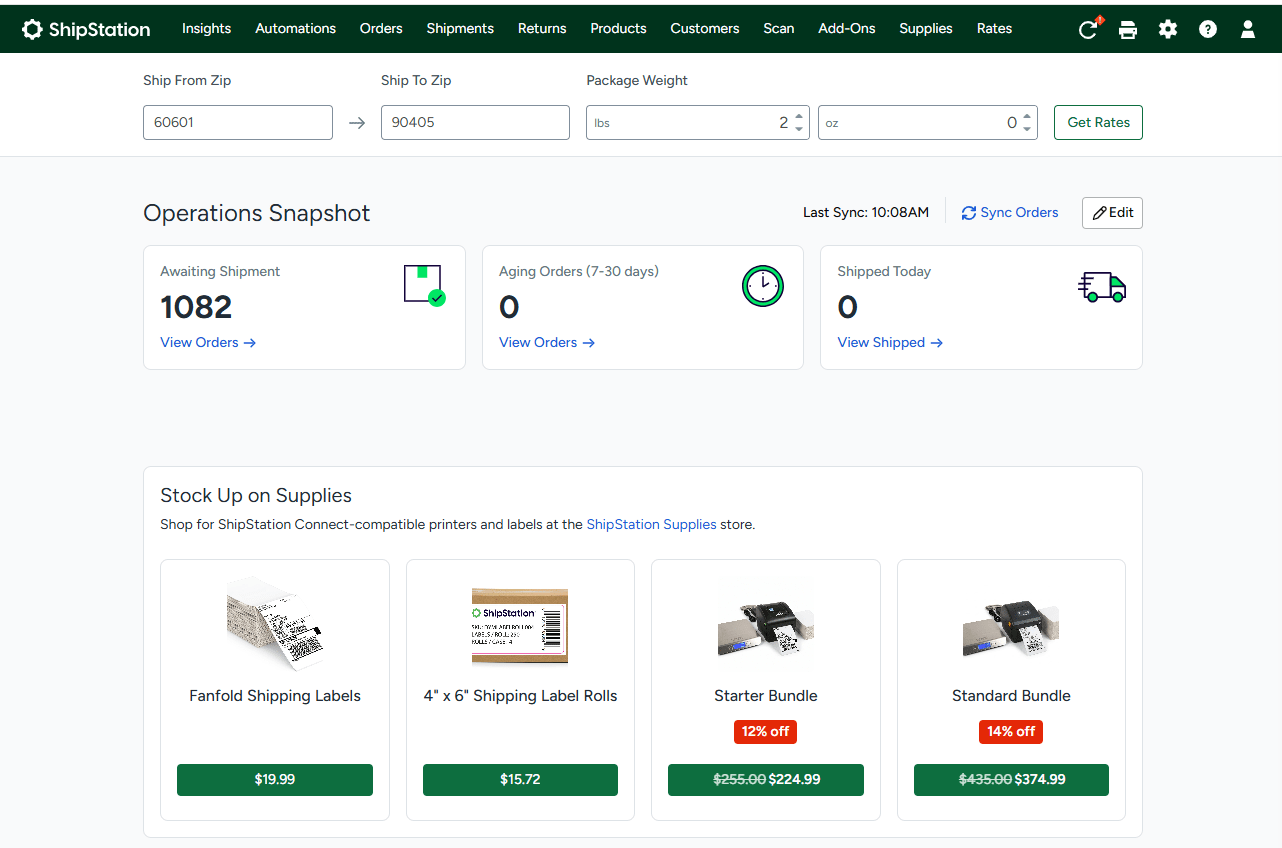
The Biz-Tech Setrvices ShipStation Acumatica Connector is that bridge. ShipStation is a web-based shipping solution that consolidates orders from more than seventy different eCommerce channels. It allows you to generate shipping labels, packing slips, and pick lists in batch mode while communicating tracking information back to your customers. By integrating it with your Enterprise Resource Planning software, you create a seamless connection that synchronizes your fulfillment and financial data. Before you launch this powerful tool, your business needs a clear roadmap. We have prepared this configuration checklist to ensure your team is ready for a successful go-live with Biz-Tech Setrvices ShipStation Acumatica integrator.
The Technical Foundation
The first step in your journey is the physical installation of the Biz-Tech Setrvices ShipStation Acumatica integration package within your Acumatica environment. Your technical team will use the customization projects form to upload and publish the specialized software package. This process modifies your Acumatica application to include the necessary logic for the Biz-Tech Setrvices ShipStation Acumatica connector. Once the package is published, the first task for your business is to establish a secure digital handshake.
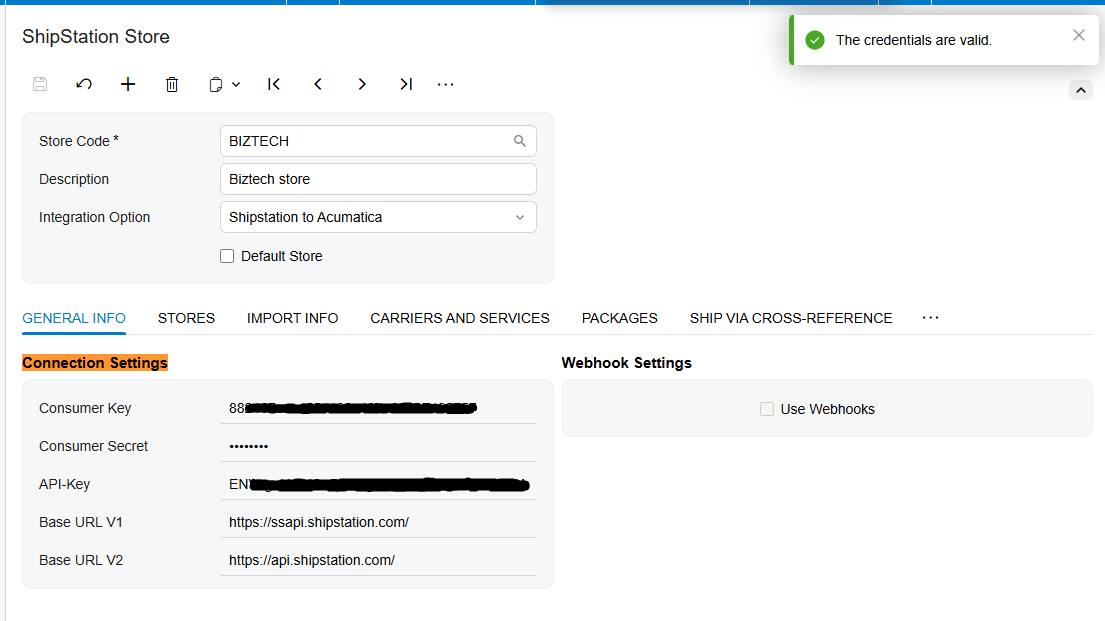
You will need to enter your specific credentials into the system. These include your Consumer Key, your Consumer Secret, and the Application Programming Interface Base URL. These credentials authenticate your business and enable secure communication between the two platforms. We recommend using the built-in test feature immediately after entering this data to verify the connection is stable before moving to the next phase.
Defining Your Data Direction
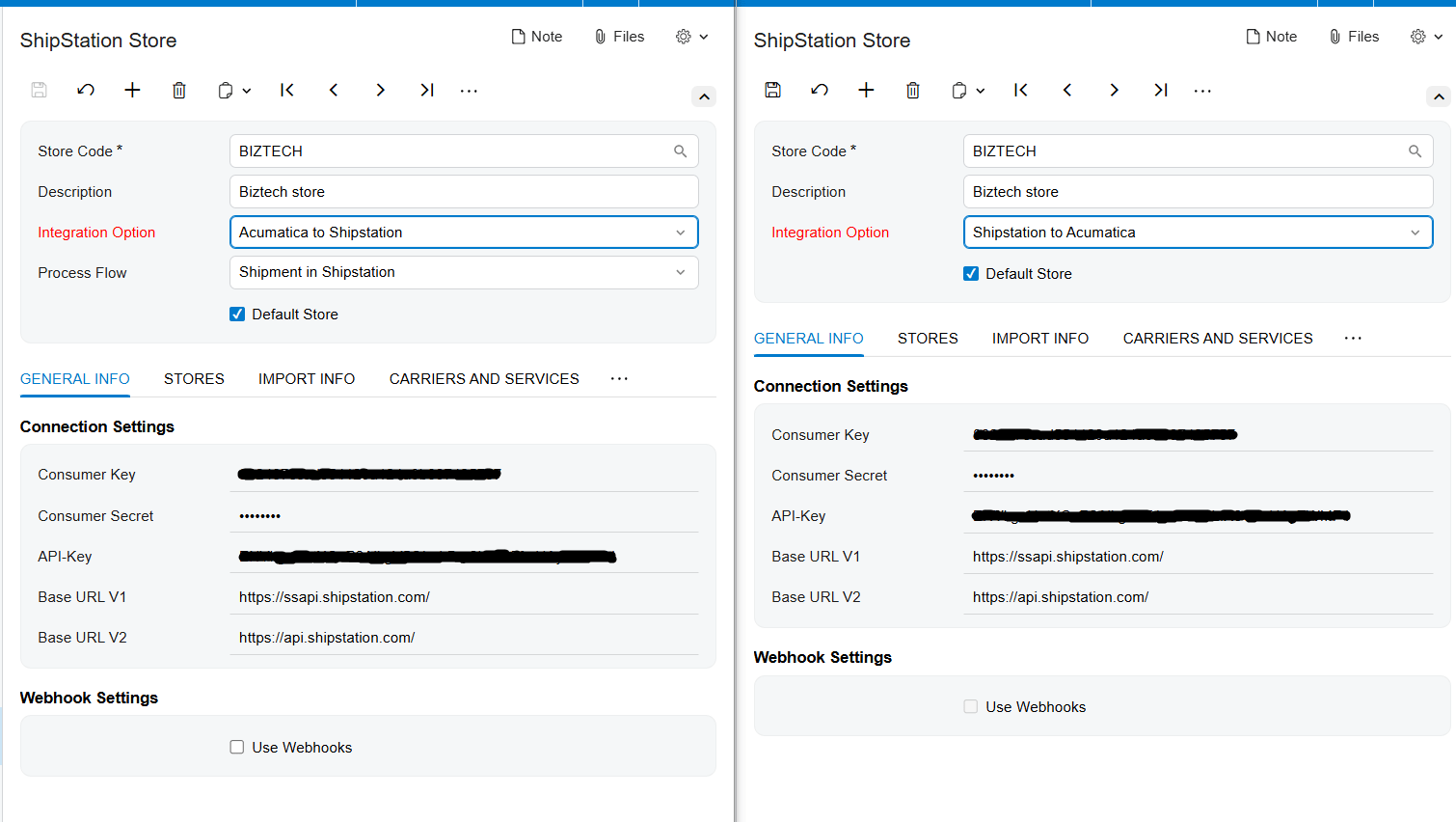
Before you begin syncing data, you must decide how information should flow through your business. The Biz-Tech Setrvices ShipStation Acumatica integrator offers flexibility based on your specific operational needs. For example, you might choose an integration option where data flows from ShipStation to Acumatica. In this scenario, the system focuses on importing orders and shipments created in the warehouse directly into your financial records.
Alternatively, you may prefer your data to flow from Acumatica to ShipStation. If you select this path, you must also define your process flow. You might decide that shipments should be managed entirely in ShipStation, or you might prefer to generate the shipments within Acumatica first. Choosing the right direction is a critical prerequisite because it determines which settings and features will be available to your team during the daily fulfillment cycle.
A Practical Configuration Checklist
Once your direction is set, your business must work through a detailed checklist of data preparation and validation points. First, you must manage your store settings. Use the system to retrieve all the stores currently connected to your shipping account and select exactly which ones should be active for the Biz-Tech Setrvices ShipStation Acumatica integration. This prevents irrelevant data from cluttering your ERP.
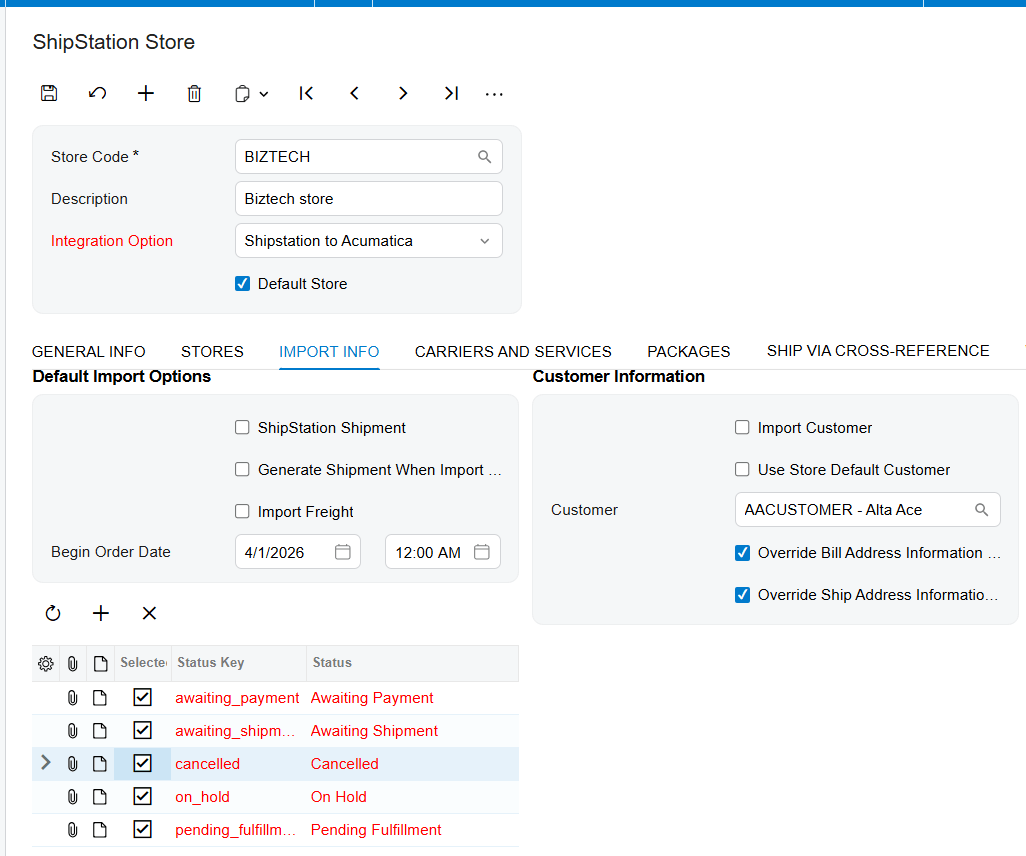
Second, you must address your order statuses. Your business should map ShipStation order statuses, such as awaiting shipment or shipped, to the corresponding statuses in Acumatica. This ensures that only eligible orders are imported, preventing incomplete or canceled orders from affecting your inventory records by having thet option unselected.
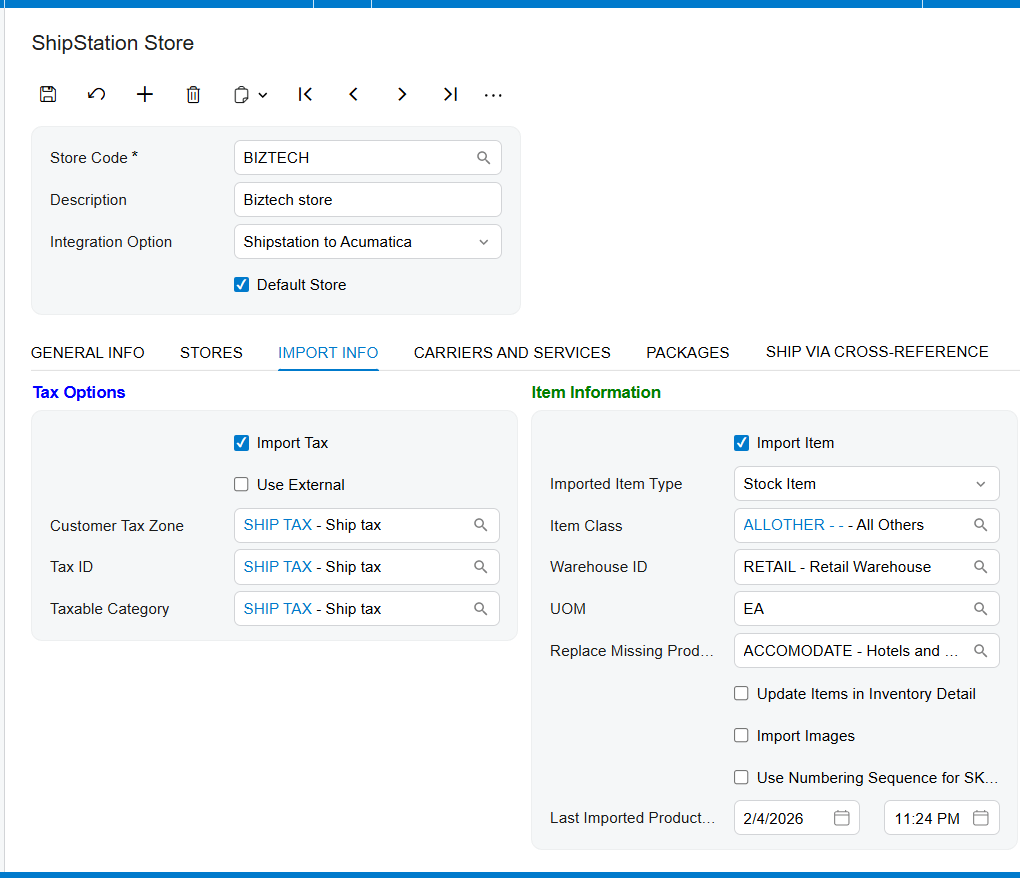
Third, you need to configure your tax options. You must decide if the system should import tax totals from your sales channels and define the default tax zones and identification numbers for your customers.
Fourth, your team must prepare for how new customers and items are handled. You can choose to have the system automatically create a new customer record in Acumatica if one does not already exist. Similarly, if the warehouse handles a new product, the Biz-Tech Setrvices ShipStation Acumatica integration can create a new stock or non-stock item record automatically. To make this work, you must define default values like the item class, the Unit of Measure, or UOM, and the default warehouse ID. Fifth, we look at cross-references. You must map your shipping methods between both systems so that when a carrier is chosen in the warehouse, it translates correctly in your office records.
Validation and Readiness for Launch
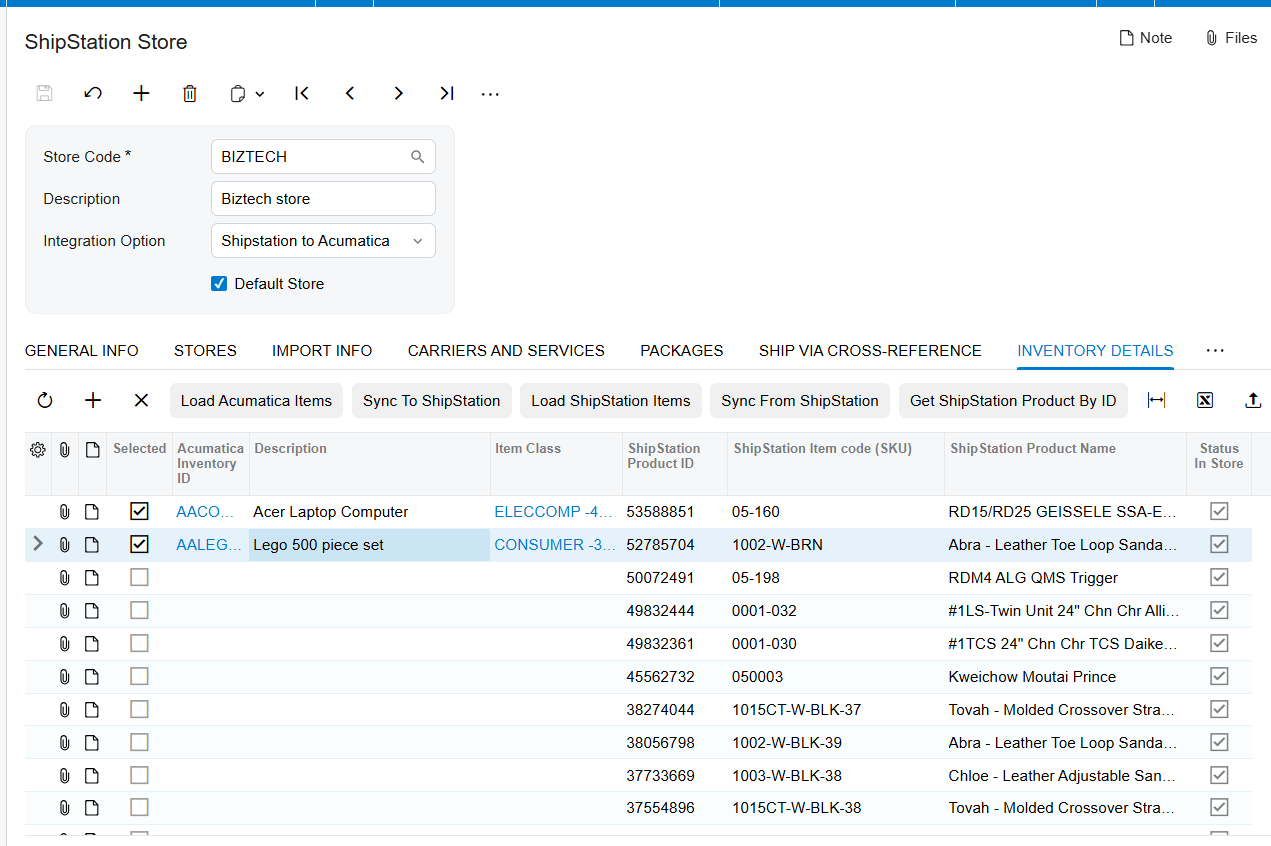
The final stage of preparation involves validating your inventory and testing the workflow. Your business should use the Inventory Details tab to synchronize your stock levels. You can load your existing items into the integration table to ensure every Stock Keeping Unit, or SKU, matches between your warehouse and your accounting office. If your business is moving data from the ERP toward the shipping platform, you must also verify your carriers, services, and packaging types.
This Biz-Tech Setrvices ShipStation Acumatica integrator is designed for operations managers who need to eliminate manual data entry and for business owners who want a single source of truth for their inventory. By following this structured checklist, you ensure that your shipping department and your accounting team are finally speaking the same language.
If you are ready to stop managing multiple spreadsheets and start automating your fulfillment, we are here to help. We invite you to visit biz-techservices.com to learn more about our Biz-Tech Setrvices ShipStation Acumatica integration solutions or to schedule a demo of the Biz-Tech Setrvices ShipStation Acumatica Connector.

