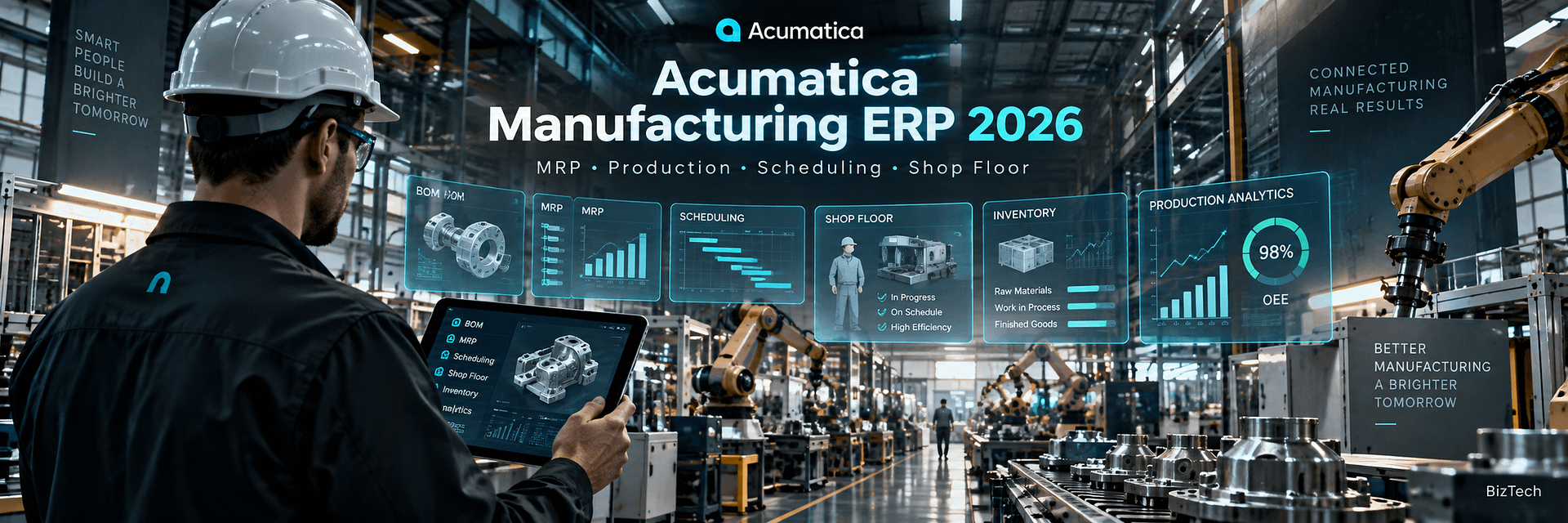
Acumatica Manufacturing ERP 2026: The Complete Guide to Production, MRP, Scheduling, Shop Floor Management, and Manufacturing Automation
Manufacturing ERP is no longer just an accounting system with a production module attached. Modern manufacturers need one connected platform that can coordinate customer demand, engineering, materials, purchasing, production, capacity, labor, inventory, warehouses, costing, fulfillment, finance, and reporting in real time.
That is exactly where Acumatica Manufacturing ERP becomes interesting.
Acumatica Manufacturing Edition combines manufacturing functionality with Acumatica Cloud ERP’s financial management, distribution, inventory, purchasing, order management, CRM, warehouse management, project accounting, reporting, automation, mobile access, APIs, and integration framework.
The result is not simply software for creating production orders.
It is an ERP environment designed to connect the entire manufacturing lifecycle.
A sales order can create demand.
Demand can influence Material Requirements Planning (MRP).
MRP can identify material shortages and supply requirements.
Production planning can evaluate inventory, purchase orders, transfers, forecasts, and production requirements.
Advanced Planning and Scheduling (APS) can evaluate finite capacity across work centers, machines, and production resources.
Shop-floor employees can capture labor, production quantities, material usage, and scrap.
Those transactions can update production progress, inventory, work in process, manufacturing cost, and eventually the general ledger.
Management can compare planned costs to actual costs.
Purchasing can see material requirements.
Sales can see inventory and production information.
Finance can see the financial effect of manufacturing activity.
The real value of Acumatica Manufacturing Edition is not one manufacturing feature. It is the connection between demand, engineering, production, inventory, supply chain, costing, sales, and finance.
This matters because manufacturing companies rarely operate only as manufacturers.
A modern manufacturer may also be:
- a distributor;
- an eCommerce seller;
- a field service company;
- a project-based engineering business;
- a wholesale supplier;
- a retailer;
- an Amazon seller;
- a B2B portal operator;
- a multi-company organization.
ERP must support this convergence.
Acumatica Manufacturing Edition is particularly notable because it supports multiple manufacturing models, including make-to-stock, make-to-order, assemble-to-order, configure-to-order, engineer-to-order, job shop, repetitive manufacturing, batch process manufacturing, project-driven manufacturing, and mixed-mode manufacturing.
Acumatica 2026 R1 also expands the manufacturing platform with a new Shop Floor Kiosk, more precise production timing, and improved planning with in-transit inventory visibility.
As an Acumatica Gold Partner, BizTech helps companies implement, integrate, customize, automate, migrate, report on, and support Acumatica environments.
For manufacturers, that work can include:
- BOM and routing setup;
- production order configuration;
- MRP;
- work centers;
- shop-floor processes;
- inventory migration;
- warehouse integration;
- eCommerce integration;
- EDI;
- custom workflows;
- reporting;
- API integrations;
- post-go-live optimization.
This guide is designed to be a complete introduction to Acumatica Manufacturing ERP in 2026—from the first customer demand signal to finished goods, shipment, cost analysis, and executive reporting.
What Is Acumatica Manufacturing Edition?
Acumatica Manufacturing Edition is a cloud ERP solution designed to connect production management with financial management, inventory, distribution, purchasing, sales, customer management, warehouse operations, reporting, projects, and external business systems.
It supports manufacturers with relatively simple production flows as well as organizations with more advanced requirements.
Typical Acumatica Manufacturing ERP users may include:
- industrial equipment manufacturers;
- electronics manufacturers;
- metal fabrication businesses;
- furniture manufacturers;
- consumer product companies;
- food and batch manufacturers;
- textile manufacturers;
- job shops;
- custom product manufacturers;
- engineer-to-order businesses;
- project-centric manufacturers;
- mixed-mode manufacturers.
The platform can combine:
- Bill of Materials and Routing;
- Production Management;
- Material Requirements Planning;
- Master Production Scheduling;
- Advanced Planning and Scheduling;
- Engineering Change Control;
- Product Configurator;
- Estimating;
- Shop Floor Kiosk;
- Manufacturing Data Collection;
- Inventory Management;
- Warehouse Management;
- Purchasing;
- Order Management;
- Project Accounting;
- CRM;
- Financial Management;
- dashboards and reporting;
- API integrations.
This breadth is important because production does not exist in isolation.
A production schedule is only useful when it reflects customer demand, available materials, purchase orders, warehouse stock, machine capacity, labor, and delivery commitments.
What’s New for Manufacturing in Acumatica 2026 R1?
Acumatica 2026 R1 introduces several manufacturing improvements focused on production visibility, data accuracy, and planning.
New Shop Floor Kiosk
The Acumatica Shop Floor Kiosk provides a simplified interface specifically designed for production employees.
Workers can record:
- labor;
- production quantities;
- materials;
- scrap;
- production activity and progress.
The objective is to reduce the amount of complex ERP navigation required on the factory floor.
Instead of waiting until the end of a shift for a supervisor to enter production information, transactions can be captured much closer to when the work actually happens.
Seconds-Level Production Time Tracking
Acumatica 2026 R1 improves production-time precision by supporting seconds-level tracking.
This can be especially useful for:
- high-speed manufacturing;
- repetitive manufacturing;
- short-cycle operations;
- environments where minute-level rounding materially affects labor costing.
More precise time data can improve both production analysis and cost calculation.
In-Transit Inventory in MRP and DRP
Acumatica 2026 R1 improves planning by allowing MRP and DRP to consider inventory already moving between locations.
This matters in multi-site manufacturing.
If materials are already in transit from Warehouse A to Plant B, planning should not automatically create another supply recommendation as though that inventory did not exist.
Considering in-transit inventory can help reduce:
- duplicate transfers;
- unnecessary purchasing;
- excess inventory;
- poor multi-site recommendations.
Core and Optional Acumatica Manufacturing Capabilities
It is important not to assume that every manufacturing capability is included automatically in every Acumatica license.
Acumatica’s current product-edition structure distinguishes between core Manufacturing Edition functionality and additional manufacturing capabilities that may be optional depending on licensing and edition.
| Capability | Role in Manufacturing | Typical Availability |
|---|---|---|
| Bill of Materials & Routing | Defines operations, materials, work centers, tools, machines and production structure | Core Manufacturing Edition capability |
| Production Management | Production orders, execution, labor, material and production transactions | Core Manufacturing Edition capability |
| Material Requirements Planning | Time-phased supply and demand planning | Core Manufacturing functionality; exact edition availability should be confirmed |
| Product Configurator | Rules-based configuration of custom products | Optional capability |
| Estimating | Manufacturing estimates for labor, material, machines, tools and overhead | Optional capability |
| Advanced Planning & Scheduling | Finite capacity planning and resource scheduling | Optional capability |
| Engineering Change Control | ECR/ECO and controlled BOM/routing revisions | Optional capability |
| Shop Floor Kiosk | Simplified factory-floor production reporting | Optional capability |
| Manufacturing Data Collection | Barcode/mobile shop-floor data capture | Optional capability |
| Arena Connector | PLM connectivity | Optional integration |
Exact licensing, product level, and feature availability can change. Manufacturing scope should be confirmed with the Acumatica partner during discovery.
From Sales Demand to Finished Goods: How Acumatica Manufacturing Works
The easiest way to understand Acumatica Manufacturing ERP is to follow information through the business.
1. Demand Enters the System
Demand can come from:
- sales orders;
- forecasts;
- master production schedules;
- internal replenishment;
- project requirements;
- other planning signals.
2. MRP Evaluates Supply and Demand
MRP evaluates materials against:
- on-hand inventory;
- open sales demand;
- forecasts;
- purchase orders;
- transfer orders;
- production supply;
- in-transit inventory;
- planning parameters.
3. Supply Requirements Are Identified
The system can identify whether supply should come from:
- purchasing;
- production;
- inventory transfer;
- existing stock.
4. Production Orders Drive Manufacturing Execution
A production order references the required:
- finished item;
- quantity;
- BOM;
- routing;
- operations;
- materials;
- labor;
- tools;
- machines;
- overhead.
5. Scheduling Determines When Work Can Happen
APS can consider finite resource constraints and help determine realistic production schedules.
6. Shop-Floor Transactions Capture Reality
Employees report:
- work performed;
- labor time;
- quantities produced;
- materials consumed;
- scrap;
- operation progress.
7. Costs and Inventory Update
Manufacturing transactions contribute to actual production costs and inventory movements.
8. Finished Goods Become Available for Fulfillment
Production activity ultimately connects back to sales orders, warehouses, shipment, invoicing, and financial reporting.
Manufacturing Models Supported by Acumatica
One of Acumatica’s strongest manufacturing characteristics is its support for multiple production methodologies.
Produce finished goods based on forecasts and expected demand before customer orders are received.
Production begins in response to a specific customer demand or order.
Stock components and assemble finished products after customer demand is known.
Create product configurations from predefined options and business rules.
Engineer products around customer-specific requirements before or during production.
Manage lower-volume, variable production with job-specific routing, estimating and costing.
Manage formula or batch-oriented production processes and scalable quantities.
Support recurring production where the same or similar products are produced repeatedly.
Connect manufacturing activity with projects, tasks, costs and customer billing.
Combine several manufacturing approaches inside the same company.
Why Mixed-Mode Support Matters
Real companies rarely fit into only one manufacturing category.
A manufacturer may:
- make standard products to stock;
- configure premium products to order;
- engineer special projects;
- perform light assembly;
- run batch production for another product family.
Using a common ERP platform across those processes can reduce duplicate data and disconnected systems.
Acumatica Bills of Material and Routing
The Acumatica Bill of Materials is one of the foundations of Manufacturing Edition.
A BOM defines far more than a list of components.
It can define:
- operations;
- work centers;
- materials;
- production steps;
- labor expectations;
- overhead;
- tools;
- machines;
- routing information.
BOM and Routing Maintenance
A controlled BOM helps answer critical production questions:
- What must be produced?
- Which materials are required?
- In what quantities?
- Which operations must occur?
- Which work centers perform the work?
- How long should each operation take?
- Which machines are required?
- Which tools are required?
- What costs should be expected?
Indented and Multi-Level BOMs
Manufacturers with subassemblies can represent multi-level product structures rather than maintaining disconnected spreadsheets.
Routing
The routing describes the production path.
Typical routing elements can include:
- setup time;
- run time;
- work center;
- labor requirements;
- machine requirements;
- operation sequence;
- outside processing.
Acumatica Planning BOMs
A Planning BOM is particularly valuable when the exact final product configuration is not yet known.
This is common in:
- configure-to-order;
- assemble-to-order;
- product families;
- forecast-driven environments.
A planning bill can represent likely component demand before the final configuration is selected.
This allows MRP and forecasting to plan materials earlier.
Example
Suppose a manufacturer sells industrial cabinets with ten possible configurations.
The exact combination of:
- door style;
- electrical panel;
- color;
- cooling system;
- mounting configuration
may not be known until the customer places the order.
Planning BOMs can help the company forecast common raw materials even though the final configuration is unknown.
Work Centers, Machines, Tools, and Manufacturing Resources
Manufacturing planning requires more than material availability.
A company may have enough steel, plastic, electronics, or packaging to build a product but still be unable to deliver on time because the required machine is fully scheduled.
Acumatica can model:
- work centers;
- machines;
- tools;
- labor;
- capacity;
- production calendars.
Work Centers
Work centers can represent manufacturing areas such as:
- cutting;
- welding;
- assembly;
- painting;
- packaging;
- quality inspection.
Machines
Machine availability can influence:
- production scheduling;
- capacity;
- production cost;
- delivery commitments.
Tools
Tools can also be associated with production operations and included in production costing.
Acumatica Production Management
Acumatica Production Management connects the planned manufacturing structure with actual execution.
Production Orders
A production order contains the information required to manufacture a specific quantity.
It can connect:
- finished goods;
- materials;
- operations;
- routing;
- work centers;
- labor;
- machines;
- tools;
- costing.
Material Allocation
Acumatica can evaluate availability and allocation of materials for production-related documents.
Production Progress
As work is performed, transactions can update:
- quantities completed;
- operation progress;
- materials issued;
- labor consumed;
- scrap;
- production cost.
Acumatica Material Requirements Planning (MRP)
Material Requirements Planning is one of the most important capabilities in any manufacturing ERP.
Without reliable MRP, purchasing and production teams often operate from spreadsheets, intuition, or safety stock that is intentionally inflated because nobody trusts the planning system.
What MRP Does
MRP analyzes demand and supply to determine future inventory requirements.
Demand may include:
- sales orders;
- forecasts;
- production requirements;
- transfer demand;
- planning requirements.
Supply may include:
- on-hand inventory;
- purchase orders;
- production supply;
- transfer orders;
- in-transit stock.
Why MRP Matters
Effective MRP can help reduce:
- material shortages;
- emergency purchasing;
- excess inventory;
- duplicate replenishment;
- production delays;
- manual planning.
2026 R1 and In-Transit Inventory
The 2026 R1 enhancement is particularly useful for companies operating multiple locations.
Inventory already dispatched between warehouses can be recognized in planning, reducing the risk of generating unnecessary additional supply.
Master Production Schedule and Forecast-Based Planning
A Master Production Schedule helps translate higher-level production plans into time-phased manufacturing demand.
MPS is particularly useful where manufacturers need to plan:
- finished goods;
- product families;
- seasonal demand;
- forecast demand;
- longer-lead-time materials.
MPS and planning BOMs can work together when final configurations are not yet known.
Acumatica Advanced Planning and Scheduling (APS)
MRP answers an important question:
What materials do we need?
APS answers another:
When can we realistically produce the order with the resources we actually have?
Acumatica Advanced Planning and Scheduling supports:
- finite capacity scheduling;
- rough-cut capacity planning;
- work center scheduling;
- work center utilization;
- machine scheduling;
- machine utilization;
- tool scheduling and usage;
- visual production scheduling.
Finite Capacity Scheduling
Infinite capacity planning assumes the factory can produce unlimited work at the same time.
Real factories cannot.
Finite capacity planning considers resource limitations.
Production Schedule Board
The Production Schedule Board provides a graphical scheduling environment where production orders can be viewed over time.
Manufacturers can analyze:
- scheduled orders;
- unscheduled orders;
- work centers;
- machines;
- available capacity;
- scheduled capacity.
Acumatica Shop Floor Kiosk 2026
The Shop Floor Kiosk is one of the most important manufacturing additions in Acumatica 2026 R1.
It is designed to simplify ERP interaction for production workers.
Workers Can Record
- labor time;
- production quantities;
- materials;
- scrap;
- production activities;
- progress.
Why a Kiosk Matters
Manufacturing ERP often fails at the final ten meters.
The planning system may be excellent, but if shop-floor transactions are entered hours later from paper travelers, production data is already stale.
A dedicated kiosk can reduce that lag.
Push and Pull Workflows
The kiosk can support different ways of selecting work.
Workers may use:
- work in process;
- work centers;
- production orders;
- recent activity.
Multiple Kiosk Portals
Manufacturers with several plants or operational areas can deploy separate kiosk portals and associate them with appropriate branches.
Acumatica Manufacturing Data Collection
Manufacturing Data Collection supports shop-floor data capture using mobile and scanning workflows.
Typical scenarios include:
- barcode scanning;
- material movement;
- labor transactions;
- clock-in and clock-out;
- inventory updates;
- production transaction capture.
The general objective is the same as the Shop Floor Kiosk:
capture production data closer to the moment the work actually occurs.
Acumatica Manufacturing Costing
Manufacturing profitability cannot be understood from raw material cost alone.
A product may also consume:
- direct labor;
- indirect labor;
- machines;
- tools;
- overhead;
- outside processing.
Acumatica Manufacturing Edition can track planned and actual cost drivers.
Material Cost
Materials can include:
- raw materials;
- purchased components;
- subassemblies;
- non-stock manufacturing materials where applicable.
Labor Cost
Labor costs can represent both direct and indirect labor.
Machine Cost
Machine usage can contribute to product cost.
Tool Cost
Tools associated with operations can also be included in manufacturing costing.
Overhead
Acumatica supports both fixed and variable overhead concepts.
Planned vs Actual Cost
One of the most useful manufacturing analyses is the comparison of what production should have cost against what production actually cost.
This can help identify:
- material variance;
- labor variance;
- machine inefficiency;
- unexpected scrap;
- overhead issues;
- poor routing assumptions.
Acumatica Manufacturing Estimating
Manufacturers often need to understand cost before a production order exists.
Acumatica’s estimating functionality can use manufacturing master data to estimate:
- materials;
- labor;
- machines;
- tools;
- overhead.
This is especially valuable for:
- job shops;
- custom manufacturing;
- engineer-to-order;
- new product quotations.
Acumatica Engineering Change Control
Manufacturing master data changes.
Engineering revises components.
A customer requirement changes.
A supplier becomes unavailable.
A material becomes obsolete.
A routing changes because a new machine is installed.
Without controlled engineering change processes, these changes can create serious production risk.
Engineering Change Control helps manage revisions to bills of material and routings.
Engineering Change Request (ECR)
An ECR can initiate and document a proposed change.
Engineering Change Order (ECO)
An approved change can then move through a controlled change-order process.
Effectivity
Revision and effectivity control matters because changes can influence:
- material planning;
- costing;
- scheduling;
- production instructions;
- product compliance.
Acumatica Product Configurator
The Acumatica Product Configurator is a rules-based system for configuring custom products to order.
Instead of creating a separate item and BOM for every possible product combination, a manufacturer can define:
- features;
- options;
- attributes;
- rules;
- pricing;
- configuration logic.
Benefits
Product configuration can help:
- respond to customer inquiries faster;
- reduce configuration errors;
- enable sales teams without deep engineering knowledge;
- avoid creating thousands of unnecessary item/BOM combinations;
- calculate configuration-dependent pricing;
- connect configuration to production.
Where Configuration Can Be Used
Configured products can be relevant in:
- opportunities;
- sales orders;
- production;
- costing.
Outside Processing and Manufacturing Subcontractors
Many manufacturers outsource specific production operations.
Examples include:
- heat treatment;
- painting;
- coating;
- machining;
- plating;
- specialized assembly;
- packaging.
Acumatica Manufacturing Edition supports outside processing workflows.
The system can help track:
- subcontractor vendors;
- materials sent to subcontractors;
- purchase orders for subcontract services;
- warehouse or location movements;
- additional subcontract costs;
- production-order progress.
Manufacturing Inventory and Warehouse Management
Manufacturing ERP and inventory management cannot be separated.
Production depends on accurate raw material, component, subassembly, and finished-goods inventory.
Multi-Warehouse Inventory
Manufacturers can manage inventory across:
- raw material warehouses;
- production locations;
- finished goods warehouses;
- distribution centers;
- subcontractor inventory locations;
- multiple plants.
Lot and Serial Tracking
Lot and serial traceability can be important for:
- quality;
- warranty;
- regulatory requirements;
- recalls;
- customer service.
Warehouse Management
Acumatica WMS can extend manufacturing operations into:
- receiving;
- put-away;
- picking;
- packing;
- shipping;
- inventory movement;
- barcode scanning.
Purchasing and Supply Chain Management for Manufacturers
MRP is only useful if purchasing can act on the resulting supply requirements.
Manufacturing purchasing may involve:
- raw materials;
- components;
- subcontract services;
- packaging;
- tools;
- maintenance-related supplies.
ERP integration between planning and purchasing can help buyers understand:
- what is needed;
- when it is needed;
- what is already on order;
- what is in transit;
- where shortages may occur.
Manufacturing, Sales Orders, and eCommerce
Manufacturing demand increasingly comes from multiple channels.
A modern manufacturer may receive orders through:
- direct sales;
- B2B portals;
- Shopify;
- WooCommerce;
- Magento;
- Amazon;
- EDI;
- retail partners;
- distributors.
The ERP should connect this commercial activity to production and inventory.
Why This Matters
Without integration:
- production may not see demand quickly;
- inventory may be oversold;
- orders may require manual entry;
- customer delivery dates may be unreliable;
- channel profitability may be unclear.
Project-Driven and Engineer-to-Order Manufacturing
Some manufacturers cannot manage work only by SKU.
They manufacture around:
- customer projects;
- engineering milestones;
- installation;
- custom contracts;
- project billing;
- field service.
Acumatica’s manufacturing capabilities can operate alongside Project Accounting.
This can help connect:
- production;
- project tasks;
- project cost;
- purchasing;
- inventory;
- customer billing;
- financial reporting.
Multi-Site Manufacturing
Multi-site manufacturing creates additional planning complexity.
Materials may be available—but at the wrong plant.
Another warehouse may already be sending the stock.
A machine may be overloaded at one facility but available at another.
A multi-site ERP strategy should define:
- companies;
- branches;
- plants;
- warehouses;
- transfers;
- in-transit inventory;
- intercompany processes;
- site-specific shop-floor access.
The 2026 R1 in-transit planning enhancement and ability to deploy multiple Shop Floor Kiosk portals are particularly relevant here.
Acumatica Manufacturing Reporting and Dashboards
Manufacturing creates enormous amounts of operational data.
The challenge is converting it into actionable information.
Useful Manufacturing KPIs
Dashboards may include:
- production orders by status;
- late production orders;
- material shortages;
- work center utilization;
- machine utilization;
- planned vs actual labor;
- planned vs actual material;
- planned vs actual overhead;
- scrap;
- production variances;
- inventory turns;
- on-time delivery;
- WIP;
- purchase shortages;
- profitability by product;
- profitability by customer.
Generic Inquiries
Acumatica Generic Inquiries allow companies to build flexible operational views without treating every request as a software-development project.
Financial Reporting
Manufacturing activity ultimately affects:
- inventory assets;
- WIP;
- COGS;
- manufacturing variance;
- gross margin;
- cash flow.
Acumatica Manufacturing Integrations
No serious manufacturing ERP exists alone.
The manufacturing technology environment may include:
- CAD;
- PLM;
- quality management;
- MES;
- WMS;
- EDI;
- shipping;
- CRM;
- eCommerce;
- marketplaces;
- payment systems;
- BI;
- custom engineering software.
PLM and CAD
Engineering-driven companies may require product-definition synchronization between engineering tools and ERP.
Acumatica also provides an Arena connector option for PLM-related scenarios.
Quality Management
Manufacturers with formal quality programs may integrate specialist QMS platforms.
EDI
Manufacturers supplying large retailers or distributors may require:
- purchase orders;
- acknowledgements;
- advance shipping notices;
- invoices;
- inventory feeds.
BizTech Commerce and Marketplace Integrations
BizTech develops Acumatica solutions including:
- Amazon FBA/FBM Connector;
- Shopify Connector;
- WooCommerce Connector;
- Magento Connector;
- PayPal Integration;
- ShipHero;
- ShipStation;
- DSCO;
- CommerceHub;
- Salesforce;
- ServiceTitan;
- EDI;
- custom API integrations.
This matters for manufacturers that sell directly to consumers, distributors, retailers, marketplaces, and B2B customers simultaneously.
Real Manufacturing Results with Acumatica
Published Acumatica customer cases provide useful examples of how Manufacturing Edition is used in practice.
These are company-specific results and should not be treated as guarantees.
CoachComm
reduction in inventory carrying costs reported by the customer
manual spreadsheet work eliminated through MRP automation
connected environment for operational visibility
CoachComm uses Acumatica Manufacturing Edition with Inventory Control, MRP, CRM, and Field Service.
Portacool
faster month-end close
faster inventory count completion
manual data entry
Portacool uses Manufacturing Edition together with Warehouse Management, Inventory Management, Engineering Change Control, and Project Accounting.
Sheoga Hardwood Flooring
lower shop-floor inventory carrying costs
faster order entry
access to material availability
Triode
Triode uses:
- Product Configurator;
- Planning and Scheduling;
- Estimating;
- Engineering Change Control;
- Warehouse Management.
Its published case study reports 20% annual sales growth and a three-month implementation for that specific project.
AFF Group
AFF Group uses Manufacturing Edition with Inventory Management, Order Management, Warehouse Management, MRP, and Product Configurator.
The case study reports:
- millions saved in labor cost;
- production doubled with the same staff;
- significant reduction in paper processes.
Q-PAC
Q-PAC uses Manufacturing Edition with CRM, Inventory, Order Management, and MRP.
The published case reports:
- 30–40% annual growth;
- 45 minutes saved per order-status search;
- 5–10x production scalability.
How to Implement Acumatica Manufacturing ERP
Manufacturing implementation is more complex than implementing financial management alone.
The ERP partner needs to understand how information moves across:
- sales;
- engineering;
- planning;
- purchasing;
- inventory;
- production;
- warehouse;
- finance.
Phase 1: Manufacturing Discovery
Document:
- products;
- manufacturing models;
- BOM complexity;
- routing;
- work centers;
- machines;
- tools;
- material planning;
- production scheduling;
- shop-floor processes;
- costing;
- quality;
- warehouses;
- integrations.
Phase 2: Manufacturing Architecture
Design:
- companies;
- branches;
- warehouses;
- item classes;
- BOM structure;
- routing standards;
- production order types;
- work centers;
- planning settings;
- costing;
- security.
Phase 3: Master Data
Prepare and migrate:
- items;
- units of measure;
- BOMs;
- routing;
- work centers;
- machines;
- tools;
- vendors;
- customers.
Phase 4: Planning
Configure MRP and, where required:
- forecasting;
- MPS;
- planning BOMs;
- APS;
- inventory planning parameters.
Phase 5: Shop Floor
Configure:
- Shop Floor Kiosk;
- Manufacturing Data Collection;
- labor codes;
- employee access;
- scanning workflows;
- production reporting.
Phase 6: Costing
Validate:
- material cost;
- labor cost;
- machine cost;
- tool cost;
- overhead;
- planned vs actual reporting.
Phase 7: Integration
Connect required systems.
Phase 8: End-to-End Testing
Test complete scenarios:
- Create customer demand.
- Run planning.
- Create purchasing requirements.
- Create production.
- Issue materials.
- Record labor.
- Report production.
- Move finished inventory.
- Ship the customer order.
- Validate cost and financial posting.
Acumatica Manufacturing Data Migration
Manufacturing data migration is not simply an item import.
Items
Migrate:
- SKUs;
- descriptions;
- item classes;
- UOMs;
- costs;
- prices;
- vendors;
- lot/serial rules.
BOMs
Validate:
- components;
- quantities;
- subassemblies;
- operations;
- revision;
- effectivity.
Routing
Migrate:
- operations;
- work centers;
- setup time;
- run time;
- machines;
- tools;
- outside processing.
Open Production Orders
Open work is one of the hardest migration areas.
The team must determine:
- what has already been consumed;
- what has been completed;
- what remains in WIP;
- what cost has already been posted;
- whether production should be completed in the old system or transferred into Acumatica.
How Much Does Acumatica Manufacturing ERP Cost?
There is no single universal Acumatica Manufacturing price.
Software and implementation cost depend on:
- applications;
- resource consumption;
- deployment;
- manufacturing functionality;
- optional capabilities;
- companies;
- plants;
- warehouses;
- data migration;
- integrations;
- customization;
- training;
- support.
For a detailed breakdown of the overall Acumatica cost model, see BizTech’s guide:
Acumatica Implementation Cost 2026: Pricing, Timeline, Integrations, and Total Cost of Ownership.
How Long Does Acumatica Manufacturing Implementation Take?
There is no universal implementation duration.
A manufacturer with:
- one entity;
- one warehouse;
- simple BOMs;
- no custom integrations
will have a different project from a manufacturer with:
- five plants;
- several companies;
- thousands of BOMs;
- APS;
- Product Configurator;
- Shop Floor Kiosk;
- eCommerce;
- EDI;
- PLM;
- WMS;
- historical migration.
The implementation schedule should be based on scope, not on a generic promise.
Common Acumatica Manufacturing Implementation Mistakes
Mistake 1: Starting with Software Instead of the Manufacturing Process
The implementation team should first understand how the factory actually works.
Mistake 2: Migrating Bad BOMs
Incorrect component relationships cause planning, costing, and production errors.
Mistake 3: Ignoring Routing Quality
Bad routing data produces bad scheduling and bad cost estimates.
Mistake 4: Turning on MRP Before Cleaning Planning Parameters
MRP is only as reliable as:
- lead times;
- order quantities;
- safety stock;
- inventory accuracy;
- BOMs;
- open orders.
Mistake 5: Implementing APS Without Reliable Capacity Data
Finite capacity scheduling requires realistic:
- work center capacity;
- machine capacity;
- calendars;
- run times;
- setup times.
Mistake 6: Treating Shop-Floor Employees as an Afterthought
Production workers must participate in workflow design and testing.
Mistake 7: Over-Customizing Too Early
Use standard Acumatica functionality first.
Mistake 8: Ignoring Integrations Until the End
eCommerce, EDI, WMS, PLM, shipping, quality, and CRM affect ERP architecture.
Mistake 9: Testing Individual Screens Instead of Complete Manufacturing Scenarios
The full production lifecycle must be tested.
Mistake 10: No Post-Go-Live Optimization
Real manufacturing data often reveals opportunities that were invisible during implementation.
How to Measure Acumatica Manufacturing ERP ROI
Manufacturing ERP ROI should be measured with operational metrics.
Inventory
Track:
- inventory value;
- inventory turns;
- stockouts;
- excess inventory;
- carrying cost.
Production
Track:
- throughput;
- cycle time;
- production order lead time;
- schedule adherence;
- scrap;
- rework.
Labor
Track:
- direct labor efficiency;
- manual data entry;
- administrative time;
- production reporting delay.
Planning
Track:
- material shortages;
- expedited purchase orders;
- emergency transfers;
- planner hours;
- forecast accuracy.
Customer Performance
Track:
- on-time delivery;
- order lead time;
- delivery-date accuracy;
- customer service response time.
Financial Performance
Track:
- gross margin;
- manufacturing variance;
- COGS accuracy;
- month-end close;
- product profitability.
Why Work with BizTech for Acumatica Manufacturing Implementation?
Manufacturing implementation requires more than installing a manufacturing module.
The implementation partner must understand how production interacts with:
- financials;
- inventory;
- warehouses;
- purchasing;
- sales;
- eCommerce;
- integrations;
- reporting.
BizTech is an Acumatica Gold Partner providing implementation, integration, customization, data migration, workflow automation, reporting, testing, training, and ongoing support.
Implementation
BizTech can help configure:
- manufacturing master data;
- BOMs;
- production orders;
- materials;
- work centers;
- routing;
- inventory;
- warehouses;
- reporting.
Custom Development
Where standard functionality does not meet a real business requirement, BizTech can build:
- Acumatica customizations;
- custom APIs;
- specialized workflows;
- custom dashboards;
- integration services.
Integration
BizTech’s existing Acumatica solutions can connect manufacturing ERP with:
- Amazon;
- Shopify;
- WooCommerce;
- Magento;
- PayPal;
- ShipHero;
- ShipStation;
- Salesforce;
- ServiceTitan;
- DSCO;
- CommerceHub;
- EDI;
- custom systems.
Migration from Legacy ERP
BizTech also publishes detailed migration guidance for companies replacing:
This is particularly relevant for manufacturers whose production master data must be migrated from legacy ERP.
Acumatica Manufacturing Implementation Checklist
Business Model
- Manufacturing modes are documented.
- Products and product families are documented.
- Plants are documented.
- Warehouses are documented.
- Demand sources are documented.
Items and Inventory
- Item master is clean.
- UOMs are approved.
- Item classes are approved.
- Cost methods are approved.
- Lot and serial requirements are defined.
- Warehouses are configured.
- Opening inventory is reconciled.
BOM and Routing
- BOMs are validated.
- Subassemblies are validated.
- Routing is validated.
- Work centers are configured.
- Machines are configured.
- Tools are configured.
- Setup times are validated.
- Run times are validated.
Planning
- MRP settings are approved.
- Lead times are validated.
- Safety stock is validated.
- Order quantities are validated.
- Forecast process is defined.
- MPS requirements are defined.
- APS requirements are defined.
Shop Floor
- Employee access is configured.
- Shop Floor Kiosk requirements are defined.
- MDC requirements are defined.
- Labor codes are configured.
- Material reporting is tested.
- Scrap reporting is tested.
Costing
- Material costing is validated.
- Labor costing is validated.
- Machine costing is validated.
- Tool costing is validated.
- Overhead is validated.
- Planned vs actual reporting is tested.
Engineering
- Revision requirements are defined.
- ECR/ECO process is defined.
- PLM/CAD integration requirements are documented.
- Configurator requirements are documented.
Integrations
- Every integration has an owner.
- Authentication is configured.
- Cross-references are defined.
- Error handling is tested.
- Monitoring is enabled.
- Production-impacting integrations are included in UAT.
Go-Live
- Inventory is reconciled.
- Open sales orders are validated.
- Open purchase orders are validated.
- Open production orders have an approved migration strategy.
- Users are trained.
- Reports are approved.
- Dashboards are approved.
- Support coverage is active.
Final Conclusion: Why Acumatica Manufacturing ERP Matters in 2026
Manufacturing is becoming more connected, more data-driven, and less tolerant of delays between the shop floor and the ERP.
Manufacturers need to answer questions in real time:
- What should we produce?
- What material do we need?
- What material is already on the way?
- Which work center has capacity?
- Which machine is overloaded?
- Which production orders are late?
- What is our actual product cost?
- Where is inventory?
- Can we promise the customer this delivery date?
- Which products actually make money?
A disconnected collection of spreadsheets, accounting software, production tools, eCommerce platforms, and warehouse systems makes those questions difficult to answer.
Acumatica Manufacturing ERP is designed to bring those processes together.
It connects:
- demand;
- MRP;
- purchasing;
- BOMs;
- routing;
- production;
- scheduling;
- shop-floor reporting;
- inventory;
- warehouses;
- costing;
- sales;
- finance;
- reporting.
Acumatica 2026 R1 strengthens that model further with Shop Floor Kiosk, more precise production timing, and improved inventory planning.
For manufacturers, the result can be a more connected operating environment where information captured on the shop floor becomes useful to planners, buyers, warehouse employees, finance teams, salespeople, and executives.
But manufacturing ERP success depends on implementation quality.
BOMs must be accurate.
Routing must be realistic.
MRP parameters must be clean.
Inventory must be trusted.
Capacity data must reflect reality.
Shop-floor users must adopt the system.
Integrations must work reliably.
That is why the implementation partner matters.
BizTech combines Acumatica Gold Partner expertise with ERP implementation, custom development, data migration, automation, reporting, eCommerce, marketplace, warehouse, payment, and API integration capabilities.
For businesses searching for:
- Acumatica Manufacturing ERP;
- Acumatica Manufacturing Edition;
- Manufacturing ERP Software;
- Cloud ERP for Manufacturing;
- Acumatica MRP;
- Acumatica BOM;
- Acumatica Production Management;
- Acumatica APS;
- Acumatica Shop Floor Kiosk;
- Acumatica Manufacturing Costing;
- Acumatica Product Configurator;
- Acumatica Manufacturing Implementation Partner;
- BizTech Acumatica Manufacturing;
the next step is not simply buying Manufacturing Edition.
The next step is designing how Acumatica should operate inside the real factory.
Planning an Acumatica Manufacturing Implementation?
BizTech can assess your manufacturing processes, BOMs, routing, inventory, MRP, shop-floor requirements, integrations, migration scope, reporting, and Acumatica architecture before implementation begins.
FAQ: Acumatica Manufacturing ERP
What is Acumatica Manufacturing Edition?
Acumatica Manufacturing Edition is a cloud ERP solution that connects production management with financials, inventory, purchasing, sales, warehouses, MRP, manufacturing planning, costing, reporting, projects, CRM, and external integrations.
What types of manufacturing does Acumatica support?
Acumatica supports multiple manufacturing models including make-to-stock, make-to-order, assemble-to-order, configure-to-order, engineer-to-order, job shop, repetitive, batch process, project-driven, and mixed-mode manufacturing.
Does Acumatica have MRP?
Yes. Acumatica Manufacturing Edition includes Material Requirements Planning capabilities for analyzing demand, supply, inventory, purchase orders, production, transfers, forecasts, and related planning data.
What changed in Acumatica Manufacturing 2026 R1?
Important 2026 R1 manufacturing enhancements include the new Shop Floor Kiosk, seconds-level production time tracking, and improved MRP/DRP planning with in-transit inventory visibility.
What is the Acumatica Shop Floor Kiosk?
The Shop Floor Kiosk is a simplified manufacturing interface designed for shop-floor employees. It supports recording labor, production quantities, materials, scrap, and production progress without requiring workers to navigate the complete ERP interface.
Does Acumatica support BOMs and routing?
Yes. Bills of material and routing are core manufacturing capabilities. BOM structures can contain operations, work centers, materials, production steps, overhead, tools, and machines.
What is an Acumatica Planning BOM?
A Planning BOM is used for forecasting and MRP where the final product configuration is not yet known. It is particularly useful for product families and configure-to-order environments.
Does Acumatica support finite capacity scheduling?
Yes. Acumatica Advanced Planning and Scheduling supports finite capacity scheduling, rough-cut capacity planning, work center utilization, machine utilization, tool scheduling, and visual production scheduling.
Does Acumatica support manufacturing costing?
Yes. Manufacturing costing can include materials, direct and indirect labor, machines, tools, fixed and variable overhead, and other production-related costs. Planned and actual costs can be compared by production order and operation.
Does Acumatica have Engineering Change Control?
Yes. Engineering Change Control can manage ECR/ECO processes, BOM and routing revisions, approvals, and effectivity dates that influence production, planning, costing, and scheduling.
Does Acumatica have a Product Configurator?
Yes. Acumatica Product Configurator is a rules-based optional manufacturing capability for configuring custom products based on features, options, attributes, rules, pricing, and BOM logic.
Can Acumatica handle outside processing?
Yes. Acumatica Manufacturing Edition supports outside processing and can track subcontractors, materials, purchase orders, subcontract costs, inventory movements, and production progress.
Can Acumatica Manufacturing integrate with eCommerce?
Yes. Acumatica can be connected to eCommerce and marketplace systems. BizTech develops Acumatica integrations for Amazon, Shopify, WooCommerce, Magento, and other commerce platforms.
Can Acumatica integrate with PLM or CAD?
Yes. Engineering-oriented manufacturers can integrate Acumatica with PLM and CAD environments. Acumatica also offers an Arena connector option for PLM-related workflows.
Is Acumatica suitable for job shops?
Yes. Acumatica supports job-shop manufacturing and provides estimating, production costing, routing, work centers, MRP, scheduling, and related functionality that can support variable job-based production.
Is Acumatica suitable for make-to-order manufacturing?
Yes. Make-to-order is one of the manufacturing models supported by Acumatica Manufacturing Edition.
Is Acumatica suitable for engineer-to-order manufacturing?
Yes. Acumatica supports engineer-to-order scenarios and can combine manufacturing with Engineering Change Control, Product Configurator, estimating, project accounting, PLM integrations, purchasing, and production management.
Is Acumatica suitable for batch manufacturing?
Yes. Acumatica supports batch process manufacturing alongside discrete manufacturing approaches.
Can Acumatica support several manufacturing plants?
Yes. Acumatica can support multi-branch and multi-warehouse environments. Shop Floor Kiosk can also be deployed through multiple portals for different plants or production areas.
How much does Acumatica Manufacturing ERP cost?
There is no single universal price. Cost depends on required applications, resource usage, deployment, optional manufacturing capabilities, companies, sites, data migration, integrations, customization, training, and support.
How long does Acumatica Manufacturing implementation take?
Implementation time depends on manufacturing complexity, data quality, BOMs, routing, work centers, MRP, APS, integrations, shop-floor processes, migration scope, testing, and user availability. A discovery process is required for a reliable implementation timeline.
Can BizTech implement Acumatica Manufacturing Edition?
Yes. BizTech is an Acumatica Gold Partner providing implementation, data migration, customization, integrations, automation, reporting, testing, training, and ongoing Acumatica support.
Why choose BizTech for Acumatica Manufacturing implementation?
BizTech combines Acumatica ERP implementation with custom development and integration capabilities. This allows manufacturing projects to include not only core ERP configuration but also eCommerce, marketplaces, warehouses, payments, EDI, CRM, shipping, custom APIs, reporting, and specialized workflows.