
ServiceTitan inventory movements can be imported into Acumatica when the ServiceTitan Store is configured for inventory transactions and the related item and warehouse mappings are in place. The supplied ServiceTitan documentation identifies receipts, transfers, adjustments, and returns as supported transaction categories, but it does not define the source quantity calculation or a stock allocation process.
For an inventory workflow, the ServiceTitan Store is the control point for item handling, warehouse and branch mapping, transaction processing, purchase orders, receipts, and bills. The Biz-Tech Services ServiceTitan Acumatica Connector should therefore be configured around the mappings and import choices documented on that store record before transaction imports begin.
What ServiceTitan Inventory Sync Covers in Acumatica
The documentation describes an Inventory area on the ServiceTitan Store that can import items, generate items, load ServiceTitan materials, equipment, and services, and map warehouses. It also describes an Inventory Transactions tab with setup options for receipts, transfers, adjustments, and returns. This describes the available integration controls, rather than a complete inventory accounting design.
When Import Item is selected, Generate Item from ServiceTitan becomes available. The source says this option can generate stock and non-stock items from the selected Stock Item Class, Non-Stock Item Class, and Unit of Measure values. It also says manual mapping of ServiceTitan items to Acumatica items is possible. The Biz-Tech Services Acumatica ServiceTitan Connector can support either documented approach, subject to the store configuration.
ServiceTitan Inventory Sync at a Glance
Use this sequence as a concise checklist for the documented inventory workflow.
1 Configure the ServiceTitan Store because its settings control inventory and transaction handling
2 Select Import Item if items should be imported, then review the item generation option and its stock class, non-stock class, and UOM settings
3 Load Materials, Equipment, and Services to display ServiceTitan items on the Inventory tab in Acumatica
4 Confirm whether each ServiceTitan item is manually mapped to an Acumatica item or created through the documented generation option
5 Load ServiceTitan Warehouse and Truck IDs, then map them to Acumatica warehouses
6 Configure receipts, transfers, adjustments, and returns on the Inventory Transactions tab, including release-after-import choices
7 Import and review the resulting documents in Acumatica using the records and status behavior documented for the transaction type
Quantity Basis and Stock Visibility
The source confirms that materials and equipment create stock items, while services create non-stock items. It also identifies Unit of Measure as an input to item generation. These are the documented foundations for how imported items are classified and measured in Acumatica.
However, the documentation does not state how ServiceTitan calculates movement quantities, whether quantities are signed for each transaction type, how available quantity is displayed, or how quantity changes are reconciled to a physical count. The Biz-Tech Services ServiceTitan Acumatica Integration should be evaluated against those requirements during implementation rather than assuming an undocumented quantity basis.
Map ServiceTitan Warehouses and Trucks to Acumatica Warehouses
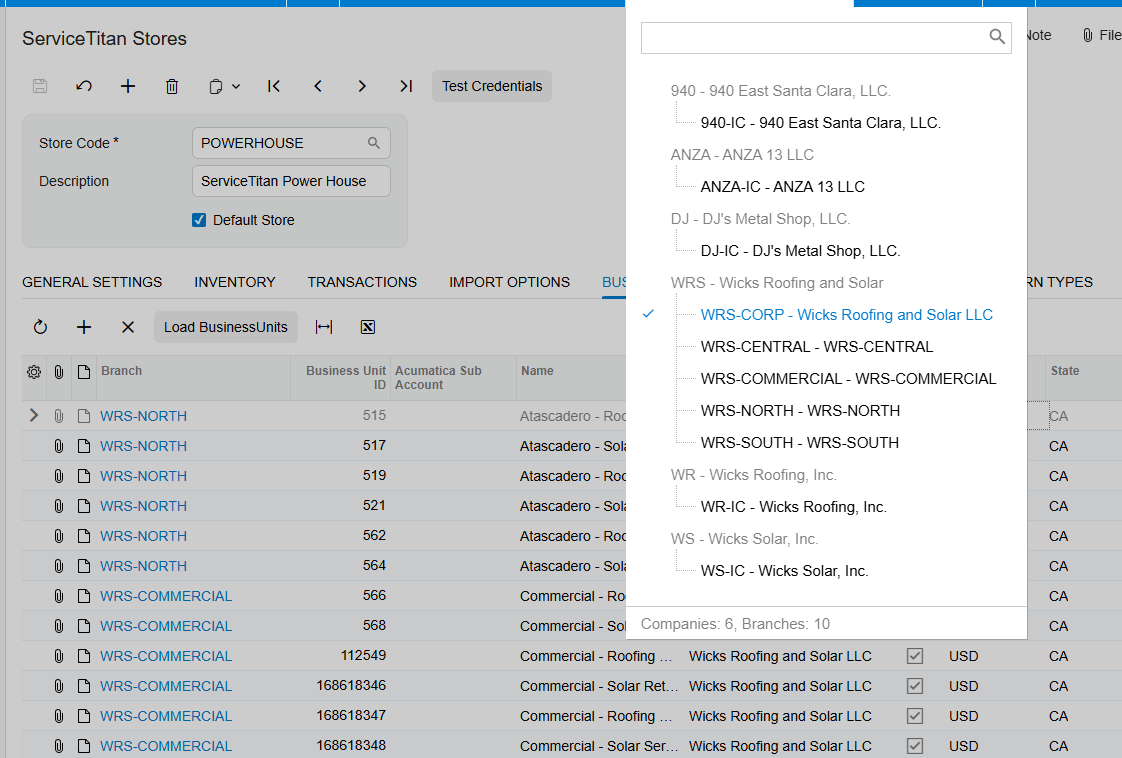
The Warehouses section maps Acumatica warehouses with ServiceTitan Warehouse and Truck IDs. Selecting Load Warehouses retrieves and displays ServiceTitan Warehouse and Truck ID values, which can then be manually mapped with Acumatica Warehouse values. This mapping is the documented location for connecting a ServiceTitan warehouse or truck identifier with an Acumatica warehouse.
Business units are handled separately: ServiceTitan Business Unit IDs are mapped to Acumatica branches after Load Business Units retrieves their values. Keep the warehouse map and branch map distinct, because the source presents them as separate mappings. The Biz-Tech Services Acumatica ServiceTitan Integration relies on these documented mapping records for warehouse and branch correspondence.
Configure Inventory Transaction Imports
The Inventory Transactions tab lists receipts, transfers, adjustments, and returns. The source says there are setup options for each transaction type. It also lists checkboxes for releasing a receipt, transfer, adjustment, or return after import.
When the applicable release checkbox is selected, the source says the document can be imported into Acumatica and released. The source does not describe the default status for every inventory transaction type when release is not selected, nor does it provide a transaction-by-transaction field map. The Biz-Tech Services Acumatica ServiceTitan Integrator should be configured only with the release behavior actually documented for the chosen transaction.
Item Creation and Manual Item Mapping
Load Materials, Equipment, Services retrieves and displays the corresponding ServiceTitan items on the Inventory tab in Acumatica. The source explicitly distinguishes their resulting item types: Materials and Equipment create stock items, and Service creates non-stock items.
An organization can instead manually map ServiceTitan items with Acumatica items. The source does not prescribe which method is best or explain duplicate-item handling, substitutions, lot or serial tracking, replenishment, or allocation rules. Choose the documented generation or manual-mapping option based on the item master design in Acumatica, and test it before live imports.
Purchase Receipts and Related Inventory Review
For purchase activity, ServiceTitan Purchase Orders are imported as Acumatica Purchase Orders. If a ServiceTitan Purchase Receipt or Bill already exists when the purchase order is imported, it is imported as part of the same process. A receipt or bill that does not yet exist is not imported at that time and can later be imported separately using the appropriate processing screen.
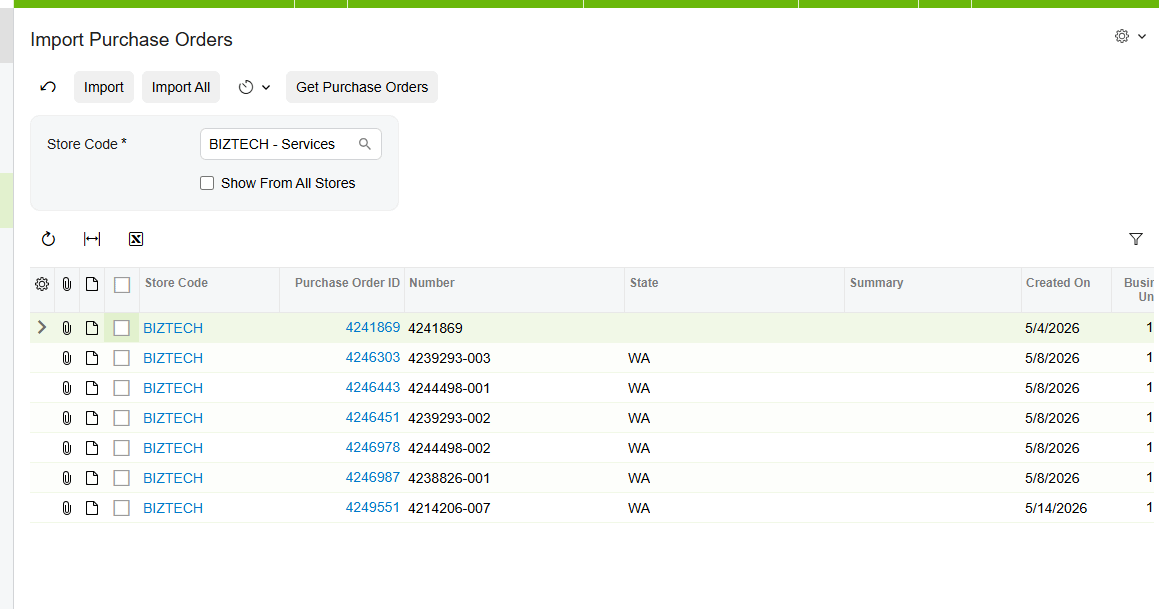
A PO receipt cannot be imported until its related purchase order has already been imported. When the purchase order exists, the receipt import locates it and attaches the receipt document in the PO History tab of the Purchase Orders screen. If Release is selected in store setup, the receipt imports with a Released status; otherwise, the source says it imports with a Balanced status. The Biz-Tech Services Acumatica ServiceTitan Integrator supports this documented order-of-operations dependency.
Allocation and Reconciliation Limits in the Documentation
The supplied source does not describe inventory allocation, reservation, availability calculations, pick or fulfillment logic, warehouse replenishment, cycle counts, or a formal inventory reconciliation report. It also does not identify stock inquiry screens, screen IDs, or fields for comparing ServiceTitan movement quantities to Acumatica quantities.
A practical review should therefore focus on what the source does document: the store configuration, item class and UOM inputs, item mappings, warehouse and truck mappings, transaction selection, release settings, and the PO History attachment behavior for imported receipts. Use implementation testing to establish any allocation or reconciliation procedure that the business needs.
Where to Check Your Work
1 ServiceTitan Stores screen for the store record and its Inventory area
2 Connection Settings tab for testing credentials used to connect to the ServiceTitan store through the API
3 Inventory tab for loaded Materials, Equipment, and Services
4 Import Item and Generate Item from ServiceTitan options for the selected item-import approach
5 Stock Item Class, Non-Stock Item Class, and Unit of Measure values used for generated items
6 Warehouses mapping area for ServiceTitan Warehouse and Truck IDs mapped to Acumatica warehouses
7 Business Units mapping area for ServiceTitan Business Unit IDs mapped to Acumatica branches
8 Inventory Transactions tab for receipts, transfers, adjustments, returns, and release-after-import choices
9 Import ServiceTitan Purchase Orders screen for the required related purchase order
10 Import ServiceTitan Receipts screen and the PO History tab of the Purchase Orders screen for an imported receipt
ServiceTitan Inventory Sync Frequently Asked Questions
Which ServiceTitan items become stock items in Acumatica?
The source states that Materials and Equipment create stock items, while Service creates non-stock items.
Can ServiceTitan items be manually mapped to Acumatica items?
Yes. The source says ServiceTitan items can be manually mapped with Acumatica items instead of being created through the generation option.
How are ServiceTitan warehouses mapped in Acumatica?
Load Warehouses retrieves ServiceTitan Warehouse and Truck ID values. Those values can be manually mapped with Acumatica Warehouse values.
Can receipts, transfers, adjustments, and returns be released after import?
The source lists a release-after-import checkbox for each of those transaction types. When selected, it allows the document to be imported and released in Acumatica.
Why cannot a ServiceTitan PO receipt be imported?
The related ServiceTitan purchase order must already be imported. The source gives the error text POOrder document for Receipt 433272225 has not been created yet for an attempted receipt import without that purchase order.
Does the connector define how inventory quantities are calculated?
No. The source identifies item classes and UOM as item-generation settings, but it does not define the movement quantity calculation or stock-availability calculation.
Does the source describe inventory allocation or reconciliation?
No. Allocation and a formal reconciliation process are not described in the supplied documentation.
Work With the Biz-Tech Services ServiceTitan Connector
The documented ServiceTitan inventory workflow centers on store setup, item generation or manual item mapping, warehouse and truck mapping, transaction configuration, and the purchase-order dependency for receipts. It does not document every inventory-control detail, especially allocation, quantity calculation, and reconciliation. For help configuring the Biz-Tech Services ServiceTitan Acumatica Connector around your Acumatica item and warehouse design, visit https://biz-techservices.com to discuss the integration with Biz-Tech Services.

