
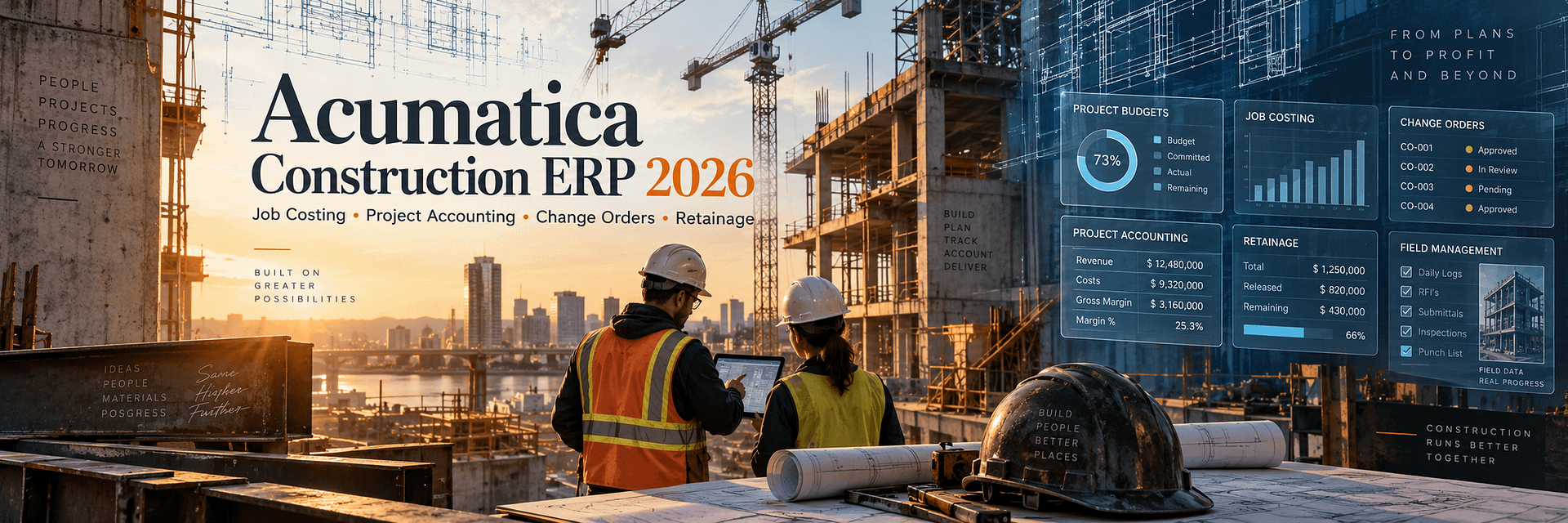
Acumatica Construction ERP 2026: The Complete Guide to Job Costing, Project Accounting, Change Orders, Retainage, Subcontracts, and Field Management
Construction companies do not lose margin only because a project was estimated incorrectly. Margin can disappear gradually through labor overruns, material price changes, unapproved scope, slow billing, unmanaged commitments, missing field information, retainage, subcontractor issues, and cost information that arrives too late to influence the project.
That is why modern construction ERP cannot simply be accounting software with a project number attached to every transaction.
A serious construction management platform must connect:
- project budgets;
- job costs;
- commitments;
- subcontracts;
- purchase orders;
- change requests;
- change orders;
- materials;
- labor;
- progress billing;
- retainage;
- accounts payable;
- accounts receivable;
- compliance;
- field activity;
- project documents;
- cash flow;
- financial reporting.
Acumatica Construction ERP is designed around that connected model.
Acumatica Construction Edition combines financial management, project accounting, job costing, construction project management, purchasing, subcontract management, inventory, field activity, reporting, CRM, mobile access, integrations, and workflow automation in one cloud ERP platform.
The objective is not merely to record the cost of a project after the cost has already happened.
The objective is to make project information visible early enough for management to act.
A construction ERP should not only tell you whether a project made money. It should help you understand whether the project is likely to make money while there is still time to change the outcome.
That difference becomes increasingly important as construction firms grow.
A contractor managing five projects can sometimes survive with accounting software, Excel, paper files, emails, and experienced employees who know where everything is.
A contractor managing fifty, one hundred, or several hundred active projects cannot scale that model safely.
Information becomes fragmented.
Finance knows one version of the project.
The project manager knows another.
The superintendent has information from the field.
The estimator has the original assumptions.
The subcontractor has another set of numbers.
The owner may be waiting for a change-order decision.
By the time all of those versions are reconciled, the cost may already be committed.
Acumatica Construction Edition is designed to reduce that fragmentation.
In Acumatica 2026 R1, the construction platform has expanded further with capabilities focused on earlier risk detection, more precise cost forecasting, streamlined change management, better project/entity alignment, and project materials management.
Construction organizations can use Acumatica to manage the complete lifecycle:
As an Acumatica Gold Partner, BizTech works with implementation, integrations, custom development, automation, financial reporting, ERP, CRM, EDI, warehouse management, and business process technology.
This is particularly important in construction because construction ERP rarely operates alone.
A contractor may need to connect Acumatica with:
- estimating software;
- payroll;
- time tracking;
- document management;
- field applications;
- CRM;
- supplier systems;
- payment platforms;
- BI tools;
- custom project portals;
- specialized construction applications.
This guide explores Acumatica Construction ERP from project setup and job costing through field execution, retainage, compliance, cash flow, implementation, migration, and long-term optimization.
What Is Acumatica Construction Edition?
Acumatica Construction Edition is a cloud ERP platform designed for construction organizations that need financial accounting, project accounting, job costing, project management, procurement, subcontract control, change management, field visibility, compliance, billing, and reporting in one connected environment.
It can be relevant to:
- general contractors;
- specialty contractors;
- subcontractors;
- restoration contractors;
- roofing contractors;
- electrical contractors;
- mechanical contractors;
- HVAC contractors;
- plumbing contractors;
- commercial contractors;
- construction developers;
- multi-entity construction groups.
Construction Edition can combine:
Financial Management
General Ledger, Accounts Payable, Accounts Receivable, cash, banking, financial reporting, multi-company operations, and related controls.
Project Accounting
Projects, tasks, account groups, cost codes, revenue budgets, cost budgets, actual costs, commitments, billing, and profitability.
Construction Management
Change requests, change orders, retainage, subcontracts, compliance, joint payments, project materials, and construction-specific workflows.
Field Management
Daily field reports, project issues, photo logs, drawing logs, submittals, mobile access, expenses, and site information.
The value is in the integration between these areas.
A subcontract commitment is not merely a project-management note.
It can influence the project budget and forecast.
A vendor bill is not merely accounts payable.
It can become a job cost.
A change request is not merely correspondence.
It can become a future cost, commitment, revenue change, and eventually a change order.
A material purchase can be tied directly to the project.
Retainage influences accounts payable, accounts receivable, project billing, and cash flow.
When construction and accounting live in the same ERP, those relationships become much easier to control.
What’s New in Acumatica Construction 2026 R1?
Acumatica 2026 R1 focuses heavily on construction cost control, project risk, project materials, and the relationship between operational project data and financial accounting.
Quantity and Unit-Rate Cost Forecasting
Construction forecasts become more useful when they are based on operational quantities rather than only dollar totals.
For example, a contractor may have:
- 1,000 feet of pipe budgeted;
- 600 feet installed;
- a revised unit rate;
- 400 feet remaining.
A quantity-driven forecast can provide a stronger basis for estimating the remaining cost than simply assuming that historical spending will continue at the same percentage.
2026 R1 improves forecasting around specific quantities and unit rates.
This can help project teams identify potential budget pressure earlier.
Faster Cost-Side Change Order Workflows
Construction companies often experience a timing mismatch.
A field condition may create additional subcontractor or material cost immediately, while customer approval for additional revenue may take days or weeks.
2026 R1 allows construction teams to move cost-side changes forward without necessarily waiting for final approval of the revenue side.
This can create a more realistic view of project exposure.
Project and Branch Alignment
Multi-entity construction companies need costs and commitments to reach the correct legal entity.
2026 R1 improves alignment of project and branch information in financial documents.
This can reduce errors where a project belongs to one branch or company but a related financial transaction is accidentally posted elsewhere.
Project Materials Management
Project Materials Management is one of the most important 2026 R1 construction enhancements.
Construction companies can increasingly manage materials directly around the project lifecycle.
The process can include:
- planning project materials;
- reserving stock;
- purchasing materials;
- delivering materials directly to project sites;
- issuing inventory to projects;
- tracking materials against project budget lines.
This helps eliminate unnecessary workarounds where materials had to flow through unrelated sales-order structures simply to reach a project.
AI-Driven Project Intelligence
Acumatica positioned the 2026 R1 construction release around earlier risk detection and more proactive project intelligence.
The strategic direction is clear:
construction ERP should surface problems before they become financial surprises.
From Opportunity to Project Closeout: The Construction Lifecycle in Acumatica
A construction ERP should follow the economic lifecycle of a project.
1. Opportunity and Estimate
The company identifies a potential job and estimates cost and revenue.
2. Contract and Project Setup
The awarded work becomes a project with:
- project tasks;
- budget;
- cost codes;
- revenue structure;
- cost structure;
- billing rules.
3. Commitments
Purchase orders and subcontracts create commitments against the project.
4. Field Execution
Labor, materials, subcontract work, expenses, and site activity begin creating real project costs.
5. Change Management
Potential changes can be tracked using change requests before becoming approved change orders.
6. Billing
Revenue may be billed according to progress, contract rules, project activity, or other configured billing methods.
7. Retainage
Part of vendor payments or customer billings may remain retained until contractual requirements are completed.
8. Forecasting
Management compares:
- original budget;
- revised budget;
- actual cost;
- committed cost;
- future forecast;
- expected final cost.
9. Closeout
Final billing, retainage release, compliance, subcontract closeout, and final project profitability can be completed in a controlled process.
Acumatica Construction Project Accounting
Project accounting provides the financial structure underneath Construction Edition.
Every major project transaction must eventually answer:
- Which project?
- Which task?
- Which cost category?
- Which cost code?
- Which account group?
- Which branch?
- Which vendor or subcontractor?
- Which budget line?
A strong project-accounting structure helps project managers and finance teams speak the same financial language.
Projects
The project represents the overall job, contract, development, or work scope being tracked.
Project Tasks
Tasks allow projects to be divided into meaningful work areas, phases, locations, or other structures.
Account Groups
Account groups provide a project-accounting classification for revenue, cost, assets, liabilities, and other project-related transactions.
Cost Codes
Cost codes add another level of construction-specific classification.
Budgets
Acumatica supports revenue and cost budgets so users can compare the planned economics of a project with its actual and committed performance.
Acumatica Job Costing: Understanding the Real Cost of Every Construction Project
Acumatica Job Costing is one of the central reasons construction companies evaluate Construction Edition.
Job costing answers a deceptively simple question:
How much is this project really costing us?
The answer can include:
- direct labor;
- materials;
- equipment;
- subcontracts;
- purchased services;
- expenses;
- overhead;
- other project costs.
But job costing becomes far more powerful when it also includes commitments.
If a subcontractor has not yet submitted an invoice, the cost may not be in the general ledger.
That does not mean the project has not economically committed to the cost.
A project manager evaluating only posted actuals can therefore believe that the project has more budget remaining than it really does.
Actual Cost
Costs that have already been posted against the project.
Committed Cost
Future costs represented by purchase orders, subcontracts, or other commitments.
Forecast Cost
The latest expected future cost based on current project information.
Cost to Complete
The expected additional cost required to finish the remaining project work.
Estimated Cost at Completion
A management view of the expected total project cost when the work is complete.
The more quickly a project manager can compare actual cost + committed cost + expected future cost against the revised project budget, the sooner the company can identify margin erosion.
Acumatica Cost Codes for Construction
Cost codes provide a construction-specific way to classify revenue and cost.
They can be used across project transactions including:
- project budgets;
- purchase orders;
- AP bills;
- change requests;
- change orders;
- project transactions;
- time and labor;
- expenses.
A contractor might use cost codes such as:
- Site Work;
- Concrete;
- Structural Steel;
- Electrical;
- Plumbing;
- HVAC;
- Doors;
- Windows;
- Finishes.
More detailed companies may use hundreds or thousands of cost codes.
Why Cost-Code Design Matters
Poor cost-code design can create either of two problems:
Too little detail: management cannot understand where the project lost money.
Too much detail: employees spend excessive time coding transactions and project reporting becomes difficult to interpret.
The implementation should therefore balance operational usefulness with usability.
Construction Project Budget Management
The project budget is both a financial plan and a control structure.
Acumatica can maintain:
- revenue budget;
- cost budget;
- original budget values;
- revised budget values;
- actual values;
- committed values;
- change-order values;
- potential change values;
- forecast information.
Original Budget
The original approved plan establishes the project’s baseline.
Revised Budget
Approved changes modify the current expected project economics.
Budget Control
Depending on configuration, Acumatica can help control whether certain transactions may exceed project budget values.
Potential Changes
Potential change orders can be visible before they become formally incorporated into the revised budget.
This is useful because project risk exists before paperwork is completely approved.
Construction Cost Forecasting, Quantity Forecasting, and Cost to Complete
Budget reporting explains what was originally expected.
Forecasting explains what management currently expects to happen.
Those are not the same thing.
Why Forecasting Matters
A project can still be technically under budget today while clearly heading toward an overrun.
Examples:
- labor productivity is lower than planned;
- material prices increased;
- more quantity remains than originally estimated;
- a subcontractor scope changed;
- rework is required;
- schedule extension creates additional overhead.
Quantity and Unit-Rate Forecasting in 2026 R1
Acumatica 2026 R1 strengthens project cost forecasting using quantities and unit rates.
This is especially valuable in construction because many costs are driven by measurable production quantities.
Examples include:
- feet of conduit;
- square feet of flooring;
- cubic yards of concrete;
- tons of steel;
- labor hours;
- number of fixtures;
- units installed.
Rather than forecasting only from percentages, the project can use operational production information to estimate remaining cost.
Construction Commitments in Acumatica
A commitment represents project cost that the organization expects to incur but which may not yet be reflected as an actual AP expense.
Commitments can come from:
- purchase orders;
- subcontracts;
- change orders;
- other committed project obligations.
Commitment visibility is critical for accurate job costing.
Example
A project may have a $1,000,000 electrical budget.
Only $200,000 has been invoiced by the electrical subcontractor.
But a $900,000 subcontract has already been executed.
Looking only at actual cost could suggest $800,000 of budget remains.
Looking at commitments shows that most of the budget has already been economically consumed.
Acumatica Subcontract Management
Subcontractors are central to the economics of many construction projects.
Acumatica supports subcontract workflows that can connect:
- vendor;
- project;
- project task;
- cost code;
- commitment;
- subcontract value;
- change orders;
- AP billing;
- retainage;
- payments;
- compliance.
Subcontract Creation
Subcontract documents establish committed scope and cost.
Subcontract Billing
Vendor bills can reduce the outstanding commitment while creating actual cost.
Subcontract Changes
Approved scope changes can modify the commitment through project change-management processes.
Retainage
Part of subcontractor billing can remain retained according to contractual rules.
Compliance
Subcontractor documentation can be managed alongside financial processes.
Acumatica Change Requests
Construction projects change constantly.
The dangerous part is not change itself.
The dangerous part is unmanaged change.
A Change Request can represent a potential change before final approval.
A request may include:
- project task;
- cost code;
- inventory item;
- quantity;
- unit cost;
- unit price;
- estimated cost;
- estimated revenue;
- vendor;
- potential commitment;
- markups.
Why Potential Change Visibility Matters
Suppose a superintendent discovers a field condition that will probably cost $50,000.
The formal owner approval may take a week.
Management should not have to pretend the potential cost does not exist during that week.
Change Requests allow potential cost and revenue impacts to become visible earlier.
Acumatica Change Orders
An approved change can move into a Change Order.
Change Orders can update:
- cost budgets;
- revenue budgets;
- quantities;
- commitments;
- project economics.
Two-Tier Change Management
Acumatica supports a two-tier process:
- Potential changes are captured as Change Requests.
- One or more Change Requests can be grouped into an approved Change Order.
This provides more visibility than waiting until every change is formally approved before entering it into the ERP.
Cost-Only Changes
Not every project cost change creates additional customer revenue.
Some changes may be cost-only.
Examples include:
- contractor error;
- rework;
- unrecoverable field condition;
- internal scope decision.
These costs still need to reach the forecast and project budget.
2026 R1 Cost-Side Release
Acumatica 2026 R1 provides additional flexibility where cost exposure needs to be recognized before final approval of related revenue.
This helps the cost forecast remain closer to project reality.
Construction Markups in Change Requests
Construction change pricing often includes more than raw cost.
Change Requests can include several markup concepts.
Price Markup
An item-specific markup can help transform estimated cost into a customer-facing unit price.
Line Markup
An additional markup can be applied to individual estimation lines.
Document-Level Markups
Document-level calculations can support:
- percentage markups;
- cumulative percentage markups;
- flat fees.
This can be useful for:
- overhead;
- profit;
- insurance;
- administrative fees;
- other contractually allowed add-ons.
Progress Billing, Construction Billing, and AIA Billing
Construction revenue often does not follow simple product invoicing.
Contractors may bill according to:
- progress;
- percent complete;
- project milestones;
- time and materials;
- contract schedules;
- schedule-of-values structures.
Progress Billing
Progress billing allows contractors to invoice customers as work progresses rather than waiting until project completion.
Schedule of Values
Projects can require billing to be broken into specific phases, tasks, cost areas, or contract lines.
AIA-Style Billing
Acumatica Construction Edition supports construction billing and reporting requirements used in AIA-style workflows.
For U.S. construction companies, this is particularly relevant where billing is expected to resemble the familiar:
- G702 Application and Certificate for Payment;
- G703 Continuation Sheet
structure.
2026 R1 Revenue Percentage Improvements
2026 R1 also includes improvements around automated revenue percentage calculations intended to support more accurate progress billing.
Acumatica Retainage: AP, AR, Project Billing, and Retainage Release
Retainage is one of the construction-specific financial processes that generic accounting systems often handle poorly.
A construction company may operate on both sides of retainage.
AP Retainage
The contractor may retain part of a subcontractor or vendor bill until contractual work is completed.
Acumatica can process AP bills with retained amounts and track retainage at the document-line level when retainage functionality is enabled.
AR Retainage
The project owner may retain part of the contractor’s invoice.
Acumatica can track the retained portion separately and later release it through retainage documents.
Partial Retainage Release
Retainage does not always need to be released in one final amount.
Businesses may release a percentage or amount as contractual requirements are met.
Consolidated Retainage
For qualifying AR scenarios, Acumatica can consolidate retainage from multiple original documents related to the same customer and project.
Retainage Cap
Construction contracts may stop additional retainage once the retained amount reaches an agreed cap.
Acumatica supports project billing scenarios with retainage caps.
Retainage rules can have significant accounting, contractual, tax, and cash-flow consequences. Configuration should be validated against the company’s actual contracts and accounting requirements.
Joint Payments and Joint Checks
Construction payment relationships can involve more than one payee.
A subcontractor may owe money to a supplier.
The general contractor or owner may need to issue a payment jointly to:
- the vendor;
- the vendor’s supplier;
- another subcontractor participating in the project.
Acumatica Construction Edition supports joint-payment scenarios associated with project AP documents.
This can help construction companies manage payment risk and subcontractor/supplier relationships more systematically.
Construction Compliance Documents and Lien Waivers
Construction firms must often verify that vendors and subcontractors have the required documentation before payment or continued work.
Compliance can involve:
- insurance certificates;
- licenses;
- bond information;
- certifications;
- lien waivers;
- other contractual documents.
Compliance Document Types
Acumatica allows organizations to define compliance-document requirements and custom attributes according to their own processes.
Expiration and Status
Compliance information can help warn users about missing or outstanding documents.
Lien Waivers
Acumatica supports lien-waiver generation and configuration as part of construction compliance workflows.
This can reduce the risk of managing waiver documentation exclusively through email, shared folders, and spreadsheets.
Acumatica Project Materials Management 2026
Project Materials Management expands the relationship between Construction Edition and inventory.
Materials can represent a major percentage of project cost.
Examples include:
- electrical components;
- pipe;
- fixtures;
- hardware;
- glass;
- insulation;
- roofing materials;
- equipment;
- finishes.
Construction firms may:
- purchase materials specifically for a project;
- hold common materials in a warehouse;
- transfer materials between locations;
- deliver materials directly to a site;
- issue stock to a project.
2026 R1 provides a more centralized project material workflow.
Reserve Inventory
Available stock can be identified for project needs.
Purchase for the Project
Material requirements can trigger procurement.
Deliver to Project Site
Acumatica supports project drop-ship purchasing where materials can be delivered directly to the project site.
Issue Materials to the Project
Inventory consumption can become project cost.
This connects physical inventory movement with job costing.
Construction Procurement: From Budget to Purchase Order and Subcontract
Construction procurement should remain connected to project budget and commitments.
A typical process may be:
The financial impact should remain traceable throughout the process.
This helps prevent a common construction problem:
the project manager believing budget remains available even though purchasing has already committed the funds.
Daily Field Reports
Construction happens in the field.
Accounting happens in the office.
The longer information takes to move between them, the more likely project decisions are based on outdated data.
Daily Field Reports provide a structured way to capture what happened on site.
They can include:
- progress worksheets;
- labor time and activity;
- change orders;
- change requests;
- subcontractor activity;
- project issues;
- weather;
- site visitors.
Subcontractor Activity
Daily reports can capture:
- which subcontractor was on site;
- number of workers;
- hours worked;
- cost codes related to the work.
Progress Worksheets
Field progress can update quantity information related to project budget lines.
Change Management from the Field
Change requests and change orders can be associated with daily field activity.
This helps preserve the operational context explaining why the project changed.
Construction Photo Logs
Photos are part of modern construction documentation.
They may document:
- work completed;
- site conditions;
- damage;
- progress;
- quality issues;
- pre-existing conditions;
- closeout.
Acumatica’s construction project-management capabilities include photo logs associated with projects.
This can help move project imagery away from individual employees’ phones and disconnected folders into a more controlled project record.
Construction Drawing Logs
Drawings change throughout a project.
Teams must know:
- which drawing is current;
- which revision is valid;
- what changed;
- which project it belongs to;
- who needs access.
Drawing logs provide project teams with a structured method for managing drawing information within the broader construction ERP environment.
Acumatica Construction Submittals
A submittal may include:
- shop drawings;
- product data;
- equipment information;
- cut sheets;
- material samples;
- other documents requiring approval before fabrication or installation.
Submittal delays can become schedule delays.
Construction Edition provides structured submittal processing including:
- creation;
- status;
- revisions;
- project linkage;
- approval-related tracking.
Construction Project Issues
Not every field problem immediately becomes a change order.
Projects can experience:
- quality problems;
- schedule issues;
- coordination issues;
- site conditions;
- missing information;
- design questions;
- safety-related concerns.
Tracking issues in the project environment makes it easier to connect operational problems with later financial or schedule consequences.
Construction Project Cash Flow
A profitable project can still create cash-flow problems.
Construction companies frequently pay:
- employees;
- suppliers;
- subcontractors;
- equipment costs
before receiving equivalent cash from the project owner.
Retainage increases the timing mismatch further.
Important Cash-Flow Components
- billed revenue;
- unbilled revenue;
- customer payments;
- vendor bills;
- paid AP;
- unpaid AP;
- unreleased retainage;
- commitments.
Acumatica 2026 R1 includes extended project financial information such as Project AP Details that can be used to review paid, unbilled, and unreleased-retainage information and support Project Cash Flow analysis.
Construction Inventory and Warehouse Management
Not every contractor needs sophisticated inventory management.
But many specialty contractors do.
Examples include:
- electrical contractors;
- plumbing contractors;
- HVAC companies;
- glass contractors;
- roofing contractors;
- maintenance contractors;
- companies with central material yards.
Inventory can include:
- materials;
- parts;
- equipment;
- consumables;
- project-specific stock.
The relationship between Inventory Management and Project Accounting can help ensure materials issued to a project become visible in job cost.
Field-to-Office Connectivity and Mobile Access
Construction ERP fails if the information is accurate only in the accounting office.
Project managers and field teams need access to current information.
Depending on role and configuration, mobile/cloud access can support:
- project information;
- expenses;
- approvals;
- field reporting;
- project documents;
- financial visibility;
- photo uploads.
The value is not simply convenience.
It reduces the delay between what happens on site and what management knows.
Construction Reporting, WIP, Dashboards, and Project Status
Construction businesses generate enormous amounts of data.
The reporting system should convert that data into decisions.
Project Status
Acumatica’s Project Status functionality can bring together project-related information including:
- financials;
- cost and revenue budgets;
- change requests;
- change orders;
- cost projections;
- pro forma invoices;
- subcontracts;
- purchase orders;
- daily field reports;
- project issues;
- drawing logs;
- photo logs;
- submittals;
- compliance documents.
Work in Progress Reporting
WIP reporting is essential for many contractors.
Management may need to understand:
- contract value;
- cost incurred;
- estimated total cost;
- percent complete;
- earned revenue;
- billings;
- overbilling;
- underbilling.
Executive Dashboards
Useful construction KPIs can include:
- project margin;
- forecast margin;
- budget variance;
- open commitments;
- unapproved changes;
- AR aging;
- AP aging;
- cash;
- retainage;
- project backlog;
- project cash flow.
Who Can Use Acumatica Construction ERP?
Project budgets, subcontractors, procurement, change management, compliance, field information, billing, and project profitability.
Detailed job costing, inventory, labor, retainage, field teams, compliance, and subcontractor/vendor processes.
Labor, materials, inventory, purchasing, cost codes, service, project billing, and warehouse stock.
Construction project accounting combined with parts inventory, service, equipment, and field operations.
High project volume, field mobility, document-heavy workflows, approvals, CRM, billing, and cash flow.
Project costing, field crews, material purchasing, subcontractors, change management, and project documentation.
Project accounting, labor, materials, job profitability, retainage, compliance, and specialized integrations.
Project budgets, procurement, commitments, multi-entity structures, project financials, and reporting.
Multiple companies, branches, intercompany workflows, consolidated reporting, shared management, and scalable ERP access.
Acumatica Construction Integrations
No modern construction ERP exists in isolation.
A contractor may already use specialized software for:
- estimating;
- project collaboration;
- time tracking;
- payroll;
- equipment;
- CRM;
- document management;
- field service;
- business intelligence;
- payments;
- supplier networks.
The goal should not automatically be to replace every application.
The goal is to establish a clear system architecture.
System of Record
The implementation should define where authoritative data belongs.
For example:
- Acumatica may own project financials;
- a specialist field platform may own specific site workflows;
- a payroll platform may own payroll processing;
- Acumatica can receive the resulting financial information.
API Integration
Acumatica’s API architecture allows external applications to exchange project and financial information.
BizTech Integration Development
BizTech provides:
- custom API integration;
- business workflow automation;
- EDI;
- CRM integration;
- warehouse integration;
- reporting integration;
- custom Acumatica development.
This is particularly useful when a construction company has a specialized technology stack that cannot be replaced with a generic connector.
Real Construction Results with Acumatica
Published customer stories provide useful examples of Acumatica Construction Edition in production.
These are company-specific results, not guarantees of future performance.
Alpha Insulation & Waterproofing
time savings in Work-in-Progress calculations reported in the published case study
real-time visibility across a multi-location specialty contractor
needed to create reports according to the case study
Alpha Insulation & Waterproofing uses Acumatica Construction Edition with Advanced Financial Management, Expense Management, Inventory Management, Warehouse Management, and Payroll.
The organization reduced WIP calculations from approximately 1.5 days to around ten minutes and gave field teams real-time access to project information.
IOC Construction
reassigned from manual data-entry responsibilities
spreadsheet formatting eliminated
paper project folders eliminated
IOC Construction consolidated several previously disconnected entities and processes into Acumatica Construction Edition.
Roberts Glass & Service
increase reported following implementation while maintaining profitability
labor-cost reporting delay eliminated
project updates through mobile access
Roberts Glass integrated Acumatica Construction Edition with ExakTime to improve labor-cost accuracy and project visibility.
American Asphalt
of paper project files eliminated annually
real-time field access
annual growth maintained according to the published case
Phoenix Renovation and Restoration
Phoenix Renovation manages more than 1,000 annual projects and uses Construction Edition for financial and project visibility.
The published case highlights:
- real-time field access;
- improved project transparency;
- automated workflows;
- improved cash-flow management;
- AIA invoicing and WIP functionality.
How to Implement Acumatica Construction ERP
A construction implementation should begin with the project’s economic lifecycle, not with software screens.
Phase 1: Construction Discovery
Document:
- business entities;
- project types;
- contract types;
- estimating process;
- project setup;
- job-cost structure;
- cost codes;
- subcontracts;
- purchase orders;
- change management;
- billing;
- retainage;
- payroll;
- field workflows;
- compliance;
- integrations;
- reporting.
Phase 2: Project Accounting Architecture
Design:
- companies;
- branches;
- projects;
- tasks;
- account groups;
- cost codes;
- budget levels;
- revenue structure;
- financial accounts.
Phase 3: Budget and Job Cost Design
Define:
- original budget;
- revised budget;
- actual cost;
- commitments;
- forecasting;
- WIP;
- cost to complete.
Phase 4: Procurement and Subcontracts
Configure:
- purchase orders;
- subcontracts;
- commitments;
- approvals;
- receipts;
- AP bills;
- payments.
Phase 5: Change Management
Define:
- change requests;
- change-order classes;
- cost-only changes;
- revenue changes;
- markups;
- approvals.
Phase 6: Billing and Retainage
Configure:
- project billing;
- progress billing;
- AIA-style reporting;
- AR retainage;
- AP retainage;
- retainage releases;
- retainage caps.
Phase 7: Field Management
Configure:
- Daily Field Reports;
- photo logs;
- drawing logs;
- submittals;
- issues;
- mobile access.
Phase 8: Compliance
Define:
- compliance document types;
- required attributes;
- expiration rules;
- lien-waiver workflows;
- payment controls.
Phase 9: Integration
Connect required third-party systems.
Phase 10: Testing
Test complete construction scenarios.
For example:
- Create a project.
- Load budget.
- Create a subcontract.
- Create a purchase order.
- Enter project material.
- Post labor and expense.
- Create change request.
- Approve change order.
- Enter AP bill with retainage.
- Bill customer.
- Release retainage.
- Review WIP and forecast margin.
Acumatica Construction Data Migration
Construction data migration is often more difficult than migrating generic financial data.
The business may have hundreds or thousands of projects with different statuses.
Master Data
Potentially migrated records include:
- customers;
- vendors;
- subcontractors;
- employees;
- inventory;
- cost codes;
- accounts;
- project templates.
Projects
For each open project, migration may require:
- project ID;
- customer;
- tasks;
- budget;
- cost codes;
- actual cost;
- commitments;
- billing;
- retainage;
- change orders;
- documents.
Open Commitments
Purchase orders and subcontracts must remain economically visible after go-live.
Open AR and AP
Project-related invoices, vendor bills, credits, and retainage must reconcile with the general ledger.
Historical Projects
The company should decide whether to:
- migrate full history;
- migrate selected active/recent projects;
- migrate summary history;
- keep completed projects in a legacy archive.
Documents
Construction documents may represent one of the largest migration datasets.
The company needs a strategy for:
- contracts;
- drawings;
- photos;
- submittals;
- compliance documents;
- project correspondence;
- attachments.
How Much Does Acumatica Construction ERP Cost?
There is no universal fixed Acumatica Construction price.
Software and implementation cost can depend on:
- Acumatica applications;
- resource requirements;
- deployment;
- number of companies;
- number of branches;
- active projects;
- project history;
- construction project management;
- payroll;
- inventory;
- field service;
- data migration;
- integrations;
- custom development;
- reporting;
- training;
- support.
| Cost Area | Typical Construction Scope |
|---|---|
| Acumatica Software | Construction Edition, financials, project functionality, optional applications and resource level |
| Discovery | Job cost, budgets, subcontracts, retainage, field processes, payroll, reporting and integrations |
| Data Migration | Financials, projects, commitments, subcontracts, retainage, open documents and history |
| Construction Configuration | Cost codes, project structure, change management, compliance, billing and field workflows |
| Integrations | Payroll, time, estimating, field systems, CRM, document systems and custom applications |
| Reporting | WIP, project status, cash flow, profitability, executive dashboards and custom reports |
| Training | Accounting, project managers, field staff, procurement, executives and administrators |
| Support | Go-live stabilization, optimization, new workflows and integrations |
How Long Does Acumatica Construction Implementation Take?
There is no universal implementation duration.
Timeline depends on:
- number of legal entities;
- number of active projects;
- job-cost complexity;
- cost codes;
- subcontracts;
- retainage;
- billing;
- payroll;
- field management;
- inventory;
- data migration;
- project documents;
- integrations;
- custom development;
- training;
- testing.
A small specialty contractor replacing QuickBooks has a very different implementation from a multi-entity general contractor migrating hundreds of active jobs, historical WIP, subcontracts, compliance, payroll, and multiple integrations.
Common Acumatica Construction Implementation Mistakes
Mistake 1: Poor Cost-Code Design
Too much or too little detail can make project reporting difficult.
Mistake 2: Copying the Legacy Chart of Accounts Exactly
The new ERP may allow a cleaner project/account/subaccount/cost-code structure.
Mistake 3: Ignoring Project-to-Branch Relationships
Multi-company contractors must ensure financial transactions reach the correct legal entity.
Mistake 4: Migrating Actual Costs but Forgetting Commitments
A project without open commitments can appear artificially profitable immediately after migration.
Mistake 5: Incorrect Retainage Migration
Retained AP and AR balances must reconcile with project and financial records.
Mistake 6: Designing the System Only with Accounting
Project managers, superintendents, procurement, and field users must participate.
Mistake 7: Recreating a Bad Change-Order Process
Migration is an opportunity to improve how potential and approved changes are tracked.
Mistake 8: Migrating Every Historical Project in Full Detail
Historical migration should create value, not merely consume budget.
Mistake 9: Leaving Integrations Until the End
Payroll, time, estimating, document systems, and field applications affect core ERP design.
Mistake 10: No Post-Go-Live Optimization
Real project data often reveals improvements impossible to identify during initial configuration.
How to Measure Construction ERP ROI
Construction ERP ROI should be measured across the entire project lifecycle.
Accounting
Track:
- month-end close;
- WIP preparation time;
- invoice processing;
- duplicate entry;
- financial report preparation.
Project Management
Track:
- time spent preparing job reports;
- forecast accuracy;
- budget overruns identified early;
- change-order cycle time;
- unapproved changes;
- project manager administrative hours.
Field
Track:
- paper forms eliminated;
- data-entry delay;
- mobile usage;
- daily report completion;
- photo/document retrieval time.
Procurement
Track:
- commitment visibility;
- purchase-order processing time;
- material waste;
- emergency purchasing;
- project material availability.
Cash
Track:
- days to invoice;
- days sales outstanding;
- retainage outstanding;
- AP timing;
- project cash flow;
- working-capital requirements.
Profitability
Track:
- original margin;
- forecast margin;
- final margin;
- margin erosion;
- cost variance;
- change recovery.
Why Work with BizTech for Acumatica Construction Implementation?
Construction ERP implementation requires a combination of accounting knowledge, project-process knowledge, data expertise, integration experience, reporting, and technical development.
BizTech is an Acumatica Gold Partner and a business technology consulting company providing ERP, accounting, CRM, EDI, warehouse management, financial reporting, implementation, and integration services.
BizTech reports more than 500 successful integrations, 15+ solutions, and work across more than 35 countries.
Acumatica Implementation
BizTech can support:
- business discovery;
- financial configuration;
- project accounting;
- job-cost structure;
- data migration;
- reporting;
- testing;
- training;
- go-live;
- post-go-live optimization.
Custom Development
Where standard functionality does not cover a real construction requirement, BizTech can develop:
- Acumatica customizations;
- custom APIs;
- automated workflows;
- custom inquiries;
- dashboards;
- specialized integrations.
Integration Architecture
BizTech can help construction companies connect Acumatica with:
- CRM;
- payroll;
- time tracking;
- field software;
- document management;
- supplier systems;
- EDI;
- BI tools;
- custom applications.
Source-System Experience
BizTech is also a Sage Certified Gold Development Partner.
This can be particularly useful for contractors migrating from Sage environments into Acumatica because the migration team can understand both the legacy system and the new ERP platform.
Construction ERP should connect the job site, project manager, accounting department, procurement team, subcontractors, project documents, and executive reporting. The implementation partner must understand all of those relationships—not only General Ledger configuration.
Acumatica Construction ERP Implementation Checklist
Organization
- Legal entities are documented.
- Branches are documented.
- Project types are documented.
- Business lines are documented.
- Security requirements are documented.
Project Accounting
- Project structure is approved.
- Task structure is approved.
- Account groups are approved.
- Cost codes are approved.
- Revenue budget structure is approved.
- Cost budget structure is approved.
Job Costing
- Labor costs are defined.
- Material costs are defined.
- Equipment costs are defined.
- Subcontract costs are defined.
- Committed costs are included.
- Forecast methodology is defined.
Change Management
- Change Request workflow is defined.
- Change Order classes are configured.
- Cost-only changes are tested.
- Revenue changes are tested.
- Markups are configured.
- Approvals are configured.
Subcontracts
- Subcontract workflow is defined.
- Commitment reporting is tested.
- AP billing is tested.
- Change Orders are tested.
- Compliance is tested.
- Retainage is tested.
Retainage
- AP retainage rules are configured.
- AR retainage rules are configured.
- Retainage release is tested.
- Partial release is tested.
- Retainage cap requirements are validated.
Billing
- Billing rules are approved.
- Progress billing is tested.
- AIA-related reporting is validated where required.
- Revenue recognition requirements are validated.
Compliance
- Compliance document types are defined.
- Required attributes are defined.
- Expiration tracking is tested.
- Lien-waiver process is tested.
- Joint-payment process is tested where required.
Materials
- Project material process is defined.
- Warehouses are configured.
- Project purchases are tested.
- Project drop-ship is tested where required.
- Material issue to project is tested.
Field
- Daily Field Reports are configured.
- Photo Logs are tested.
- Drawing Logs are tested.
- Submittals are tested.
- Project Issues are tested.
- Mobile access is tested.
Data Migration
- Customers are cleaned.
- Vendors are cleaned.
- Subcontractors are cleaned.
- Projects are mapped.
- Budgets are reconciled.
- Actual costs are reconciled.
- Commitments are reconciled.
- AR is reconciled.
- AP is reconciled.
- Retainage is reconciled.
- Open Change Orders are validated.
- Historical strategy is approved.
Integrations
- Every integration has an owner.
- Authentication is configured.
- Data ownership is defined.
- Cross-references are defined.
- Error handling is tested.
- Retry logic is tested.
- Monitoring is enabled.
Go-Live
- Opening financials reconcile.
- Project balances reconcile.
- Open commitments reconcile.
- Retainage reconciles.
- Users are trained.
- Dashboards are approved.
- Critical reports are approved.
- Field users are ready.
- Support coverage is active.
Final Conclusion: Why Acumatica Construction ERP Matters in 2026
Construction profitability is determined project by project.
That makes visibility unusually important.
Executives need to understand:
- which projects are profitable;
- which projects are losing margin;
- what has already been spent;
- what has already been committed;
- what costs are still expected;
- which changes are not yet approved;
- what has been billed;
- what cash has been collected;
- what retainage remains outstanding.
Project managers need to understand:
- budget remaining;
- subcontract status;
- material requirements;
- change exposure;
- field progress;
- compliance;
- project documentation.
Finance needs reliable numbers.
The field needs access to current project information.
Those requirements are difficult to satisfy when accounting, project management, field data, procurement, change orders, retainage, and compliance live in disconnected systems.
Acumatica Construction ERP provides a different model.
It connects:
- financial management;
- project accounting;
- job costing;
- project budgets;
- commitments;
- subcontracts;
- procurement;
- change management;
- billing;
- retainage;
- compliance;
- field reporting;
- project materials;
- cash flow;
- reporting.
Acumatica 2026 R1 strengthens this architecture with quantity and unit-rate forecasting, more flexible change-order processing, better branch/project alignment, Project Materials Management, and a stronger emphasis on proactive project intelligence.
The potential result is not simply faster accounting.
It is earlier visibility into project risk.
That is much more valuable.
But successful Construction ERP depends on implementation quality.
Cost codes must make sense.
Budgets must be structured correctly.
Commitments must be captured.
Retainage must reconcile.
Field teams must use the system.
Integrations must be reliable.
Legacy project data must be migrated intelligently.
That is where the implementation partner matters.
BizTech combines Acumatica Gold Partner expertise with ERP implementation, financial reporting, custom development, integrations, automation, EDI, CRM, warehouse management, data migration, and long-term support.
For construction organizations searching for:
- Acumatica Construction ERP;
- Acumatica Construction Edition;
- Construction ERP Software;
- Construction Accounting Software;
- Acumatica Job Costing;
- Acumatica Project Accounting;
- Acumatica Change Orders;
- Acumatica Retainage;
- Acumatica Subcontract Management;
- Acumatica AIA Billing;
- Acumatica Construction Implementation Partner;
- BizTech Acumatica Construction;
the next step is not simply purchasing construction software.
The next step is designing how the project lifecycle should operate inside one connected ERP.
Planning an Acumatica Construction ERP Implementation?
BizTech can assess your project accounting, job costing, cost codes, budgets, change orders, retainage, subcontracts, materials, field workflows, compliance, integrations, migration requirements, reporting, and Acumatica architecture before implementation begins.
FAQ: Acumatica Construction ERP
What is Acumatica Construction Edition?
Acumatica Construction Edition is a cloud ERP platform for construction organizations that connects financial management, project accounting, job costing, project budgets, commitments, subcontracts, purchasing, change management, billing, retainage, compliance, field information, reporting, and integrations.
What is new in Acumatica Construction 2026 R1?
Major 2026 R1 construction enhancements include quantity- and unit-rate-based cost forecasting, more flexible change-order workflows, improved project and branch alignment in financial documents, Project Materials Management, and additional project intelligence designed to identify financial risk earlier.
Does Acumatica support job costing?
Yes. Acumatica Construction Edition supports detailed project and job costing with actual costs, commitments, budgets, cost codes, forecasts, and project profitability information.
Does Acumatica support cost codes?
Yes. Cost codes can provide an additional construction-specific classification for project budgets, AP bills, purchase orders, change requests, change orders, project transactions, labor, and other costs.
What is the difference between actual cost and committed cost?
Actual cost represents cost already posted to the project. Committed cost represents future project obligations such as purchase orders and subcontracts that may not yet have become posted AP expenses.
Does Acumatica support construction project budgets?
Yes. Projects can contain cost and revenue budgets, original and revised values, actuals, commitments, potential change-order values, approved changes, and forecast information.
Does Acumatica support change requests?
Yes. Change Requests can track potential project cost and revenue changes before final approval and can later be grouped into Change Orders.
Does Acumatica support cost-only change orders?
Yes. Acumatica supports construction change-management scenarios where a project cost changes without corresponding additional customer revenue.
Does Acumatica support subcontract management?
Yes. Construction Edition supports subcontract workflows including commitments, subcontract billing, project costs, changes, retainage, vendor relationships, and related construction financial processes.
Does Acumatica support AP retainage?
Yes. When retainage functionality is enabled, AP bills can contain retained amounts that remain payable after contractual requirements are met.
Does Acumatica support AR retainage?
Yes. Customer invoices can include retained amounts that can later be released through retainage documents.
Does Acumatica support a retainage cap?
Yes. Acumatica supports project billing scenarios where contract retainage is subject to an agreed cap.
Does Acumatica support AIA billing?
Acumatica Construction Edition supports construction progress billing and reporting used in AIA-style workflows, including construction-oriented schedule-of-values and retainage requirements.
Does Acumatica support joint payments?
Yes. Construction Edition supports project AP scenarios where payments are issued jointly to a vendor and another supplier or subcontractor associated with project work.
Does Acumatica support lien waivers?
Yes. Construction compliance functionality can support lien-waiver generation and related compliance processes.
Can Acumatica track subcontractor compliance?
Yes. Compliance Documents can be used to track required documentation and custom compliance attributes for vendors, subcontractors, projects, and related entities.
Does Acumatica have Daily Field Reports?
Yes. Daily Field Reports can capture progress, labor, subcontractor activity, change requests, change orders, project issues, weather, visitors, and other job-site information.
Can Acumatica store construction photos?
Yes. Construction Project Management includes Photo Logs for project-related photographs and associated project documentation.
Does Acumatica support drawing logs?
Yes. Construction Project Management includes drawing-log functionality for tracking project drawings and related information.
Does Acumatica support construction submittals?
Yes. Construction Edition includes structured submittal processing, including revisions, status, project association, and related approval workflows.
What is Acumatica Project Materials Management?
Project Materials Management, expanded in 2026 R1, helps construction companies plan, purchase, reserve, deliver, and issue materials directly to projects while maintaining relationships with project budget lines.
Can materials be purchased directly to a project site?
Yes. Acumatica supports project drop-ship purchasing workflows where ordered materials can be delivered directly to a project site, including scenarios where receipt confirmation is required.
Does Acumatica support project cash-flow reporting?
Acumatica provides project financial information for analyzing items such as AP amounts, paid amounts, unbilled amounts, unreleased retainage, and related Project Cash Flow data.
Can Acumatica integrate with other construction software?
Yes. Acumatica provides APIs and integration capabilities for external construction, payroll, estimating, field, document, CRM, BI, and custom business applications.
How much does Acumatica Construction ERP cost?
There is no universal fixed price. Cost depends on required Acumatica applications, resource usage, entities, projects, construction functionality, data migration, integrations, customization, reporting, training, and support.
How long does Acumatica Construction implementation take?
Implementation time depends on the number of entities and projects, project-accounting complexity, cost codes, subcontracts, retainage, payroll, materials, field processes, migration, integrations, reports, testing, and user availability.
Can BizTech implement Acumatica Construction Edition?
Yes. BizTech is an Acumatica Gold Partner providing ERP implementation, data migration, custom development, integrations, workflow automation, financial reporting, testing, training, and ongoing support.
Why choose BizTech for Acumatica Construction implementation?
BizTech combines Acumatica implementation expertise with accounting, financial reporting, ERP, CRM, EDI, warehouse management, custom development, API integration, data migration, automation, and post-go-live support. BizTech is also a Sage Certified Gold Development Partner, which can be useful for construction organizations migrating from legacy Sage environments.


