
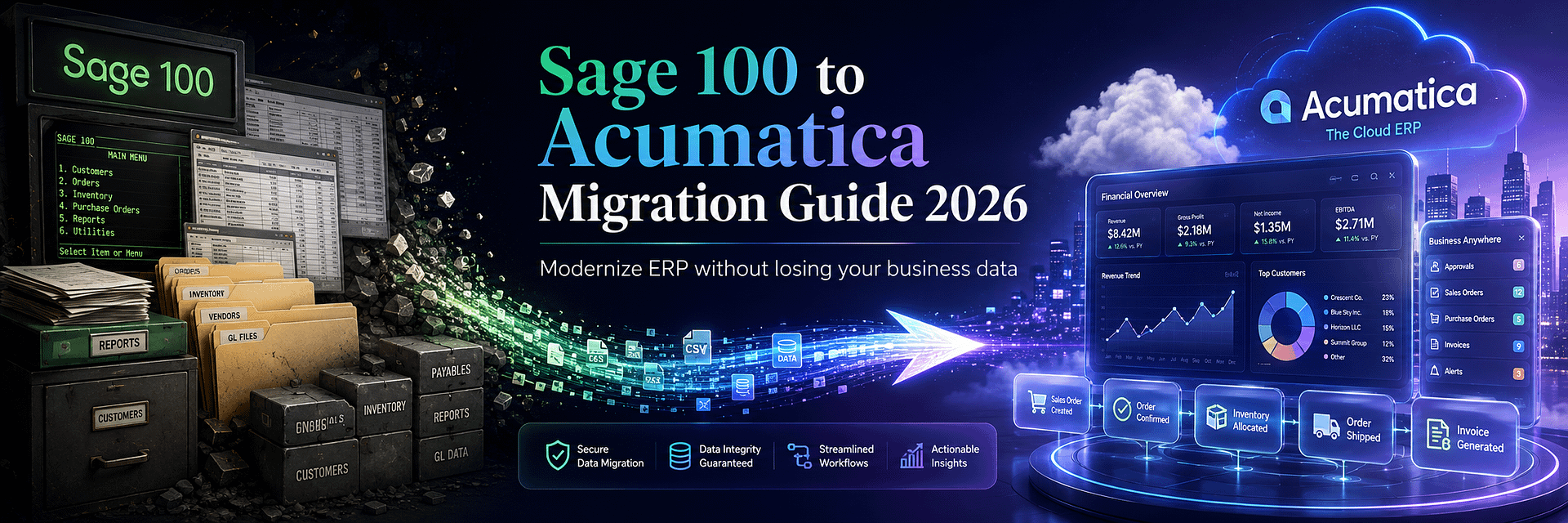
Sage 100 to Acumatica Migration Guide 2026: How to Modernize Your ERP Without Losing Your Business Data
Moving from Sage 100 to Acumatica is not simply a software replacement. It is an opportunity to redesign how finance, inventory, sales, purchasing, manufacturing, projects, warehouses, reporting, integrations, and employees work together.
For many companies, Sage 100 has been a dependable business system for years or even decades. It may contain financial history, customer and vendor records, inventory, sales orders, purchase orders, manufacturing data, custom reports, Crystal Reports, Visual Integrator jobs, ODBC connections, third-party add-ons, SQL databases, and business processes that have gradually become part of the organization’s daily routine.
That history is exactly why a Sage 100 to Acumatica migration should never be approached as a simple export-and-import project.
The business is not only moving accounting data.
It is moving institutional knowledge.
A successful Sage 100 migration to Acumatica must determine:
- which Sage 100 data should move;
- which historical information should remain archived;
- how the chart of accounts should evolve;
- how companies and locations should map into Acumatica;
- how inventory quantities and valuation will be reconciled;
- how open AR and AP documents will be migrated;
- how sales and purchasing transactions will continue after cutover;
- how Sage 100 manufacturing structures should map into Acumatica Manufacturing Edition;
- what happens to Crystal Reports and custom reports;
- how Sage customizations and integrations should be replaced;
- how users will learn the new workflows;
- how the business will continue operating during cutover.
Companies searching for Sage 100 alternative, Sage 100 replacement, Sage 100 cloud ERP migration, Acumatica vs Sage 100, or how to migrate Sage 100 to Acumatica are usually facing the same underlying question:
Has our business become more complex than the ERP architecture we originally implemented?
That is a better question than asking whether Sage 100 is “good” or “bad.”
Sage 100 continues to be an actively supported ERP product. In 2026, Sage released Sage 100 2026 and subsequent product updates with new capabilities and enhancements.
The case for moving to Acumatica is therefore not that Sage 100 has disappeared.
The case is that some growing companies need a different operating model: cloud-native access, broader employee participation, real-time data across locations, open integration architecture, industry-specific ERP functionality, modern dashboards, flexible automation, and a platform designed to connect more of the business in one environment.
Acumatica has also created a dedicated See the Difference Migration Plan for Sage 100 customers, allowing organizations to experience Acumatica using their actual data before committing to a full production conversion.
For BizTech, this migration scenario is particularly relevant.
BizTech Services is both a Sage Certified Gold Development Partner and an Acumatica Gold Partner.
That means our team understands both sides of the transition: the Sage ecosystem a company is leaving and the Acumatica platform it is adopting.
BizTech also develops proprietary Acumatica integrations and enhancements for Amazon, Shopify, WooCommerce, Magento, PayPal, ShipHero, ShipStation, DSCO, CommerceHub, Salesforce, ServiceTitan, EDI, inventory workflows, gift cards, kits, consignment, and custom business systems.
This guide explains the complete migration journey—from the first modernization decision to final data reconciliation and post-go-live support.
Important: Sage 100 Is Still Supported in 2026
One of the easiest ways to damage the credibility of an ERP migration article is to claim that Sage 100 is dead, discontinued, or unsupported.
That is not accurate.
Sage continues to develop and support Sage 100.
Sage 100 2026 introduced enhancements including an AI-powered Help Agent, Global Search, expanded lot and serial number fields, and workflow improvements. Sage subsequently released Sage 100 2026.1 with additional enhancements and fixes.
Sage also continues to position Sage 100 as an ERP solution with accounting automation, payroll, inventory optimization, reporting, workflow capabilities, and integrations.
This matters because a Sage 100 to Acumatica migration should be a strategic choice rather than a fear-based decision.
Sage 100 migration in 2026 is generally a modernization decision, not a forced end-of-life migration.
A business should consider moving because the economics, architecture, integrations, user experience, scalability, remote access, reporting, or operating model no longer fit its needs—not because someone incorrectly claimed the software has disappeared.
This distinction also helps management build a better business case.
The decision becomes:
- What does staying on Sage 100 cost us over the next five years?
- What operational constraints are we accepting?
- How much manual work exists around the ERP?
- How many third-party applications are required?
- How much infrastructure and IT support do we maintain?
- How difficult is it to provide access across locations?
- How quickly can we introduce new channels, warehouses, entities, or business models?
- Would Acumatica create enough measurable value to justify migration?
Those are legitimate ERP questions.
Why Businesses Move Beyond Sage 100
Sage 100 can remain operational long after a company begins experiencing ERP friction.
Financials may still post correctly. Invoices may still be created. Purchase orders may still be entered. Reports may still run.
The first problems often appear around the ERP rather than inside the general ledger.
Examples include:
- employees exporting information to Excel for analysis;
- inventory being tracked in another application;
- different locations operating separate processes;
- warehouse teams depending on paper;
- remote employees relying on additional infrastructure;
- eCommerce orders being synchronized through fragile integrations;
- management waiting for manually assembled reports;
- separate CRM, service, manufacturing, or project applications;
- duplicate entry between Sage 100 and external systems;
- increasing dependence on custom code and specialized knowledge.
Over time, the ERP becomes one component in a larger collection of disconnected tools.
That is when the company should evaluate whether continuing to extend the old architecture remains economically rational.
Growth Across Locations
A company that operated from one office may now have:
- multiple warehouses;
- distribution centers;
- manufacturing facilities;
- field teams;
- remote workers;
- international locations;
- several legal entities.
The ERP architecture must evolve with that structure.
Growing Integration Requirements
Modern businesses increasingly need ERP connected to:
- Amazon;
- Shopify;
- WooCommerce;
- Magento;
- Salesforce;
- payment gateways;
- shipping systems;
- warehouse platforms;
- EDI networks;
- tax services;
- BI tools;
- custom applications.
Integration architecture becomes a strategic ERP capability rather than a secondary technical concern.
More Users Need Direct Information
ERP value increases when decision-makers can access current information directly.
Finance, sales, operations, purchasing, customer service, warehouse teams, production managers, project managers, executives, and field employees may all need different views of the same business data.
Acumatica vs Sage 100 in 2026
The most useful comparison is not a list of checkboxes.
Both products can manage important ERP processes.
The more meaningful question is how each platform supports the future operating model.
| Area | Sage 100 | Acumatica Cloud ERP |
|---|---|---|
| Product status | Actively supported and updated, including Sage 100 2026 | Actively developed cloud ERP platform |
| Core architecture | Long-established ERP architecture with Standard, Advanced, and Premium deployment considerations | Modern browser-based cloud ERP architecture |
| Deployment | Deployment model varies by Sage 100 edition and hosting arrangement | SaaS and Private Cloud Subscription options |
| User access | Licensing and access depend on Sage configuration and agreement | Acumatica markets consumption-based plans around broad/unlimited user access; exact entitlements depend on product and licensing method |
| Financial management | Established accounting and financial functionality | Financial management directly connected with modern operational and industry applications |
| Inventory | Inventory and distribution functionality available | Integrated inventory, warehouses, availability, purchasing, sales, WMS, commerce, and reporting |
| Manufacturing | Manufacturing capabilities and third-party ecosystem available | Integrated Manufacturing Edition with BOM, routing, production, MRP, planning, scheduling, engineering changes, and related functions |
| Construction | May rely on industry modules and connected applications depending on environment | Dedicated Construction Edition |
| CRM | Often supplemented with external CRM depending on implementation | Embedded CRM functionality with optional external CRM integration |
| Integration | Visual Integrator, ODBC, Business Objects, third-party integrations and partner development | REST APIs, webhooks, business events, import/export scenarios and customization framework |
| Reporting | Standard reports, Crystal Reports, ODBC, exports and partner tools | Reports, Generic Inquiries, dashboards, business events, analytics and BI integrations |
| Remote access | Depends on deployment and hosting architecture | Designed around browser and cloud access |
| Industry expansion | Capabilities depend on edition, modules and ecosystem | Distribution, Manufacturing, Construction, Retail, Professional Services and General Business editions |
The correct decision depends on business requirements.
For companies that are comfortable with Sage 100, have a stable operating model, and do not need major architectural change, remaining on Sage may be perfectly reasonable.
For companies that need a more connected cloud operating environment, Acumatica can offer a stronger long-term platform.
Acumatica’s Official Sage 100 Migration Program
Acumatica has developed a dedicated migration initiative for Sage 100 customers called the See the Difference Migration Plan.
The program is particularly interesting because it reduces one of the biggest barriers in ERP evaluation:
Businesses usually have to imagine what the new ERP will look like using generic demonstration data.
Under this program, Acumatica can instead create an environment using the company’s actual Sage 100 information.
Core Data Migration in Two to Three Days
Acumatica states that its automated process can move core financial information, customer data, vendor data, and open transactions into the evaluation environment in approximately two to three days.
The purpose is to allow the business to see its own data inside Acumatica quickly.
Six-Month Trial Environment
The program includes six months of software access using the company’s migrated information.
This enables users to evaluate:
- navigation;
- financial reporting;
- customer and vendor information;
- open transactions;
- workflows;
- role-based access;
- fit with future requirements.
Guided Migration Support
Acumatica also positions the program around:
- scoping;
- mapping;
- cutover planning;
- scheduled guidance;
- role-based learning.
A Two-to-Three-Day Trial Migration Is Not the Same as a Complete ERP Implementation
This distinction is critical.
The official migration program can create an evaluation environment with core Sage 100 data quickly.
That does not mean every Sage 100 company can completely replace its production ERP in two or three days.
Core data conversion for evaluation and full production ERP implementation are different projects.
A production implementation may also require:
- business process discovery;
- company and branch design;
- chart of accounts redesign;
- inventory structure;
- warehouse configuration;
- manufacturing setup;
- project or construction configuration;
- historical data strategy;
- custom reports;
- Crystal Reports replacement;
- customization redevelopment;
- eCommerce integrations;
- EDI;
- shipping;
- payment integrations;
- user acceptance testing;
- training;
- final cutover;
- post-go-live support.
The Acumatica migration program is valuable because it lets companies validate the platform using real information before committing to the entire transformation.
That can improve implementation planning because the final scope is based on experience rather than assumptions.
Twelve Signs Your Business May Have Outgrown Sage 100
1. You Depend on Too Many Spreadsheets
If Excel has become the place where inventory, consolidations, project status, forecasts, pricing, or management reports are actually controlled, the ERP is no longer the complete operational system.
2. Employees Enter the Same Data More Than Once
Orders, customers, payments, inventory changes, or shipping information may be copied manually between Sage 100 and external platforms.
3. Several Locations Operate Differently
Different branches may have developed separate spreadsheets, applications, workflows, or reporting routines.
4. Remote Access Requires Additional Complexity
Users need a simpler way to access ERP information from different locations, devices, or working environments.
5. Management Reporting Takes Too Long
If managers wait hours or days while information is exported, consolidated, and reformatted, decision-making is delayed.
6. Inventory Is Not Trusted
Warehouse employees may need to physically verify stock because system quantities do not match operations.
7. Your Business Uses Many Add-On Systems
An expanding stack of inventory, CRM, manufacturing, reporting, EDI, eCommerce, warehouse, and service applications can create integration debt.
8. Adding a New Business Entity Is Difficult
Acquisitions, new divisions, or legal entities may create significant accounting and reporting complexity.
9. Manufacturing Has Outgrown the Current Structure
The company needs stronger planning, scheduling, production management, BOM control, traceability, or shop-floor information.
10. eCommerce and Marketplaces Are Becoming Core Revenue Channels
Amazon, Shopify, WooCommerce, Magento, and retail networks require reliable inventory, order, payment, tax, fulfillment, and refund synchronization.
11. IT Spends Too Much Time Maintaining ERP Infrastructure
The business wants IT resources focused on process improvement and integration rather than servers and legacy dependencies.
12. Technology Is Limiting Business Strategy
The strongest migration signal is when management avoids operational changes because the existing ERP environment makes them too difficult.
What Data Can Be Migrated from Sage 100 to Acumatica?
Most core Sage 100 business data can be migrated.
The exact scope depends on:
- Sage 100 edition;
- version;
- modules;
- data quality;
- custom fields;
- third-party enhancements;
- historical requirements;
- Acumatica target design.
Financial Data
- chart of accounts;
- general ledger balances;
- account history;
- departments or divisions;
- bank accounts;
- currencies;
- financial periods;
- budgets;
- open receivables;
- open payables.
Customers
- customer numbers;
- names;
- addresses;
- contacts;
- terms;
- credit limits;
- salespersons;
- tax information;
- price levels;
- custom fields;
- open balances.
Vendors
- vendor numbers;
- names;
- addresses;
- contacts;
- terms;
- tax identifiers;
- payment information;
- custom fields;
- open balances.
Inventory
- item numbers;
- descriptions;
- product lines;
- units of measure;
- warehouses;
- quantities;
- costs;
- prices;
- lot numbers;
- serial numbers;
- vendor relationships;
- reorder information;
- custom fields.
Sales and Purchasing
- open sales orders;
- open purchase orders;
- quotes where required;
- customer invoices;
- vendor invoices;
- credits;
- payments;
- open commitments.
Manufacturing
Depending on the installed Sage modules and target Acumatica Manufacturing design:
- assemblies;
- bills of material;
- components;
- routing information;
- work centers;
- production-related data;
- inventory relationships;
- manufacturing costs;
- planning data.
Historical Information
Historical migration may include:
- GL transactions;
- invoice history;
- payment history;
- purchasing history;
- sales history;
- inventory history;
- manufacturing history;
- project history.
Assessing the Existing Sage 100 Environment
Before exporting anything, BizTech recommends building a complete inventory of the Sage environment.
Document:
- Sage 100 version;
- Standard, Advanced, or Premium edition;
- installed modules;
- companies;
- divisions;
- warehouses;
- users;
- roles;
- custom fields;
- Visual Integrator jobs;
- Crystal Reports;
- ODBC connections;
- Business Objects customizations;
- third-party modules;
- scheduled tasks;
- imports and exports;
- eCommerce integrations;
- EDI;
- warehouse integrations;
- payment systems;
- reporting tools.
This environment inventory is one reason a migration partner with Sage expertise is valuable.
Source-system knowledge reduces the risk of discovering a critical dependency immediately before cutover.
How Sage 100 Data Is Extracted for Migration
Sage 100 provides several ways to access and export information.
The correct method depends on the edition, module, record type, amount of data, and whether extraction needs to be repeated during test migrations.
Visual Integrator
Sage 100 Visual Integrator can import and export data.
It can be useful for controlled migration extracts because export jobs can define:
- source tables;
- selected fields;
- output file types;
- filters;
- data transformations.
For a migration project, reusable export jobs can be valuable because the same extraction logic can be used during test conversion and final cutover.
ODBC
Sage supports ODBC-based data access.
ODBC can be used with tools such as:
- Microsoft Excel;
- Microsoft Access;
- Crystal Reports;
- SQL tools;
- other ODBC-compatible applications.
ODBC is particularly useful when migration data requires table joins, custom selections, or structured queries.
Report Export
Reports can be exported for migration or, more importantly, reconciliation.
Examples include:
- trial balance;
- AR aging;
- AP aging;
- inventory valuation;
- customer listing;
- vendor listing;
- open sales orders;
- open purchase orders.
Lookup Export
Sage 100 lookups can also be configured and exported to Excel or CSV for selected datasets.
Direct SQL Access Where Applicable
Some Sage 100 environments—particularly Sage 100 Premium and SQL-based deployments—use Microsoft SQL Server databases.
In those environments, migration teams may use SQL-based extraction and database backups as part of the source-data process.
The exact method should be determined according to edition, infrastructure, security, and data ownership.
Sage 100 SQL Data Migration to Acumatica
The phrase Sage 100 SQL migration requires clarification.
Not every Sage 100 environment has the same database architecture.
Sage 100 Premium and certain SQL-based environments can involve Microsoft SQL Server, while other Sage 100 installations use Sage data files with ODBC access.
Therefore, the project should first identify the source architecture.
For SQL-Based Sage 100 Environments
The migration process may include:
- database inventory;
- SQL Server version;
- company databases;
- custom tables;
- third-party schemas;
- database backups;
- ODBC configuration;
- query-based extraction;
- record-count validation;
- data transformation pipelines.
Do Not Treat the SQL Database as the Business Model
Direct access to tables does not automatically explain the business meaning of the data.
The migration team still needs Sage functional knowledge to understand:
- document status;
- relationships;
- control totals;
- open versus historical records;
- posting behavior;
- third-party enhancements.
A technically correct SQL export can still produce a bad ERP migration if the business relationships are misunderstood.
Sage 100 Chart of Accounts Migration
The chart of accounts is one of the areas where companies often copy too much from the old system.
A Sage 100 chart may have evolved over many years.
Accounts may contain embedded information representing:
- departments;
- locations;
- business units;
- product lines;
- entities;
- management reporting conventions.
Acumatica offers account, subaccount, branch, and other reporting structures that may allow the company to simplify the chart.
Migration Tasks
- identify active accounts;
- identify obsolete accounts;
- identify control accounts;
- map retained earnings;
- map cash accounts;
- define branches;
- design subaccount segments;
- map departments or divisions;
- prepare opening balances;
- validate the trial balance.
The objective is not to preserve every account number.
The objective is to preserve financial meaning while improving future reporting.
Migrating Sage 100 Companies, Divisions, and Locations
A growing Sage 100 environment may include:
- multiple company codes;
- separate databases;
- divisions;
- warehouses;
- locations;
- different accounting structures.
Acumatica provides companies, branches, warehouses, and related organizational structures.
The migration should determine which Sage structures represent:
- legal entities;
- financial branches;
- physical locations;
- warehouses;
- reporting dimensions.
These concepts should not be mixed automatically.
Multi-Company Consolidation
For companies running several Sage databases, moving to Acumatica may create an opportunity to centralize:
- financial reporting;
- customer data;
- vendor data;
- inventory visibility;
- intercompany processes;
- security;
- management dashboards.
Sage 100 Customer and Vendor Migration
Customer and vendor master data influences nearly every downstream process.
The migration should address data quality before import.
Customer Information
- customer ID;
- name;
- billing addresses;
- shipping addresses;
- contacts;
- terms;
- credit limits;
- salespersons;
- tax information;
- price level;
- email;
- phone;
- custom fields;
- external integration IDs.
Vendor Information
- vendor ID;
- vendor name;
- addresses;
- contacts;
- payment terms;
- tax information;
- payment details;
- currency;
- custom fields;
- item relationships.
Data Cleansing
Review:
- duplicate accounts;
- inactive customers;
- inactive vendors;
- invalid addresses;
- old contacts;
- duplicate tax IDs;
- inconsistent naming conventions.
Migrating dirty master data simply creates a cleaner-looking interface with the same underlying problems.
Sage 100 Inventory Migration to Acumatica
Inventory conversion is frequently one of the most challenging components of the project.
The business must align:
- item master data;
- warehouse quantities;
- inventory valuation;
- costing methods;
- open purchase orders;
- open sales demand;
- lot and serial information;
- physical inventory.
Item Master
Potentially migrated fields include:
- item number;
- description;
- product line;
- item type;
- units of measure;
- costing information;
- sales prices;
- vendors;
- reorder settings;
- lead times;
- custom fields.
Warehouses
For each warehouse, validate:
- on-hand quantity;
- allocated quantity;
- available quantity;
- inventory value;
- lot balances;
- serial numbers;
- in-transit inventory;
- open supply;
- open demand.
Physical Inventory Reconciliation
The ideal cutover should reconcile:
- Sage 100;
- physical inventory;
- warehouse system;
- eCommerce inventory;
- general ledger inventory accounts.
If those values disagree, the company must determine the authoritative opening balance before Acumatica goes live.
Migrating Open Accounts Receivable and Accounts Payable
Open AR and AP require detailed reconciliation because they directly affect cash and working capital.
Accounts Receivable
Potentially migrated documents include:
- open invoices;
- credit memos;
- unapplied cash;
- customer deposits;
- due dates;
- remaining balances;
- document references.
Accounts Payable
Potential data includes:
- open vendor invoices;
- vendor credits;
- prepayments;
- unapplied payments;
- due dates;
- remaining balances;
- document references.
Required Reconciliation
After migration:
- customer aging should equal approved Sage totals;
- vendor aging should equal approved Sage totals;
- AR should reconcile with the general ledger;
- AP should reconcile with the general ledger;
- unapplied documents should remain traceable.
Sage 100 Sales Order and Purchase Order Migration
Open orders need special attention because they continue through operational workflows after go-live.
Sales Orders
The migration may require:
- customer;
- order number;
- order date;
- customer PO;
- items;
- quantity ordered;
- quantity shipped;
- warehouse;
- price;
- discount;
- tax;
- freight;
- salesperson;
- status;
- channel references.
Purchase Orders
The migration may include:
- vendor;
- PO number;
- items;
- ordered quantity;
- received quantity;
- cost;
- warehouse;
- expected delivery;
- status;
- related receipts.
Partially Completed Documents
Partially shipped or partially received documents should be reviewed individually because source and target systems may represent remaining quantities differently.
Sage 100 Manufacturing and BOM Migration
Manufacturing migrations usually require design rather than simple data conversion.
The source environment may contain:
- assemblies;
- BOMs;
- component relationships;
- routing;
- work centers;
- labor;
- overhead;
- production history;
- inventory requirements;
- planning information.
Acumatica Manufacturing Edition may support:
- bill of material and routing;
- production management;
- material requirements planning;
- planning and scheduling;
- engineering change control;
- product configurator;
- shop-floor workflows;
- manufacturing costing.
Do Not Assume One-to-One BOM Conversion
A source BOM may require changes because:
- units differ;
- routing was handled externally;
- phantom assemblies exist;
- labor was tracked differently;
- overhead rules differ;
- revision control needs improvement;
- planning parameters were stored elsewhere.
The target BOM structure should support future production rather than merely preserve historical Sage behavior.
How Much Sage 100 History Should Be Migrated?
There are several valid strategies.
Full Detailed History
Advantages:
- users remain in one ERP;
- historical research is easier;
- comparative analysis can use one source;
- legacy infrastructure may be retired sooner.
Disadvantages:
- higher migration cost;
- longer reconciliation;
- more transformation;
- increased risk of transferring obsolete data.
Limited History
A company may migrate the current year plus one or more comparative periods.
Summary History
Monthly or annual financial summaries can support comparative reporting without recreating every transaction.
Opening Balances and Open Transactions Only
The cleanest production approach is sometimes to begin with approved opening positions and preserve Sage 100 as a controlled historical archive.
How to Decide
Consider:
- audits;
- tax retention;
- warranty requirements;
- customer service;
- vendor history;
- manufacturing traceability;
- project history;
- comparative reporting;
- cost of maintaining Sage access.
Sage 100 Crystal Reports Migration to Acumatica
Crystal Reports is an important part of many Sage 100 environments.
Companies may have accumulated dozens or hundreds of reports over time.
Common report types include:
- financial reports;
- sales reports;
- inventory reports;
- purchase reports;
- customer statements;
- labels;
- operational forms;
- custom management reports.
These should not automatically be recreated one-for-one.
Inventory Every Report
For each Crystal Report, identify:
- business owner;
- frequency of use;
- data source;
- parameters;
- formulas;
- distribution method;
- whether it is still required.
Possible Acumatica Replacements
A Crystal Report may become:
- an Acumatica report;
- a Generic Inquiry;
- a dashboard;
- a financial report;
- a business event;
- a Power BI or Tableau report;
- an automated notification;
- a report that should simply be retired.
Reporting Migration Is a Redesign Opportunity
A report created fifteen years ago may exist because management could not easily access live data.
If Acumatica can surface that information directly on a role-based dashboard, recreating the old PDF may provide little value.
Migrating Sage 100 Customizations and Business Logic
Many long-term Sage 100 customers use customizations created by Sage partners or internal developers.
They may include:
- Business Objects logic;
- Visual Integrator jobs;
- custom fields;
- scripts;
- modified screens;
- custom reports;
- third-party modules;
- scheduled integrations.
The migration team should not begin by asking:
How do we rewrite this in Acumatica?
The correct first question is:
What business problem does this customization solve?
Possible Target Approaches
The requirement may become:
- standard Acumatica functionality;
- a configuration setting;
- an approval workflow;
- a business event;
- a Generic Inquiry;
- an import/export scenario;
- an API integration;
- a BizTech connector;
- a custom Acumatica customization project.
Migrating Sage 100 Integrations to Acumatica
Many Sage 100 customers do not actually run one ERP.
They run an ecosystem.
That ecosystem may include:
- Amazon;
- Shopify;
- WooCommerce;
- Magento;
- CRM;
- EDI;
- shipping software;
- warehouse systems;
- payment processors;
- tax software;
- manufacturing applications;
- reporting databases;
- custom software.
Every integration must be inventoried before the Sage environment is retired.
Integration Inventory
Document:
- system name;
- business owner;
- technical owner;
- data entities;
- direction;
- frequency;
- authentication;
- record matching;
- error handling;
- monitoring;
- transaction volume.
BizTech Acumatica Connectors
BizTech already develops Acumatica solutions for many common integration scenarios.
- Amazon FBA/FBM Connector;
- Shopify Connector;
- WooCommerce Connector;
- Magento Connector;
- PayPal Integration;
- ShipHero Connector;
- ShipStation Connector;
- DSCO Connector;
- CommerceHub Connector;
- Salesforce Integration;
- ServiceTitan Connector;
- EDI workflows;
- custom API integrations.
Using an existing connector can reduce the amount of custom redevelopment required during migration.
Do Not Rebuild Sage 100 Inside Acumatica
This is one of the most important principles of the entire migration.
Users often request familiar screens, fields, reports, and workflows simply because they know them.
But familiarity does not necessarily mean efficiency.
A stronger migration sequence is:
- Use standard Acumatica functionality when it fits.
- Use configuration and low-code tools where possible.
- Use an existing BizTech or ecosystem solution when one already solves the problem.
- Keep specialized external software when it genuinely adds value.
- Develop custom Acumatica functionality only when necessary.
The goal is not to reproduce Sage 100. The goal is to preserve the business while improving the system.
This approach can reduce:
- technical debt;
- custom development cost;
- upgrade risk;
- support requirements;
- implementation time;
- training complexity.
Complete Sage 100 to Acumatica Migration Process
Phase 1: Business Discovery
Define why the company is considering migration and what measurable business problems the project must solve.
Phase 2: Sage Environment Audit
Inventory versions, modules, companies, data, reports, customizations, integrations, users, and infrastructure.
Phase 3: Acumatica Fit-Gap Analysis
Classify requirements into:
- standard Acumatica;
- configuration;
- existing BizTech solution;
- external integration;
- custom development;
- retirement.
Phase 4: Target ERP Architecture
Design:
- companies;
- branches;
- chart of accounts;
- subaccounts;
- customers;
- vendors;
- inventory;
- warehouses;
- manufacturing;
- projects;
- security;
- reporting;
- integrations.
Phase 5: Data Extraction Design
Determine whether each dataset comes from:
- Visual Integrator;
- ODBC;
- reports;
- lookup exports;
- SQL;
- third-party applications.
Phase 6: Data Cleansing and Mapping
Deduplicate, standardize, reconcile, and map source data.
Phase 7: Acumatica Configuration
Configure the approved applications and processes.
Phase 8: Integration and Custom Development
Build only what is required after fit-gap analysis.
Phase 9: Test Migration
Perform at least one realistic conversion rehearsal.
Phase 10: Reconciliation
Validate:
- trial balance;
- AR;
- AP;
- cash;
- inventory;
- sales orders;
- purchase orders;
- manufacturing balances;
- project balances.
Phase 11: User Acceptance Testing
Users test real end-to-end processes.
Phase 12: Training
Training should be role-based and based on the configured client environment.
Phase 13: Final Cutover
Freeze source transactions, complete the final export, migrate production data, reconcile, activate integrations, and approve go-live.
Phase 14: Stabilization and Optimization
Monitor users, integrations, reports, performance, and exceptions after launch.
How Much Does Sage 100 to Acumatica Migration Cost?
There is no universal migration price.
The major cost drivers include:
- Sage 100 edition;
- number of companies;
- modules;
- transaction history;
- data quality;
- inventory complexity;
- manufacturing;
- custom reports;
- Visual Integrator jobs;
- customizations;
- third-party modules;
- integrations;
- Acumatica applications;
- training;
- testing;
- cutover complexity.
| Cost Area | Typical Scope |
|---|---|
| Acumatica Software | Applications, product level, resources, storage, deployment |
| Discovery | Sage audit, process review, fit-gap, target architecture |
| Data Migration | Extraction, cleansing, mapping, imports, reconciliation |
| Reporting Migration | Crystal Reports, financial reports, dashboards, BI |
| Customization | Visual Integrator logic, custom fields, Business Objects, custom workflows |
| Integration Migration | Commerce, WMS, shipping, payments, CRM, EDI, tax, custom APIs |
| Training | Role-based training and documentation |
| Go-Live | Final cutover, reconciliation, stabilization |
| Support | Monitoring, issue resolution, optimization, enhancements |
What Reduces Migration Cost?
- clean source data;
- reconciled financials;
- limited historical migration;
- clear process ownership;
- standard Acumatica functionality;
- existing BizTech connectors;
- retiring unused reports;
- retiring obsolete customizations;
- phased deployment where appropriate.
What Increases Migration Cost?
- many companies;
- many years of detailed history;
- inaccurate inventory;
- large Crystal Reports catalog;
- many third-party modules;
- extensive customization;
- complex manufacturing;
- many integrations;
- compressed implementation schedule;
- poor internal availability.
How Long Does Sage 100 to Acumatica Migration Take?
There is no universal duration.
A Sage 100 migration can range from a focused financial conversion to a full operational transformation involving manufacturing, distribution, construction, inventory, multiple entities, historical data, and integrations.
Published Acumatica customer stories illustrate this variation.
Erickson International’s Sage 100 replacement was implemented in three months for its specific scope.
Other migrations have different timelines based on data, customizations, integrations, user availability, and industry requirements.
Timeline Drivers
- number of companies;
- number of modules;
- data history;
- quality of data;
- manufacturing complexity;
- customization;
- reporting;
- integrations;
- training;
- testing;
- internal decision speed.
Real Sage 100 to Acumatica Migration Results
Actual customer examples provide useful evidence of what organizations have achieved after moving from Sage 100 to Acumatica.
These are specific company results, not universal guarantees.
Erickson International
reduction in IT total cost of ownership reported in the customer case study
connected in one ERP environment
implementation period reported for this specific project
Erickson International replaced Sage 100 and disconnected financial systems with Acumatica.
The company gained real-time inventory visibility across locations and reduced infrastructure complexity.
Eastman Music Company
consolidated into one ERP platform
to run a transaction report that previously required 1–2 days
cut from shipping times according to the published case study
Eastman Music had operated Sage 100 for decades and needed a platform capable of supporting acquisitions and international growth.
Kelly Products
reduction in month-end close time
united on one ERP platform
inventory systems consolidated
Kelly Products moved from disconnected Sage environments to Acumatica Manufacturing Edition.
Dakota Red Corporation
Dakota Red operated Sage 100, Microsoft Access, and spreadsheets across 12 locations and 15 entities.
Its Acumatica case study reports:
- 15 entities consolidated;
- inventory visibility across 12 locations;
- approximately $1.5–$2 million reduction in inventory;
- expansion of ERP access from approximately 10 to 70 users.
Spohn Associates
Specialty contractor Spohn Associates replaced Sage 100 and multiple other applications with Acumatica Construction Edition.
The published case study reports:
- one platform replacing approximately 10 applications;
- hours saved through automation;
- efficient management of more than 350 projects annually.
Quality Material Handling
Quality Material Handling replaced Sage 100 and paper/spreadsheet processes with Acumatica.
The published case study reports:
- report preparation reduced from hours to minutes;
- five sales-tax reports consolidated into one;
- 82% reduction in month-end close time.
AFF Group
AFF Group moved from an outdated Sage environment to Acumatica Manufacturing Edition.
The published case study reports:
- millions saved in labor costs;
- production doubled with the same staff;
- major reductions in paper-based processes.
Sage 100 to Acumatica Migration for Manufacturing
Manufacturers are one of the strongest migration audiences.
A manufacturing company may need:
- financial management;
- inventory;
- BOMs;
- routing;
- production orders;
- MRP;
- planning and scheduling;
- lot and serial traceability;
- quality workflows;
- shop-floor data;
- warehouse management;
- eCommerce;
- EDI;
- CRM;
- financial reporting.
The migration should connect manufacturing and financial data rather than preserve separate operational silos.
Sage 100 to Acumatica Migration for Distribution
Distribution companies often need stronger connectivity across:
- purchasing;
- inventory;
- warehouses;
- sales orders;
- pricing;
- replenishment;
- shipping;
- returns;
- eCommerce;
- EDI;
- customer service;
- margin reporting.
A modern ERP should allow warehouse, sales, purchasing, finance, and management teams to work from the same data.
Sage 100 to Acumatica Migration for Construction
Construction businesses may require:
- project accounting;
- job costing;
- budgets;
- commitments;
- change orders;
- subcontracts;
- billing;
- retainage;
- field access;
- document management;
- project dashboards.
The migration may therefore involve more than financial balances.
Active project structures and open commitments may need detailed design.
Sage 100 to Acumatica Migration for eCommerce
An eCommerce company may have built a large integration ecosystem around Sage 100.
The target Acumatica architecture may include:
- Shopify;
- WooCommerce;
- Amazon;
- Magento;
- payment systems;
- shipping platforms;
- warehouses;
- 3PLs;
- returns;
- refunds;
- channel profitability.
BizTech’s existing connector portfolio can reduce the amount of integration redevelopment required.
Sage 100 to Acumatica Migration for Multi-Company Businesses
Multi-company organizations need to evaluate:
- company structure;
- branches;
- shared master data;
- intercompany accounting;
- consolidated reporting;
- currencies;
- security;
- warehouses;
- entity-specific integrations.
Eastman Music’s consolidation of 14 companies and Dakota Red’s 15-entity environment demonstrate the scale Acumatica can support in this scenario.
Common Sage 100 to Acumatica Migration Risks
Risk 1: Assuming Sage 100 Is the Same for Every Customer
Standard, Advanced, Premium, custom modules, hosting, SQL environments, and third-party enhancements create different migration requirements.
Risk 2: Exporting Data Before Designing Acumatica
Source data cannot be mapped correctly until the target structure exists.
Risk 3: Ignoring Custom Reports
A business may rely on Crystal Reports that nobody remembered to include in the migration scope.
Risk 4: Missing Visual Integrator Jobs
Automated imports and exports may support critical operations.
Risk 5: Migrating Inaccurate Inventory
Incorrect opening inventory immediately damages trust in the new ERP.
Risk 6: Rebuilding Every Customization
Some old customizations should be replaced with standard Acumatica functionality.
Risk 7: Migrating Too Much History
Full transaction history can significantly increase cost without producing proportional value.
Risk 8: Forgetting Third-Party Integrations
Payments, EDI, eCommerce, warehouses, and reporting systems must be included from the beginning.
Risk 9: Insufficient Testing
Individual screens can work while complete business processes fail.
Risk 10: No Post-Go-Live Support
Production transactions reveal edge cases that test data may not expose.
Why BizTech Is Uniquely Positioned for Sage 100 to Acumatica Migration
This migration is one of the scenarios where BizTech’s partner background matters most.
BizTech Services is both a Sage Certified Gold Development Partner and an Acumatica Gold Partner.
This matters because a migration partner should understand both the system being left and the platform being adopted.
Source-System Understanding
BizTech’s Sage development experience can help identify:
- Sage 100 modules;
- data structures;
- ODBC dependencies;
- Visual Integrator jobs;
- Crystal Reports;
- custom development;
- third-party applications;
- integration workflows.
Target-System Expertise
As an Acumatica Gold Partner, BizTech works with:
- Acumatica implementation;
- configuration;
- data migration;
- custom development;
- API integrations;
- automation;
- reporting;
- testing;
- training;
- support.
Proprietary Acumatica Solutions
BizTech also develops solutions for:
- Amazon FBA and FBM;
- Shopify;
- WooCommerce;
- Magento;
- PayPal;
- ShipHero;
- ShipStation;
- DSCO;
- CommerceHub;
- ServiceTitan;
- Salesforce;
- EDI;
- Gift Card Processing;
- Kit Processing;
- Consignment Processing;
- custom warehouse and commerce workflows.
One Migration Partner Instead of Several Disconnected Vendors
A complex Sage 100 replacement might otherwise require:
- one Sage consultant;
- one Acumatica consultant;
- a data migration company;
- an integration developer;
- a reporting consultant;
- a support provider.
BizTech can coordinate these disciplines as one migration program.
Final Sage 100 to Acumatica Migration Checklist
Business Case
- Reasons for migration are documented.
- Success metrics are defined.
- Executive sponsor is assigned.
- Budget is approved.
- Process owners are identified.
Sage 100 Environment
- Version is documented.
- Edition is documented.
- Modules are documented.
- Companies are documented.
- Users and roles are documented.
- Visual Integrator jobs are inventoried.
- Crystal Reports are inventoried.
- ODBC connections are inventoried.
- Customizations are inventoried.
- Third-party modules are inventoried.
- Integrations are inventoried.
Acumatica Design
- Companies are approved.
- Branches are approved.
- Chart of accounts is approved.
- Subaccount structure is approved.
- Customer classes are approved.
- Vendor classes are approved.
- Item classes are approved.
- Warehouses are approved.
- Security roles are approved.
- Workflows are approved.
Data
- Customers are cleaned.
- Vendors are cleaned.
- Items are cleaned.
- Chart of accounts is mapped.
- Trial balance is reconciled.
- AR aging is reconciled.
- AP aging is reconciled.
- Inventory is reconciled.
- Open orders are validated.
- Historical strategy is approved.
- Test migration is completed.
Reports
- Critical Crystal Reports are classified.
- New Acumatica reports are tested.
- Generic Inquiries are tested.
- Executive dashboards are approved.
- Legacy reports to be retired are documented.
Integrations
- Every integration has an owner.
- Credentials are configured.
- Cross-references are defined.
- Error handling is tested.
- Retry logic is tested.
- Monitoring is enabled.
- Orders are tested.
- Inventory synchronization is tested.
- Payments are tested.
- Fulfillment is tested.
- Returns and refunds are tested.
Cutover
- Transaction freeze is scheduled.
- Sage backup is complete.
- Final extraction is scheduled.
- Production migration is rehearsed.
- Reconciliation responsibility is assigned.
- Go-live criteria are defined.
- Contingency plan is documented.
- Support coverage is scheduled.
Final Conclusion: Moving from Sage 100 to Acumatica
Sage 100 remains an actively supported ERP product in 2026.
That makes the migration decision more meaningful—not less.
A company should move because its business has reached a point where a different ERP architecture creates more value.
For some organizations, that point arrives when they need:
- cloud-native access;
- real-time visibility across locations;
- more employees working directly in ERP;
- modern manufacturing functionality;
- construction or project workflows;
- eCommerce and marketplace automation;
- open APIs;
- modern dashboards;
- less dependence on spreadsheets;
- simpler integration architecture;
- better support for acquisitions and multiple companies.
Acumatica provides a modern ERP platform for that next stage.
But successful migration requires more than choosing software.
It requires understanding the existing Sage environment, designing the future Acumatica architecture, cleansing and reconciling data, rebuilding only the customizations that matter, connecting external systems, testing real workflows, training users, and managing cutover carefully.
BizTech is particularly well positioned for this transition because it understands both ecosystems.
BizTech is a Sage Certified Gold Development Partner and an Acumatica Gold Partner.
That combination allows the migration to be managed as one connected business transformation instead of a handoff between unrelated source-system and target-system vendors.
For organizations searching for:
- Sage 100 to Acumatica Migration;
- Sage 100 Replacement;
- Sage 100 Alternative;
- Acumatica vs Sage 100;
- Sage 100 Cloud ERP Migration;
- Sage 100 Data Migration;
- Sage 100 SQL Migration;
- Sage 100 Crystal Reports Migration;
- Sage 100 Manufacturing Migration;
- Acumatica Gold Partner;
- BizTech Sage 100 Migration;
the correct first step is a structured migration assessment.
Sage 100 contains the history of the business.
Acumatica provides the next ERP platform.
BizTech helps build the path between them.
FAQ: Sage 100 to Acumatica Migration
Is Sage 100 discontinued in 2026?
No. Sage 100 remains an actively supported product. Sage released Sage 100 2026 and product update 2026.1. Companies moving to Acumatica are generally making an ERP modernization decision rather than responding to a Sage 100 end-of-life event.
Can Sage 100 data be migrated to Acumatica?
Yes. Financial data, customers, vendors, inventory, open AR and AP, sales orders, purchase orders, warehouses, manufacturing data, and selected historical transactions can be migrated depending on the Sage configuration and Acumatica target design.
How does Acumatica’s Sage 100 migration program work?
Acumatica’s See the Difference Migration Plan can move core financial, customer, vendor, and open transaction data into an Acumatica evaluation environment in approximately two to three days and provides a six-month trial using actual company data.
Does the two-to-three-day migration program mean full Acumatica implementation takes three days?
No. The rapid conversion is designed to create an evaluation environment with core data. A complete production implementation may also require configuration, inventory design, manufacturing, integrations, customizations, reports, historical data, testing, training, and cutover.
Can Sage 100 SQL data be migrated to Acumatica?
Yes. SQL-based Sage 100 environments can be extracted using appropriate database, reporting, ODBC, or export methods. The migration must still preserve the business meaning and relationships of the data rather than simply copying database tables.
Can Visual Integrator jobs be migrated?
Visual Integrator jobs are not normally copied directly into Acumatica. Their business purpose should be documented and replaced using Acumatica import/export scenarios, APIs, business events, integrations, workflows, or custom development as appropriate.
Can Sage 100 Crystal Reports be migrated to Acumatica?
The reporting requirements can be migrated, but old Crystal Reports should be reviewed individually. A report may be recreated as an Acumatica report, Generic Inquiry, dashboard, financial report, BI report, automated notification, or retired if the information is already available natively.
Can Sage 100 manufacturing data be migrated to Acumatica?
Yes, but manufacturing conversion usually requires design work. Bills of material, routing, production, work centers, costing, planning, and inventory relationships must be mapped to the target Acumatica Manufacturing configuration.
Can open AR and AP be migrated?
Yes. Open invoices, credits, vendor invoices, payments, deposits, due dates, and remaining balances can be migrated and reconciled with the Acumatica general ledger.
Can Sage 100 inventory be migrated?
Yes. Items, warehouses, quantities, costs, prices, lot numbers, serial numbers, units of measure, vendors, and other inventory data can be migrated when the source information is accurate and reconciled.
How much Sage 100 history should we migrate?
The company can migrate full detail, limited detailed history, summarized historical data, or only opening balances and open documents. The right option depends on audit requirements, reporting needs, data quality, budget, and legacy-access requirements.
How much does Sage 100 to Acumatica migration cost?
Cost depends on Sage edition, companies, modules, data volume, historical requirements, inventory, manufacturing, Crystal Reports, customizations, integrations, Acumatica applications, testing, training, and support. A detailed assessment is required for a reliable estimate.
How long does Sage 100 to Acumatica migration take?
There is no universal duration. Published Acumatica customer examples include projects completed in approximately three months, while more complex multi-company or highly customized environments may require longer implementations.
Can BizTech migrate our Sage 100 integrations to Acumatica?
Yes. BizTech develops Acumatica integrations and proprietary connectors for Amazon, Shopify, WooCommerce, Magento, PayPal, ShipHero, ShipStation, DSCO, CommerceHub, Salesforce, ServiceTitan, EDI, and other systems.
Why is BizTech a strong partner for Sage 100 to Acumatica migration?
BizTech is both a Sage Certified Gold Development Partner and an Acumatica Gold Partner. This gives the team expertise in the Sage 100 source environment and the Acumatica target platform, including ERP implementation, migration, custom development, integrations, reporting, testing, training, and support.


