NetSuite to Acumatica Migration Guide 2026: Why Companies Switch and How to Migrate Successfully
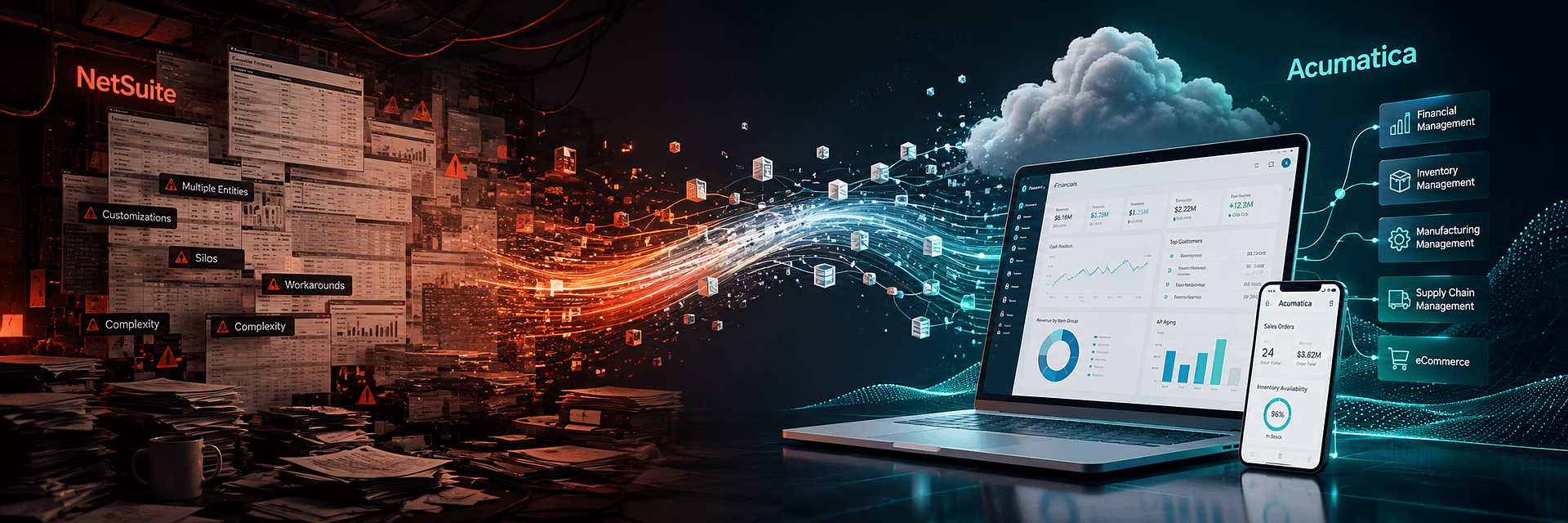
Moving from Oracle NetSuite to Acumatica is not a normal software upgrade. It is an ERP-to-ERP transformation.
A business making this move is rarely starting with a clean accounting database. A mature NetSuite environment may contain years of financial history, several subsidiaries, multiple currencies, warehouses, open orders, inventory, custom records, custom segments, SuiteScript applications, saved searches, workflows, dashboards, SuiteApps, eCommerce integrations, EDI connections, payment platforms, warehouse systems, shipping tools, CRM applications, tax engines, and business rules that have evolved over many years.
That is why a NetSuite to Acumatica migration must be approached as a complete business transformation rather than a file conversion.
Companies researching Acumatica vs NetSuite usually begin by comparing functionality, usability, integrations, implementation, licensing philosophy, customization, reporting, industry fit, partner ecosystems, and long-term ERP cost.
But once a company decides that its current ERP is no longer the right fit, the question changes.
How do we leave NetSuite without losing the data, integrations, controls, reporting, and business processes our company depends on?
That is the purpose of this guide.
Acumatica has an established migration path for organizations moving away from NetSuite, and multiple businesses have publicly documented successful transitions from NetSuite to Acumatica.
Those migrations demonstrate an important point: companies do not usually replace ERP simply because another platform has a longer feature list. They replace ERP because the relationship between business value, cost, complexity, usability, integrations, support, customization, and future growth has changed.
A successful NetSuite migration to Acumatica should therefore solve more than the immediate reason for leaving NetSuite. It should create a cleaner, more maintainable, more connected ERP environment for the next stage of the company’s growth.
As an Acumatica Gold Partner, BizTech helps businesses plan, implement, customize, integrate, test, migrate, train, and support Acumatica environments.
BizTech also develops proprietary Acumatica connectors and enhancements for eCommerce, marketplaces, payments, warehouses, fulfillment, shipping, CRM, EDI, inventory processing, and specialized business workflows.
That combination is especially relevant for companies leaving NetSuite because a mature NetSuite environment is rarely isolated.
The migration may involve:
- financial data and general ledger history;
- subsidiaries, departments, classes, locations, and reporting dimensions;
- customers, vendors, contacts, and addresses;
- inventory, assemblies, matrix items, prices, lots, and serial numbers;
- open sales orders, purchase orders, invoices, bills, credits, and payments;
- projects, fixed assets, budgets, and historical transactions;
- NetSuite custom fields and custom records;
- SuiteScript business logic;
- SuiteFlow workflows;
- saved searches, reports, and dashboards;
- SuiteApps and third-party applications;
- eCommerce and marketplace integrations;
- warehouse, shipping, EDI, CRM, payment, and tax integrations.
The goal is not to copy every NetSuite object into Acumatica.
The goal is to preserve what creates business value, eliminate unnecessary technical debt, and design a new ERP environment around Acumatica’s strengths.
Why Companies Consider Leaving NetSuite
NetSuite is a mature cloud ERP platform. A serious NetSuite replacement guide should acknowledge that directly.
Companies do not normally replace a mature ERP because it suddenly stops processing transactions. They replace it because the relationship between business value, cost, flexibility, usability, support, technical dependency, and future requirements no longer works for them.
Common reasons organizations begin researching a NetSuite alternative include:
- the commercial model no longer fits the company;
- the organization wants broader ERP access across more employees;
- customization and technical maintenance have become expensive;
- the business depends too heavily on specialized NetSuite developers;
- reporting requires too much custom work;
- integrations are difficult to maintain;
- industry-specific requirements are not being handled efficiently;
- the existing implementation accumulated significant technical debt;
- users find the ERP difficult to adopt;
- support or partner relationships are no longer delivering sufficient value;
- a contract renewal has triggered a broader ERP evaluation;
- the company wants a different licensing, deployment, integration, or support philosophy.
A migration project should not begin with the assumption that every problem was caused by NetSuite itself.
Some issues may be caused by poor original implementation, excessive customization, incorrect processes, outdated integrations, bad data, insufficient user training, or years of uncontrolled changes.
Before migrating, the company should document:
- why NetSuite is being replaced;
- which business problems must be solved;
- which NetSuite functionality must be preserved;
- which processes should be redesigned;
- which third-party applications should remain;
- which customizations should be retired;
- what measurable outcomes Acumatica must deliver.
Without this step, the company risks spending significant money to recreate the same problems inside a different ERP.
Acumatica vs NetSuite After Years of ERP Ownership
An ERP comparison looks different after a company has already lived with ERP for several years.
A first-time buyer may ask whether the system supports inventory, multiple entities, CRM, manufacturing, eCommerce, or project accounting.
An experienced ERP customer asks harder questions:
- How expensive is it to change processes?
- How difficult is it to add users?
- How much specialized development do we need?
- Can we understand our own integrations?
- Can managers create useful reports without development?
- What happens when transaction volume doubles?
- How difficult are upgrades?
- How responsive is the partner ecosystem?
- Can the ERP adapt as our business model changes?
This is where Acumatica often becomes attractive.
Acumatica is designed around:
- open architecture;
- APIs and webhooks;
- configurable workflows;
- low-code and no-code functionality;
- industry-specific editions;
- partner-led implementation;
- growth-friendly user access;
- modern browser-based ERP architecture.
A company migrating from NetSuite can use the project as an opportunity to redesign its ERP around those principles.
What Changes After Moving from NetSuite to Acumatica?
The objective should not be to make Acumatica look exactly like NetSuite. Acumatica has a different platform philosophy.
Unlimited User-Oriented Pricing Philosophy
Acumatica promotes unlimited user access with pricing tailored around applications and resource consumption.
That can change ERP adoption. Instead of designing access primarily around user-seat economics, a company can ask: Who should have direct access to live ERP data?
That may include:
- warehouse users;
- project managers;
- supervisors;
- sales representatives;
- customer service;
- purchasing;
- finance;
- executives;
- field teams.
Broader participation can improve data quality, process discipline, and visibility.
Open Architecture
Acumatica supports:
- REST APIs;
- webhooks;
- business events;
- import and export scenarios;
- configurable workflows;
- customization projects;
- developer extensions.
For integration-heavy organizations, this provides an opportunity to redesign the technology stack around clearer and more maintainable interfaces.
Industry Editions
Acumatica provides industry functionality for:
- distribution;
- manufacturing;
- construction;
- retail and commerce;
- professional services;
- field service;
- project-based organizations.
A migration can therefore be designed around industry workflows instead of building every operational requirement through custom ERP code.
Partner-Led Delivery
Acumatica operates through its partner ecosystem.
The selection of an Acumatica implementation partner therefore becomes central to project success.
The partner normally plays a major role in discovery, configuration, migration, integration, customization, training, and support.
Real Companies That Replaced NetSuite with Acumatica
Published Acumatica customer stories demonstrate that NetSuite-to-Acumatica migration is already a real ERP scenario.
These results belong to specific companies and should not be treated as universal guarantees. They are useful because they show different migration patterns.
Quantum Group: Seven Companies on One Acumatica Platform
Quantum Group is a manufacturing and distribution company that replaced NetSuite with Acumatica Manufacturing Edition.
The business needed to manage financials across seven companies in three physical locations, support multiple users, improve reporting, and reduce problems associated with its previous ERP environment.
The published case study reports:
- seven companies managed on one platform;
- IT cost savings;
- a 30-day migration and implementation for that particular project;
- the ability to add users without additional user license fees.
The important lesson is not that every NetSuite migration takes 30 days.
The case demonstrates that a well-scoped multi-company migration can move to Acumatica without reproducing the commercial and operational model of the old ERP.
NuvoH2O: Omnichannel Operations and Lower Software Costs
NuvoH2O replaced a heavily customized NetSuite environment with Acumatica Distribution Edition.
The published case study reports:
- a 69% reduction in software costs during the first year;
- a 67% faster month-end close, from 15 days to 5 days;
- doubling of business and transaction volume;
- integration with BigCommerce, Amazon, and SPS Commerce;
- implementation in approximately six months for that project.
This case is particularly relevant for distribution and eCommerce companies because the target ERP was designed around inventory, warehouse management, real-time reporting, and open integrations.
cbdMD: NetSuite Replacement in High-Volume Manufacturing
cbdMD moved from NetSuite to Acumatica Manufacturing Edition.
The published case study reports:
- approximately $200,000 in annual software licensing savings;
- 30% faster order fulfillment;
- significantly higher shipment capacity;
- improved inventory cycle counting;
- integration with Shopify and quality-management software.
The architectural lesson is important: the company did not only migrate accounting.
Acumatica became a platform for manufacturing, distribution, warehouse management, CRM, compliance workflows, and integrations.
Shoebacca: Reducing IT Dependency
Online retailer Shoebacca replaced NetSuite and a homegrown warehouse system with Acumatica.
The published case study reports lower IT staffing requirements, concurrent ERP access for more than 40 employees, multiple entities managed on one platform, and greater integration flexibility.
What Can Be Migrated from NetSuite to Acumatica?
Most business-critical NetSuite data can be migrated, but there is rarely a perfect one-to-one object match.
The migration should be organized by business meaning rather than source table alone.
Organization and Financial Structure
- subsidiaries;
- locations;
- departments;
- classes;
- custom segments;
- chart of accounts;
- currencies;
- accounting periods;
- tax settings;
- intercompany relationships;
- consolidation structures.
Customer Data
- customers;
- contacts;
- billing addresses;
- shipping addresses;
- terms;
- credit limits;
- tax registrations;
- sales representatives;
- price levels;
- custom fields;
- customer hierarchy;
- external IDs.
Vendor Data
- vendors;
- contacts;
- addresses;
- payment terms;
- tax identifiers;
- currencies;
- payment information;
- custom fields;
- external IDs.
Inventory and Product Data
- inventory items;
- non-inventory items;
- service items;
- assemblies;
- kits;
- matrix items;
- variants;
- units of measure;
- prices;
- vendors;
- warehouse relationships;
- lot and serial information;
- inventory quantities;
- cost information;
- reorder parameters;
- attributes and custom fields.
Open Transactions
- sales orders;
- purchase orders;
- customer invoices;
- vendor bills;
- credit memos;
- payments;
- deposits;
- returns;
- transfer orders;
- open projects;
- other active operational documents.
Historical Transactions
Depending on the selected strategy:
- general ledger history;
- sales history;
- purchasing history;
- inventory transactions;
- payment history;
- project history;
- fixed asset history;
- bank activity;
- attachments and documents.
Customization Metadata
The migration should also inventory:
- custom fields;
- custom record types;
- custom forms;
- custom segments;
- saved searches;
- workflows;
- SuiteScripts;
- SuiteApps;
- custom reports;
- dashboard configurations.
These customization objects are not normally imported into Acumatica unchanged.
Their business purpose must be assessed and rebuilt using the appropriate Acumatica functionality.
How NetSuite Data Is Extracted for Migration
One of the most technical parts of a NetSuite data migration is extraction.
NetSuite provides several mechanisms for retrieving data.
Full CSV Export
NetSuite includes a Full CSV Export capability.
However, Full CSV Export does not necessarily provide every category of information required to reconstruct a complete ERP environment.
A serious migration should therefore not assume that one export function will create a complete dataset that can simply be imported into Acumatica.
Saved Search Exports
Saved searches are often among the most useful migration tools because the extraction team can define:
- record type;
- criteria;
- results;
- joins;
- internal IDs;
- external IDs;
- filters;
- custom fields.
Saved search results can be exported as CSV files.
Migration-specific searches can be created for customers, vendors, items, locations, transactions, open balances, custom records, and integration cross-references.
Report Exports
NetSuite financial and operational reports can be exported and used as reconciliation control sources.
This is particularly important when validating Acumatica balances after migration.
SuiteAnalytics Connect
For larger datasets, SuiteAnalytics Connect may provide structured access to NetSuite data for repeatable extraction and transformation pipelines.
SuiteTalk Web Services
Web services can be used to query NetSuite records programmatically where structured extraction is required.
SuiteScript-Based Extraction
For specialized environments, SuiteScript may be used to extract information that is not conveniently available through standard exports.
File Cabinet and Attachments
Documents and files require a separate migration or archival strategy.
The company should decide which documents should move to Acumatica, which should remain archived, how files should be linked to migrated records, and which content is subject to retention requirements.
NetSuite Saved Search Migration
Saved searches deserve special attention because many organizations effectively use them as operational applications.
They may control:
- work queues;
- warehouse exceptions;
- customer service processes;
- integration exports;
- management reports;
- collections;
- inventory decisions;
- approval reviews.
For each important saved search, document:
- business owner;
- record type;
- criteria;
- columns;
- formula fields;
- joins;
- scheduled delivery;
- dashboard usage;
- integration dependencies.
A NetSuite saved search may become:
- an Acumatica Generic Inquiry;
- a dashboard widget;
- a financial report;
- a standard report;
- a business event;
- a workflow condition;
- an integration endpoint;
- a Power BI dataset;
- something that is no longer required.
The correct target is determined by business purpose.
NetSuite-to-Acumatica Data Mapping
Extraction produces source data. Mapping determines how that data behaves in Acumatica.
A mapping specification should identify the source object, source field, source identifier, target object, target field, transformation rule, default values, validation, error handling, and reconciliation method.
| NetSuite Concept | Possible Acumatica Target | Design Consideration |
|---|---|---|
| Subsidiary | Company / Branch | Legal entity, currency, tax, reporting, and intercompany structure |
| Location | Branch / Warehouse / Warehouse Location | NetSuite locations may represent several different business concepts |
| Department / Class | Subaccount Segment / Reporting Dimension | Reporting should be redesigned instead of blindly copying source dimensions |
| Customer | Customer | Classes, terms, contacts, addresses, taxes, and external IDs |
| Vendor | Vendor | Terms, currencies, payments, taxes, and contacts |
| Inventory Item | Stock Item | Item classes, UOM, costing, warehouses, lot and serial rules |
| Saved Search | Generic Inquiry / Report / Dashboard / BI | Rebuild according to purpose rather than screen-for-screen |
| SuiteScript | Standard Functionality / Workflow / API / Customization | Preserve business logic rather than source code |
NetSuite Subsidiaries to Acumatica Companies and Branches
Multi-entity migration is one of the most important architectural areas.
A NetSuite OneWorld environment may contain subsidiaries with different base currencies, tax registrations, accounting structures, locations, intercompany relationships, user permissions, and reporting requirements.
Legal Entity Boundaries
The project must determine which subsidiaries represent actual legal entities and which exist primarily for operational or reporting purposes.
Branch Design
A source location may become:
- an Acumatica branch;
- a warehouse;
- a warehouse location;
- a reporting dimension;
- an archived concept.
Intercompany Transactions
The migration must identify:
- due-to and due-from accounts;
- intercompany customers and vendors;
- eliminations;
- cross-entity inventory movement;
- shared services;
- consolidation requirements.
Currency
The design should address base currencies, transaction currencies, exchange rates, historical rates, revaluation, and consolidation.
NetSuite Financial Data Migration to Acumatica
Financial migration is the foundation of the ERP replacement.
The company must be able to prove that Acumatica agrees with the approved NetSuite financial position at cutover.
Chart of Accounts
Review:
- active accounts;
- inactive accounts;
- control accounts;
- bank accounts;
- retained earnings;
- intercompany accounts;
- segment-based reporting;
- duplicate or obsolete accounts.
The chart should not necessarily be copied one-for-one.
Acumatica subaccounts and reporting dimensions may provide a cleaner reporting structure.
Opening Balances
Opening balances may be loaded by account, subaccount, branch, currency, and other approved dimensions.
Historical General Ledger
The company should choose between full transaction history, summarized historical balances, selected comparative periods, or opening balances only.
Financial Reconciliation
At minimum compare:
- trial balance;
- balance sheet;
- income statement;
- cash;
- AR control accounts;
- AP control accounts;
- inventory accounts;
- fixed assets;
- intercompany balances;
- retained earnings.
NetSuite Customer and Vendor Migration
Master data migration should improve quality rather than simply preserve every source record.
Customers
- customer ID;
- company name;
- contacts;
- billing addresses;
- shipping addresses;
- terms;
- credit limits;
- tax settings;
- currency;
- salesperson;
- pricing;
- hierarchy;
- external IDs;
- marketplace identifiers;
- custom attributes.
Vendors
- vendor ID;
- name;
- contacts;
- addresses;
- terms;
- currency;
- tax identifiers;
- payment information;
- item relationships;
- custom attributes;
- external IDs.
Duplicate Management
Duplicates may exist because of subsidiaries, currencies, locations, integrations, historical imports, and separate sales or billing relationships.
They should not be merged automatically without business review.
NetSuite Inventory Migration to Acumatica
Inventory is one of the most complex areas of ERP migration.
A successful transition must align item master data, physical quantities, financial value, warehouse structure, open demand, open supply, and external channel availability.
Item Types
- inventory items;
- non-inventory items;
- service items;
- assemblies;
- kits;
- matrix parents;
- matrix children;
- lot-numbered items;
- serialized items.
Location Mapping
NetSuite locations may map to Acumatica branches, warehouses, warehouse locations, or reporting dimensions.
Opening Inventory
The migration may need:
- on-hand quantity;
- available quantity;
- allocated quantity;
- lot balances;
- serial numbers;
- warehouse locations;
- inventory status;
- cost layers where applicable.
Inventory Reconciliation
Compare:
- NetSuite inventory;
- WMS inventory;
- physical inventory;
- eCommerce availability;
- inventory valuation;
- general ledger inventory accounts.
Migrating Open AR, AP, Sales Orders, and Purchase Orders
Open documents are often more important than closed historical transactions because the business must continue processing them immediately after go-live.
Accounts Receivable
- open invoices;
- credit memos;
- unapplied payments;
- customer deposits;
- remaining balances;
- due dates;
- currency;
- payment applications.
Accounts Payable
- vendor bills;
- vendor credits;
- prepayments;
- unapplied payments;
- remaining balances;
- due dates;
- currency.
Sales Orders
- customer;
- items;
- ordered quantities;
- shipped quantities;
- warehouse;
- prices;
- discounts;
- taxes;
- shipping method;
- customer PO number;
- channel identifiers;
- fulfillment state.
Partially fulfilled orders require special attention.
Purchase Orders
- vendor;
- items;
- ordered quantity;
- received quantity;
- warehouse;
- cost;
- expected date;
- currency;
- related receipts and bills.
NetSuite Historical Data Migration
One of the biggest migration decisions is how much history belongs in Acumatica.
There are several valid strategies.
Full Transaction-Level History
Advantages:
- users research history in one ERP;
- comparative reporting is easier;
- less dependency on the legacy account;
- customer and vendor history remains directly accessible.
Disadvantages:
- higher cost;
- longer testing;
- more data transformation;
- more reconciliation;
- higher risk of importing obsolete structures.
Limited Detailed History
The company migrates a selected time range such as the current fiscal year plus comparative periods.
Summary History
Detailed transactions stay archived while Acumatica receives summarized historical balances.
Opening Balances and Open Documents Only
Acumatica begins cleanly at cutover while legacy information remains accessible through controlled archival methods.
How to Choose
Consider:
- audit requirements;
- tax retention;
- customer service;
- warranty requirements;
- traceability;
- project history;
- comparative reporting;
- legacy system cost;
- migration budget;
- data quality.
NetSuite Custom Records Migration
NetSuite custom records may represent critical business processes, but a custom record should not automatically become a custom Acumatica object.
First identify why it exists.
A custom record may be:
- a genuine business entity;
- an extension of a standard record;
- an integration staging object;
- a reporting workaround;
- a process Acumatica already supports;
- an obsolete customization.
The migration process should:
- Inventory the custom record.
- Document fields and relationships.
- Identify scripts and workflows that use it.
- Identify saved searches and integrations that depend on it.
- Define the business requirement.
- Select the appropriate Acumatica design.
- Migrate data only after the target structure is approved.
NetSuite SuiteScript Migration to Acumatica
SuiteScript is NetSuite’s JavaScript-based customization framework.
A mature account may contain:
- user event scripts;
- client scripts;
- scheduled scripts;
- Map/Reduce scripts;
- RESTlets;
- Suitelets;
- workflow action scripts;
- mass update scripts;
- custom modules.
These scripts cannot simply be copied into Acumatica.
The platforms use different data models, APIs, events, security models, UI frameworks, and customization architectures.
A SuiteScript to Acumatica migration should classify each script by business purpose.
Document:
- what triggers it;
- which records it reads;
- which records it changes;
- which external systems it calls;
- how errors are handled;
- how frequently it runs;
- who depends on it;
- whether the requirement still exists.
A SuiteScript may be replaced by:
- standard Acumatica functionality;
- configuration;
- workflow automation;
- business events;
- import/export scenarios;
- REST APIs;
- webhooks;
- a scheduled integration service;
- a BizTech connector;
- custom Acumatica development.
Preserve business logic, not NetSuite source code.
NetSuite Workflow Migration
NetSuite workflows may control approvals, status changes, field updates, notifications, record creation, validation, routing, and business rules.
For each workflow, document:
- record type;
- trigger;
- states;
- transitions;
- conditions;
- actions;
- approvers;
- notifications;
- exceptions;
- integration dependencies.
Acumatica may support the requirement through standard workflow configuration, approval maps, business events, notifications, or custom logic.
The goal is to preserve the correct business control, not recreate SuiteFlow visually.
Migrating NetSuite Integrations to Acumatica
Integration architecture can be one of the largest components of a NetSuite replacement.
A mature environment may connect NetSuite with:
- Shopify;
- WooCommerce;
- Amazon;
- Magento;
- BigCommerce;
- Salesforce;
- payment gateways;
- banks;
- tax services;
- EDI providers;
- warehouse systems;
- shipping systems;
- 3PLs;
- planning software;
- BI tools;
- custom applications.
Create an integration inventory containing the system, owner, authentication method, entities, direction, frequency, volume, error handling, monitoring, NetSuite dependencies, and target Acumatica architecture.
Existing BizTech Acumatica Connectors
BizTech already develops solutions for many platforms commonly found around NetSuite.
- Amazon Connector;
- Shopify Connector;
- WooCommerce Connector;
- Magento Connector;
- PayPal Integration;
- ShipHero Connector;
- ShipStation Connector;
- DSCO;
- CommerceHub;
- EZCom;
- Salesforce;
- ServiceTitan;
- custom APIs;
- specialized warehouse, EDI, logistics, and CRM systems.
This can significantly reduce the amount of migration code that needs to be built from zero.
Do Not Rebuild NetSuite Inside Acumatica
This is one of the most important principles in the entire migration.
Users naturally ask for familiar behavior.
They may want the same screens, field names, approval steps, reports, scripts, and workarounds.
Some requirements should remain. Others exist only because the old ERP required them.
A stronger migration sequence is:
- Standard Acumatica functionality.
- Configuration and workflow.
- Existing BizTech or Acumatica ecosystem solution.
- Integration with a specialized external platform.
- Custom development only when genuinely required.
This approach can reduce implementation cost, technical debt, custom code, upgrade risk, support complexity, and training burden.
The purpose of leaving NetSuite should not be to build a NetSuite-shaped Acumatica. The purpose is to create a better ERP operating model.
NetSuite to Acumatica Migration Process
Phase 1: Migration Discovery
Review the business objectives, reasons for leaving NetSuite, modules, subsidiaries, locations, currencies, inventory, transactions, integrations, SuiteApps, custom records, SuiteScripts, workflows, saved searches, reports, users, and contract timing.
Phase 2: Acumatica Fit-Gap Analysis
Classify each requirement as:
- standard functionality;
- configuration;
- integration;
- existing BizTech product;
- custom development;
- process redesign;
- retirement.
Phase 3: Target Architecture
Design companies, branches, financial structures, warehouses, customers, vendors, security, workflows, integrations, reporting, historical data strategy, and deployment.
Phase 4: Extraction Design
Define the source and extraction method for every dataset.
Phase 5: Data Cleansing
Standardize, deduplicate, validate, and reconcile source data.
Phase 6: Acumatica Configuration
Configure the approved ERP applications and business structures.
Phase 7: Integrations and Customization
Develop only requirements approved through the fit-gap process.
Phase 8: Test Migration
Perform a realistic migration rehearsal using representative production data.
Phase 9: Financial and Operational Reconciliation
Compare Acumatica against approved NetSuite control reports and operational sources.
Phase 10: User Acceptance Testing
Users test complete business scenarios from beginning to end.
Phase 11: Training and Change Management
Train users by role and explain how the new Acumatica processes differ from the old NetSuite environment.
Phase 12: Final Cutover
Freeze NetSuite transactions, perform final extraction, migrate production data, reconcile balances, activate integrations, and approve production use.
Phase 13: Stabilization
Monitor users, integrations, reports, system performance, and exceptions after go-live.
NetSuite to Acumatica Migration Cost
There is no universal fixed migration cost.
Major cost drivers include:
- number of subsidiaries;
- number of locations;
- transaction volume;
- historical data;
- custom records;
- custom segments;
- SuiteScripts;
- workflows;
- saved searches;
- SuiteApps;
- integrations;
- industry requirements;
- data quality;
- reporting;
- training;
- cutover complexity.
| Cost Category | Examples |
|---|---|
| Acumatica Software | Applications, resources, storage, and deployment |
| Discovery | NetSuite audit, fit-gap analysis, architecture |
| Data Migration | Extraction, cleansing, mapping, imports, reconciliation |
| Customization Migration | Custom records, fields, SuiteScript, workflows |
| Integration Migration | Commerce, payments, WMS, CRM, EDI, tax, shipping |
| Reporting | Saved searches, reports, dashboards, BI |
| Testing and Training | Migration tests, UAT, user education |
| Go-Live and Support | Cutover, stabilization, monitoring, optimization |
What Reduces Migration Cost?
- clean data;
- limited historical scope;
- strong process owners;
- retiring obsolete scripts;
- using standard Acumatica workflows;
- using existing BizTech connectors;
- clear reporting requirements;
- fast decisions;
- phased implementation.
What Increases Migration Cost?
- many subsidiaries;
- complex intercompany processes;
- full detailed history;
- large custom-record footprint;
- extensive SuiteScript;
- hundreds of saved searches;
- many integrations;
- poor source data;
- compressed timeline;
- unclear scope.
NetSuite to Acumatica Migration Timeline
Migration duration can vary significantly.
Focused projects can be measured in weeks, while broader ERP transformations involving multiple entities, historical data, customizations, integrations, and complex operational processes may require several months.
Timeline is affected by:
- subsidiaries;
- data volume;
- history;
- modules;
- customization;
- integrations;
- user availability;
- testing;
- training;
- renewal timing.
The project should use milestones rather than relying on one unsupported universal duration.
When Should You Start Planning Before NetSuite Renewal?
Contract timing can materially affect migration risk.
12+ Months Before Renewal
Ideal for ERP research, Acumatica demonstrations, requirements workshops, contract review, customization inventory, integration inventory, and budget planning.
9–12 Months Before Renewal
Begin fit-gap analysis, data audit, target architecture, implementation partner selection, and detailed migration estimates.
6–9 Months Before Renewal
For many midmarket projects, implementation should already be active.
3–6 Months Before Renewal
A migration may still be achievable, but scope discipline becomes critical.
The company may need:
- phased rollout;
- temporary legacy access;
- limited historical migration;
- priority integrations;
- a transition period.
Less Than 3 Months
Do not force an unsafe cutover only to avoid renewal.
Assess whether a controlled migration is realistic or whether temporary overlap is safer.
NetSuite to Acumatica Migration for Manufacturing
Manufacturers may need to migrate:
- assemblies;
- BOMs;
- routing;
- work centers;
- production orders;
- MRP;
- WIP;
- labor;
- overhead;
- lot and serial tracking;
- quality integrations;
- manufacturing costing.
Manufacturing data usually requires more design than a direct record import.
NetSuite to Acumatica Migration for Distribution
Distribution projects may include:
- multi-warehouse inventory;
- sales orders;
- purchase orders;
- replenishment;
- customer pricing;
- returns;
- EDI;
- shipping;
- marketplaces;
- inventory analytics.
NetSuite to Acumatica Migration for eCommerce
Commerce migrations are highly integration-dependent.
The project may involve:
- Shopify;
- Amazon;
- WooCommerce;
- Magento;
- BigCommerce;
- payments;
- warehouses;
- shipping;
- returns;
- refunds;
- channel profitability.
BizTech’s connector portfolio can significantly reduce the amount of custom development required.
NetSuite to Acumatica Migration for Multi-Entity Companies
Multi-entity migration requires special attention to:
- subsidiaries;
- companies;
- branches;
- intercompany accounting;
- currencies;
- taxes;
- shared customers;
- shared vendors;
- security;
- consolidation;
- entity-specific integrations.
Common NetSuite-to-Acumatica Migration Risks
Risk 1: Treating CSV Export as a Complete Backup
Additional extraction methods may be required for a complete migration.
Risk 2: Rebuilding Custom Code Before Understanding It
SuiteScript should be analyzed by business purpose before development starts.
Risk 3: Missing Integration Dependencies
A saved search or custom field may be used by an integration even if end users do not recognize it as important.
Risk 4: Losing Cross-System IDs
External systems may store NetSuite internal IDs. Cross-reference planning is essential.
Risk 5: Migrating Too Much History
Historical migration can dominate cost and testing without providing equivalent business value.
Risk 6: Ignoring Attachments
Files may be operationally, legally, or financially important.
Risk 7: Rebuilding Every Saved Search
Many saved searches can be replaced with standard Acumatica inquiries, dashboards, reports, or alerts.
Risk 8: Underestimating User Acceptance Testing
Users must test complete processes rather than individual screens.
Risk 9: Rushing Cutover Around Renewal
Temporary overlap may be safer than an uncontrolled ERP launch.
Risk 10: No Post-Go-Live Monitoring
Real production volume often reveals exceptions that did not appear during testing.
Why Work with BizTech for NetSuite to Acumatica Migration?
BizTech is an Acumatica Gold Partner combining ERP implementation expertise with integration and custom product development.
This combination is particularly valuable during a NetSuite replacement.
A company may need:
- ERP discovery;
- data extraction;
- financial migration;
- inventory migration;
- customization analysis;
- integration redesign;
- Acumatica implementation;
- custom development;
- reporting;
- testing;
- training;
- cutover;
- support.
BizTech can coordinate these areas as one migration program.
Custom Acumatica Development
BizTech develops custom APIs, workflows, connectors, screens, business logic, and Acumatica enhancements.
Existing Connector Portfolio
BizTech solutions include:
- Amazon;
- Shopify;
- WooCommerce;
- Magento;
- ShipHero;
- ShipStation;
- DSCO;
- CommerceHub;
- EZCom;
- Salesforce;
- ServiceTitan;
- PayPal;
- Kit Processing;
- Consignment Processing;
- Gift Card Processing;
- custom integrations.
Ongoing Support
BizTech can provide integration monitoring, issue resolution, performance optimization, feature updates, customization maintenance, and ongoing Acumatica support.
Final NetSuite to Acumatica Migration Checklist
Business Case
- Reasons for replacing NetSuite are documented.
- Success metrics are defined.
- Executive sponsorship is confirmed.
- Contract dates are documented.
- Process owners are assigned.
NetSuite Inventory
- Modules are documented.
- Subsidiaries are documented.
- Locations are documented.
- Currencies are documented.
- Custom segments are documented.
- Custom records are inventoried.
- Custom fields are inventoried.
- SuiteScripts are inventoried.
- Workflows are inventoried.
- Saved searches are inventoried.
- SuiteApps are inventoried.
- Integrations are inventoried.
- Files and attachments are assessed.
Acumatica Target Design
- Companies and branches are approved.
- Chart of accounts is approved.
- Subaccounts are approved.
- Customer and vendor classes are approved.
- Item classes are approved.
- Warehouses are approved.
- Order types are approved.
- Security roles are approved.
- Workflow design is approved.
- Integration architecture is approved.
Data Migration
- Extraction methods are documented.
- Saved searches are tested.
- Data mapping is approved.
- Duplicates are resolved.
- Inactive records are reviewed.
- Historical strategy is approved.
- AR reconciles.
- AP reconciles.
- Inventory reconciles.
- Trial balance reconciles.
- Open documents are validated.
- Test migration is approved.
Integrations
- Every integration has an owner.
- Authentication is tested.
- Cross-references are defined.
- Error handling is tested.
- Retry logic is tested.
- Monitoring is enabled.
- Orders are tested.
- Inventory synchronization is tested.
- Payments are tested.
- Fulfillment is tested.
- Returns and refunds are tested.
Cutover
- NetSuite transaction freeze is scheduled.
- Final exports are scheduled.
- Backups and archives are available.
- Production migration is rehearsed.
- Reconciliation responsibilities are assigned.
- Go-live criteria are documented.
- Contingency plans are documented.
- Post-go-live support is scheduled.
Final Conclusion: Moving from NetSuite to Acumatica
Replacing NetSuite is a significant ERP decision.
The company may be moving away from an environment that has accumulated years of data, customizations, integrations, reports, and institutional knowledge.
That makes migration complex, but it also creates an opportunity.
A NetSuite replacement allows the business to ask questions that may not have been asked for years:
- Do we still need this customization?
- Should this saved search become a dashboard?
- Should this SuiteScript become a standard workflow?
- Do we need all historical data in the production ERP?
- Should this external application remain?
- Can our eCommerce integrations be simplified?
- Can more employees work directly in ERP?
- Can we reduce dependency on specialized development?
- Can reporting become more real-time?
- Can our ERP support the next stage of growth?
Acumatica provides a strong target platform for organizations that want modern cloud ERP, open architecture, industry-specific functionality, flexible integrations, customer-focused product direction, and growth-friendly user access.
But the platform alone does not determine migration success.
The project requires discovery, data extraction, mapping, financial reconciliation, integration architecture, customization redesign, testing, training, cutover management, and post-go-live support.
As an Acumatica Gold Partner, BizTech helps companies manage this complete transition.
NetSuite is the source. Acumatica is the new platform. BizTech helps build the migration path between them.
FAQ: NetSuite to Acumatica Migration
Can NetSuite data be migrated to Acumatica?
Yes. Financial data, customers, vendors, inventory, open transactions, subsidiaries, locations, projects, selected history, custom-field data, and many other records can be migrated. Exact scope depends on the NetSuite configuration and target Acumatica design.
How do you export NetSuite data for migration?
NetSuite supports several extraction methods including CSV exports, saved searches, reports, analytics connections, web services, and scripted extraction. Complex migrations often use several methods.
Can NetSuite saved searches be migrated to Acumatica?
Their business purpose can be migrated, but the saved search itself is not imported directly. It may be rebuilt as an Acumatica Generic Inquiry, report, dashboard, business event, workflow condition, integration endpoint, or BI dataset.
Can SuiteScript be migrated to Acumatica?
SuiteScript code cannot simply be copied because NetSuite and Acumatica use different APIs and customization frameworks. The business logic should be analyzed and reimplemented using standard Acumatica functionality, workflows, APIs, webhooks, integrations, or custom development.
Can NetSuite custom records be migrated?
Yes. The underlying data can often be migrated, but a target Acumatica data model must be designed first. Some custom records may become standard functionality, fields, attributes, custom tables, integrations, or may be retired.
How long does NetSuite to Acumatica migration take?
There is no universal duration. Project length depends on subsidiaries, data volume, customizations, integrations, historical requirements, testing, and scope. Focused migrations may be measured in weeks, while broader ERP transformations may require several months.
How much does NetSuite to Acumatica migration cost?
Cost depends on Acumatica applications, data volume, historical migration, subsidiaries, custom records, SuiteScripts, workflows, integrations, reporting, testing, training, and support. Structured discovery is required for a reliable estimate.
When should we begin planning before NetSuite renewal?
Begin as early as possible. Organizations with more time have more flexibility for discovery, data cleanup, integration development, testing, and controlled cutover.
Can several NetSuite subsidiaries be migrated to Acumatica?
Yes. Subsidiaries can be mapped to Acumatica companies and branches depending on legal, tax, currency, security, financial, and reporting requirements.
Can NetSuite inventory and warehouses be migrated?
Yes. Items, quantities, costs, lots, serials, locations, open demand, open supply, and warehouse relationships can be migrated when source data is available and reconciled.
Can open AR and AP be migrated?
Yes. Open invoices, vendor bills, credits, payments, deposits, remaining balances, due dates, and applications can be migrated and reconciled in Acumatica.
Can BizTech rebuild our NetSuite integrations in Acumatica?
Yes. BizTech develops custom Acumatica integrations and also provides existing solutions for Amazon, Shopify, WooCommerce, Magento, PayPal, ShipHero, ShipStation, DSCO, CommerceHub, Salesforce, ServiceTitan, EDI, and other systems.
Why choose BizTech for a NetSuite replacement?
BizTech is an Acumatica Gold Partner combining ERP implementation, data migration, custom development, proprietary connectors, integration architecture, reporting, testing, training, and post-go-live support.