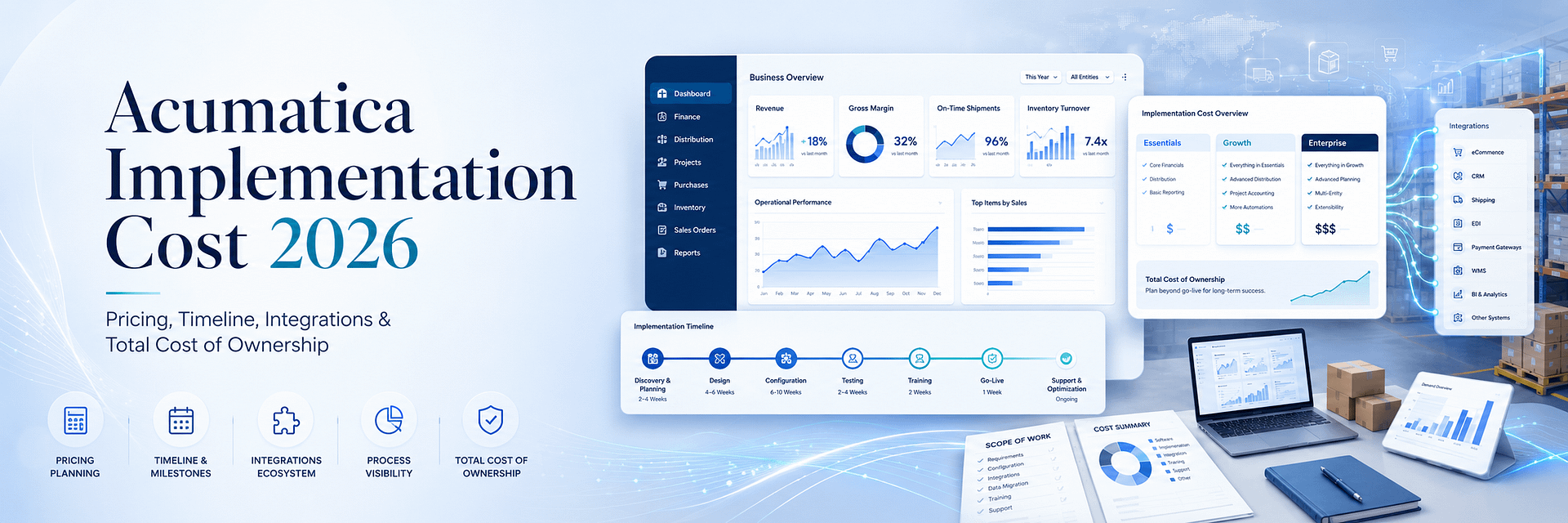
Acumatica Implementation Cost 2026: Pricing, Timeline, Integrations, and Total Cost of Ownership
“How much does Acumatica cost?” sounds like a simple question. In practice, it is one of the most important and most frequently misunderstood questions in an ERP selection project. There is no universal Acumatica implementation cost that applies equally to every company. A growing distributor with two warehouses, a manufacturer with production planning, a construction company with project accounting, and an eCommerce business processing thousands of marketplace orders may all use Acumatica Cloud ERP—but they will not require the same applications, integrations, data migration, customization, reporting, or implementation services. That is why a reliable Acumatica pricing estimate cannot be created from employee count alone. The complete cost depends on:- the Acumatica applications and industry edition required;
- expected transaction volume and resource usage;
- deployment and licensing preferences;
- the number of companies, branches, warehouses, and operating entities;
- the complexity and quality of legacy data;
- the number and depth of external integrations;
- required workflows and customizations;
- reporting, dashboard, and analytics requirements;
- training and change management;
- testing, go-live, and post-implementation support.
How Much Does Acumatica Cost in 2026?
Acumatica does not publish one universal list price for every customer. According to the official Acumatica pricing model, pricing is tailored using three primary factors:- The applications the business needs;
- Expected usage and resource requirements;
- Deployment and license preferences.
| Cost category | What it covers | Typical cost type |
|---|---|---|
| Acumatica software | Applications, resource tier, data storage, deployment, and license model | Recurring or license-based |
| Implementation consulting | Discovery, process mapping, architecture, configuration, and project management | Primarily one-time |
| Data migration | Extraction, cleansing, mapping, import, validation, and reconciliation | One-time, sometimes phased |
| Integrations | eCommerce, marketplaces, payments, warehouses, shipping, CRM, EDI, and APIs | Implementation plus possible recurring support |
| Customization | Custom screens, fields, logic, actions, workflows, and enhancements | One-time development plus maintenance |
| Reporting and analytics | Financial reports, dashboards, Generic Inquiries, KPIs, and BI integrations | One-time and ongoing improvement |
| Training and change management | Role-based training, documentation, videos, workshops, and adoption support | Primarily one-time |
| Support and optimization | Monitoring, issue resolution, updates, enhancements, and performance improvement | Recurring |
Acumatica Software Cost vs. Acumatica Implementation Cost
One of the most common ERP budgeting mistakes is treating software and implementation as the same expense. They are related, but they are not interchangeable.Acumatica Software Cost
The software component covers access to Acumatica and the selected applications. Depending on business requirements, applications may include:- Financial Management;
- General Ledger;
- Accounts Payable;
- Accounts Receivable;
- Cash Management;
- Distribution Management;
- Inventory Management;
- Sales Order Management;
- Purchase Order Management;
- Warehouse Management;
- Manufacturing Management;
- Construction Management;
- Project Accounting;
- Field Service Management;
- CRM;
- Retail and Commerce functionality;
- Payroll;
- Reporting, dashboards, and analytics.
Acumatica Implementation Cost
Implementation cost covers the professional work required to transform the Acumatica platform into a working business system. This includes activities such as:- business process discovery;
- requirements documentation;
- solution architecture;
- module configuration;
- company and branch setup;
- chart of accounts design;
- customer, vendor, item, and warehouse setup;
- data migration;
- integration development;
- customization;
- workflow automation;
- report and dashboard creation;
- testing;
- training;
- go-live preparation;
- post-go-live support.
The Complete Acumatica Total Cost Formula
The practical formula for evaluating Acumatica total cost of ownership is: Acumatica software + implementation services + data migration + integrations + customization + reporting + training + support + third-party systems + internal project effort. Businesses should analyze this formula over several years rather than evaluating only the initial implementation invoice. A low first-year cost can become expensive if the system requires extensive corrective work, duplicate applications, manual processes, or repeated custom development. A higher-quality implementation can create a lower total cost of ownership by reducing:- manual data entry;
- duplicate software subscriptions;
- spreadsheet dependency;
- inventory errors;
- order processing delays;
- financial reconciliation effort;
- reporting delays;
- integration failures;
- support emergencies;
- future redevelopment.
What Determines Acumatica Licensing Cost?
The official Acumatica pricing structure uses three broad dimensions.1. Applications and Functional Scope
The more business functions managed inside Acumatica, the broader the software scope. A company implementing only core financials will have a different application profile from a company implementing financials, distribution, warehouse management, manufacturing, field service, project accounting, and commerce functionality. Businesses should define which capabilities are:- required for initial go-live;
- important for the next phase;
- valuable but not immediately necessary;
- already provided effectively by another integrated system.
2. Business Usage and Resource Requirements
Acumatica pricing reflects expected system use. Relevant factors can include:- transaction volume;
- number of sales and purchase documents;
- inventory movement volume;
- API activity;
- integration frequency;
- automation volume;
- data storage;
- file and document storage;
- processing intensity;
- future growth assumptions.
3. Deployment and License Preferences
Deployment decisions can affect both software and operational cost. The business may evaluate:- Acumatica SaaS;
- private cloud deployment;
- partner-hosted environments;
- infrastructure and security requirements;
- backup and disaster recovery;
- internal IT management responsibilities;
- compliance and data-location requirements.
Why Unlimited User Pricing Changes the Cost Model
Acumatica’s unlimited user pricing philosophy is one of the most important components of its value proposition. Many ERP systems charge according to the number or type of user licenses. That can cause companies to limit ERP access in order to control cost. Limiting access often creates operational problems:- employees rely on shared accounts;
- some departments remain outside the ERP;
- users request exported spreadsheets instead of accessing live data;
- approvals are delayed;
- management depends on intermediaries;
- data becomes incomplete;
- the ERP fails to become the company’s true system of record.
- warehouse operations with many occasional users;
- construction companies with field and project teams;
- manufacturers with supervisors and shop-floor users;
- distributors with sales, purchasing, warehouse, and customer service teams;
- organizations with many executives and report consumers;
- businesses expecting rapid employee growth.
What Determines Acumatica Implementation Cost?
The largest implementation cost drivers are normally business complexity, data complexity, integration scope, and organizational readiness.Number of Companies and Branches
A single-company implementation is usually simpler than an environment involving:- multiple legal entities;
- multiple branches;
- intercompany transactions;
- consolidated reporting;
- multiple currencies;
- different tax structures;
- shared customers, vendors, or inventory;
- different operational processes by entity.
Industry and Operational Complexity
A financial-only implementation generally has a different scope from:- multi-warehouse distribution;
- discrete manufacturing;
- construction project accounting;
- field service operations;
- high-volume retail and eCommerce;
- complex recurring billing;
- consignment inventory;
- configurable kit processing;
- EDI retail networks.
Data Quality and Migration History
Clean master data with a limited amount of history is less expensive to migrate than:- multiple legacy databases;
- duplicate customer records;
- inconsistent item identifiers;
- unreconciled financial balances;
- missing warehouse information;
- poor address quality;
- custom legacy fields;
- many years of detailed transactional history.
Number of Integrations
Every external system adds architecture, mapping, testing, monitoring, and support requirements. A simple one-direction customer export is different from a complete integration synchronizing:- orders;
- customers;
- products;
- prices;
- inventory;
- payments;
- taxes;
- shipments;
- tracking;
- returns;
- refunds.
Customization Requirements
Standard configuration is generally more efficient to maintain than custom code. Implementation cost increases when the business requires:- custom screens;
- specialized document types;
- new business logic;
- complex approval processes;
- special inventory behavior;
- industry-specific compliance;
- custom processing actions;
- advanced automation.
Reporting and Analytics
Reporting cost depends on whether the company needs:- standard financial statements;
- custom financial reports;
- Generic Inquiries;
- executive dashboards;
- operational KPIs;
- profitability analysis;
- multi-entity consolidation;
- Power BI or Tableau integration;
- custom data models.
Internal Team Availability
ERP implementation requires decisions from the client. If internal subject matter experts are unavailable, approvals and testing may be delayed. Delays increase project management effort and can expand cost. The client should assign clear process owners for finance, sales, purchasing, inventory, warehouse operations, manufacturing, projects, integrations, and reporting.Acumatica Implementation Cost by Project Type
There is no reliable universal price for each project type, but businesses can compare relative scope and complexity.| Project type | Typical scope | Relative complexity | Major cost drivers |
|---|---|---|---|
| Core financial implementation | GL, AP, AR, Cash Management, basic reporting | Lower to moderate | Chart of accounts, opening balances, reporting, entities |
| Distribution implementation | Financials, sales orders, purchasing, inventory, warehouses | Moderate to high | Items, warehouses, pricing, replenishment, shipping, EDI |
| Manufacturing implementation | Financials, distribution, BOMs, production, costing, planning | High | Production data, routing, costing, materials, shop-floor workflows |
| Construction implementation | Financials, projects, job costing, commitments, billing, field workflows | High | Project structure, change orders, payroll, documents, field adoption |
| Commerce-heavy implementation | ERP plus online stores, marketplaces, payments, fulfillment, returns | Moderate to very high | Channel count, order volume, inventory rules, refunds, integrations |
| Multi-entity transformation | Multiple companies, branches, currencies, integrations, consolidation | Very high | Governance, migration, intercompany logic, security, reporting |
Acumatica Data Migration Cost
Data migration is often one of the most underestimated components of Acumatica implementation pricing. The business is not simply moving files. It is creating the operational and financial foundation of the new ERP. A complete migration may include:- customers;
- vendors;
- contacts;
- inventory items;
- non-stock items;
- warehouses and locations;
- price lists;
- opening general ledger balances;
- open accounts receivable documents;
- open accounts payable documents;
- unreconciled payments;
- open sales orders;
- open purchase orders;
- projects;
- fixed assets;
- historical transactions;
- attachments and supporting documents.
Factors That Increase Acumatica Data Migration Cost
Migration becomes more expensive when:- data comes from several systems;
- records contain duplicates;
- legacy fields do not map cleanly to Acumatica;
- historical transactions must remain fully searchable;
- financial balances are not reconciled;
- inventory quantities are unreliable;
- item units of measure are inconsistent;
- custom legacy tables must be preserved;
- multiple test migrations are required;
- the final cutover window is very short.
How to Reduce Acumatica Migration Cost
Businesses can reduce migration effort by:- removing inactive and duplicate records before extraction;
- standardizing customer and vendor addresses;
- cleaning item IDs and descriptions;
- reconciling financial balances before migration;
- deciding which history genuinely needs to move;
- assigning internal data owners;
- approving field mappings early;
- performing at least one full test migration;
- validating imported totals before go-live.
Acumatica Integration Cost
Integrations can be a small part of the project or the most complex part of the entire implementation. The cost depends on what the integration must accomplish.Simple Integration
A simple integration may:- move one entity in one direction;
- run on a schedule;
- use standard identifiers;
- require limited transformation;
- have low transaction volume.
Complex Integration
A complex integration may:- synchronize data in both directions;
- process events in near real time;
- support many stores or accounts;
- transform data between different business models;
- manage inventory across warehouses;
- handle payments and refunds;
- create shipments and tracking updates;
- support retries and exception queues;
- maintain detailed logs and audit history;
- process high transaction volumes.
Major Acumatica Integration Cost Drivers
Integration pricing is affected by:- number of connected platforms;
- number of connected accounts or stores;
- number of synchronized entities;
- one-way or bidirectional synchronization;
- scheduled, batch, or webhook-based processing;
- transaction volume;
- field transformation;
- cross-reference requirements;
- duplicate prevention;
- error handling and retries;
- logging and alerting;
- security and authentication;
- testing environments;
- ongoing monitoring and support.
Existing BizTech Connector vs. Custom Acumatica Integration
Using an existing integration product can reduce implementation time and risk compared with developing every workflow from the beginning. BizTech has developed proprietary Acumatica solutions for commerce, marketplaces, payments, warehousing, shipping, CRM, and specialized inventory workflows. Examples include:- Amazon FBA and FBM Connector;
- Shopify Connector;
- WooCommerce Connector;
- Magento Connector;
- PayPal Integration;
- ShipHero Connector;
- ShipStation Connector;
- DSCO Connector;
- CommerceHub Connector;
- ServiceTitan Connector;
- Salesforce Integration;
- EDI integrations;
- Kit Processing;
- Consignment Processing;
- Gift Card Processing.
- the external platform is proprietary;
- the required workflows are highly specialized;
- standard connectors do not support the required entities;
- the business has unique inventory or financial rules;
- several systems must be orchestrated together;
- the integration requires unusual security or infrastructure.
Amazon Acumatica Integration Cost
Amazon integrations can involve both Fulfillment by Merchant and Fulfillment by Amazon. The implementation scope may include:- Amazon store configuration;
- order import;
- FBA and FBM identification;
- customer rules;
- item cross-references;
- payment mapping;
- tax mapping;
- warehouse mapping;
- PO acknowledgments;
- fulfillment exports;
- tracking updates;
- inventory synchronization;
- FBA warehouse transfers;
- refund processing;
- profitability reporting.
Shopify Acumatica Integration Cost
A Shopify integration may include:- Shopify credentials and store configuration;
- B2C or B2B workflows;
- customer import;
- item and variant synchronization;
- product images and attributes;
- Shopify metafields;
- order import;
- payment mapping;
- Shopify location and Acumatica warehouse mapping;
- inventory synchronization;
- fulfillment updates;
- refund webhooks;
- order export from Acumatica to Shopify.
WooCommerce Acumatica Integration Cost
The WooCommerce Acumatica integration cost may include:- WordPress and WooCommerce API setup;
- product synchronization;
- customer synchronization;
- order import;
- tax category mapping;
- category synchronization;
- price and MSRP handling;
- warehouse quantity logic;
- shipping method mapping;
- fulfillment and tracking events;
- high-volume REST API processing.
PayPal Acumatica Integration Cost
A PayPal integration may support:- PayPal invoice creation from Acumatica;
- customer email delivery;
- payment status synchronization;
- batch payment processing;
- cancellation of unpaid requests;
- full and partial refunds;
- transaction history;
- deposit and installment workflows;
- guest checkout.
Acumatica Customization Cost
Customization cost should be evaluated according to the simplest maintainable method that solves the business requirement. There are several levels.Level 1: Standard Configuration
This may include:- system preferences;
- numbering sequences;
- order types;
- approval settings;
- notification templates;
- security roles;
- warehouse settings;
- financial periods;
- tax configuration.
Level 2: No-Code and Low-Code Changes
This may include:- custom fields;
- screen layouts;
- Generic Inquiries;
- dashboards;
- workflow adjustments;
- import and export scenarios;
- business events;
- notifications.
Level 3: Acumatica Customization Project
This may include:- custom screens;
- new processing actions;
- specialized validations;
- custom data access classes;
- document automation;
- special inventory behavior;
- new business logic;
- industry-specific functionality.
Level 4: Custom Product or Integration
This may include:- multi-system orchestration;
- proprietary API integration;
- complex external workflows;
- custom portals;
- specialized processing engines;
- high-volume synchronization services.
- use standard Acumatica functionality when it fits;
- use configuration and workflow tools when possible;
- use integration when another system already solves the problem well;
- write custom code when it creates clear and sustainable business value.
Acumatica Reporting and Dashboard Cost
Reporting is often underestimated during initial ERP budgeting. Companies may assume that standard reports will answer every management question. After discovery, they often identify requirements for:- custom income statements;
- departmental reporting;
- multi-entity consolidation;
- cash-flow reporting;
- inventory aging;
- warehouse performance;
- sales margins;
- project profitability;
- manufacturing variance;
- channel profitability;
- customer payment status;
- integration exceptions;
- executive KPIs.
- number of reports;
- data sources;
- calculation complexity;
- drill-down requirements;
- security by role or branch;
- real-time or scheduled refresh;
- external BI tools;
- historical data requirements.
Acumatica Training Cost and User Adoption
Training is not optional. A technically successful implementation can still fail when users:- do not understand the new workflow;
- continue using spreadsheets;
- enter incomplete data;
- avoid dashboards;
- do not know how to handle exceptions;
- depend on one internal expert for every task.
- administrator training;
- finance training;
- sales order training;
- purchasing training;
- inventory and warehouse training;
- manufacturing training;
- project or construction training;
- reporting and dashboard training;
- integration monitoring;
- role-specific documentation;
- recorded enablement videos;
- post-go-live office hours.
Acumatica Support Cost
Acumatica ERP continues evolving after go-live. Businesses may require:- incident response;
- user assistance;
- integration monitoring;
- performance optimization;
- security updates;
- patch management;
- backup review;
- new dashboards;
- workflow adjustments;
- new integrations;
- release testing;
- customization maintenance;
- capacity planning.
- hourly support;
- prepaid service blocks;
- monthly maintenance plans;
- SLA-backed managed support;
- project-based enhancement work.
How Long Does Acumatica Implementation Take?
There is no universal implementation timeline. BizTech publicly notes that many standard configurations and connector projects can be completed in approximately two to four weeks, while broader implementations or advanced customization projects may require approximately six to ten weeks. Acumatica’s broader ERP guidance notes that complete ERP programs across the market often take approximately six months to one year from planning through a fully operational environment. These statements are not contradictory. They describe different project scopes. A connector deployment using an established BizTech product is different from a complete multi-entity ERP transformation involving financials, distribution, manufacturing, data migration, integrations, training, and phased rollout. Timeline depends on:- functional scope;
- company size;
- number of entities;
- data quality;
- integration complexity;
- custom development;
- reporting requirements;
- client decision speed;
- testing;
- training;
- go-live strategy.
Common Acumatica Go-Live Strategies
Big Bang: all required modules and business units move to Acumatica at one time. Phased Rollout: modules, locations, entities, or departments move in controlled stages. Parallel Operation: Acumatica and the legacy system run simultaneously for a defined period. A phased implementation may spread cost over time and reduce operational risk, but it requires careful coordination and temporary cross-system processes.How Timeline Affects Acumatica Implementation Cost
A shorter timeline does not always mean a lower cost. Accelerated projects may require:- more consultants working simultaneously;
- faster client decisions;
- compressed testing;
- additional project management;
- weekend or after-hours cutover;
- temporary workarounds;
- limited opportunity for process redesign.
- extended project management;
- repeated requirement reviews;
- staff turnover;
- changing business requirements;
- duplicate work in old and new systems;
- loss of project momentum.
Hidden Acumatica Implementation Costs Businesses Often Miss
A strong ERP budget should include costs beyond software and consulting invoices.Internal Employee Time
Executives, finance teams, warehouse managers, buyers, sales leaders, IT staff, and subject matter experts must participate in discovery, design, migration, testing, and training. Their time is part of the total project cost.Data Cleansing
Legacy data may require extensive internal review before migration.Process Documentation
Undocumented workflows often require interviews, workshops, and validation before configuration can begin.Third-Party Software
The final environment may include:- tax applications;
- shipping platforms;
- EDI providers;
- payment gateways;
- BI software;
- document management;
- specialized industry applications.
Integration Monitoring
APIs and connectors require monitoring, exception management, and occasional updates.Parallel Operations
Running two ERP systems simultaneously can create duplicate work and extended legacy software fees.Change Requests
New requirements identified after scope approval may increase cost and timeline.Post-Go-Live Optimization
Some improvements should intentionally occur after users gain real production experience.Upgrade and Release Testing
Customizations and integrations should be tested against future Acumatica releases.Change Management
Communication, training, internal leadership, and adoption support require time and resources.Why the Cheapest Acumatica Quote Can Become the Most Expensive
A low-cost proposal may exclude important work. Common exclusions include:- data cleansing;
- historical migration;
- integration error handling;
- custom reporting;
- user acceptance testing;
- training documentation;
- post-go-live support;
- project management;
- upgrade compatibility;
- performance monitoring.
- architecture redesign;
- repeat migration;
- integration redevelopment;
- corrective reporting;
- emergency support;
- additional training;
- delayed go-live;
- extended legacy system operation.
How to Reduce Acumatica Implementation Cost Without Damaging the Project
Cost control should remove waste, not quality.Complete Discovery Before Configuration
Clear requirements reduce rework.Prioritize Requirements
Separate requirements into:- mandatory for go-live;
- important for the next phase;
- optional improvements;
- legacy processes that should be eliminated.
Use Standard Acumatica Functionality First
Configuration is usually easier to maintain than custom development.Clean Data Early
Data cleansing performed before migration reduces consultant effort and testing failures.Use Existing BizTech Connectors
A proven connector may reduce custom development and implementation risk.Assign Internal Process Owners
Fast and informed client decisions keep the project moving.Implement in Phases When Appropriate
A phased roadmap can prioritize the highest-value capabilities and defer optional enhancements.Define Reports Early
Reporting requirements affect data structures, workflows, and integrations.Test Complete Business Scenarios
End-to-end testing reduces expensive production corrections.Train by Role
Focused role-based training is more effective than generic system demonstrations.Establish Change Control
Every proposed addition should be evaluated for business value, cost, timeline, and maintenance impact.Acumatica Total Cost of Ownership
A complete Acumatica TCO analysis should cover the full ownership period.| Cost area | Initial year | Ongoing years |
|---|---|---|
| Software | Subscription or license setup | Renewal, resources, storage, added applications |
| Implementation | Discovery, configuration, migration, testing, training | Normally limited after stabilization |
| Integrations | Setup, mapping, testing, deployment | Monitoring, API changes, new features |
| Customization | Initial development | Maintenance, release testing, enhancements |
| Support | Go-live stabilization | Managed support and optimization |
| Internal labor | Heavy project participation | Administration, process ownership, training |
How to Calculate Acumatica ROI
Acumatica return on investment should be evaluated against measurable operational outcomes. Possible ROI categories include:Reduced Manual Data Entry
Measure employee hours spent entering orders, payments, shipments, inventory adjustments, and financial data before and after implementation.Faster Financial Close
Measure the number of days and employee hours required to close each period.Improved Inventory Accuracy
Measure stock adjustments, write-offs, overselling, emergency purchasing, and lost sales.Faster Order Processing
Measure order cycle time from receipt to shipment and invoice.Lower Software Duplication
Identify legacy tools, spreadsheets, databases, reporting applications, and integration services that can be retired.Improved User Adoption
Evaluate whether more employees can access live ERP data without additional seat-based licensing.Reduced Integration Failures
Measure manual corrections, delayed orders, missing tracking, duplicate customers, and reconciliation work.Better Margin Visibility
Evaluate whether leadership can identify profitability by product, customer, channel, project, or warehouse.Scalability Without Equivalent Headcount Growth
Measure transaction growth relative to administrative staffing. The strongest Acumatica ROI model uses company-specific operational data rather than generic industry assumptions.How BizTech Builds an Acumatica Implementation Estimate
BizTech does not calculate implementation cost from one generic questionnaire. A useful estimate requires structured discovery.Step 1: Business Profile
BizTech reviews:- industry;
- revenue and transaction profile;
- legal entities;
- branches;
- warehouses;
- sales channels;
- current systems;
- growth plans.
Step 2: Functional Scope
We identify the required Acumatica applications and modules.Step 3: Process Mapping
We review order-to-cash, procure-to-pay, record-to-report, inventory, warehouse, production, project, service, and commerce workflows.Step 4: Data Migration Assessment
We evaluate data sources, record volume, quality, history, mapping, and reconciliation requirements.Step 5: Integration Inventory
We identify all eCommerce platforms, marketplaces, payment systems, warehouses, CRM tools, EDI providers, shipping systems, BI tools, and proprietary applications.Step 6: Customization Assessment
We determine which requirements can be handled through standard Acumatica, configuration, existing BizTech products, or custom development.Step 7: Reporting and Dashboard Scope
We identify financial, operational, executive, and compliance reporting requirements.Step 8: Training and Change Management
We define user groups, documentation, training sessions, videos, and go-live support.Step 9: Testing and Deployment
We define test cycles, user acceptance testing, migration rehearsals, go-live strategy, and stabilization support.Step 10: Ongoing Support Plan
We identify monitoring, maintenance, response-time, and future enhancement requirements. The resulting estimate should clearly separate:- software;
- implementation;
- migration;
- integrations;
- customization;
- reporting;
- training;
- support;
- assumptions;
- exclusions.
Information Needed for an Acumatica Implementation Quote
A company can prepare for an estimate by collecting the following information:- current ERP and accounting systems;
- number of legal entities and branches;
- number of warehouses and locations;
- required currencies and tax jurisdictions;
- current transaction volume;
- expected growth;
- required Acumatica modules;
- legacy data sources;
- historical data requirements;
- external integrations;
- custom workflows;
- reporting requirements;
- number and roles of users;
- desired go-live date;
- internal project team availability;
- support requirements.
Questions to Ask Before Accepting an Acumatica Quote
Businesses should ask:- Which Acumatica applications are included?
- What resource level is assumed?
- Which deployment model is included?
- Which implementation phases are covered?
- How much data history will be migrated?
- Are data cleansing and reconciliation included?
- Which integrations are included?
- Does integration scope include refunds, errors, retries, and monitoring?
- Which reports and dashboards are included?
- How many training sessions are included?
- Who is responsible for user acceptance testing?
- What support is included after go-live?
- How are change requests priced?
- What assumptions could change the cost?
- How will customizations be tested against upgrades?
Why Work with BizTech for Acumatica Implementation?
BizTech is an Acumatica Gold Partner specializing in ERP implementation, customization, integrations, data migration, reporting, automation, training, testing, and support. BizTech’s website reports more than 500 successful integrations and experience serving businesses across more than 35 countries. Our main advantage is the combination of functional ERP expertise and product development. BizTech does not only configure Acumatica. We also build solutions that extend Acumatica into:- eCommerce;
- marketplaces;
- payments;
- warehouse fulfillment;
- shipping;
- retail networks;
- CRM;
- EDI;
- custom inventory processes;
- industry-specific workflows.
- define ERP strategy;
- calculate software and implementation scope;
- configure Acumatica;
- migrate and reconcile data;
- deploy existing connectors;
- build custom integrations;
- develop specialized functionality;
- create dashboards and reports;
- train users;
- support the system after go-live.
Is Acumatica Worth the Cost?
Acumatica can be a strong investment for businesses that have outgrown disconnected accounting, inventory, order, warehouse, project, and eCommerce systems. The platform is especially valuable when the company needs:- one source of financial and operational truth;
- broader user access;
- multi-warehouse inventory visibility;
- automated purchasing and order management;
- manufacturing or construction functionality;
- eCommerce and marketplace integration;
- payment synchronization;
- real-time dashboards;
- workflow automation;
- open APIs and custom integration;
- a scalable midmarket ERP platform.
Final Conclusion: Understanding Acumatica Implementation Cost
There is no honest universal answer to the question: “How much does Acumatica cost?” The software price depends on applications, usage, resources, and deployment preferences. The implementation cost depends on business scope, data, integrations, customization, reporting, training, testing, timeline, and support. A complete Acumatica budget may include:- Acumatica software;
- implementation consulting;
- data migration;
- system integrations;
- custom development;
- reports and dashboards;
- training;
- go-live support;
- ongoing optimization.
- Acumatica consulting;
- ERP configuration;
- data migration;
- customization;
- eCommerce integration;
- marketplace automation;
- payment integration;
- warehouse connectivity;
- reporting;
- training;
- support.
- Acumatica Implementation Cost;
- Acumatica Pricing 2026;
- Acumatica ERP Pricing;
- How Much Does Acumatica Cost;
- Acumatica Implementation Estimate;
- Acumatica Data Migration Cost;
- Acumatica Integration Cost;
- Acumatica Customization Cost;
- Acumatica Total Cost of Ownership;
- Acumatica Gold Partner;
- BizTech Acumatica Implementation;